 Verified coverage
Hungary network
Access to top-tier carriers for a stable and fast connection
Need help choosing?
Not sure which plan to pick? Try our data calculator.
Is your device eSIM-ready?
A quick check to see if your phone supports eSIM.
100% secure payment
Multiple payment methods accepted










eSIM Budapest
Our Hungary eSIM works in Budapest: the same plans at the same prices as on the Hungary page. Data from the moment you land, and your usual number stays on.
Budapest, Hungary eSIM plans and prices
4% in SimCoins- Networks
- One
- Mobile network
- 4G
- Hotspot / tethering
- Yes
- Top-up
- Yes
- Validity
- 30 days
Unlimited Budapest, Hungary eSIM plans: high-speed data every day
- 14-day refund if not activated
- Support within 24 h
- Install before you leave
Need help choosing?
Not sure which plan to pick? Try our data calculator.
100% secure payment
Multiple payment methods accepted
Getting online in Budapest
Budapest is covered by our Hungary eSIM, with the same plans as the rest of the country. Install it at home before you leave, and it connects as soon as you land. It's data only: your usual number stays active alongside it.
BUDBudapest Ferenc Liszt International Airport
Budapest
Your eSIM connects
As soon as your phone finds a local network. Set the eSIM as your data line and turn on data roaming for it.
Free airport Wi‑Fi
Free Wi‑Fi in every terminal for 4 hours: select the bud:free wifi network. Source, Oct 2026
Local SIM cards
- Yettel Yettel Pass M, tourist eSIM
- HUF 7,000
- Unlimited data in Hungary for 7 days, data only, bought online Source, Oct 2026
- Magyar Telekom Domino Next, prepaid
- HUF 6,490
- 10 GB and 50 minutes, renewed every 30 days, in Telekom stores Source, Oct 2026
Telekom asks for valid ID (passport, ID card or driver's license), and foreign customers sign the contract in store. Source, Oct 2026
With Simsima, no passport and nothing to pick up: the eSIM is already in your phone.
Your networks on the ground
The plans on this page connect to these networks in Hungary.
 One5G
One5G Yettel5G
 Telenor5G
 T-Mobile5G
Unlimited plans run on One.
Along the way
The same plan follows you everywhere in Hungary, day trips included.
- Airport bus 100ETo Deák Ferenc tér in 40 minutes, around the clock; pay by card on board
- Parliament and the Danube embankmentOn the Pest side of the river
- Buda Castle and Fisherman's BastionThe hill on the Buda side
- Széchenyi BathsThermal baths in City Park
- SzentendreA day trip by train, on the same plan
Apps worth installing before you go
- BudapestGORoutes and BKK tickets
- Real-time journey planning; single tickets, 24- and 72-hour travelcards and the 100E airport bus ticket in the app. Source, Oct 2026
- Budapest Pay&GOMetro lines M1 to M4 and bus 100E
- Tap your bank card or phone on the terminal: one tap buys and validates the ticket, with no registration and no app. Source, Oct 2026
- BoltRides
- Rides around the city booked in the app, including XL and child-seat options. Source, Oct 2026
- WhatsAppMessages and calls
- Runs over the eSIM's data and stays on your usual number, which remains active alongside it.
Internet in Budapest: eSIM, SIM card or pocket WiFi?
Four ways to get online when you land, and what changes for you.

For a trip in Budapest, an eSIM is the simplest
Installed at home, online as soon as you land, and your number stays active. No counter, no device to return.

| Simsima.Travel eSIM | Local SIM card | Pocket WiFi | Your carrier's roaming | |
|---|---|---|---|---|
| Where to get it | Online, before you fly | On arrival, at an airport counter or store | Rental: a device to pick up, then return | Already in your usual plan |
| When you're online | As soon as you land, installed at home | After buying it locally | After picking up the device | As soon as you land |
| Your number | Stays active on your usual line | Replaced by a local number, your SIM comes out | Stays on your phone | Stays active |
| ID required | None | Passport required to buy source | Depends on the rental company | None |
| Devices | Your phone, hotspot allowed | One unlocked phone | Several devices, battery to charge | Your phone |
| Price | From $3.92 | ≈ $19.92 for 10 GB, 30 days (Magyar Telekom) source | Daily rental | Depends on your carrier |
Prices checked on 2026-10-10 on carrier and rental websites, converted at the day's rate. They may have changed since.
How to install your Budapest eSIM
Install it before you leave: it takes two minutes. These are the real screens of your phone, step by step.
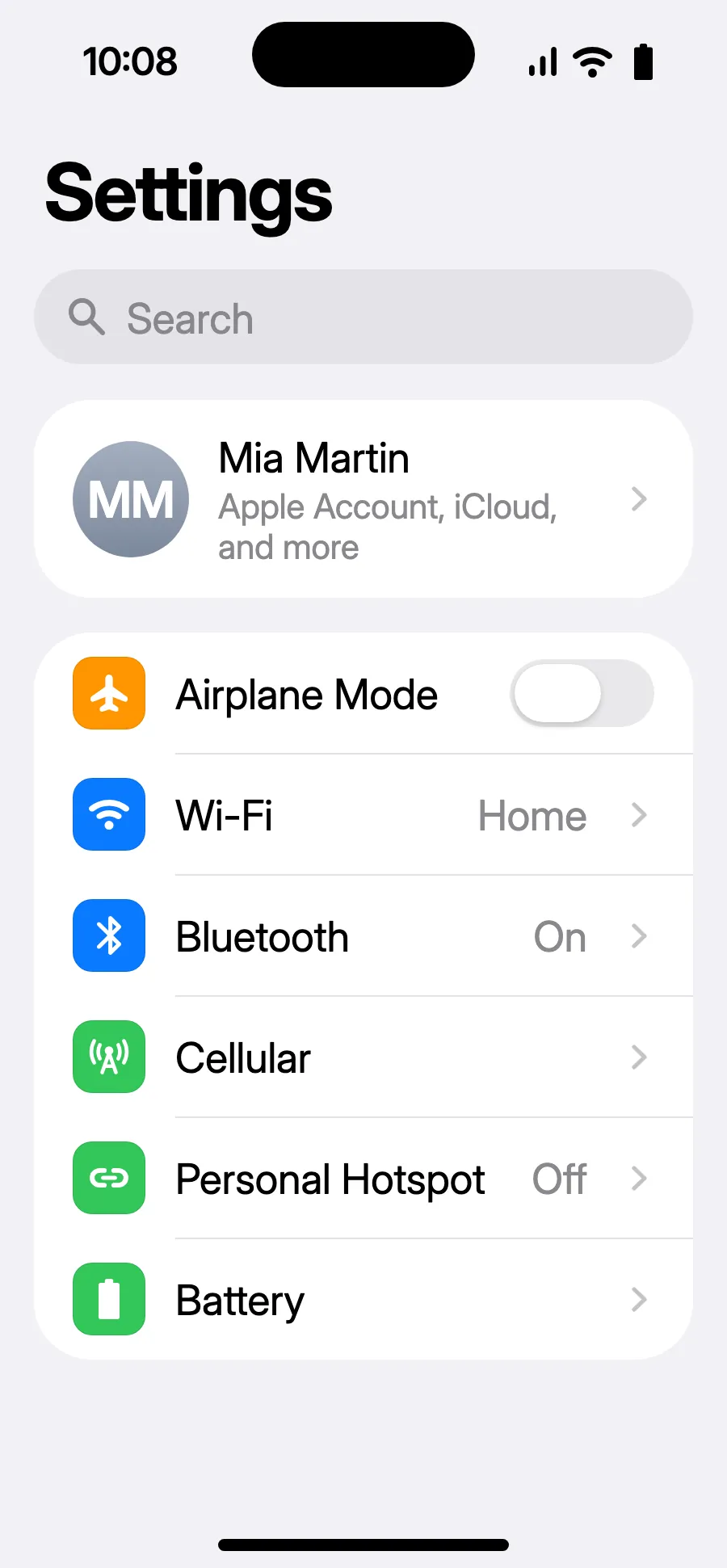
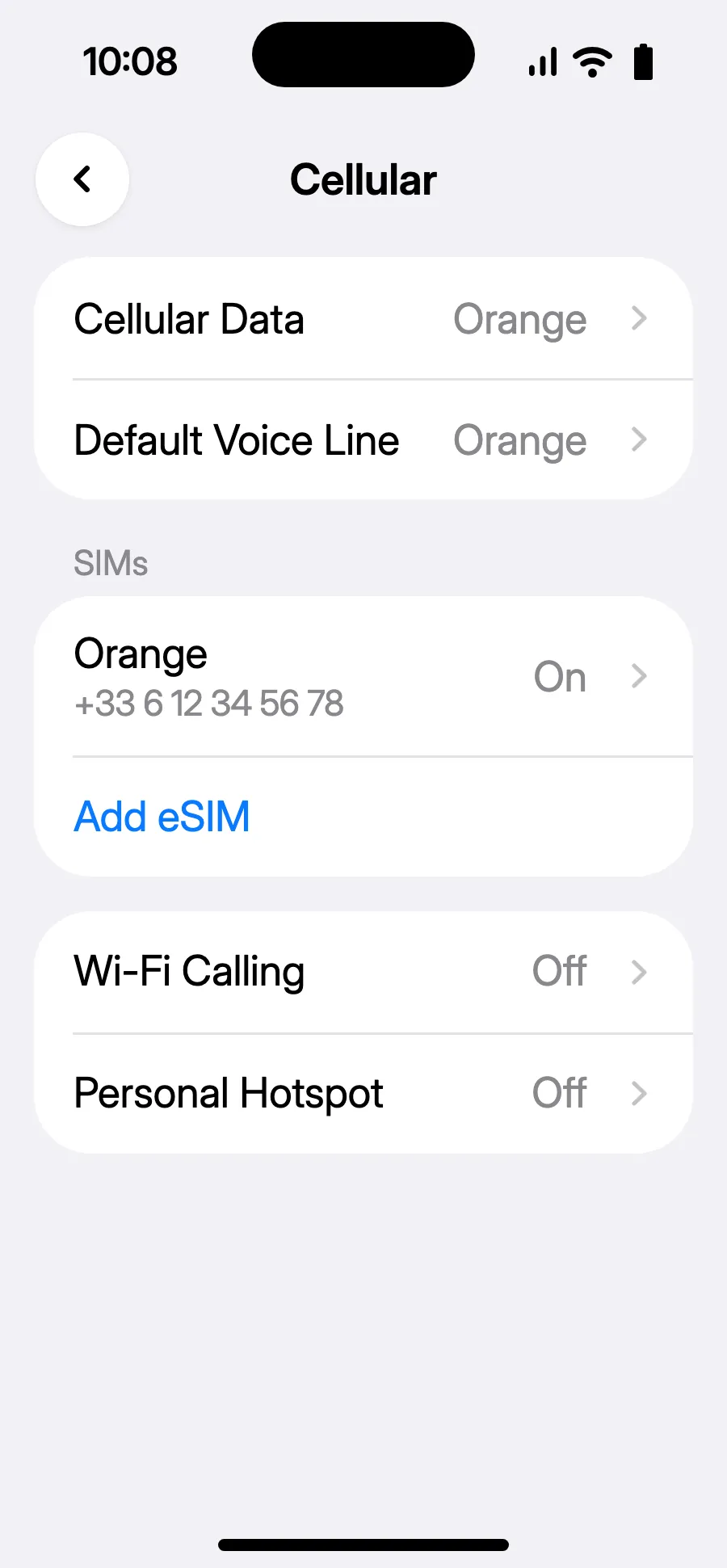
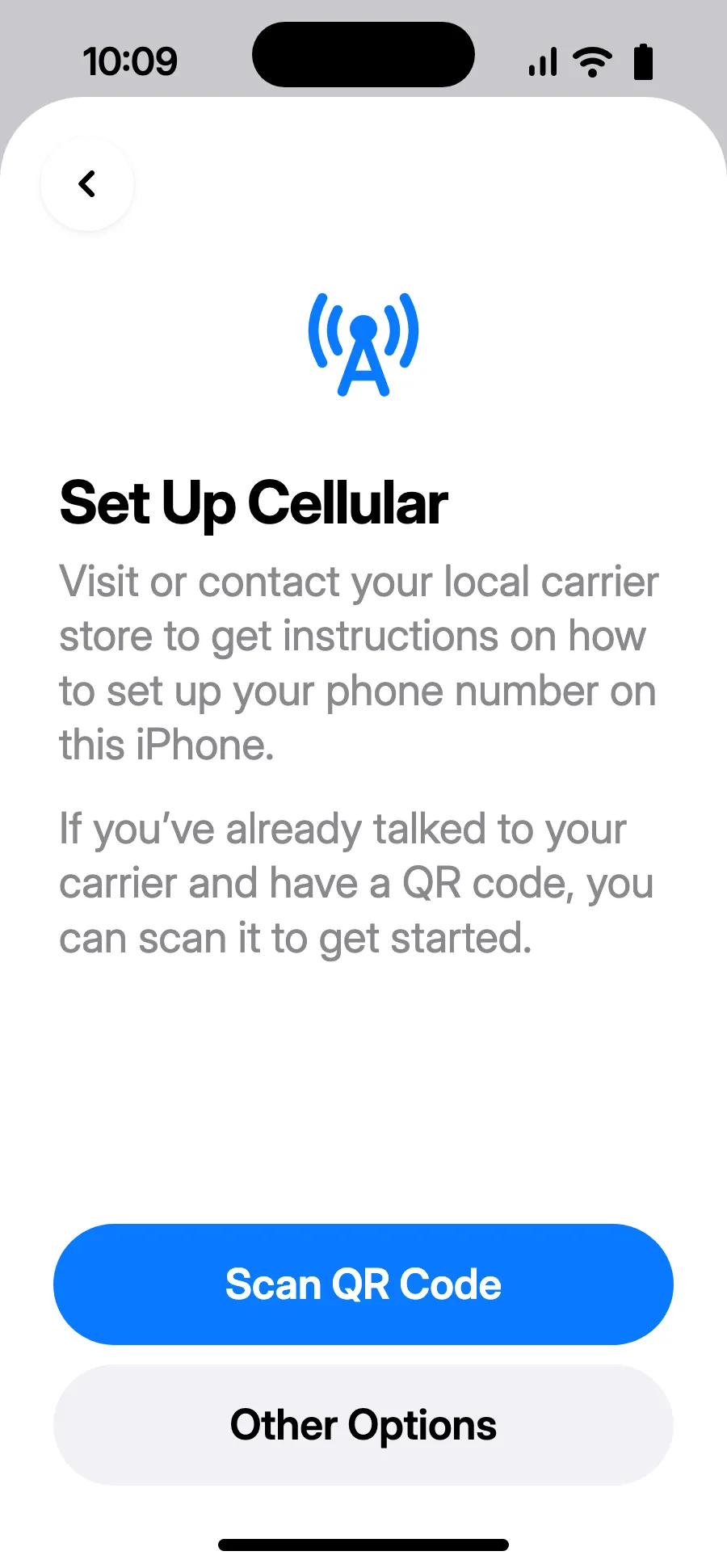
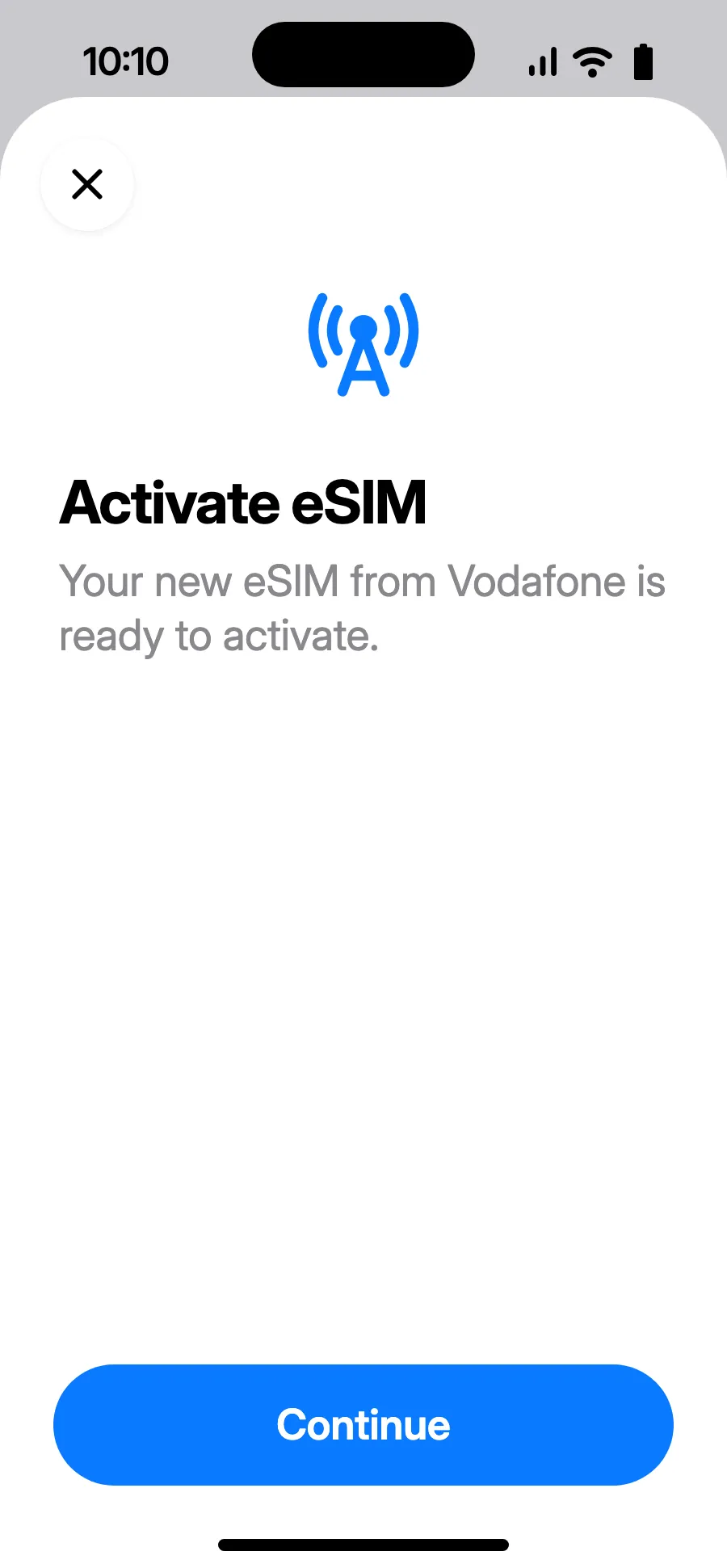
Before you leave: install your eSIMStep 1 of 11
- Open Settings, then Cellular.
- Tap “Add eSIM”.
- Tap “Scan QR Code” and scan the QR code we email you after purchase (it's also in your account).
- “Activate eSIM” opens: tap Continue.
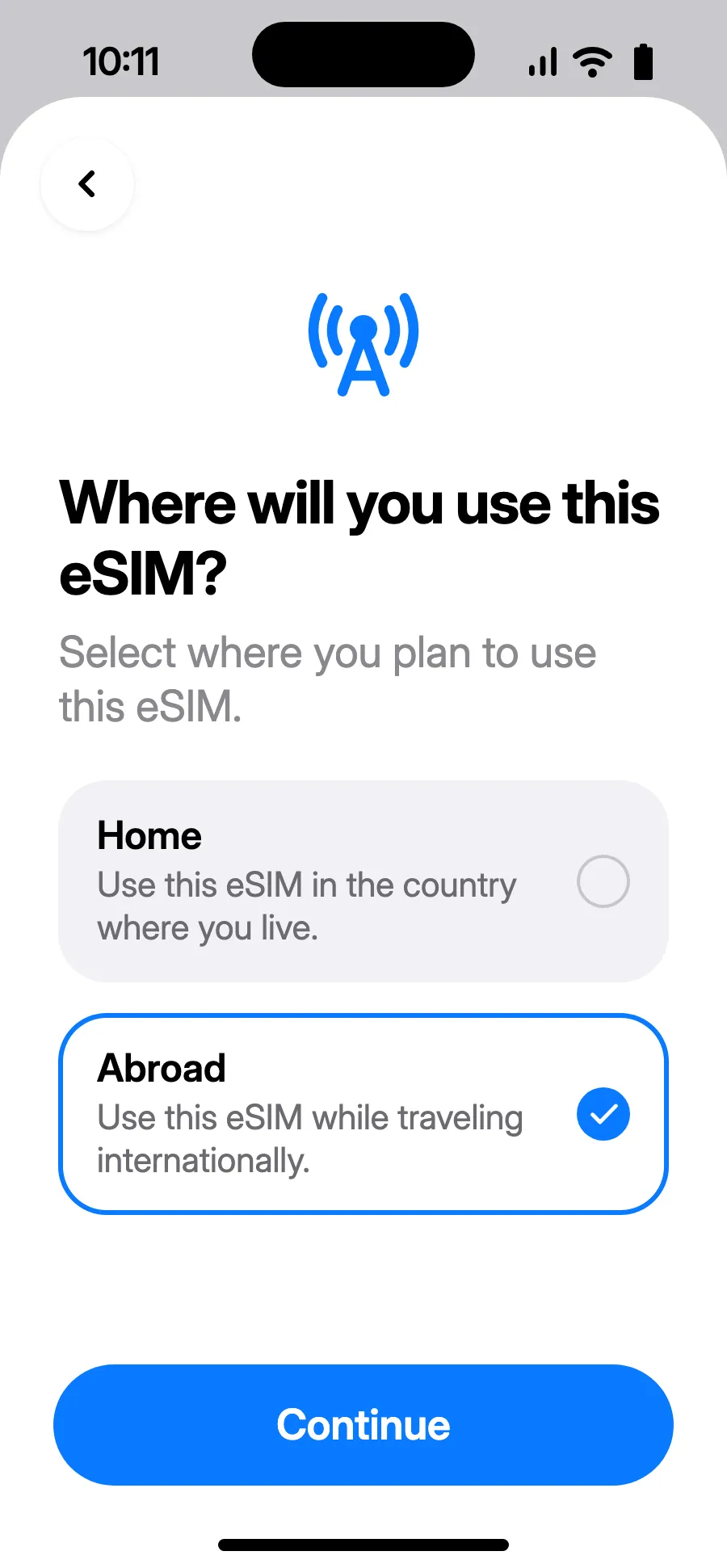
- Choose Abroad, then tap Continue.
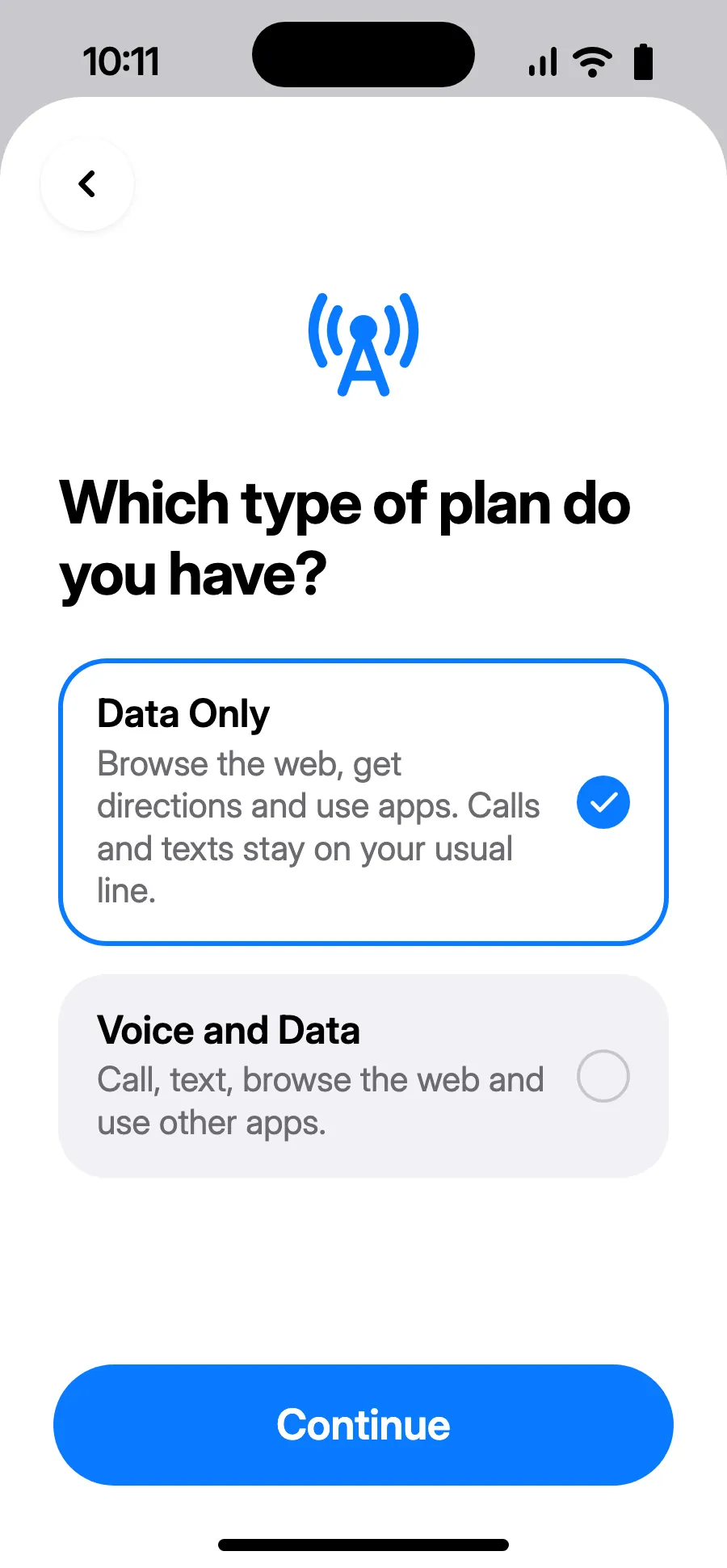
- Choose Data Only, then tap Continue. The eSIM is for data; your usual number keeps calls and texts.
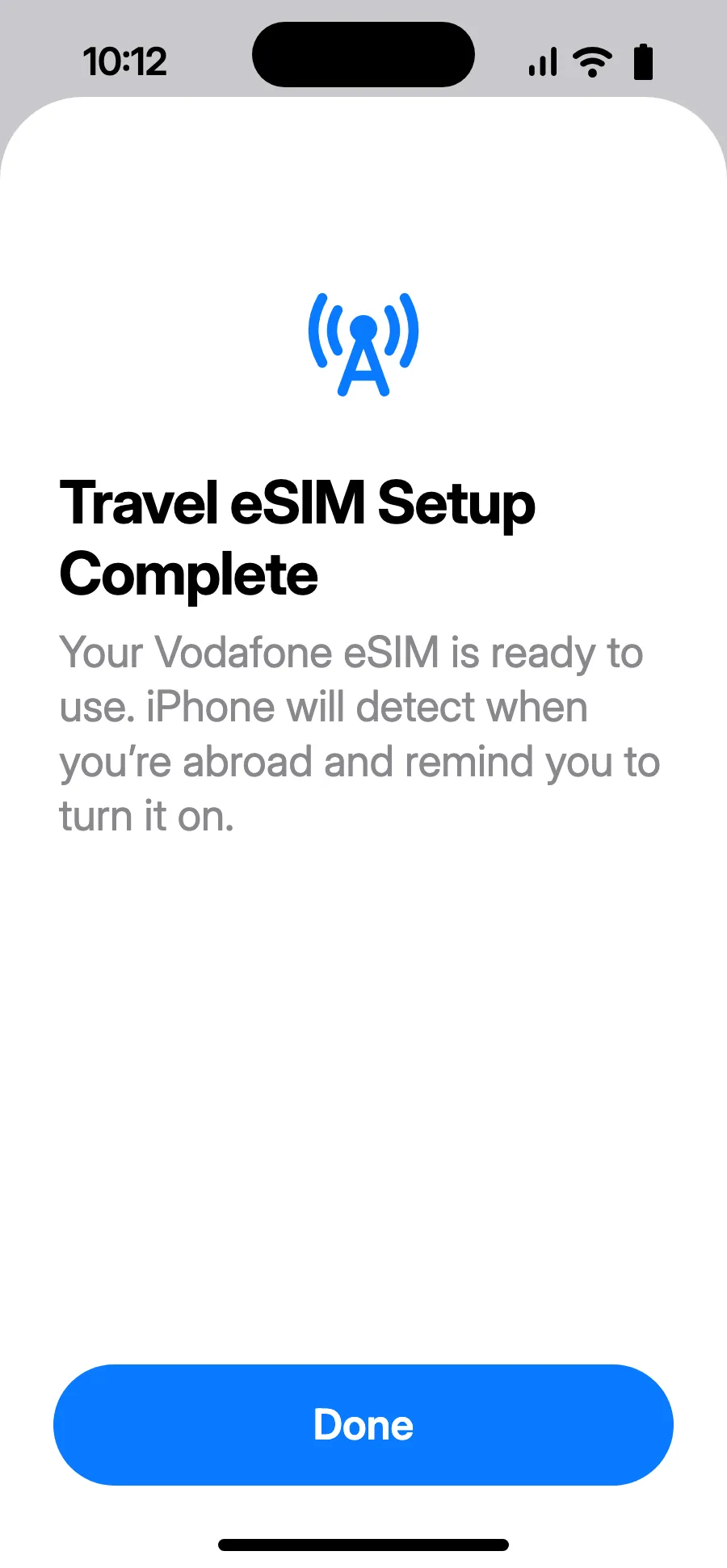
- Tap Done. Your iPhone will remind you to turn on the eSIM once you're abroad.
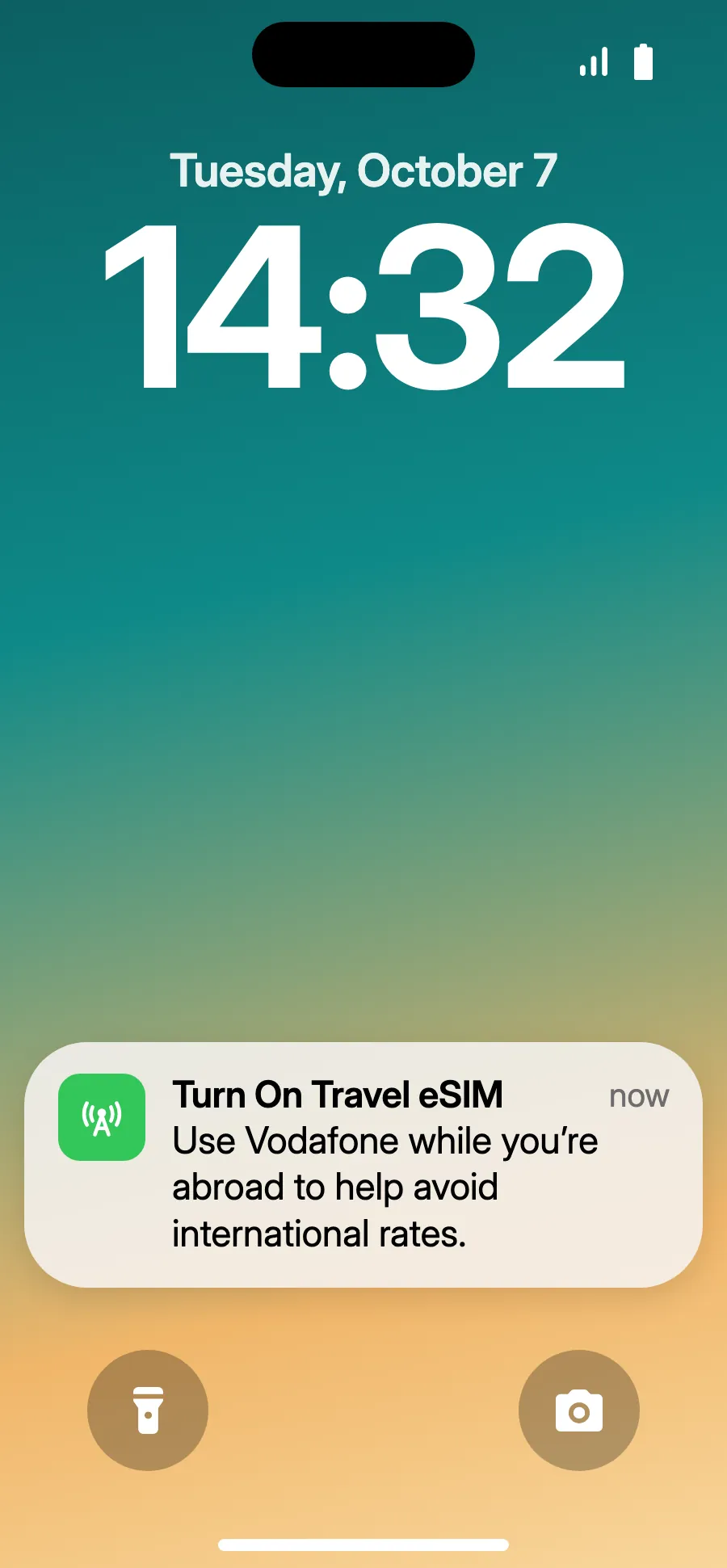
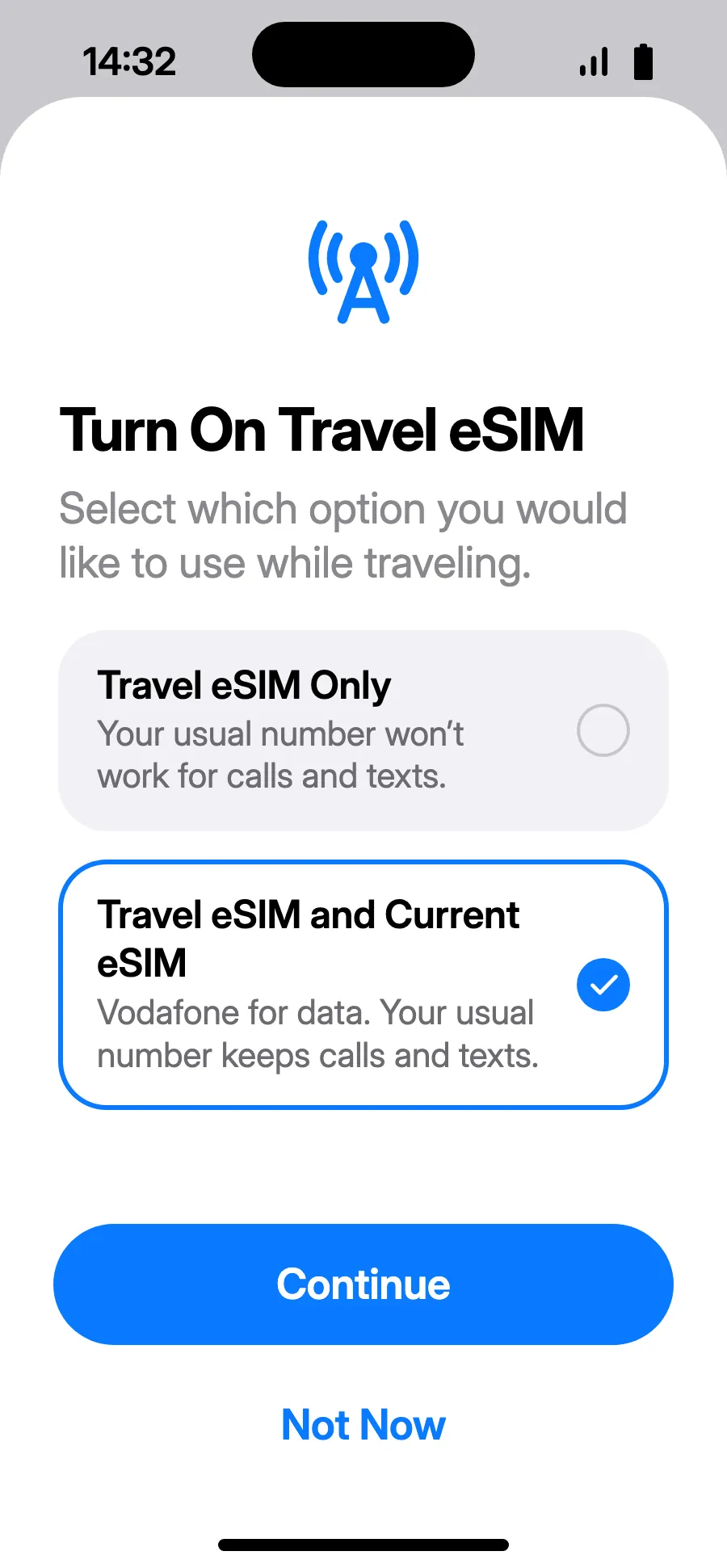
- When you land, your iPhone may show “Turn On Travel eSIM”: tap the notification.
- Choose “Travel eSIM and Current eSIM”, then Continue. You keep your number for calls and texts (bank codes included); your carrier may charge for calls you receive.
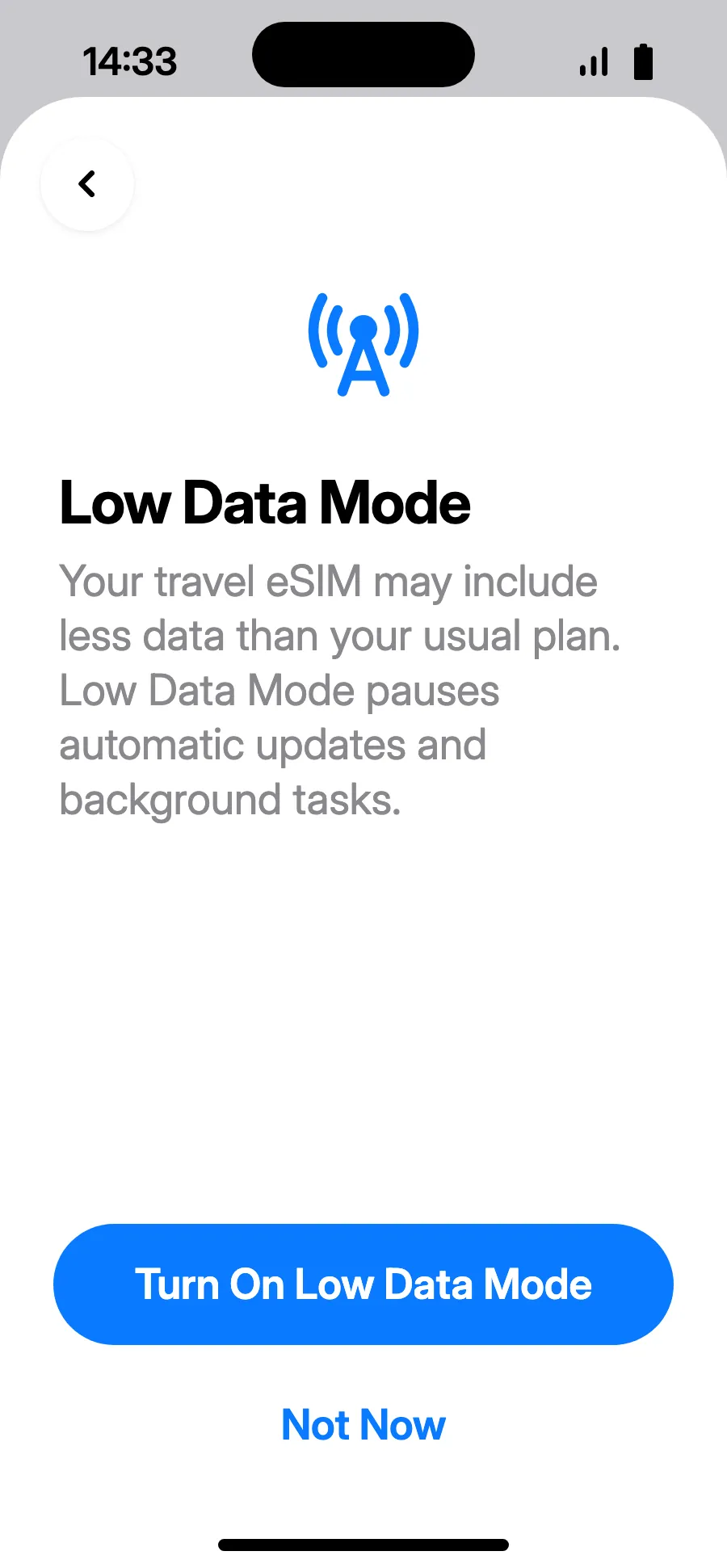
- Low Data Mode saves your plan: tap “Turn On Low Data Mode”, or “Not Now”.
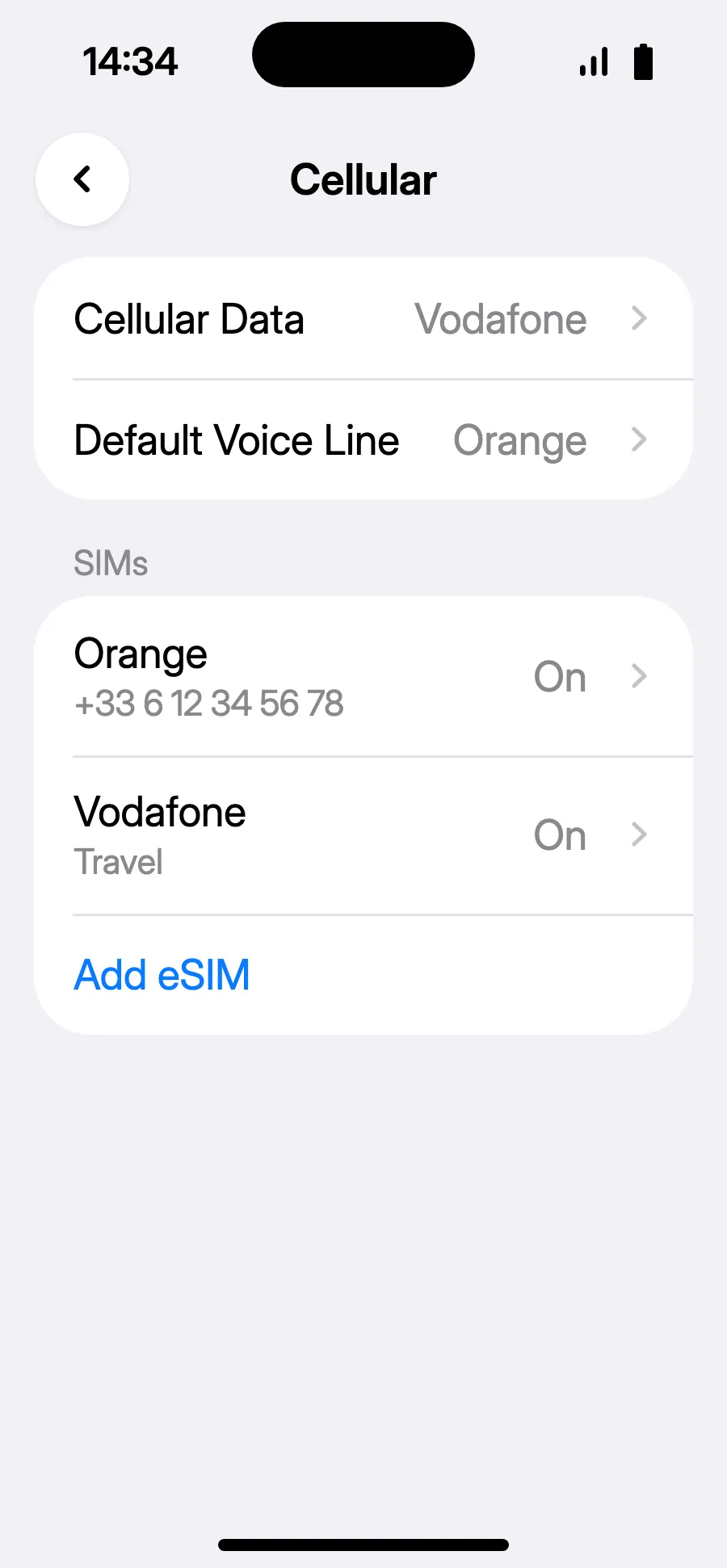
- You're set: Cellular Data shows the new eSIM.
After you buy, your QR code arrives by email and in your account. Show it on another screen, then follow these steps on your phone.
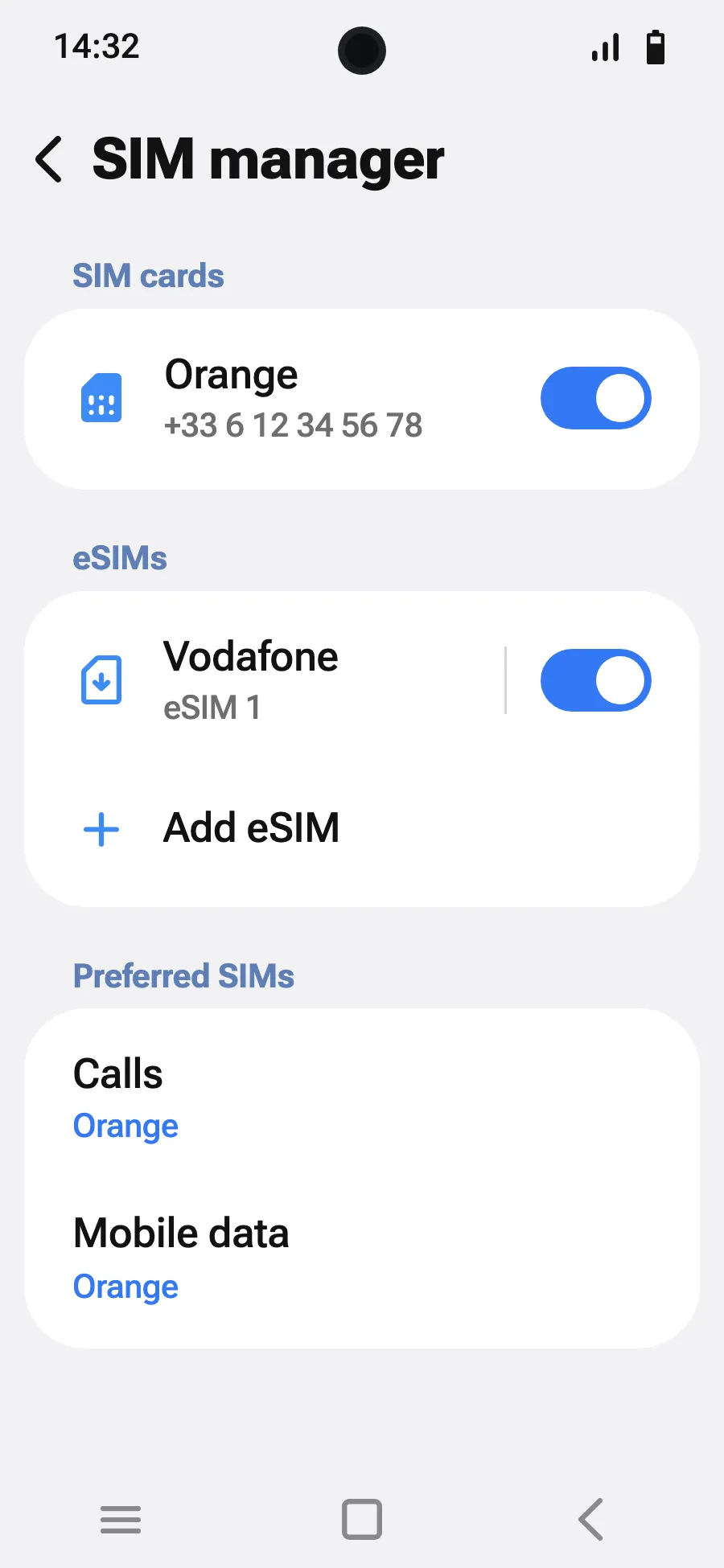
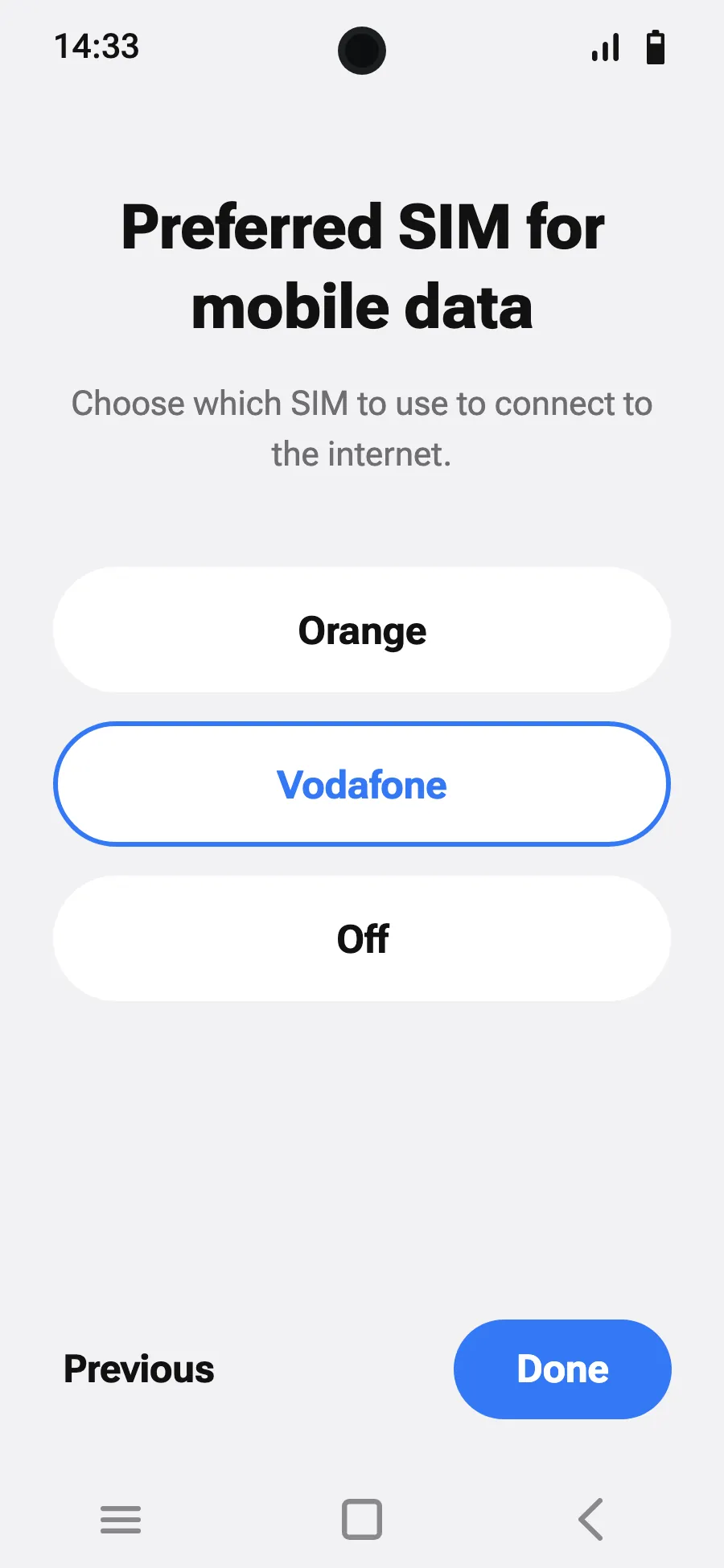
Before you leave: install your eSIMStep 1 of 8
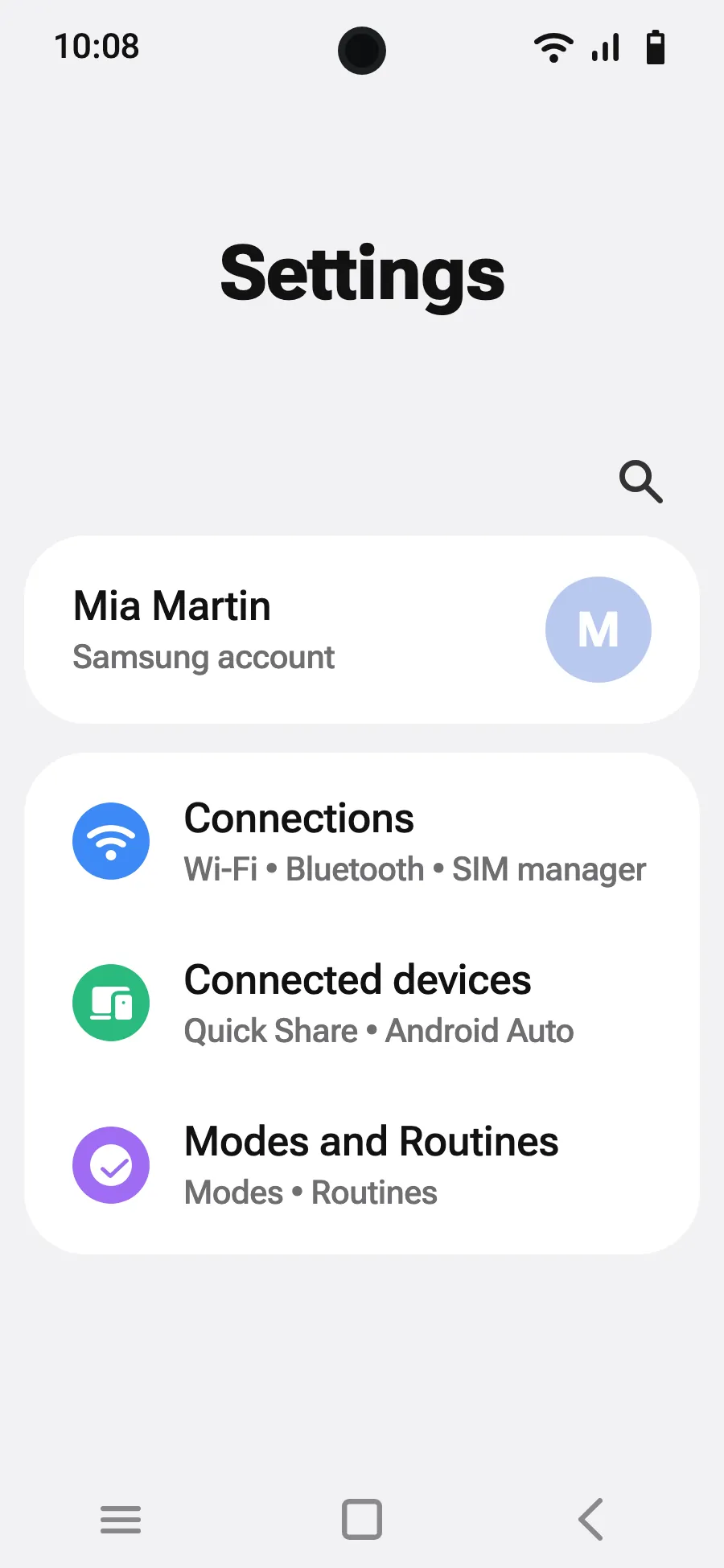
- Open Settings, then Connections.
- Tap “SIM manager”.
- Tap “Add eSIM”.
- Choose “Scan QR code”.
- Scan the QR code we email you after purchase (it's also in your account), then tap Add.
- When you land, turn on your new eSIM in SIM manager. It shows the name of a local or partner carrier.
- Choose the new eSIM for mobile data.
- In Connections, Mobile networks, turn on data roaming.
After you buy, your QR code arrives by email and in your account. Show it on another screen, then follow these steps on your phone.
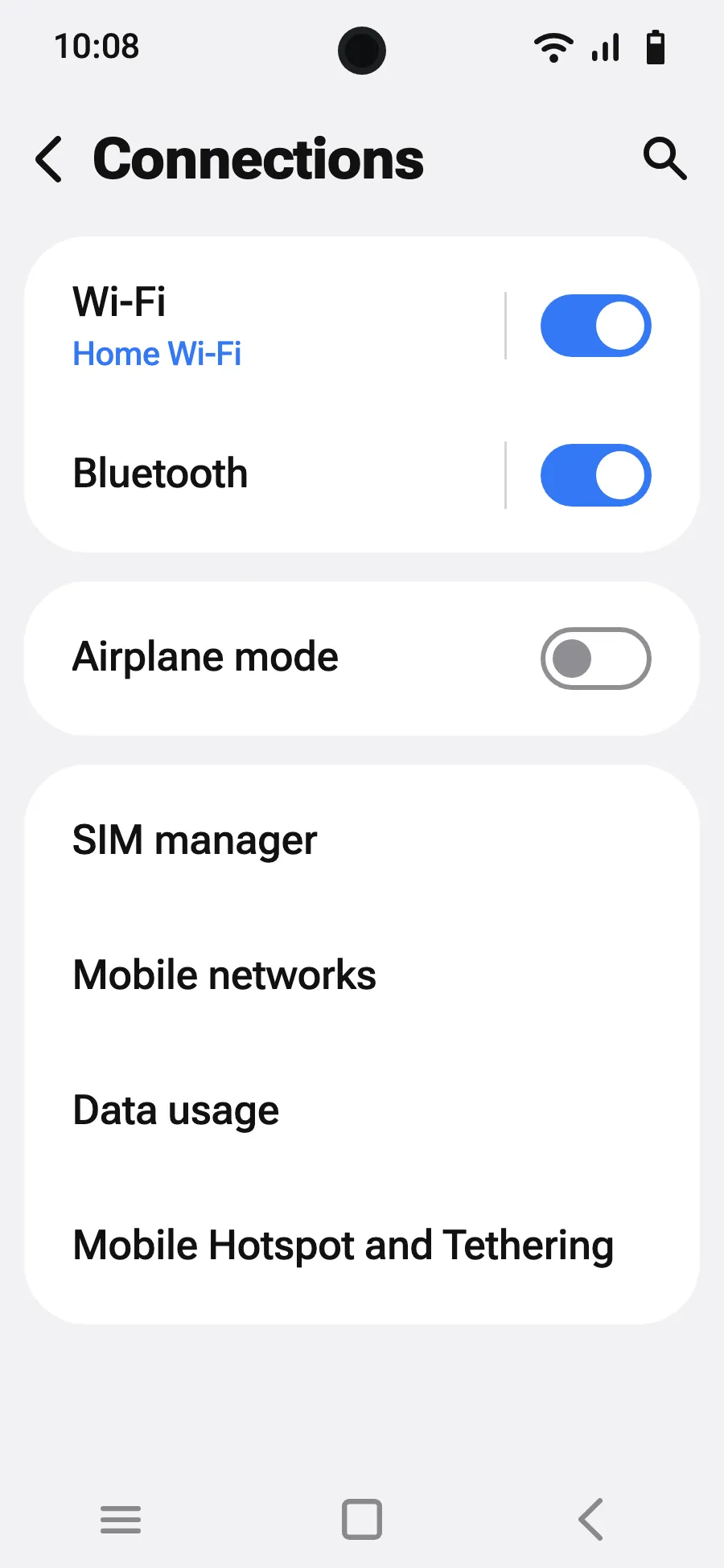
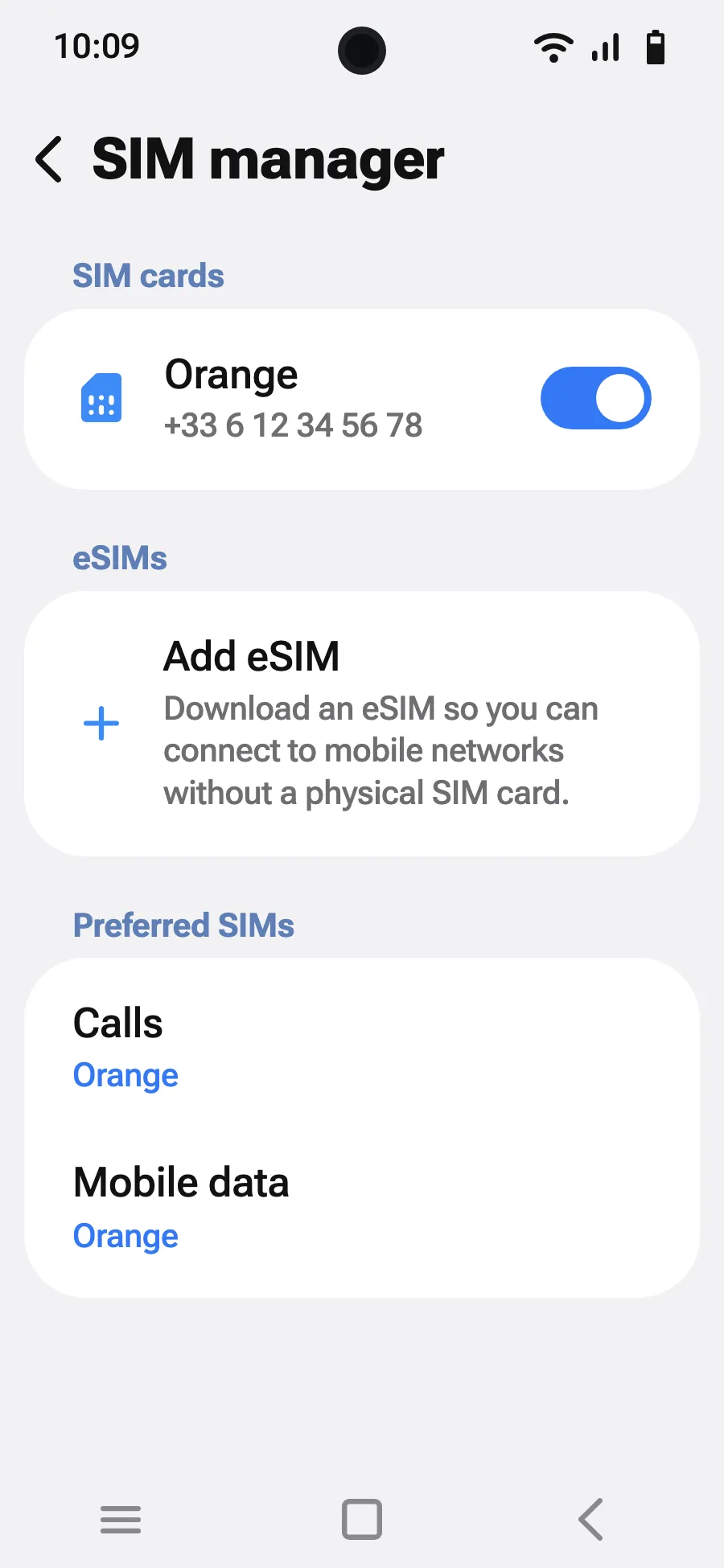
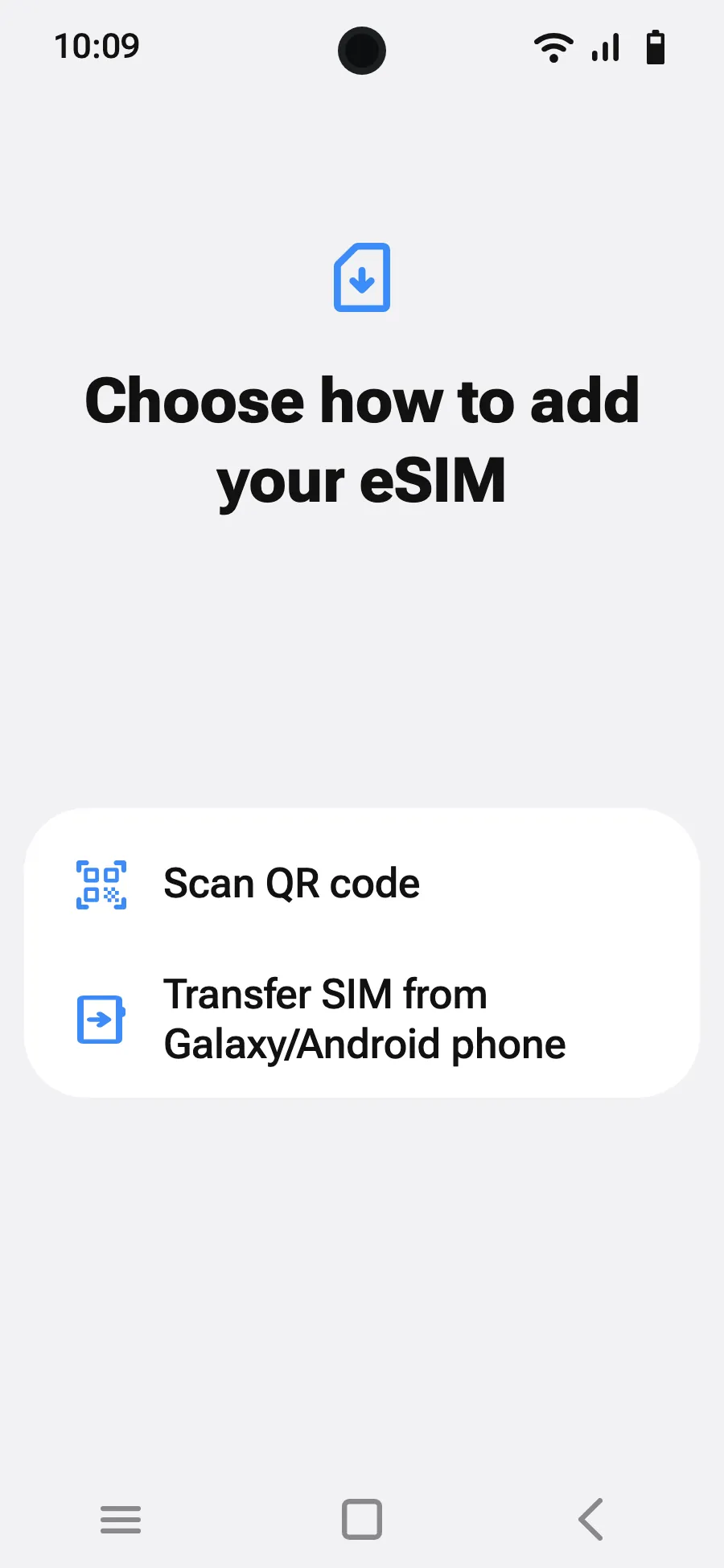
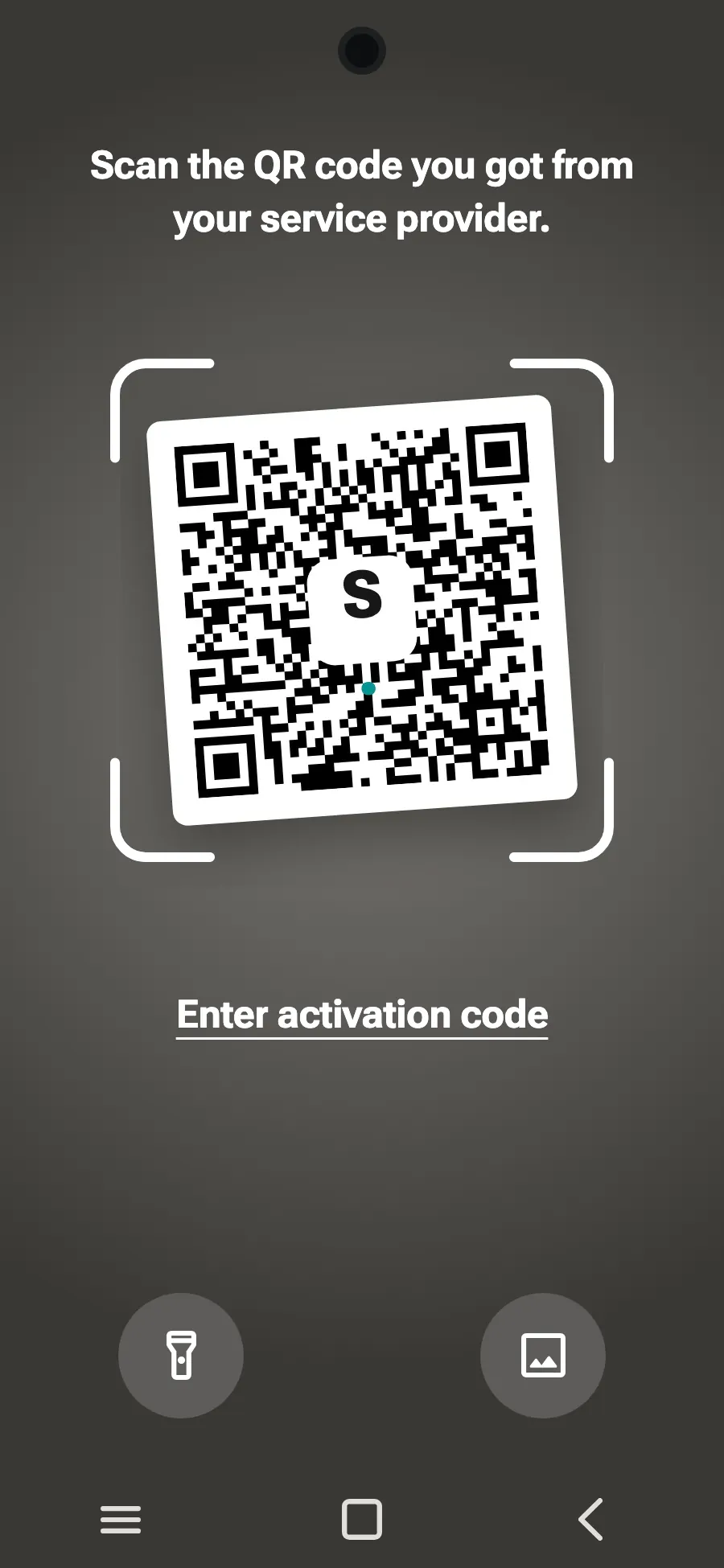
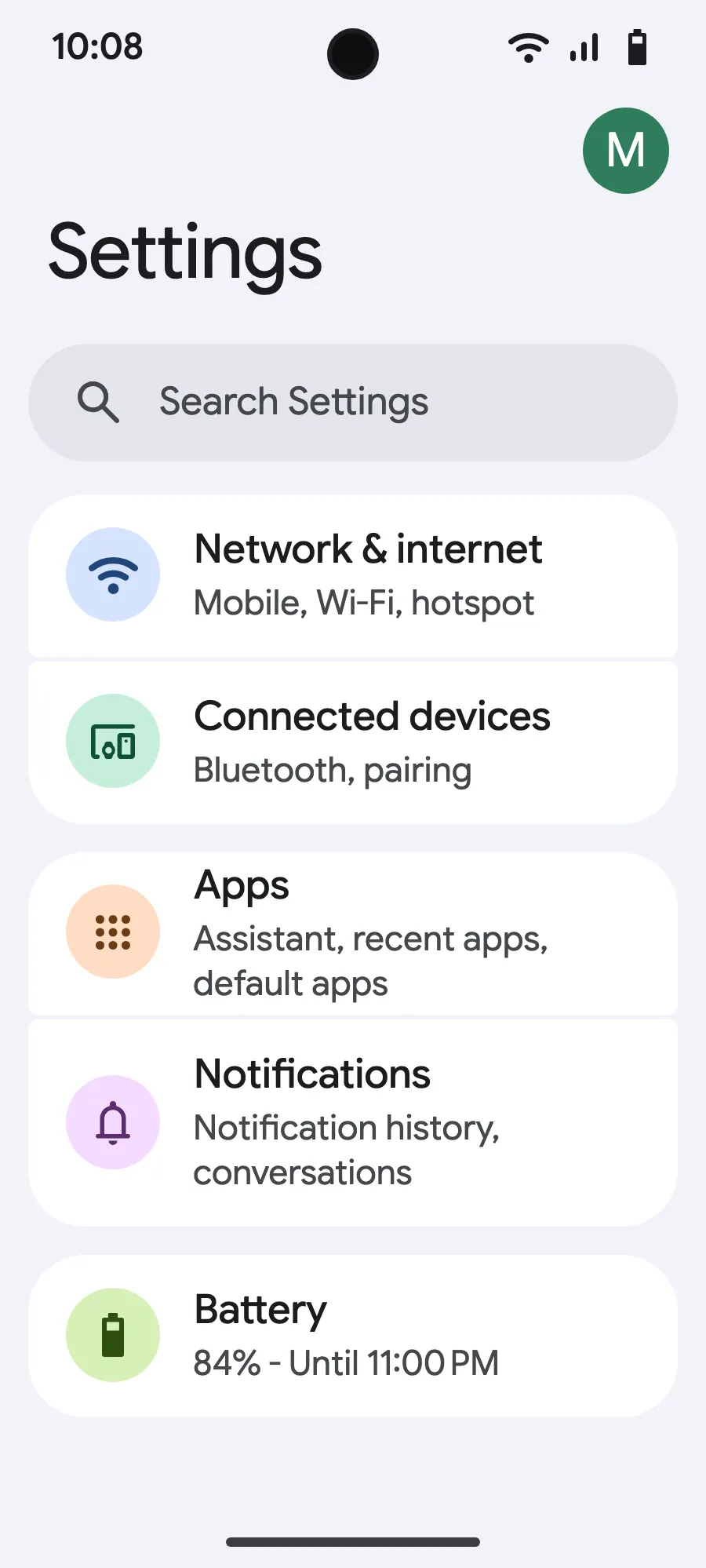
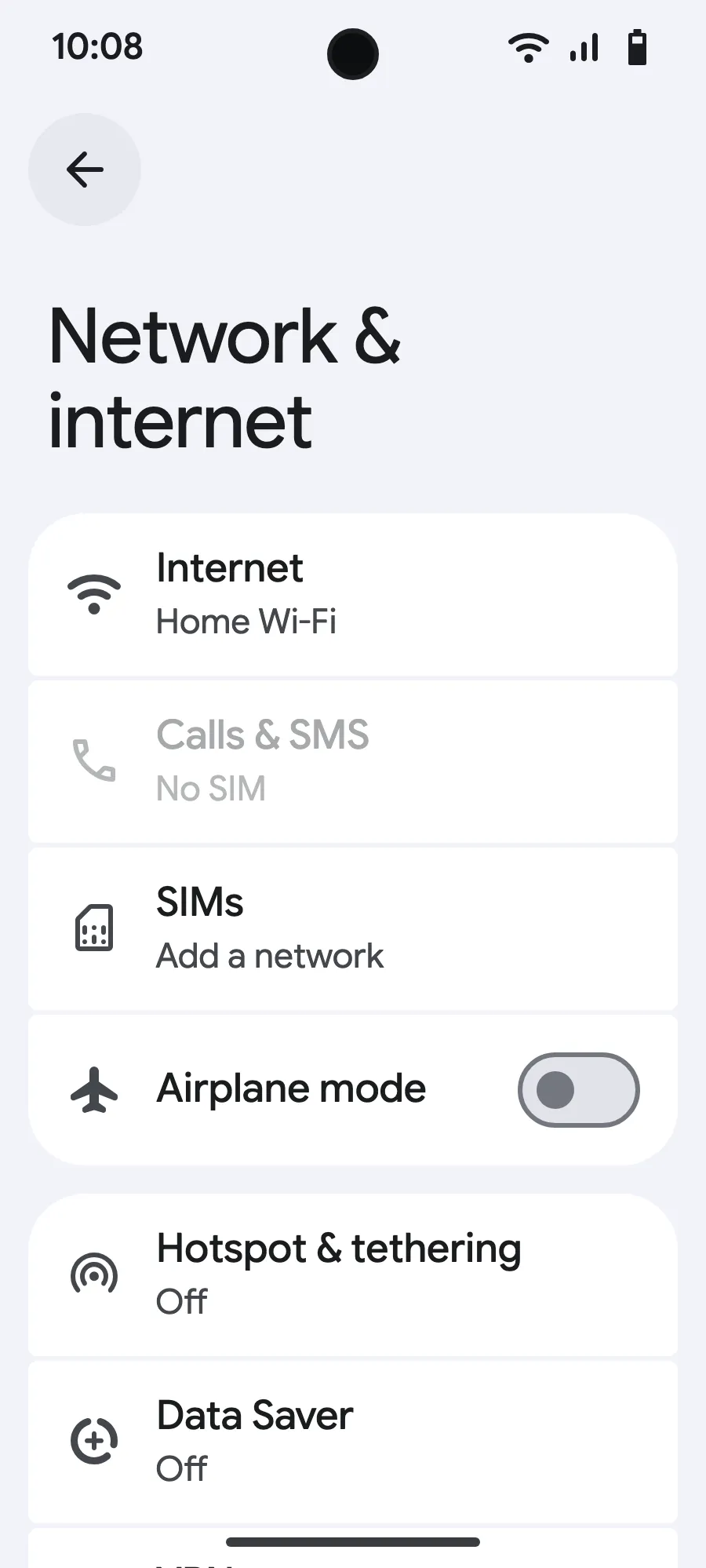
Before you leave: install your eSIMStep 1 of 7
- Open Settings, then Network & internet.
- Tap “SIMs” (Add a network).
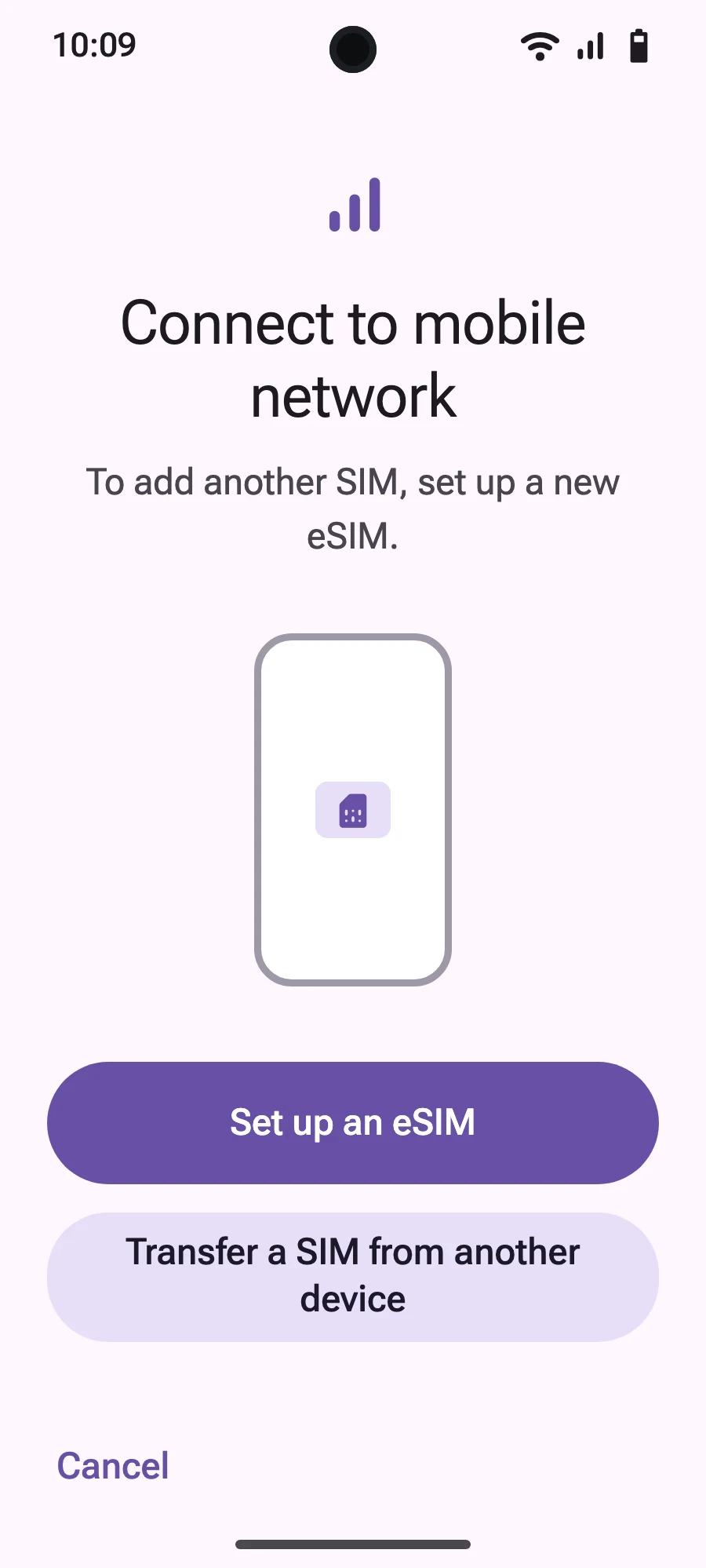
- Tap “Set up an eSIM”.
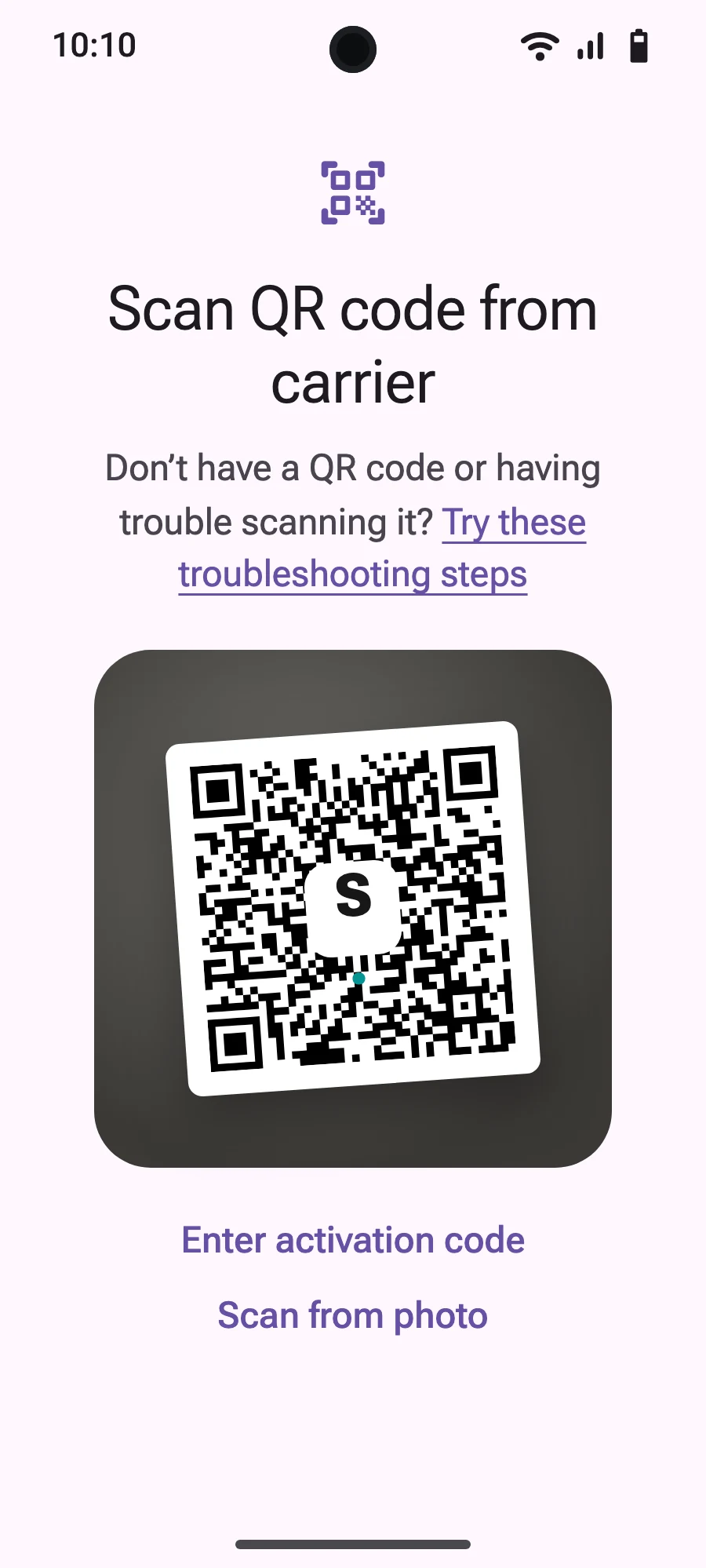
- Scan the QR code we email you after purchase (it's also in your account), then confirm.
- When you land, open your new eSIM (it shows the name of a local or partner carrier) and turn on “Use this SIM”.
- Turn on mobile data for the new eSIM.
- Turn on roaming. If nothing loads, turn off automatic network selection and pick the network manually.
After you buy, your QR code arrives by email and in your account. Show it on another screen, then follow these steps on your phone.
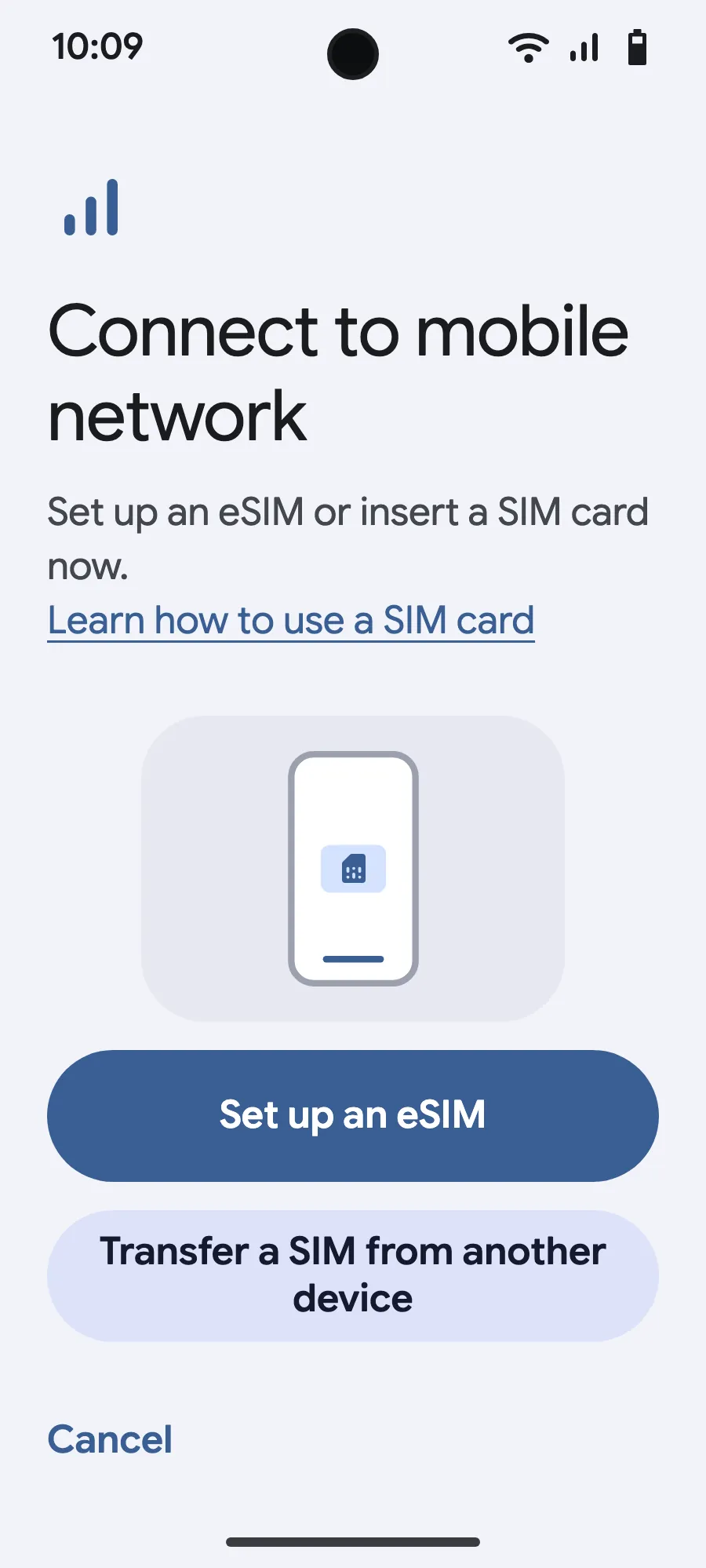
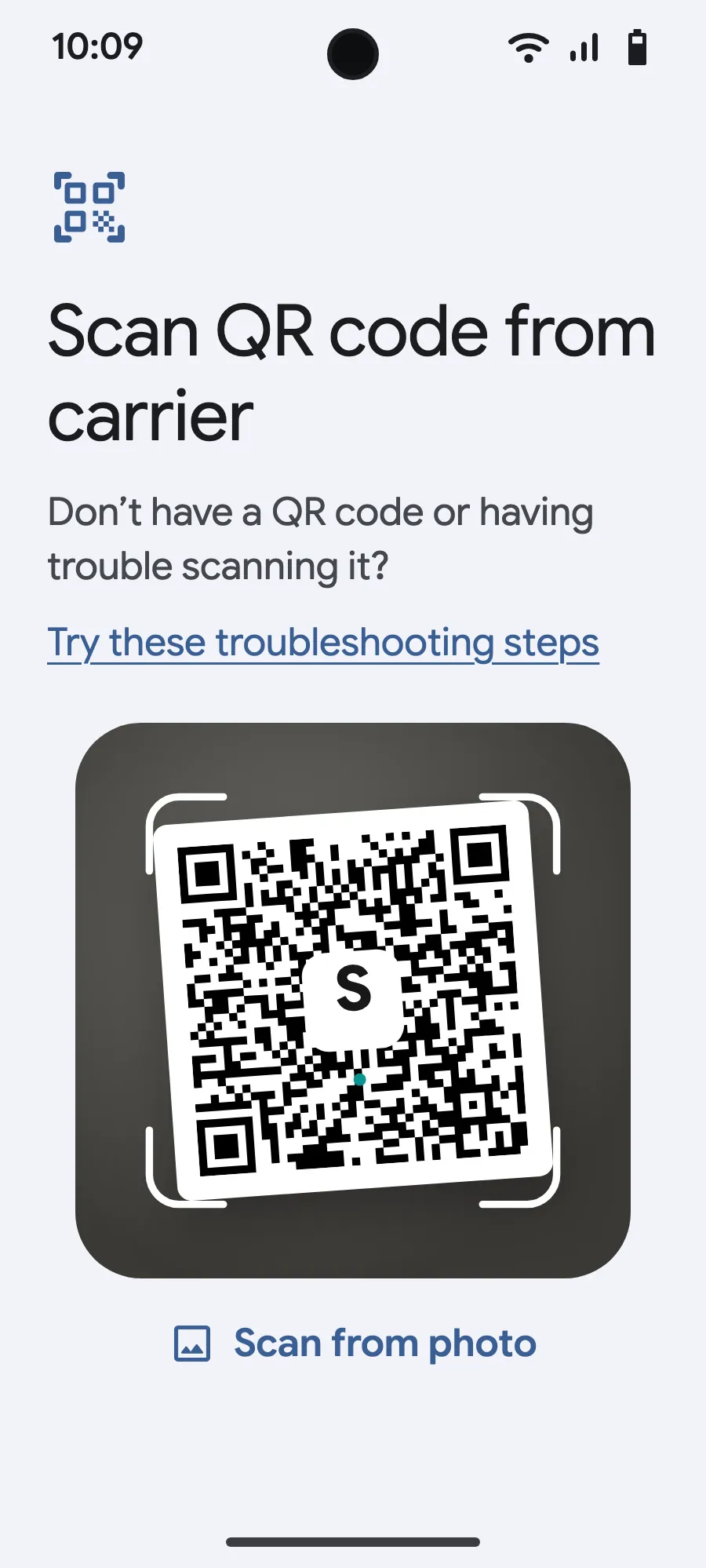
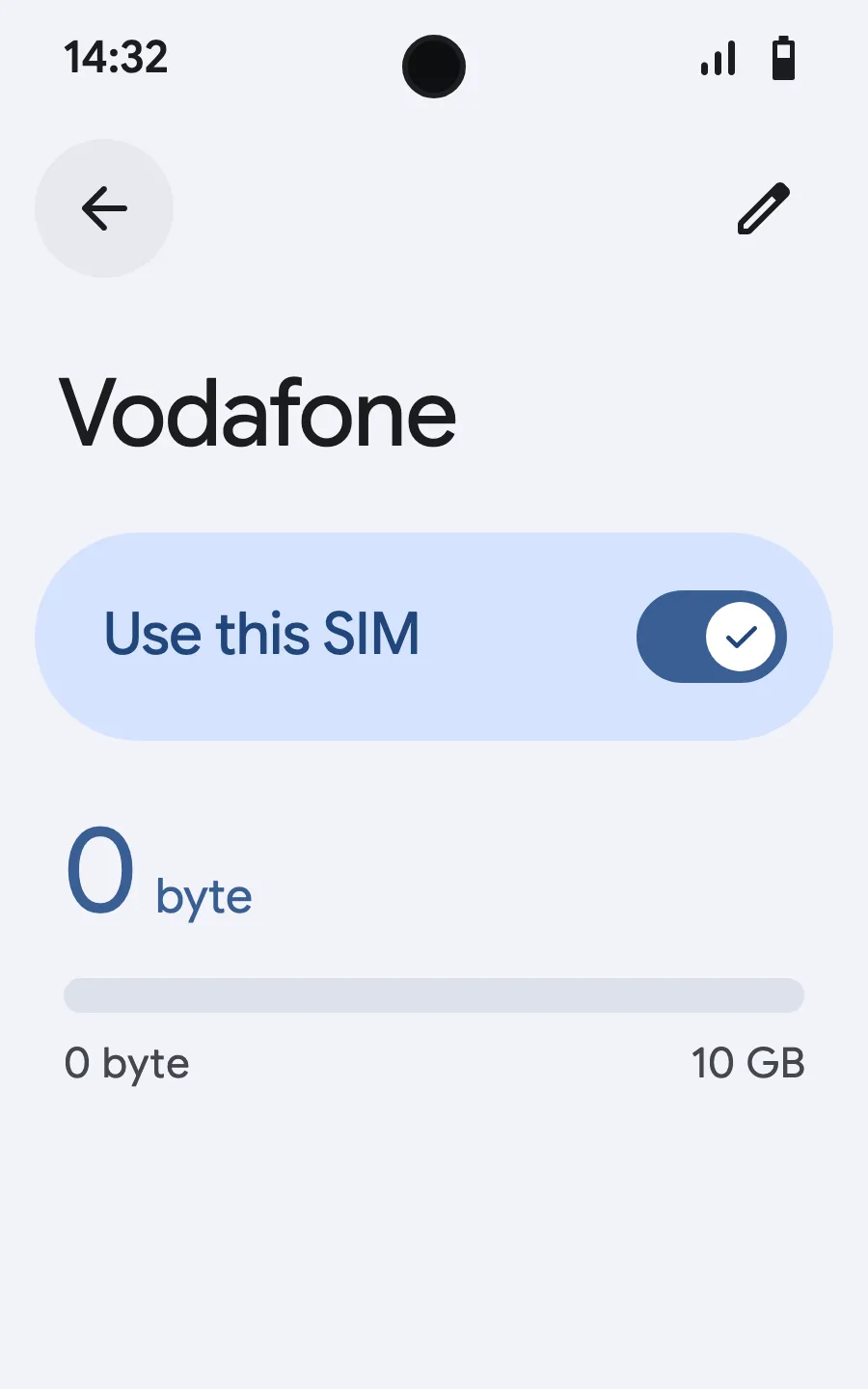
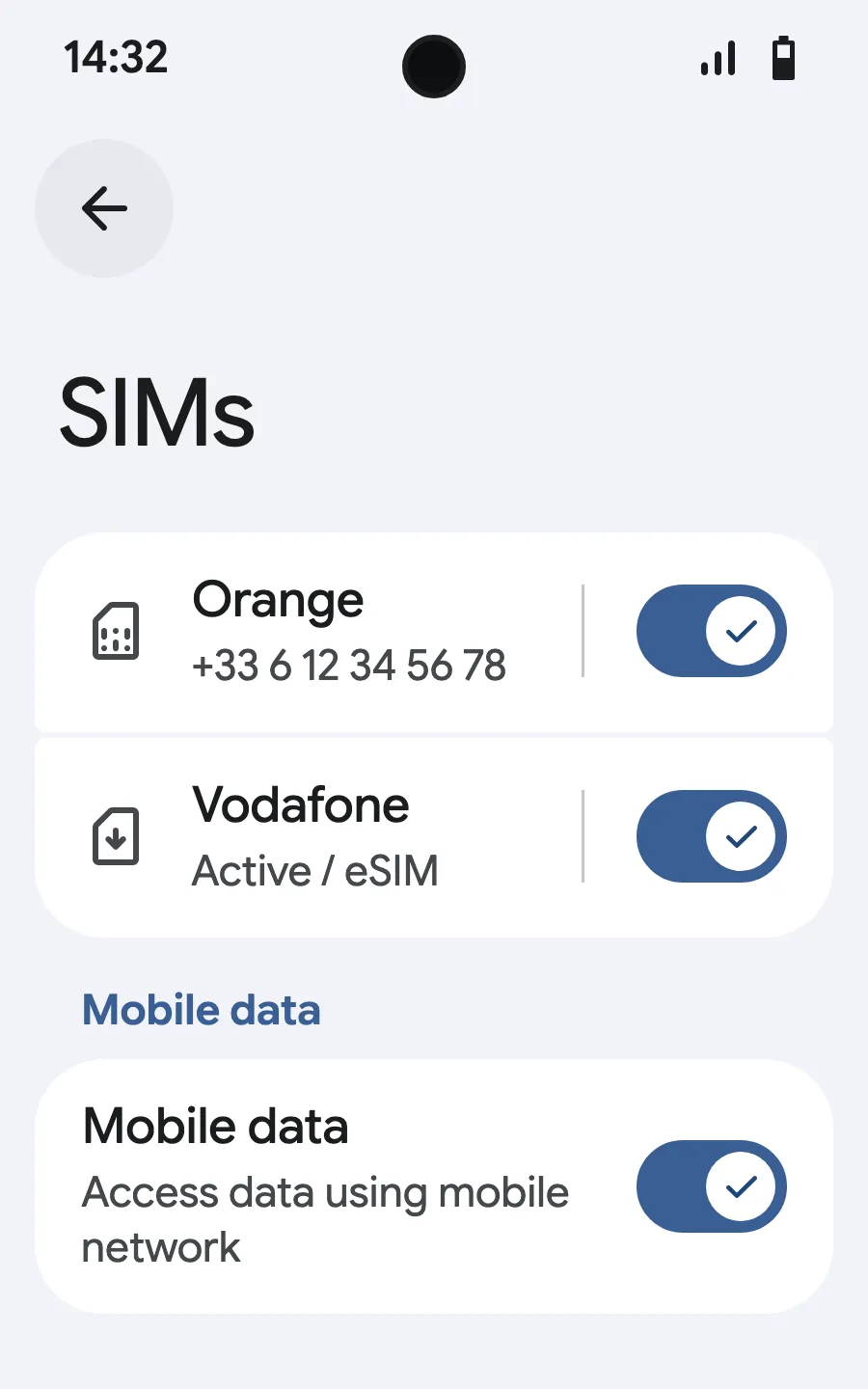
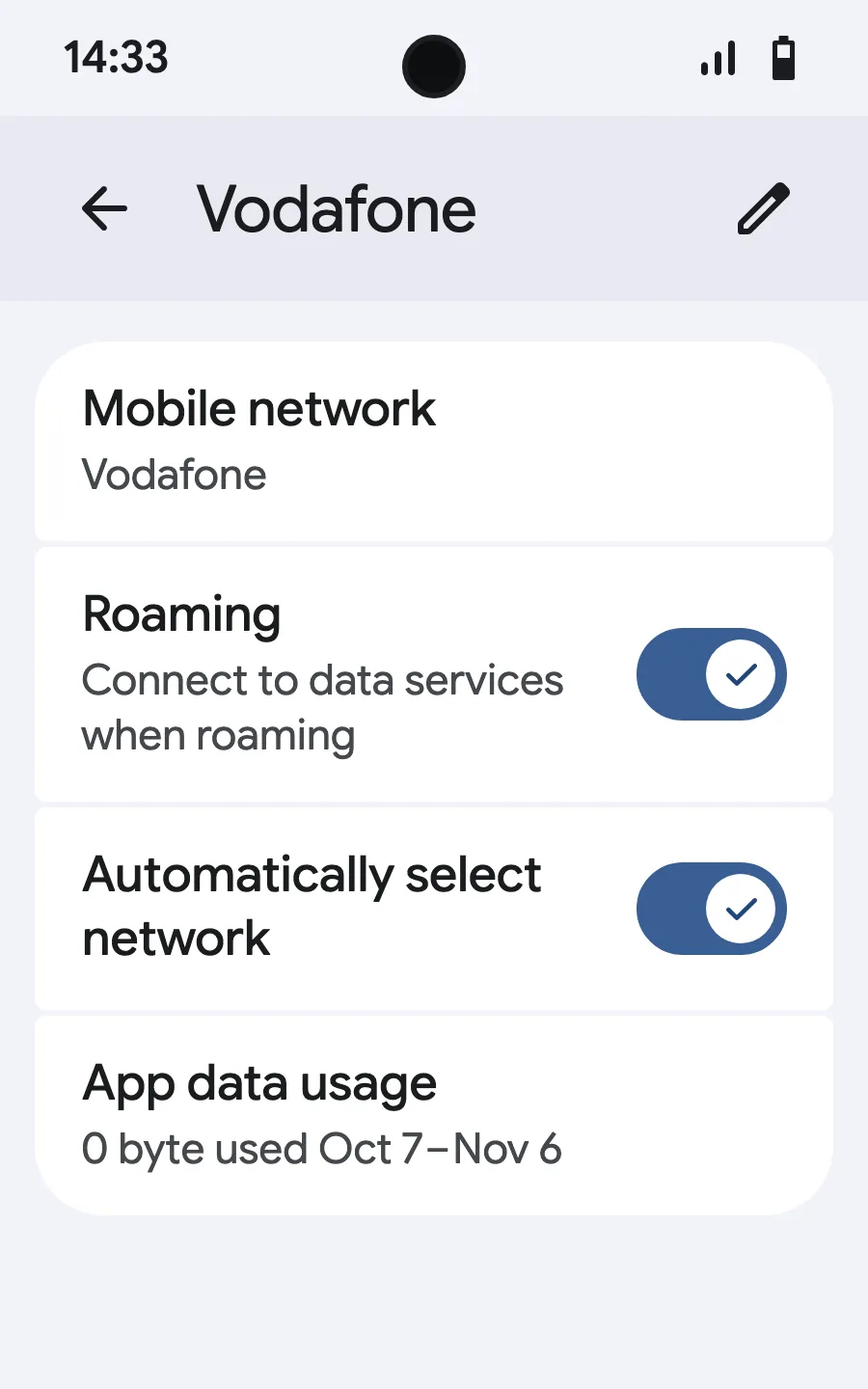
Before you leave: install your eSIMStep 1 of 8
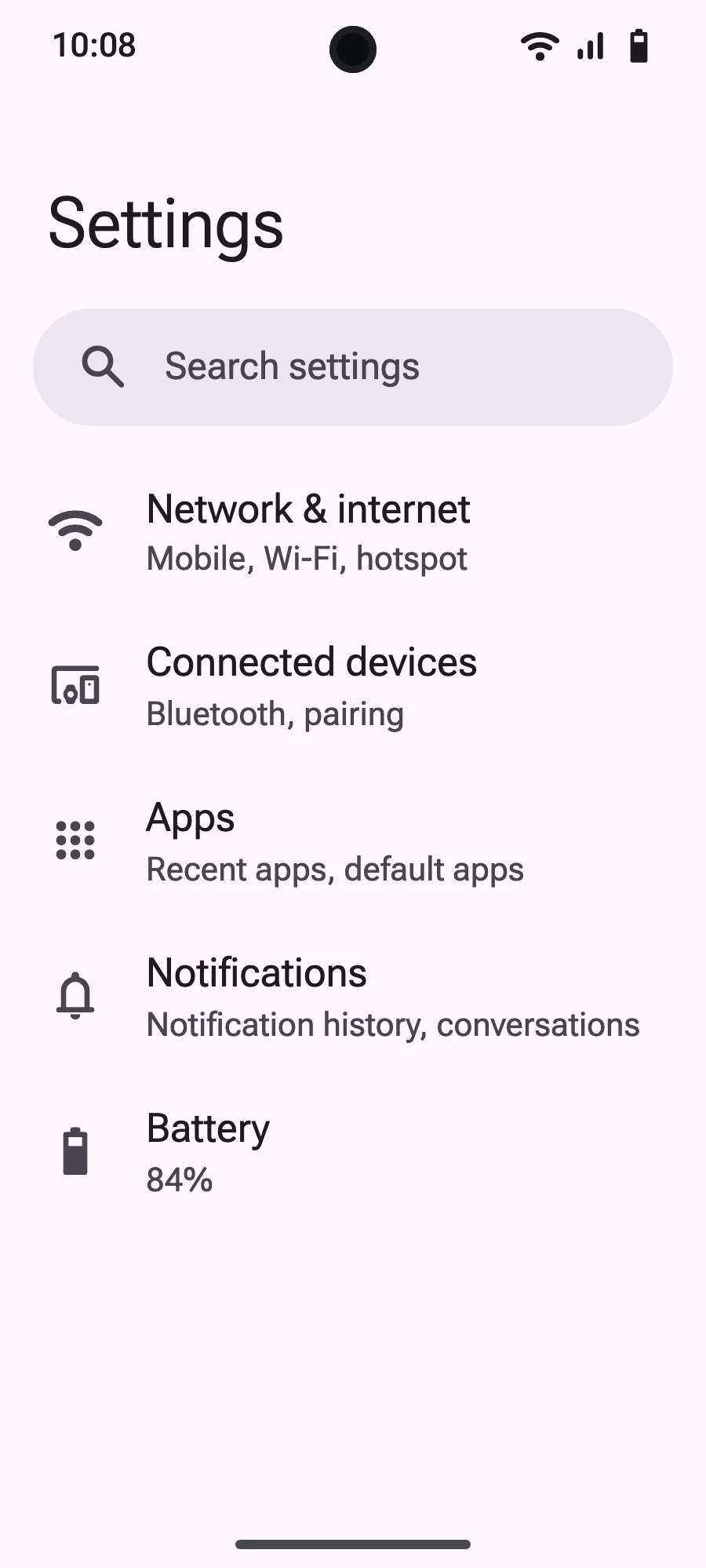
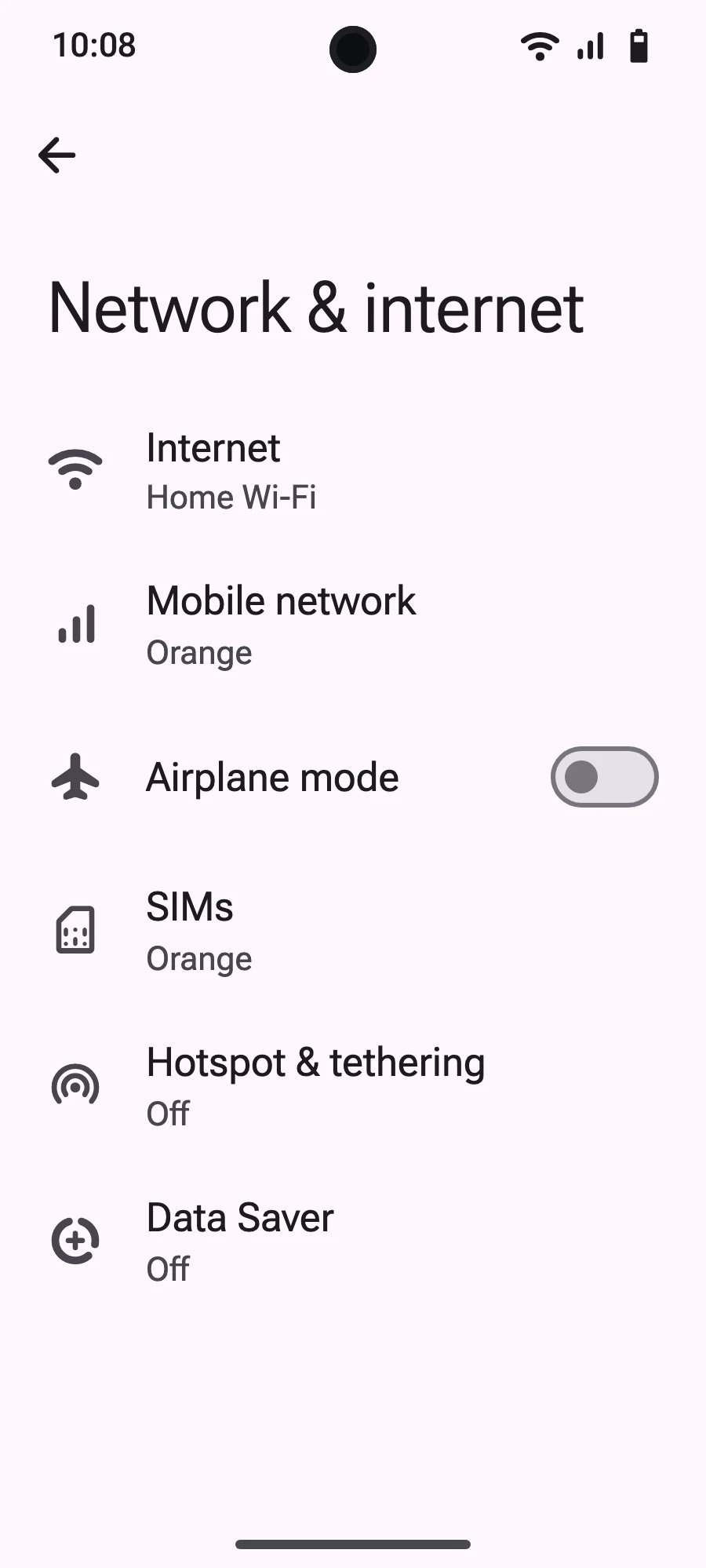
- Open Settings, then Mobile networks or Network & internet.
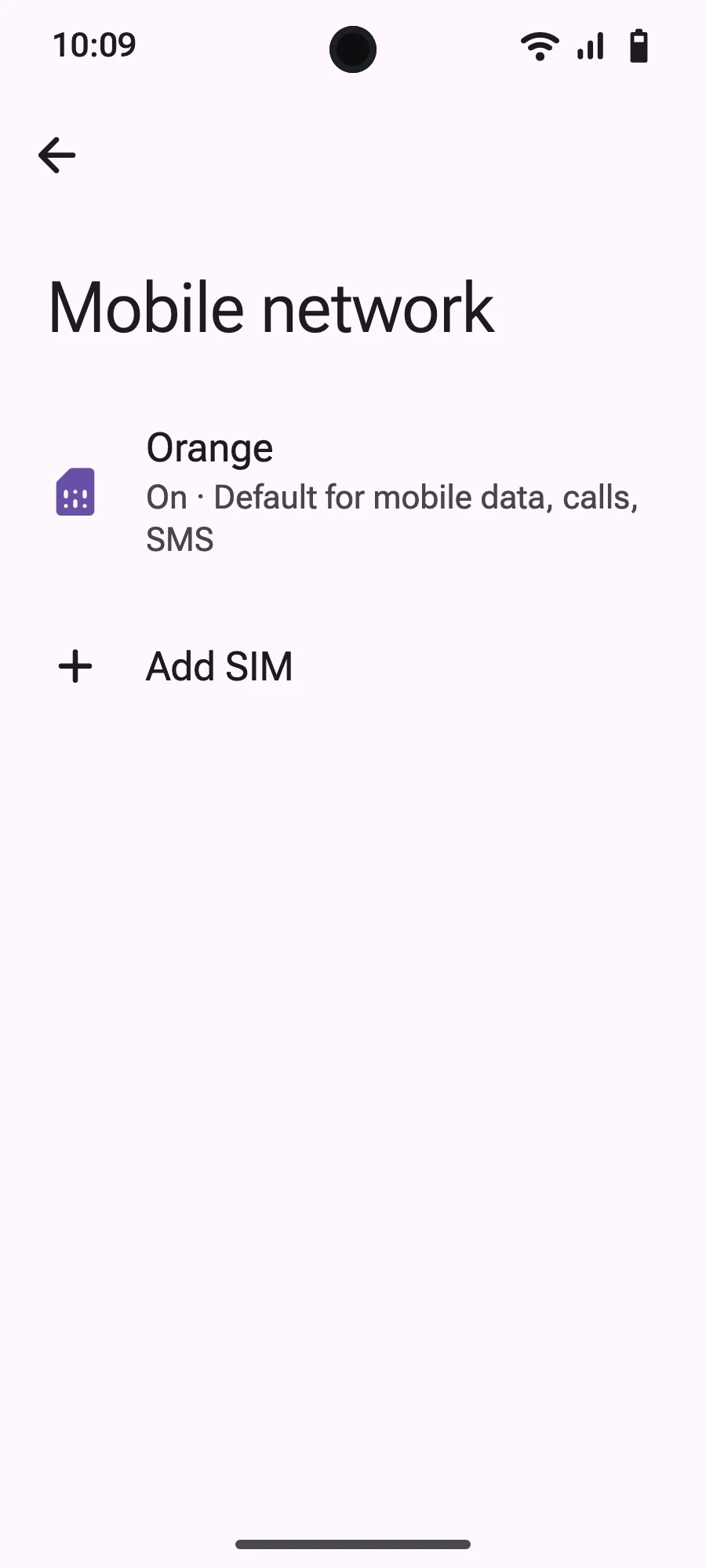
- Tap “Mobile network”.
- Tap “Add SIM”.
- Tap “Set up an eSIM”.
- Scan the QR code we email you after purchase (it's also in your account), then confirm.
- When you land, open your new eSIM (it shows the name of a local or partner carrier) and turn on “Use SIM”.
- Turn on mobile data for the new eSIM.
- Turn on roaming. If nothing loads, turn off automatic network selection and pick the network manually.
After you buy, your QR code arrives by email and in your account. Show it on another screen, then follow these steps on your phone. On Xiaomi, Oppo or OnePlus the menus have other names: search for “eSIM” in Settings.
Frequently asked questions
What travelers ask before a trip to Budapest.