-5% on your order in the app
You land in Lisbon at nine in the morning, switch off airplane mode, and your phone does what phones do: a handful of WhatsApp messages arrive, an app refreshes in the background, a voicemail notification appears. You haven't placed a call. You haven't opened a map. By the time you sit down with a coffee, Rogers has started a billable day, and your Canadian plan's data, talk and text allowances are now running in Portugal.
That's the shape of Rogers Roam Like Home. It sells convenience in day-sized units, and the unit is the thing worth understanding. A trip isn't billed as a trip. It's billed as a set of calendar dates on which your phone touched a foreign network, multiplied by a rate that depends on where you were standing at the time.
Nothing here is complicated, but the details are specific, and most surprises trace back to three questions: what starts a billable day, which line pays for it, and which clock decides when that day ends. Answer those and you can price a trip before you book the flight.
Roam Like Home Daily Rates and Travel Passes
Roam Like Home uses your existing Canadian talk, text and data allowances in more than 180 international destinations, with a daily fee on days you use the service. Rogers' roaming support page lists a U.S. rate of $14 plus tax per day and a rate of $16 plus tax per day in other eligible destinations.
| Option | Applies to | Price | Validity or billing |
|---|---|---|---|
| United States | Roam Like Home daily fee | $14 plus tax per day | Billed per calendar day, ends 11:59 p.m. ET |
| Other eligible destinations | Roam Like Home daily fee | $16 plus tax per day | Billed per calendar day, ends 11:59 p.m. ET |
| Travel Pass, 3 days | Eligible destinations | Check current price on rogers.com | 3 days |
| Travel Pass, 7 days | Eligible destinations | Check current price on rogers.com | 7 days |
| Travel Pass, 14 days | Eligible destinations | Check current price on rogers.com | 14 days |
| Travel Pass, 30 days | Eligible destinations | Check current price on rogers.com | 30 days |
The fee applies only on days you use roaming. If your phone stays in airplane mode or connects only to hotel Wi-Fi, that day does not incur a roaming fee. So a six-day trip can cost less than six daily charges if you use roaming on fewer days.
The rate conflict worth checking before you budget
Rogers' roaming support page lists the U.S. daily rate as $14 plus tax. Some Rogers billing material has cited $16 for the United States. Check the current rate and Travel Pass prices on rogers.com before budgeting, since the published figures differ.
Travel Passes are available for 3, 7, 14 and 30 days. Their fixed price can be compared with the daily fee for the same period once you confirm the current price.
Daily total or Travel Pass
Count the days you expect to use roaming, multiply by the applicable daily rate, add tax, then compare the total with a Travel Pass covering the same period.
For example, six days of roaming in the United States at $14 per day comes to $84 before tax. Compare that with the current price of a 7-day Travel Pass. If the pass costs less than $84, it is the cheaper option before tax; if it costs more, the daily rate is lower.
The decision rule: Count roaming days, not just trip days. If you spend eight days in Spain but use roaming on six, calculate the daily fees for six days.
How Roam Like Home Works, Who Qualifies and Where It Falls Short
Roam Like Home lets an eligible Rogers line use its domestic plan while roaming on a participating network. A billable day starts when the line uses mobile data, sends a text, or makes or receives a call. The daily fee then applies until 11:59 p.m. Eastern Time. Rogers' Roam Like Home terms explain which activities and destinations are covered.
What the fee does not buy
Coverage is limited to included destinations and participating partner networks, so service may be unavailable in some areas. Calls and texts to Canadian numbers or numbers in the country you're visiting draw on your domestic plan. Contacting a number in a third country may incur separate international charges.
Roam Like Home does not add a separate allowance. It uses the data, voice and messaging included in your monthly plan. Usage beyond those domestic allowances can incur overage charges on top of the daily fee. A guide to how data roaming works can help clarify what your phone is doing when it connects to a network abroad.
Eligibility and the per-line trap
Rogers says Roam Like Home is available in more than 180 destinations, but access depends on your monthly plan. If your plan is not eligible, pay-per-use rates may apply. A destination appearing on the coverage list does not confirm that your account qualifies.
Charges can also add up across lines. Each device or line that uses Roam Like Home may incur its own daily fee. A family account with a smartwatch, tablet and two phones could therefore face several charges for the same travel day. Rogers' guide to wireless charges on your bill explains how to read those line items.
Cruises are a different product
At sea, a ship may connect through an onboard maritime network, where different data limits and speeds apply. Check Rogers' Roam Like Home terms for the conditions and limits before using mobile data on a cruise.
A Travel Pass applies only within its validity period and to the destinations and allowances Rogers specifies. It does not increase your domestic plan's data allowance or guarantee service wherever you travel.
Before you go, check four things: whether your plan qualifies, which lines may use roaming, what activities trigger a charge, and whether your expected usage exceeds your plan allowances. Destination coverage is only one part of the calculation.
How the Eastern Time Day Boundary Changes Your Bill
A background app refresh at 12:04 a.m. Eastern Time can start a new billable day, even if you are asleep on a plane. Data use after landing then falls on that new date. The local time at your destination does not set the billing boundary.
Rogers bills Roam Like Home per line for each calendar day of use, ending at 11:59 p.m. Eastern Time, regardless of where you are. The Rogers travel add-ons page explains the billing rules. The clock is Canadian, not local.
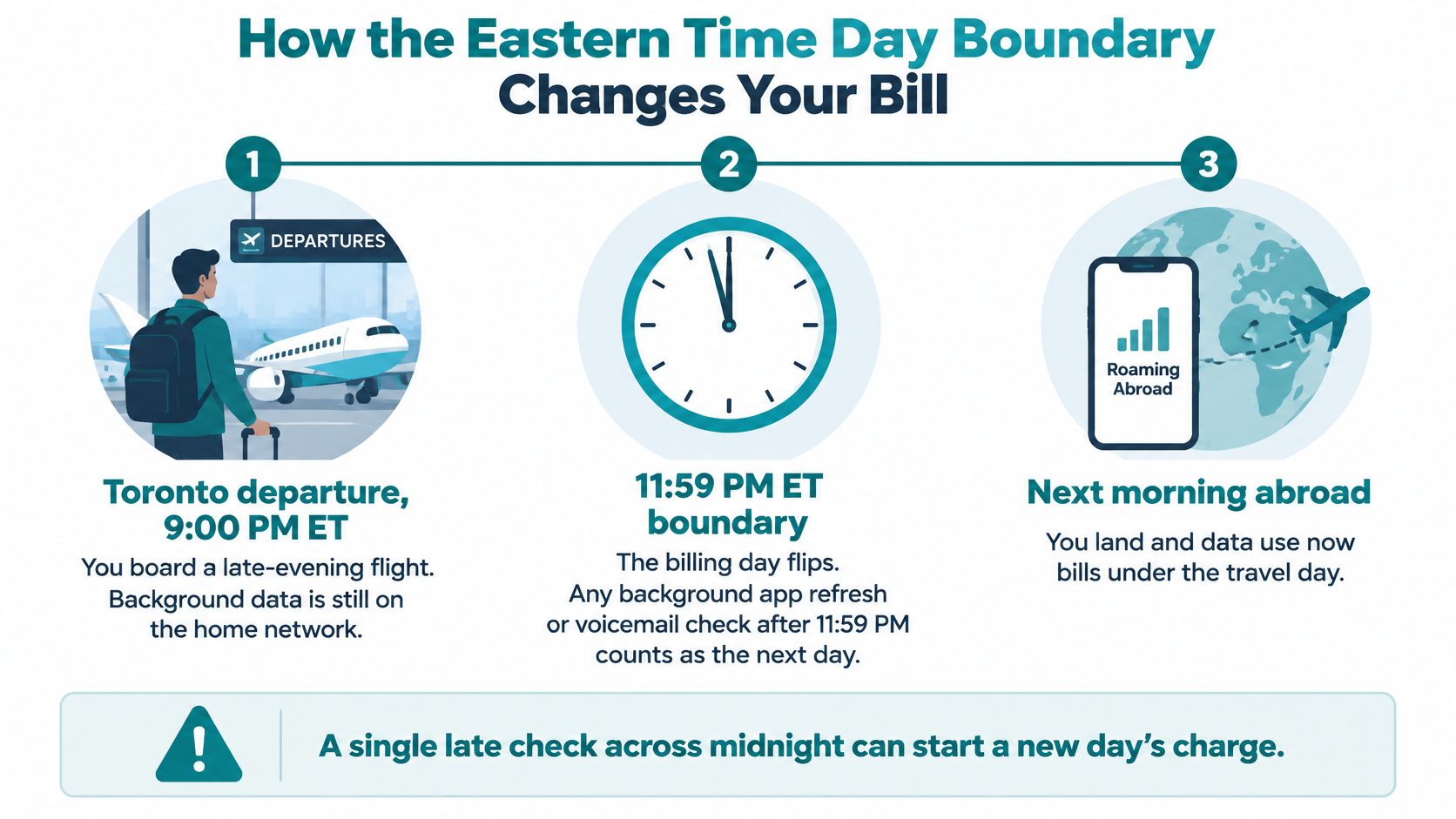
The time difference can create a surprise in either direction. A traveler landing in the evening may already be in a new Eastern Time date, so connecting then can start another billable day.
A same-day two-country itinerary bills twice
A single Eastern Time date that includes use in both the United States and another Roam Like Home destination can trigger both daily fees. The amount depends on the current rates, so confirm them on rogers.com before you travel. If your itinerary crosses destination categories in one billing date, include both fees in your estimate.
| Trip pattern | What gets billed | How to limit it |
|---|---|---|
| Red-eye flight, lands the next morning | Potential charges on two Eastern Time dates if you connect on both | Use airplane mode until you choose to connect |
| Same-day U.S. stop, then Europe | Both destination daily fees may apply on one Eastern Time date | Stay in airplane mode between destinations |
| Background sync after 11:59 p.m. ET | A new daily fee may apply on the next Eastern Time date | Turn off background data before landing |
| Cruise day on an onboard maritime network | A roaming day, with high-speed data limited | Use airplane mode at sea if you do not need a connection |
| Family with four active lines | A daily fee for each line that uses roaming | Turn off roaming on lines you do not need |
The counting method that gets you a real number
Count the Eastern Time dates on which each line connects abroad, then apply the rate for the destination or destinations used on each date. Add both destination fees when one date spans two Roam Like Home destinations. Compare that total with a Travel Pass for the same trip length.
For example, a ten-day trip with an overnight flight can span eleven Eastern Time dates if you connect before and after the flight. That can mean an extra daily charge, raising the effective cost per travel day above the posted daily rate.
The timing can be easy to miss:
Pre-Trip Steps to Keep Roam Like Home Charges Predictable
A few checks at home can help prevent accidental roaming days and unexpected fees. Start with your account, then review which devices will connect abroad.
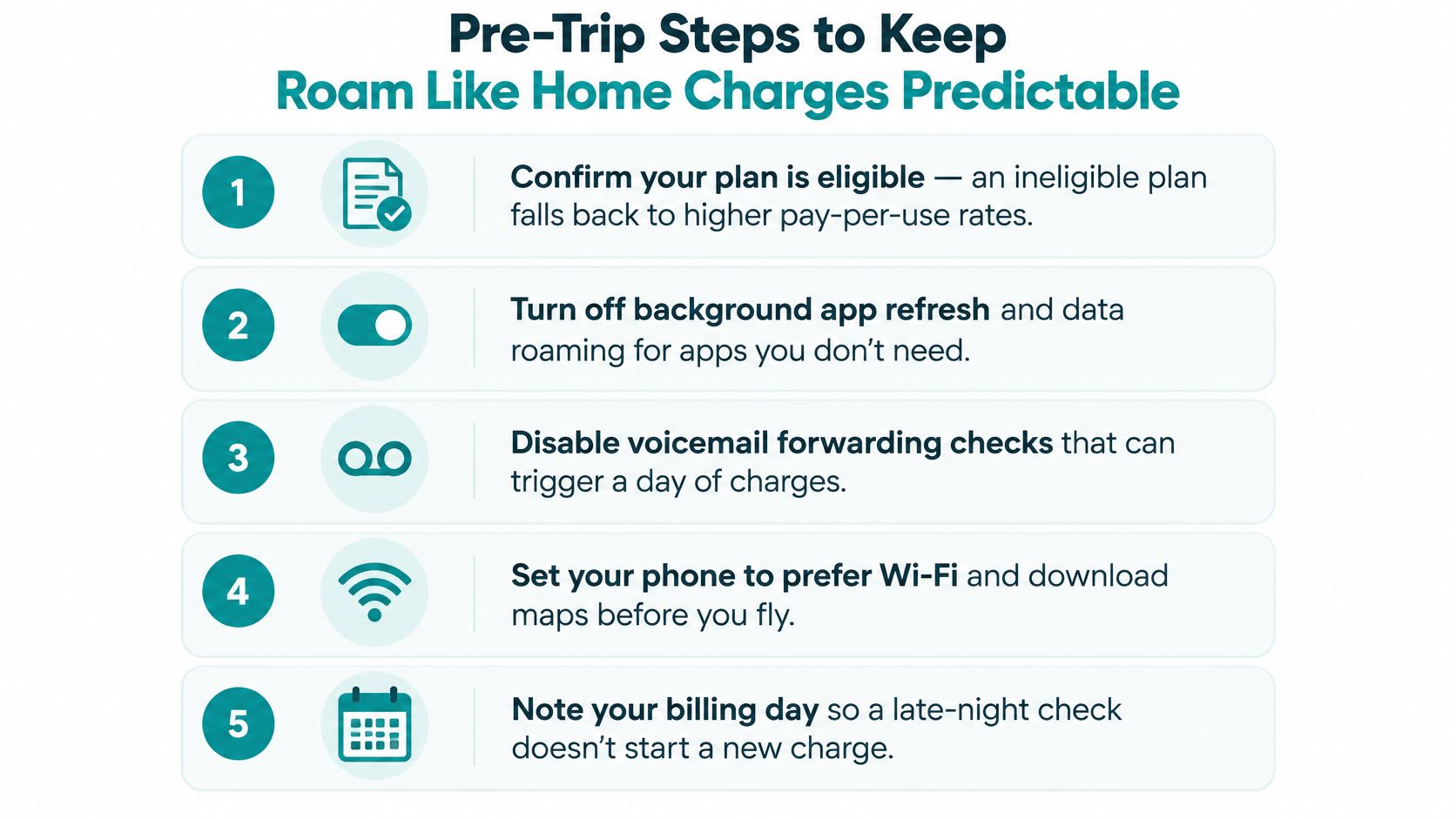
- Confirm your monthly plan is eligible. If it is not, roaming may be billed at pay-per-use rates.
- Check how activation works and whether any opt-in is required on your account. Find the current instructions on rogers.com before you leave.
- Check that your destination is eligible and review its rate. Keep a record of the rates you found so you can compare them with your bill.
- List the lines you plan to use abroad, including watches and tablets. Turn roaming off on lines you do not need, since each active line can add a daily fee.
- Review your plan's data, talk and text allowances. Estimate what you expect to use and account for any overage charges.
- Compare the total with a Travel Pass for the same trip, using the number of billable days you expect.
- Check your data-roaming and background-data settings before landing. An automatic sync after 11:59 p.m. ET can start another billable day.
- Use Wi-Fi calling where your device supports it to make calls over Wi-Fi.
- Use airplane mode during flights and when you do not want your phone to connect to a foreign network.
- Review your bill after the trip. Compare the charges with the dates your phone connected abroad.
The settings that do the heavy lifting
Background app refresh can use data even when you are not looking at your phone. Review which apps can refresh in the background, and turn off the ones you do not need while roaming.
Check voicemail settings too. If you want to avoid a connection on a day you are not ready to incur a fee, keep the phone in airplane mode until you choose to connect.
Simsima provides guidance on how to avoid roaming charges, including how to enable data roaming deliberately. If you use a Simsima eSIM in the UAE, keep Data Roaming on for the eSIM line and turn it off on your regular line to avoid carrier charges.
Before you connect, check which line is selected for data and whether you intend to incur a roaming fee.
Roam Like Home or a Prepaid Travel eSIM
| Criteria | Rogers Roam Like Home | Prepaid travel eSIM |
|---|---|---|
| Eligibility | Requires an eligible monthly Rogers plan | Requires an eSIM-compatible, unlocked device and a prepaid data plan |
| Rogers number | Keeps your existing plan and number | Rogers number can stay active for calls and texts |
| Billing model | Daily fee per line on days of use, or a Travel Pass | Priced by the prepaid plan you buy |
| Data allowance | Limited by your domestic plan, overage may apply | Set by the plan you buy |
| Everyday line exposure | Data roaming on the Rogers line can add charges | Data moves to the travel eSIM, keeping everyday use off the Rogers roaming line |
| Setup | Works through your existing account | Install before the trip, then select it as the data line |
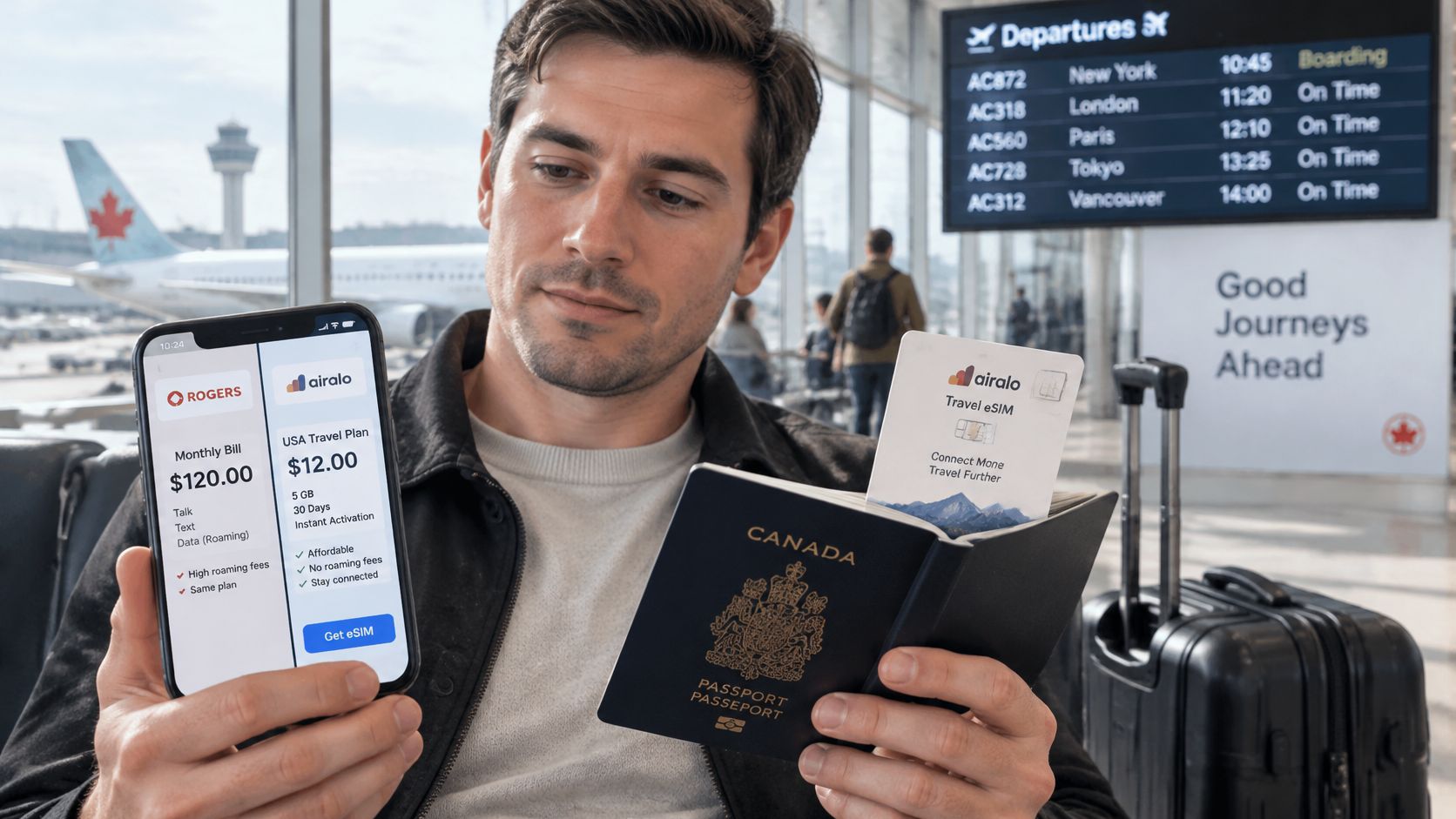
The structural difference sits in one sentence. Roam Like Home extends your Rogers plan abroad; a prepaid travel eSIM is a separate digital line you select for mobile data while your Rogers line stays on for calls and texts. Rogers' own Dual SIM guidance confirms that compatible devices can hold two or more numbers and let you choose which line handles calls, messages and data, and it warns that roaming charges can apply to both lines individually.
That warning is the whole setup in miniature. Installing an eSIM doesn't switch anything off by itself. You have to select the travel eSIM as the data line, turn off data roaming on the Rogers line, and leave your Canadian number available for calls and texts. Skip the middle step and the phone can fall back to Rogers data when the eSIM signal dips, which is exactly how people end up paying a daily fee they thought they'd avoided.
If your trip crosses several countries, multi-country eSIM coverage compared is worth reading before you buy, since regional plans differ in how many countries they include and whether the data allowance is shared across borders.
Which trip suits which option
Roam Like Home fits a short trip, one eligible line, and light use, where keeping your existing setup untouched matters more than the daily cost. Two days in Buffalo with the same phone, same number and same apps is hard to beat for simplicity.
A prepaid travel eSIM fits heavier data use, several days of maps and navigation, or any trip where you want everyday data kept off the Rogers roaming line. It also solves the allowance problem: your travel data stops competing with the data you'll want back home at the end of the billing cycle.
The setup takes a few minutes before you fly. You'll want an eSIM-compatible device that's not carrier-locked, and you'll install the profile at home over Wi-Fi rather than in an arrivals hall. Our eSIM versus roaming comparison runs through the trade-offs in more detail, and you can see current Simsima travel eSIM options for country and regional plans with pricing on the product pages.
One practical note on how a travel eSIM behaves once you land: our eSIMs connect automatically when the phone finds a local network after landing, and you set the eSIM as your data line and turn on data roaming for that line only.
Choose the Right Option Before You Fly
Start with the rule, then verify it. A single eligible line with light use points to Roam Like Home. Heavy data use, several days of navigation, or a wish to protect your Rogers line points to a travel eSIM.
Check one: eligibility and price. Confirm your plan qualifies and pull the current Roam Like Home rates on rogers.com, noting the month and year you looked. If your plan doesn't qualify, the daily rate isn't your rate at all.
Check two: days and lines. Count the calendar dates you expect to use data, count the lines that will be active, and compare the resulting total with a Travel Pass for the same stay. That's the pre-trip arithmetic from the steps above, done once with real numbers instead of estimates.
Check three: setup if the eSIM wins. Buy before you leave, install at home over Wi-Fi, set it as the data line, and keep your regular number for calls and texts. Our eSIMs keep your usual phone number active for calls and texts while the eSIM handles mobile data, and Wi-Fi calling on your home number over Wi-Fi abroad works without roaming charges.
Then stop analyzing and finish the checks while there's still time to fix a problem. Do it before you pack, not at the gate.
Roam Like Home is easy to live with and hard to predict, which is why a prepaid travel eSIM is worth a look before your next trip. Simsima offers data plans for more than 190 destinations that install in a tap and activate when you land, so your Rogers line can stay on for calls and texts while your data runs on a separate line you paid for once. Plans are prepaid, there's no contract, and no daily clock to track across time zones. Compare coverage and pricing for your destination at Simsima and price the trip before you fly.


#Roam Like Home#Rogers roaming#travel eSIM#roaming charges#Canada travel data

Dimitri MorvanFounder
Founder of Simsima. A passionate traveler based in Barcelona, he helps travelers stay connected without breaking the bank on roaming fees.
LinkedIn