-5% on your 1st eSIMuntil October 31

You're at the airport, phone charged, boarding pass downloaded, and one question keeps nagging you: will WhatsApp still work after you land in China, or are you about to lose your main lifeline the moment you connect to hotel Wi‑Fi? The blunt answer is that whatsapp in China is not something you should leave to chance. Plan for blockage, plan for partial failure, and set up your trip so you're not stranded if your first connection choice doesn't behave.
Does WhatsApp Work in Mainland China
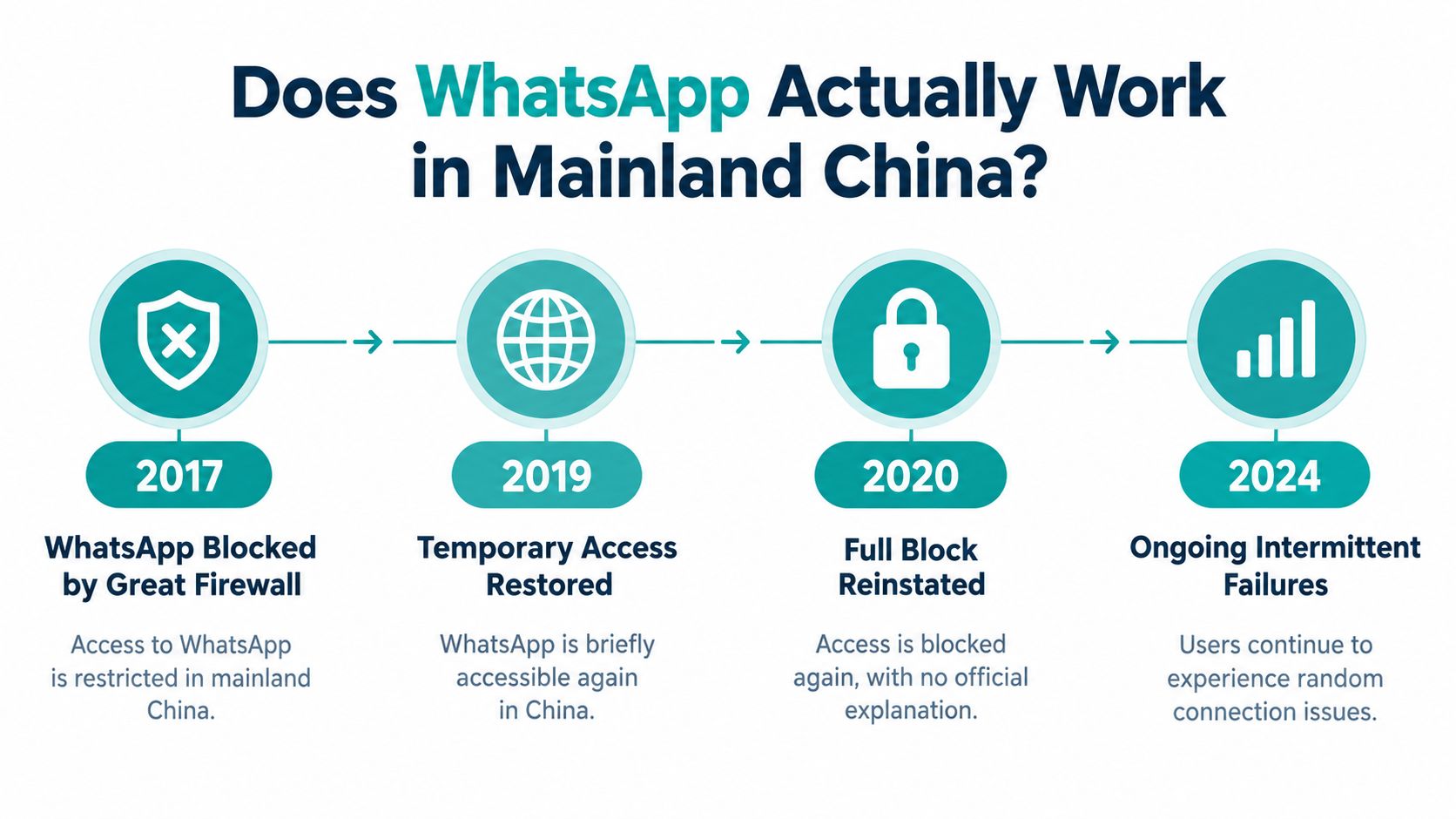
The honest answer is not reliably on mainland Chinese networks. In 2017, WhatsApp restrictions rolled out in stages, first hitting media and call functions, then expanding until many users could no longer use the service normally without circumvention tools. CNBC reported that text messages could still work for some mainland Chinese mobile users in mid-July 2017, while photos, videos, voice messages, audio calls, and file transfers failed unless a VPN was used. The same reporting tied the disruption to intensified censorship around the death of Liu Xiaobo and noted that Facebook had already been blocked since 2009. CNBC's account of WhatsApp's 2017 disruption in China
What that means for you
A WhatsApp install alone means very little in China. Your connection route determines whether messages go through, whether media loads, and whether calls collapse the moment your traffic touches mainland filtering.
Text may limp along on one network while photos, voice notes, and file transfers stall on another. That inconsistency is the problem, because travelers often assume one successful message means the app is dependable. It is not.
Practical rule: If you land on a mainland SIM or hotel Wi‑Fi, treat WhatsApp as unreliable and plan another channel first.
Connection route matters more than the app itself. Traffic that exits outside mainland filtering is far more likely to hold up, while a mainland route can break at the exact moment you need to send an address, a boarding update, or a photo. The same logic applies to other blocked apps covered in China access guides.
Pre-Departure Preparation Checklist
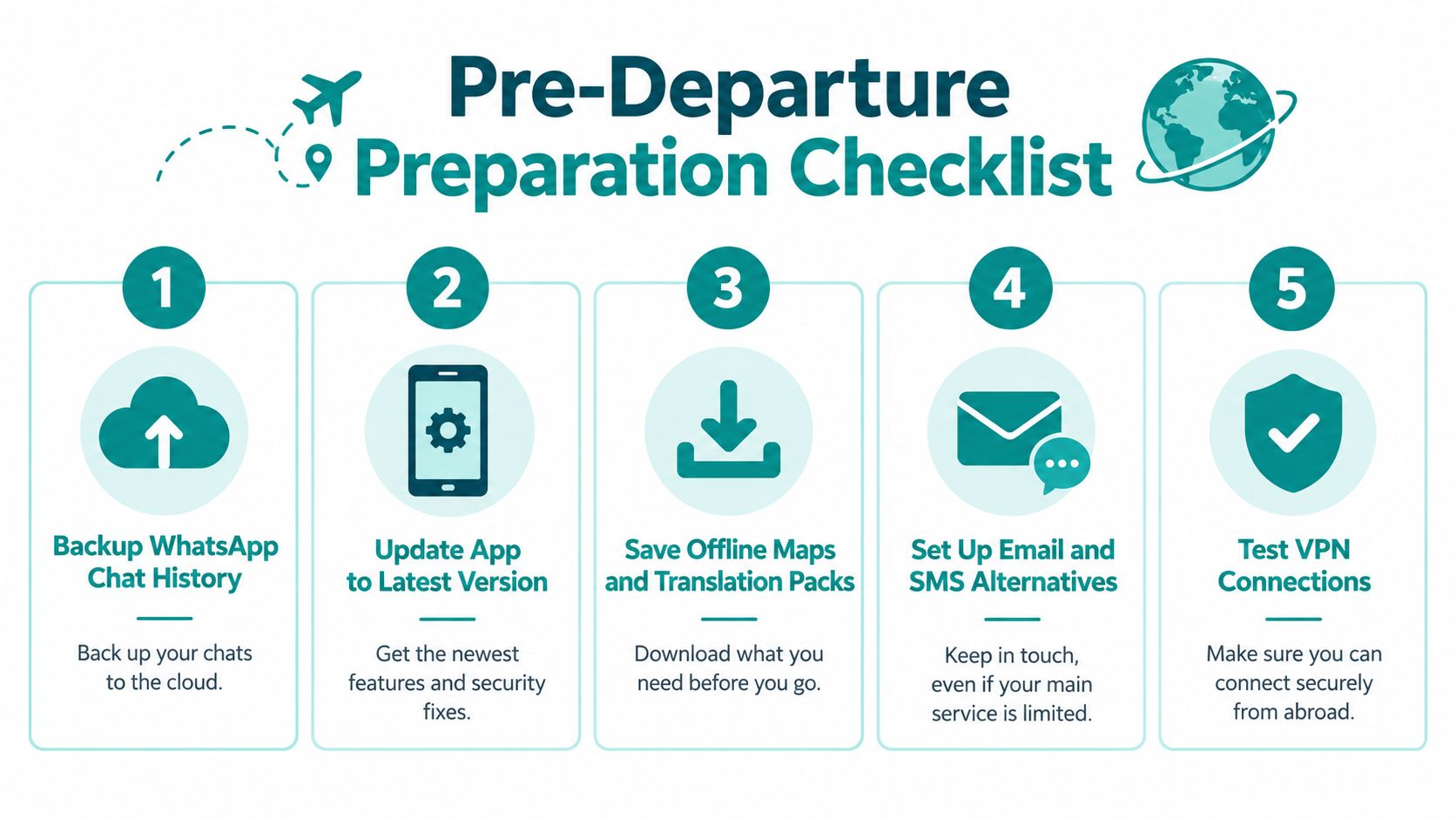
Pack for the trip before you leave home, because once you are inside China, fixing connectivity gets harder fast. Set everything up on home Wi‑Fi, confirm it works, and keep offline copies so you are not depending on one app behaving well at the border.
What to do before you fly
- Back up your WhatsApp chats. If your phone is reset, replaced, or fails during the trip, you will still need old conversations for addresses, confirmations, and coordination.
- Update WhatsApp and your phone OS. Older versions create avoidable problems, and updates are harder to manage after arrival.
- Save boarding passes, hotel details, and key contacts offline. Do not assume you will be able to search for them on the spot.
- Set up email and SMS as backup channels. Use them for family, employers, and tour operators if WhatsApp stops working.
- Install any allowed connectivity tools before departure. Waiting until you land is a poor move, since app stores and provider sites can be harder to reach.
If you are comparing data options before the trip, review the best eSIM for China and choose your setup before you board.
Best habit: Test your backup channel with a real person before you board. An untested contact is worthless.
Your Connection Route Matters More Than the App
WhatsApp problems in China are often a routing problem, not an app problem. The same phone can behave very differently depending on where your traffic exits. Hotel Wi‑Fi, mainland SIMs, roaming, and travel eSIMs do not all take the same path, and that path decides whether WhatsApp is reachable.
If your traffic exits inside China, expect WhatsApp to fail. If it exits through your home carrier or another overseas route, access may improve, but consistency still depends on the network. For a broader look at how routing affects remote access, the travel WiFi guide for remote workers is useful.
| Connection route | Routing | Blocked services | Best for |
|---|---|---|---|
| Mainland SIM | Domestic Chinese network | WhatsApp and other foreign services are commonly blocked | Local use, local number, basic in-country access |
| Hotel Wi‑Fi | Usually domestic routing | Same restrictions as local networks | Convenience when you don't need blocked apps |
| Home-carrier roaming | Often exits through your home carrier's network | May improve access, but not guaranteed | Keeping your number and testing service continuity |
| Travel eSIM | Depends on the provider's routing architecture | Can improve access if traffic exits abroad, but not guaranteed | Data independence and simpler setup |
How to test it properly
Test the exact route you plan to use. Turn off Wi‑Fi, switch to the line you will rely on, and check texts, media, and calls, not just whether the app opens. If it behaves well on one network and fails on another, treat that network as a weak option, not a dependable one.
One practical comparison point is the best VPN for China, which helps explain how routing choices affect access. If a test call drops twice on the same network, treat that network as unreliable for your trip.
Safer Alternatives to WhatsApp in China
If you're trying to function inside China, WeChat is the backup, not WhatsApp with wishful thinking. It's the local standard for messaging, and it also handles payments and QR-code-based interactions that many hotels, restaurants, taxis, and shops expect. China's official visitor-payment guidance lists WeChat Pay, Alipay, and UnionPay as available mobile-payment services for overseas visitors, and it says foreigners can link international cards to WeChat Pay or Alipay. China's official visitor-payment guidance

What to install and verify
Beijing guidance says foreigners may register WeChat with either a foreign or Chinese mobile number and bind a bank card by following the app's instructions. Beijing's guidance for foreigners using WeChat That makes WeChat the practical in-country tool, not just a messaging substitute.
Use this order:
- Install WeChat before departure. Don't wait until you're on a filtered network.
- Verify your number can receive the needed message. If verification fails, you'll be stuck at the worst moment.
- Set up payment if you expect to use it. That matters more in China than in many destinations.
- Keep email and SMS alive as non-app fallbacks. They're slower, but they're dependable.
WeChat isn't a replacement for everything, but it is the one app that actually matches day-to-day life in China.
If you want a travel data option while you sort the rest out, Simsima sells a China mainland eSIM that can give you mobile data without changing your physical SIM. It's data-only, so it doesn't replace your number, calls, or SMS.
Troubleshooting When WhatsApp Stops Working
When WhatsApp fails in China, the first sign is usually annoying rather than dramatic. Messages sit there, calls won't connect, or media uploads hang forever. Sometimes the app opens fine, which tricks people into thinking the connection is usable when it really isn't.
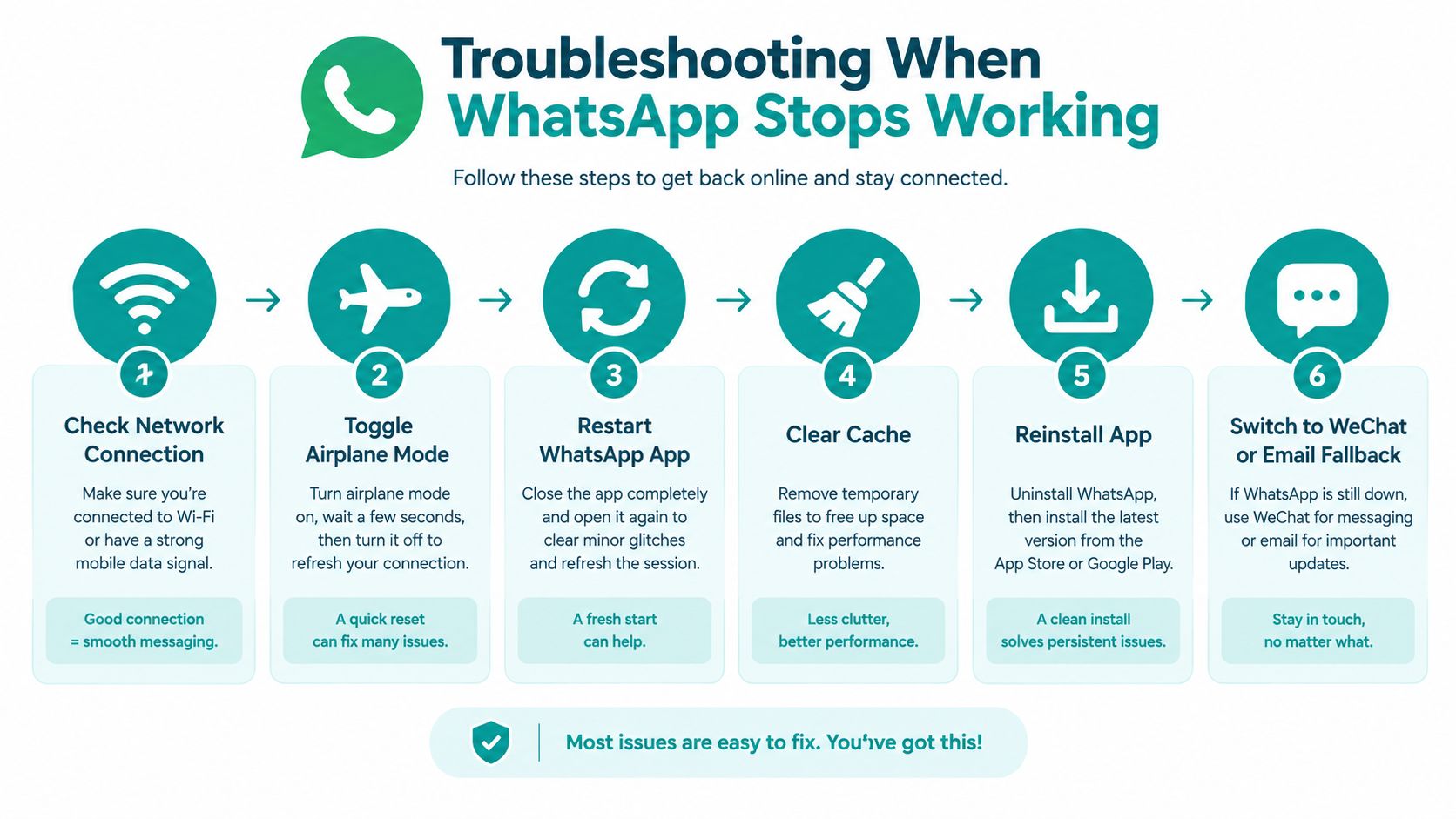
Use a simple recovery sequence
- Check the data line. Make sure you're on the route you intended, not back on hotel Wi‑Fi.
- Toggle airplane mode. This forces the phone to renegotiate the connection.
- Restart WhatsApp. Don't keep poking at a stale session.
- Clear cache if the app is stuck. A bad cached state can make a weak connection look worse.
- Reinstall only if you already prepared for that possibility. Don't count on being able to fix everything from scratch.
- Move to WeChat or email for the critical message. That's the fallback that keeps your trip moving.
A single successful test doesn't prove reliability. A connection that works in one hotel and fails in the next is still a bad communications plan. The trigger may be the network, the provider, or a censorship shift, but the outcome is the same, you need a backup.
Bottom line: If the message matters, send it through the channel most likely to survive the trip, not the one that feels familiar.
Legal and Ethical Notes Travelers Should Know
Don't assume every workaround is risk-free just because it's common. VPN legality varies, access can change fast, and travelers shouldn't treat any single bypass method as guaranteed. If you're moving through Hong Kong or Macau as well as mainland China, remember those places operate under different internet conditions, so one region's behavior doesn't tell you much about another.
The ethical side is simple. Use the tool that keeps you connected, but don't build your trip around breaking everything open at any cost. For most travelers, the smarter goal is predictable connectivity and emergency resilience, not maximum access to every blocked service.
Keep a non-circumvention fallback. If the workaround fails, you still need email, SMS, or WeChat ready to go.
Quick Answers for WhatsApp in China
Does WhatsApp work on hotel Wi‑Fi in China? Usually not in a reliable way. Hotel Wi‑Fi often sits inside the same domestic filtering environment as other mainland connections.
Will an eSIM fix it? Only if the provider routes traffic through an overseas gateway. Ask before you buy, then test it as soon as you land.
What if WhatsApp is my only contact channel? Don't travel like that. Set up email, SMS, and WeChat before departure so one failure does not cut you off.
Are Hong Kong and Macau different? Yes. They follow different internet conditions from mainland China, so do not assume the same result everywhere.
If you are still choosing data for the trip, compare your options with the best eSIM for China, the best VPN for China, and Is Instagram Allowed in China.
#whatsapp in china#china travel#china vpn#china connectivity

Dimitri MorvanFounder
Founder of Simsima. A passionate traveler based in Barcelona, he helps travelers stay connected without breaking the bank on roaming fees.
LinkedIn