-5% on your order in the app
A US or Canadian phone generally works in Mexico when it's not carrier-locked and supports common LTE bands such as 2, 4, 5, 7, 28, or 66; a locked phone is limited to the home carrier's roaming. Surprisingly, a 5G badge tells you less about whether you'll get useful service than the phone's exact model, lock status, and support for the network your plan uses.
Before buying a phone for Mexico, check the one you already own. The important distinction is between connecting to a network, having permission to use it, and getting the services you need, especially ordinary calls and texts.
Will a US or Canadian Phone Work in Mexico
Most recent US and Canadian phones have substantial radio compatibility with Mexico. But a compatible radio doesn't override a carrier lock, and successful mobile data doesn't guarantee cellular voice.
Kimovil's Mexico frequency checker identifies LTE Bands 2, 4, 5, 7, 28, and 66, including substantial overlap with North American devices, and highlights why the exact regional model matters. Older phones that rely heavily on legacy networks are a less dependable choice.
Mexico mobile bands a traveler phone should support
The GSMArena Mexico network-band listing also includes LTE Band 26 at 850 MHz and operator-dependent 5G n7, n28, n41, n66, and n78. Use these listings to compare the following bands with your manufacturer's specifications, not as a promise that every operator deploys every band.
| Standard | Band | Frequency | Why it matters |
|---|---|---|---|
| LTE | Band 2 | 1900 MHz | Common overlap with US and Canadian phones; missing it can cut major-network reach |
| LTE | Band 4 | 1700/2100 MHz AWS | Core AWS band; missing it materially reduces compatibility |
| LTE | Band 66 | 1700/2100 MHz AWS | Wider AWS support, a strong plus on recent North American phones |
| LTE | Band 5 | 850 MHz | Lower-frequency coverage, useful beyond city cores |
| LTE | Band 26 | 850 MHz | Extra support on some networks |
| LTE | Band 7 | 2600 MHz | Capacity in busier areas |
| LTE | Band 28 | 700 MHz | Helps rural and indoor reach; missing it can be a weak spot |
| 5G | n78 | 3500 MHz | Optional; don't use it as the pass-or-fail test |
| 5G | n7, n28, n41, n66 | Operator-deployed frequencies for the listed bands | Useful only where the operator has deployed compatible service |
Start with the common North American overlap rows, then check the lower-frequency coverage rows. Missing Band 2 or AWS support can restrict major-network compatibility, while missing Band 28 can matter more when you leave dense urban areas or move indoors.
Mexico's IFT mobile-service overview identifies mobile-service spectrum around 800 MHz, PCS near 1,850–1,990 MHz, and AWS near 1,710–2,180 MHz. Those frequency ranges explain why a phone's detailed specifications matter more than its marketing label.
Treat 5G as a bonus
GSMA Intelligence's city benchmarking reported 18.5% 5G service coverage in Mexico City, nearly 40% in Monterrey, and 4.5% in Ecatepec in 2024. These are city-level findings, not guarantees for your hotel or itinerary.
Practical rule: Use LTE compatibility as your baseline. A working LTE connection is more useful than a 5G-capable phone that can't use your chosen network.
Look up the exact model number and regional variant on the maker's specification sheet. A familiar retail name isn't enough.
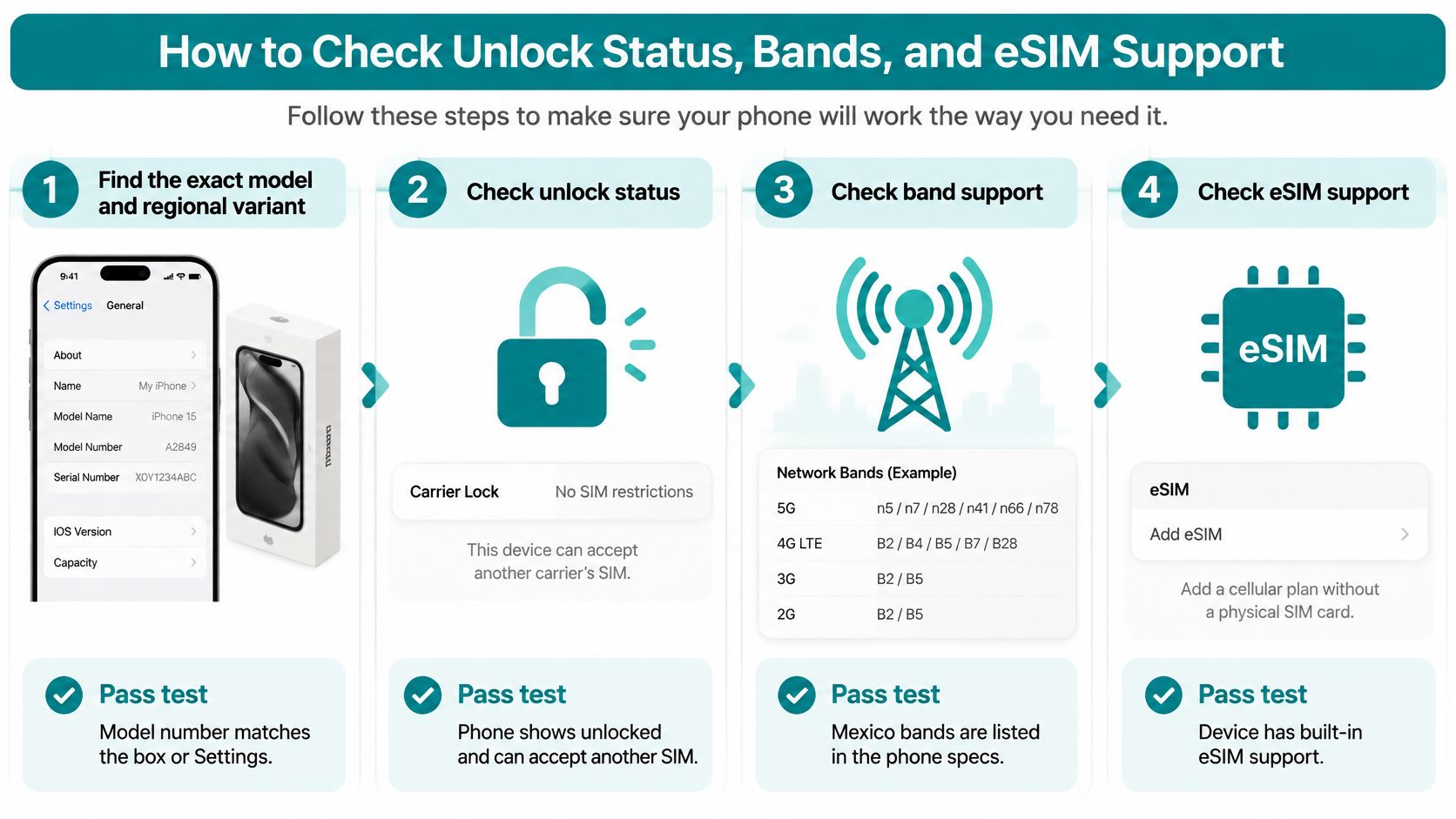
How to Check Unlock Status, Bands, and eSIM Support
Complete these checks while you still have home Wi-Fi and access to your original carrier. Keep the model number, IMEI, and plan instructions somewhere you can access offline.
This checklist separates hardware compatibility from carrier permission.
Finish the checks at home
Find the exact model and variant. On iPhone, open Settings > General > About and tap Model Number if necessary. On Android, start with Settings > About phone. Pass when you can match that identifier to the manufacturer's specifications, rather than just the product family.
Record the IMEI. Dial *#06# or find the IMEI in Settings. Keep it private and use it when contacting the carrier; it identifies the device the carrier needs to check.
Confirm the carrier status. Ask your original US or Canadian carrier whether that IMEI is cleared for other networks, and request clearance before departure if needed. The FCC's cell-phone unlocking guidance explains that procedures differ by carrier and device, and clearance alone doesn't guarantee data or texting compatibility. For the iPhone menu check, use our guide to checking whether an iPhone is unlocked.
Match the LTE bands. Open the maker's specification sheet for your exact model number and compare it against the table. Pass when the device supports the bands used by the network listed in your intended plan.
Check eSIM and active-line support separately. Look for Add eSIM under Cellular, SIMs, or SIM Manager, then verify the model's specifications. If you want your home number active beside travel data, confirm that the device supports both lines simultaneously. We provide an eSIM-compatible devices page and a data calculator to help with compatibility and usage planning.
Verify voice support if you need it. Confirm VoLTE compatibility with the intended operator. A phone loading maps doesn't prove it can place ordinary cellular calls.
Check the actual destination. Use the intended operator's own coverage map for your accommodation and route. Pass when the planned service area covers where you'll spend time, not merely the arrival airport.
Keep future connectivity separate from today's checks
For background on emerging alternatives, NeoTeo's coverage of satellite-to-device spectrum plans at the FCC explains a different connectivity direction. It isn't a substitute for checking your current phone, terrestrial coverage, and travel plan.
For a visual walkthrough of phone compatibility, watch the following video.
If your phone is still locked, stop the local-SIM or travel-eSIM setup at the carrier check. Use home-carrier roaming instead; the alternative-plan eSIM and voice checks won't change that restriction.
Roaming a Local SIM or a Travel eSIM
| Option | Keeps home number | Phone must be | Better when |
|---|---|---|---|
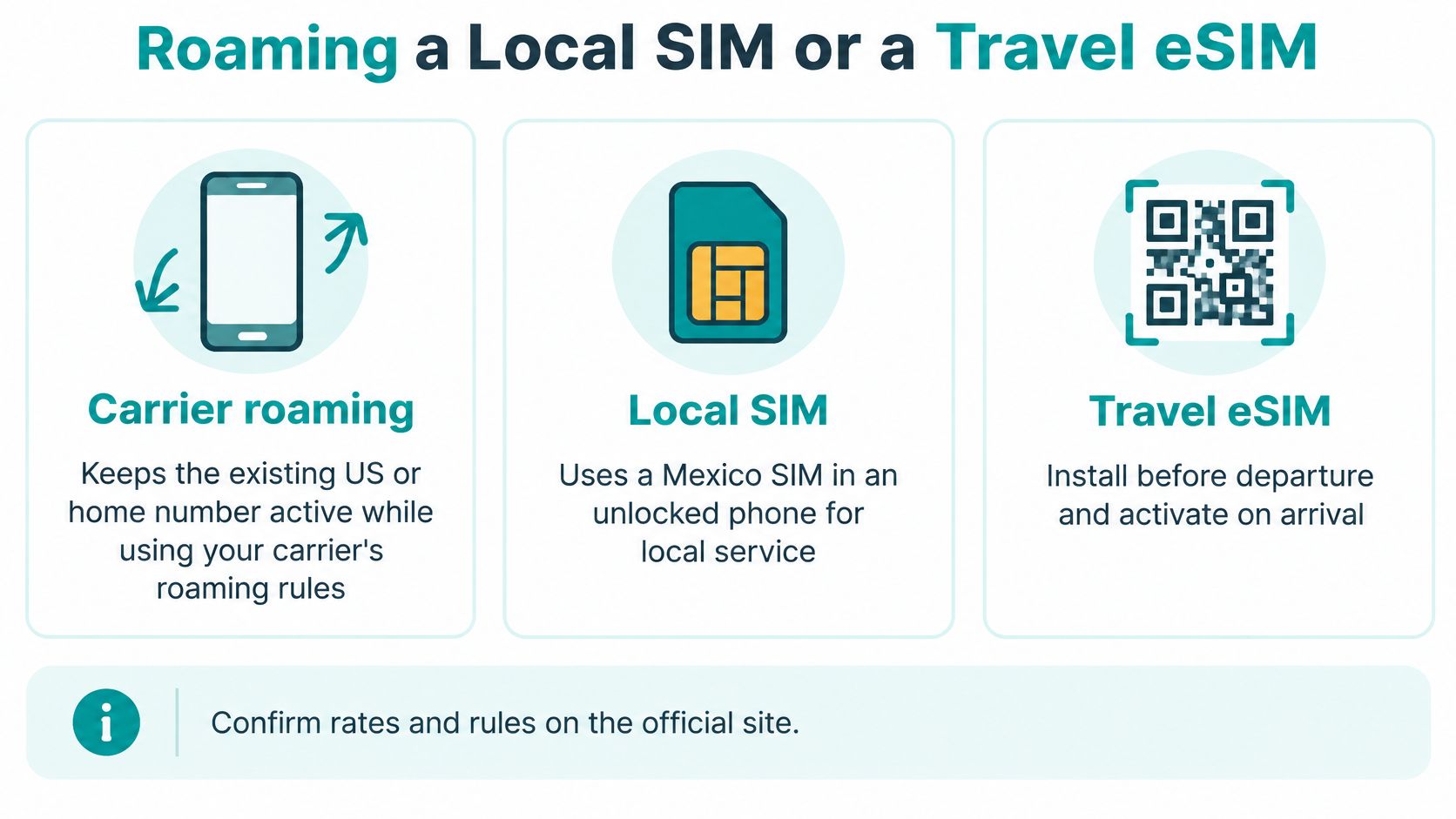
| Home-carrier roaming | Yes, for calls and texts if the carrier enables it | Locked or unlocked, with international roaming enabled | You prefer not to change SIM settings, or the phone is still locked |
| Local physical SIM | Only if the phone supports dual SIM and you leave the home line active | Unlocked, with a physical SIM slot | You need a Mexican number, local calls, or SMS, or your phone does not support eSIM |
| Travel eSIM such as Simsima | Your home line can stay active on a compatible dual-SIM phone; travel service is data only | Unlocked and eSIM-capable | You need maps and messaging and can install the eSIM over Wi-Fi before departure |
The best choice depends less on a 4G or 5G badge than on whether the phone is free for other networks and what you need to do. Skip a travel eSIM if it does not meet that need. Home-carrier roaming suits a locked phone or anyone who wants to avoid changing settings. A local SIM can be more practical for an extended stay when you need a Mexican number, ordinary calls, or SMS. Wi-Fi may be enough for a short city trip if you accept being offline between reliable connections.
Match the service to the trip
The FCC's international-roaming guide recommends asking your carrier about international options and confirming roaming is activated before travel. Check the carrier's official site for current rates and rules, including how calls and texts are handled.
Before buying a local physical SIM, confirm the operator's purchase requirements. Bring your passport in case identification is required, and check that the service includes the voice or SMS features you need.
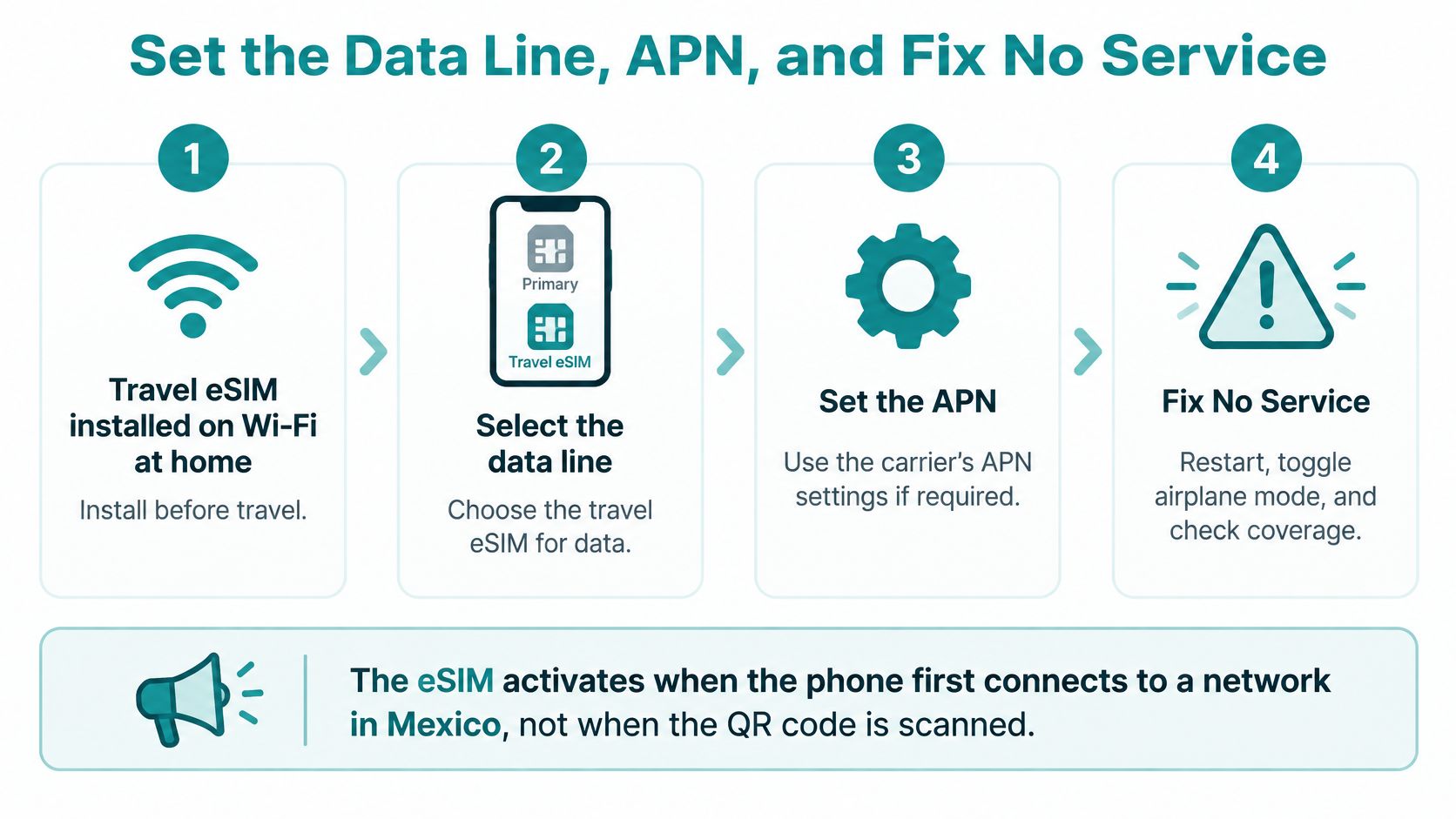
Simsima's Mexico travel eSIM is data only. It does not provide a Mexican phone number, cellular calls, or SMS. Your home number can remain active for calls and texts if your phone supports using both lines at once. Install the eSIM over Wi-Fi before departure using the Smart Link on a compatible phone or the QR code sent by email. Installation is not activation: service starts automatically when the eSIM first connects to a local Mexican network. Check the plan details to see which networks it uses.
For help weighing the physical-versus-digital trade-off, read the eSIM versus SIM card guide. The Mexico eSIM comparison guide can help you assess plan fit.
Coverage still limits every option
The IFT's telecommunications indicators report guaranteed 4G coverage for 93.3 people per 100 inhabitants in 2024, while 4G carried 81.5% of total mobile-data traffic. The population-based measure does not mean service is continuous across every part of the country.
Cities and resort areas generally offer a stronger starting point than rural or mountain routes. Download offline maps before leaving dependable Wi-Fi.
Set the Data Line, APN, and Fix No Service
A phone can show signal bars and still have no usable internet. The data line, roaming setting, or APN may be wrong even when the device itself is compatible.
Before departure, install your travel eSIM over Wi-Fi and complete the compatibility and band checks. If the connection fails after arrival, keep the installed profile while troubleshooting rather than deleting it.
Give each line a clear job
On iPhone, open Settings > Cellular. On Android, check Network & internet > SIMs or Connections > SIM Manager. Menu names vary by manufacturer.
Turn on the travel line and select it for mobile data. Give it a clear label, such as Mexico Data, if that helps distinguish it from your home line. Enabling a line does not always select it as the source of internet access.
Turn on data roaming for the travel line. Follow the plan's instructions. A destination-specific eSIM may still require roaming to connect.
Turn off data roaming on the home line. Disable automatic cellular-data switching or backup data too, if your phone has that setting. Otherwise, it may use your home plan when travel data is unavailable.
Keep your home line available for calls and texts if needed. If your device supports dual SIM, leave the home line on and select it as the default voice line. Turning off its data roaming does not make calls or SMS free, so check your carrier's terms.
For a local physical SIM, select that SIM for data. Your phone must be able to use SIMs from other carriers. If inserting it removes your only home SIM, that card can no longer keep your home number connected.
Keep the roles separate: the travel line provides internet, while the home line carries your existing number. Messaging apps use data, but bank and login codes sent by ordinary SMS go to the registered number. That number needs to remain connected, and your carrier must support SMS delivery abroad.
Fix settings before changing networks
Set an APN only when the instructions specify one. An APN, or access point name, lets the phone connect to a provider's data service. If pages will not load, compare the setting with your plan details or carrier support page and enter it exactly. Do not use an APN from an unrelated provider.
Keep network selection automatic at first. If the phone connects to a weak network, try manual selection only for networks listed in your plan details. A network appearing on the phone does not mean your service can use it.
Set up Wi-Fi calling before departure. Enable it for your home number if your carrier supports it, then check its international terms. A data-only travel eSIM does not provide cellular voice service.
After changing settings, toggle airplane mode and let the phone reconnect. Restart if needed, then test with Wi-Fi off to confirm cellular data works.
Mexico phone problems and the first fix
| Symptom | Likely cause | First fix |
|---|---|---|
| No service on the new line | Locked phone, missing installation, or no coverage | Confirm the phone is unlocked and the eSIM installed, then check the plan's network list and coverage map |
| Signal bars but no web pages | Wrong data line, roaming disabled, or missing APN | Select the travel line for data, enable its roaming, and enter the specified APN if required |
| Home-carrier data charges | Home-line data roaming or automatic switching enabled | Turn off data roaming on the home line and disable automatic switching |
| Data works, calls don't | Data-only service or incompatible VoLTE | Use the home voice line or an internet calling app |
| Bank texts never arrive | The home number receiving codes is not connected | Keep the home number active and check that your carrier supports SMS roaming |
| 5G never appears | The network or location provides LTE only | Use LTE rather than treating the missing 5G indicator as a connection failure |
Use our cellular data troubleshooting guide for a broader settings checklist. For more help with installation and connection errors, see eSIM connection help from Simply Tech Today.
Keep the installed profile while seeking help, and contact Simsima's 24/7 customer support with your order details if the steps above don't resolve the problem.
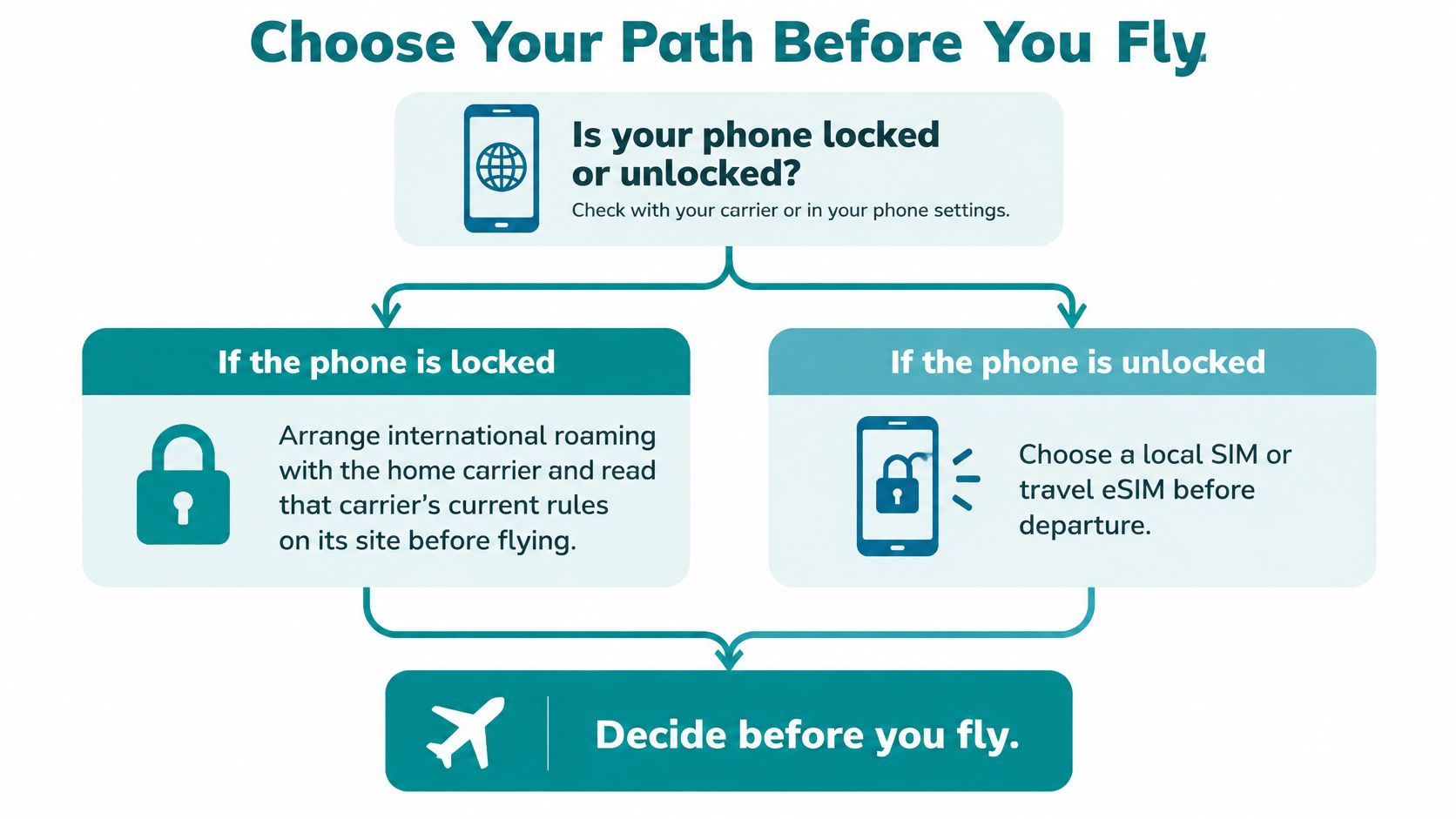
Choose Your Path Before You Fly
Locked phone: Arrange international roaming with your home carrier and read its current rules on the official site. Don't buy an alternative SIM hoping it will bypass the lock.
Phone needing a Mexican number: Plan for a local physical SIM if your device has a slot. Confirm purchase requirements and the inclusion of calls and SMS with the operator.
Phone with eSIM capability needing internet: Install on home Wi-Fi, prepare your line settings, and save the instructions offline. Keep your home number available for verification texts and download maps before departure.
Our device compatibility checker helps confirm eSIM support. Supported examples include iPhone XS or newer, Samsung Galaxy S20 or newer, and Google Pixel 3 or newer, but the exact regional variant and carrier status still matter.
Short FAQ
Do I need a separate Mexico mobile phone?
Usually not if your current device passes the hardware and service checks. Replace the phone only if its limitations prevent your chosen connection method.
Can I add more data during the trip?
You can purchase top-ups from your Simsima account. Keep account access available before leaving.
Does eSIM support mean the phone is free of carrier locks?
No. Built-in eSIM hardware and carrier permission are separate checks, so verify both before purchasing travel service.
Simsima offers data-only travel eSIMs for 190+ destinations, including Mexico. Visit Simsima to check your device, choose data for your itinerary, and install on Wi-Fi before your flight.


#will my phone work in mexico#phone for mexico#mexico mobile phone#travel eSIM Mexico#unlocked phone Mexico

Dimitri MorvanFounder
Founder of Simsima. A passionate traveler based in Barcelona, he helps travelers stay connected without breaking the bank on roaming fees.
LinkedIn