No data connection
Steps to resolve connectivity issues with your eSIM.
How to install your Simsima eSIM
When you land: turn on your eSIMStep 8 of 11
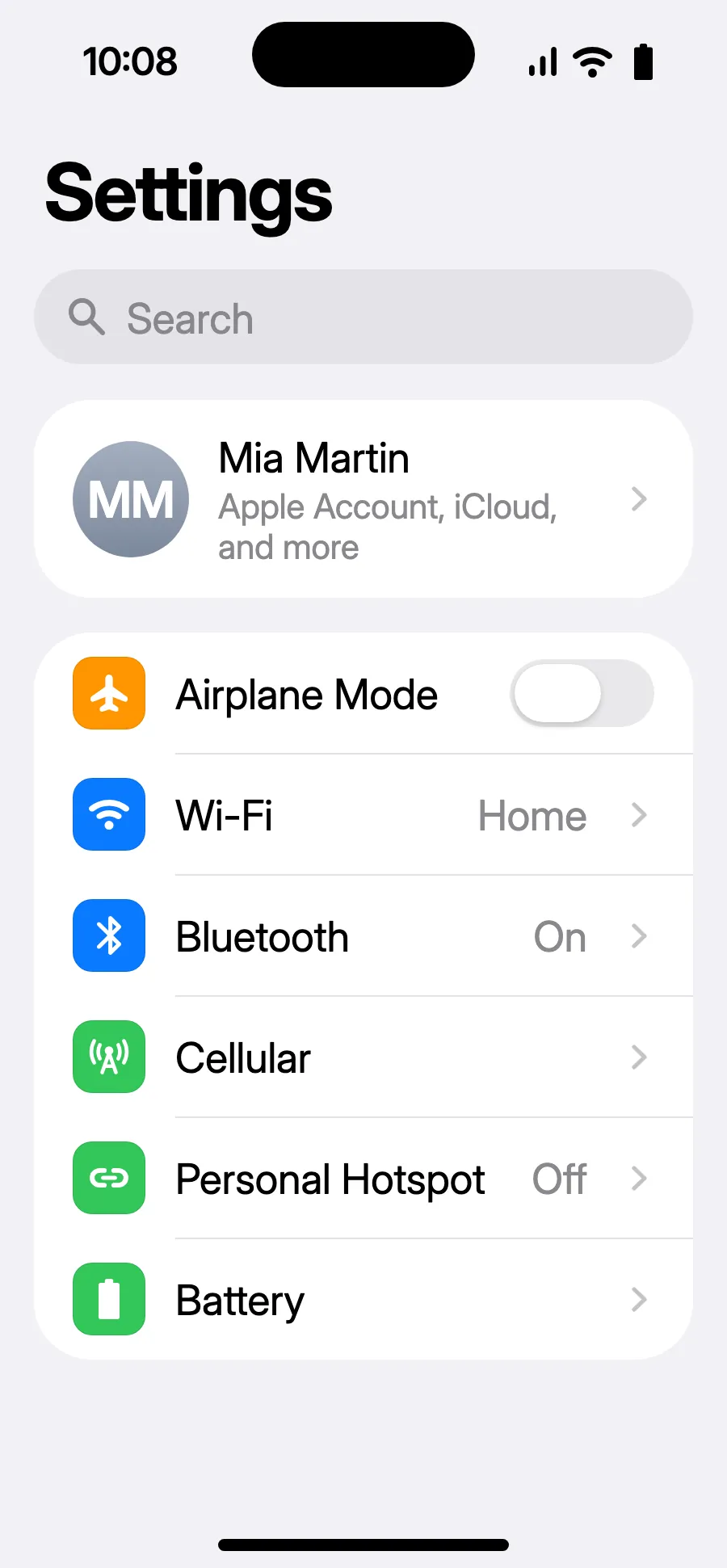
- Open Settings, then Cellular.
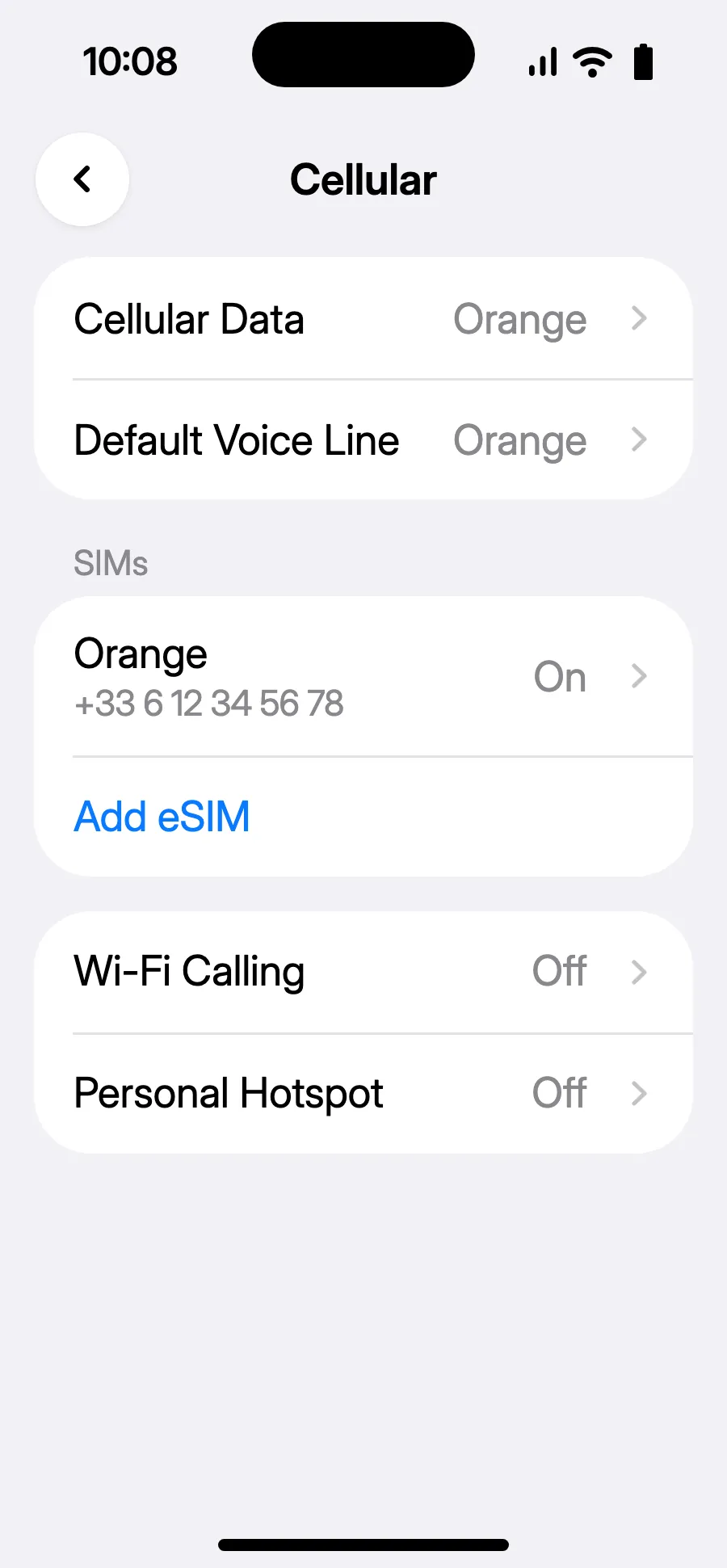
- Tap “Add eSIM”.
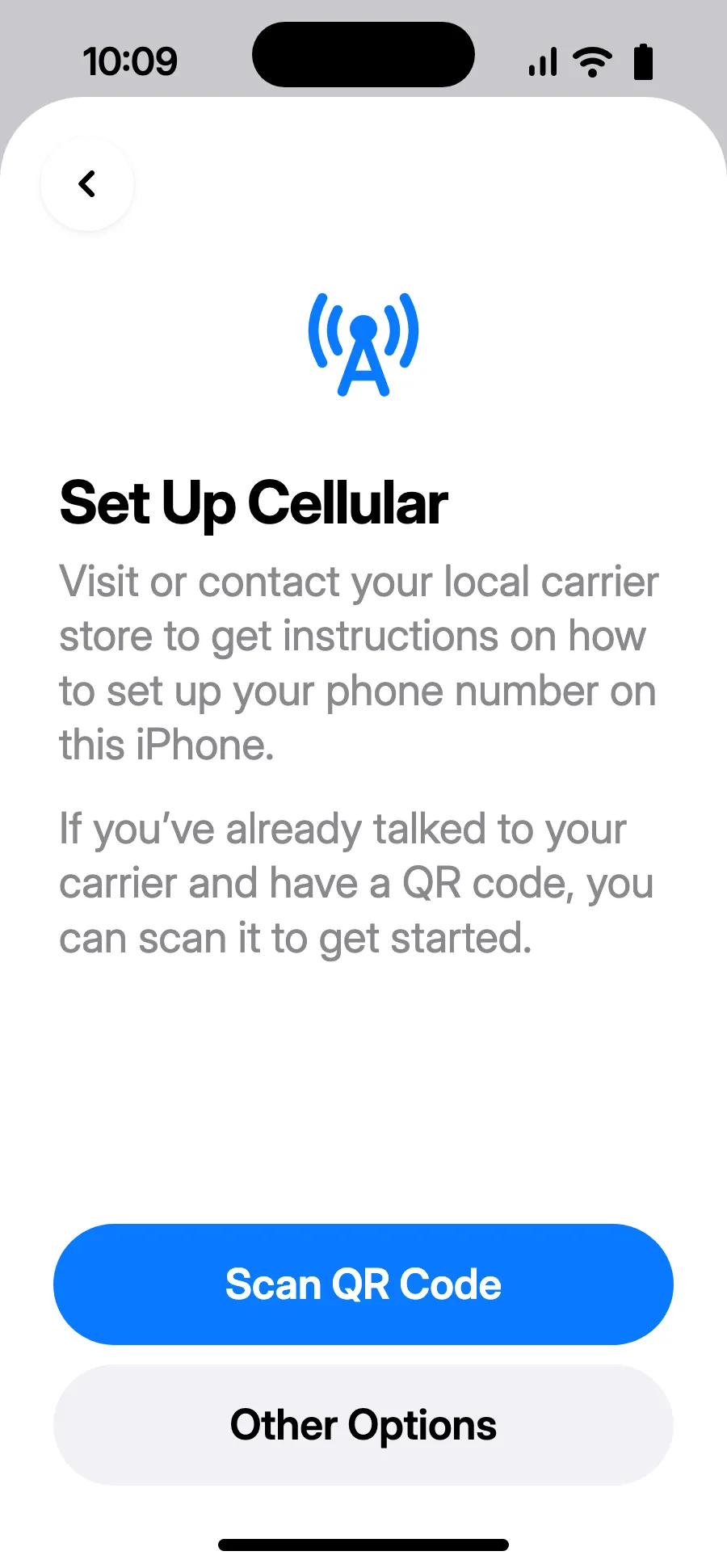
- Tap “Scan QR Code” and scan the QR code we email you after purchase (it's also in your account).
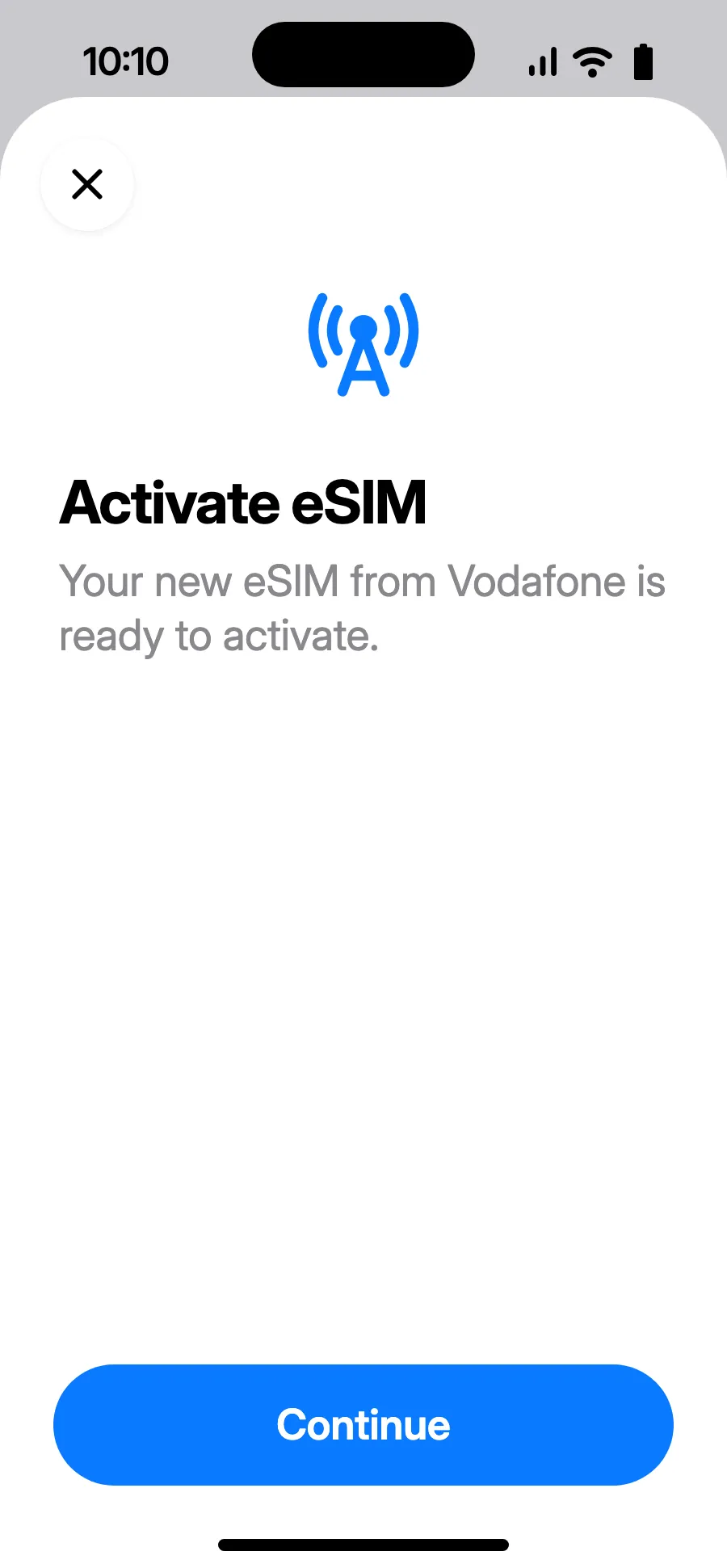
- “Activate eSIM” opens: tap Continue.
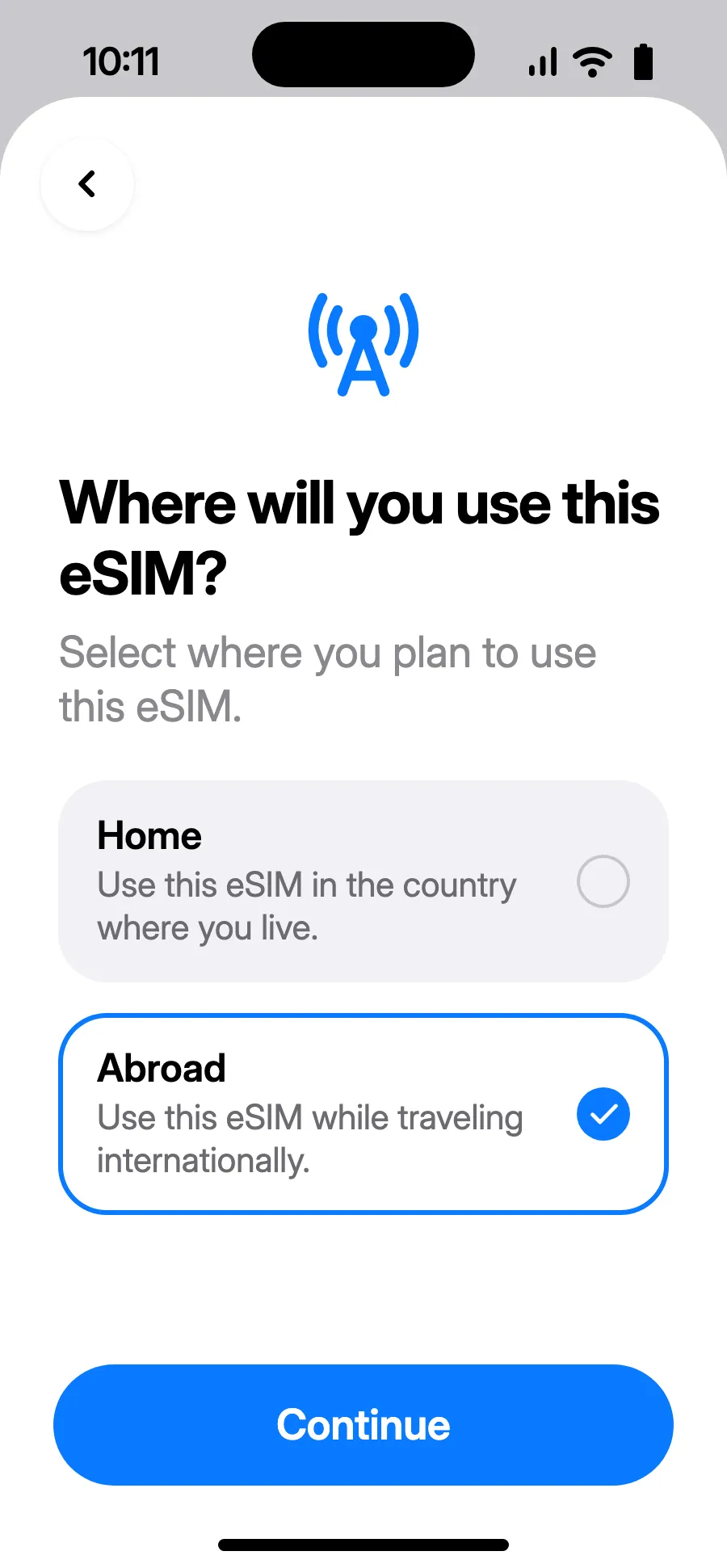
- Choose Abroad, then tap Continue.
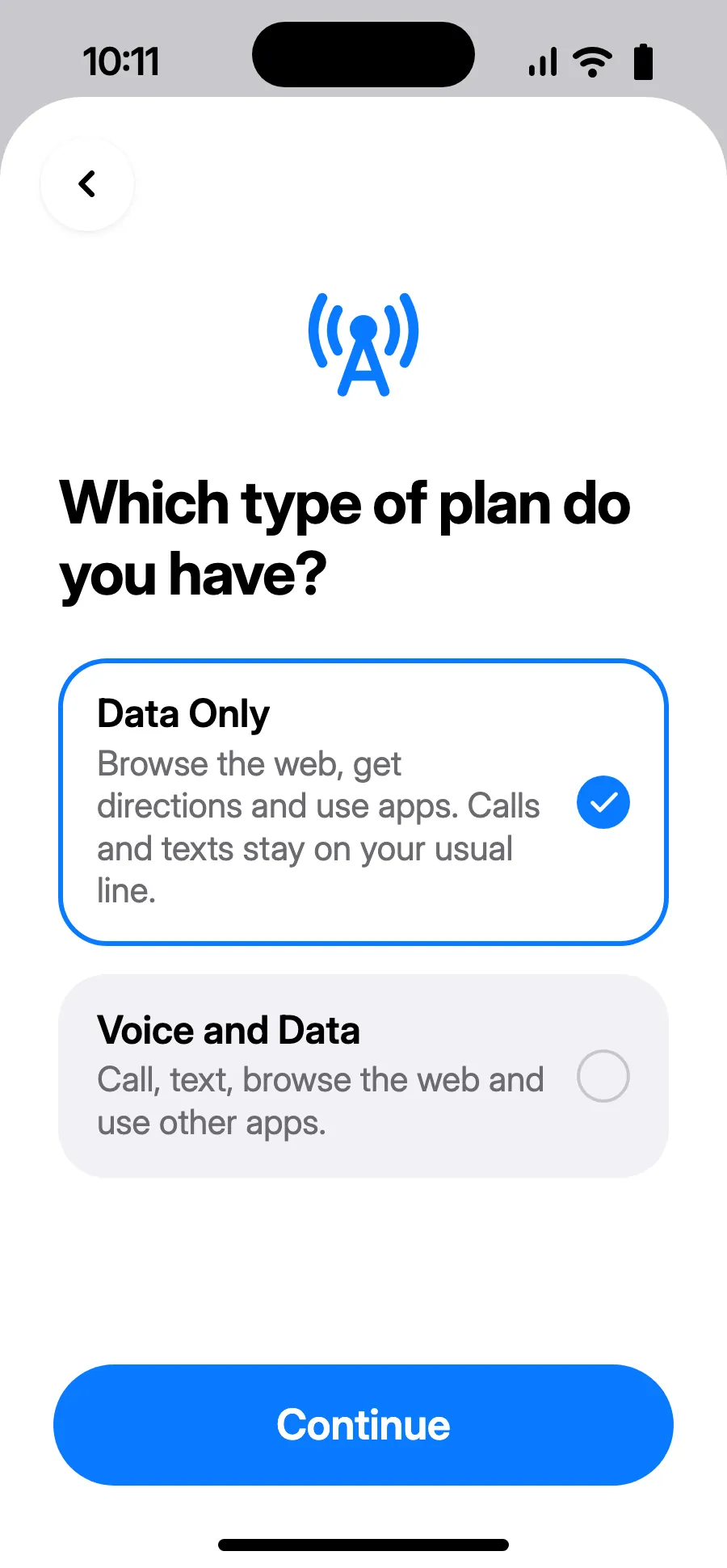
- Choose Data Only, then tap Continue. The eSIM is for data; your usual number keeps calls and texts.
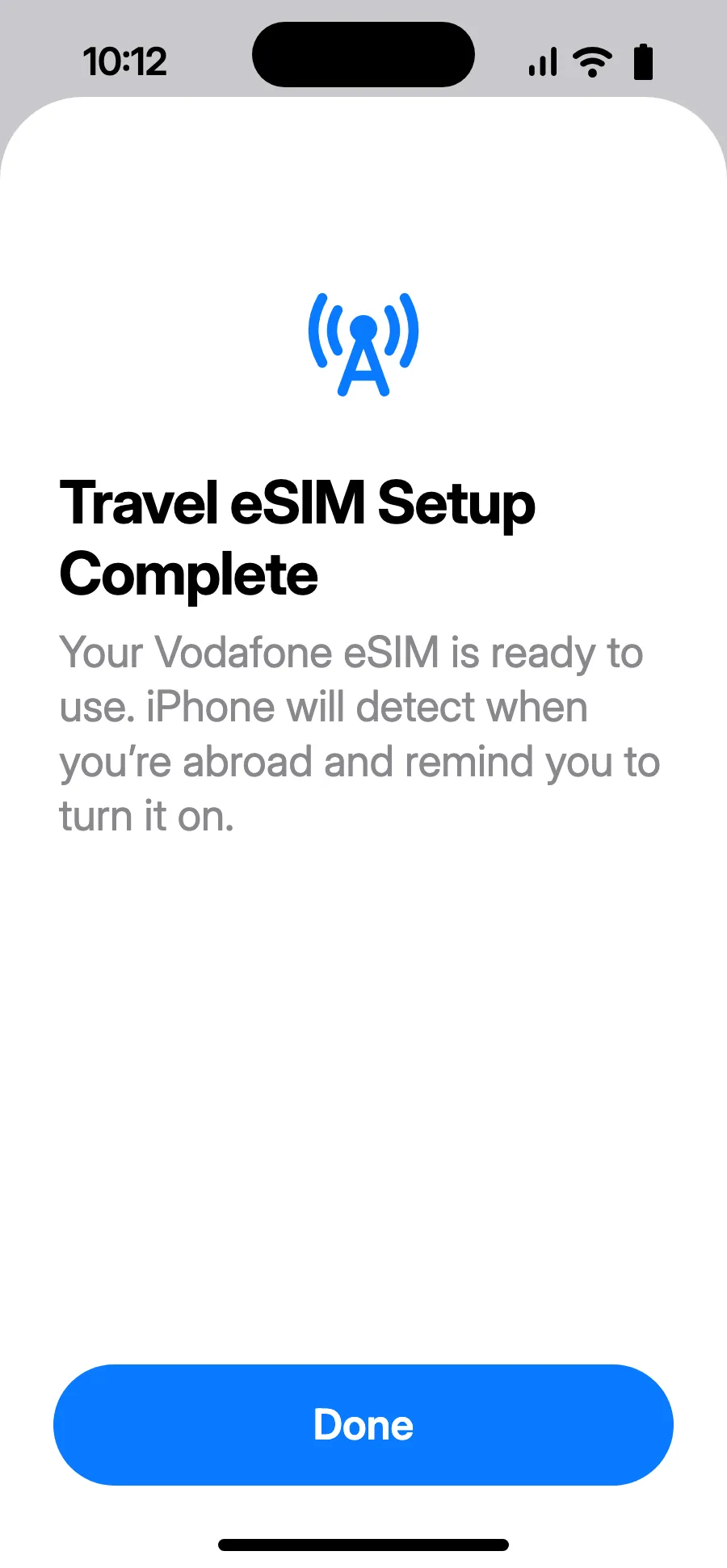
- Tap Done. Your iPhone will remind you to turn on the eSIM once you're abroad.
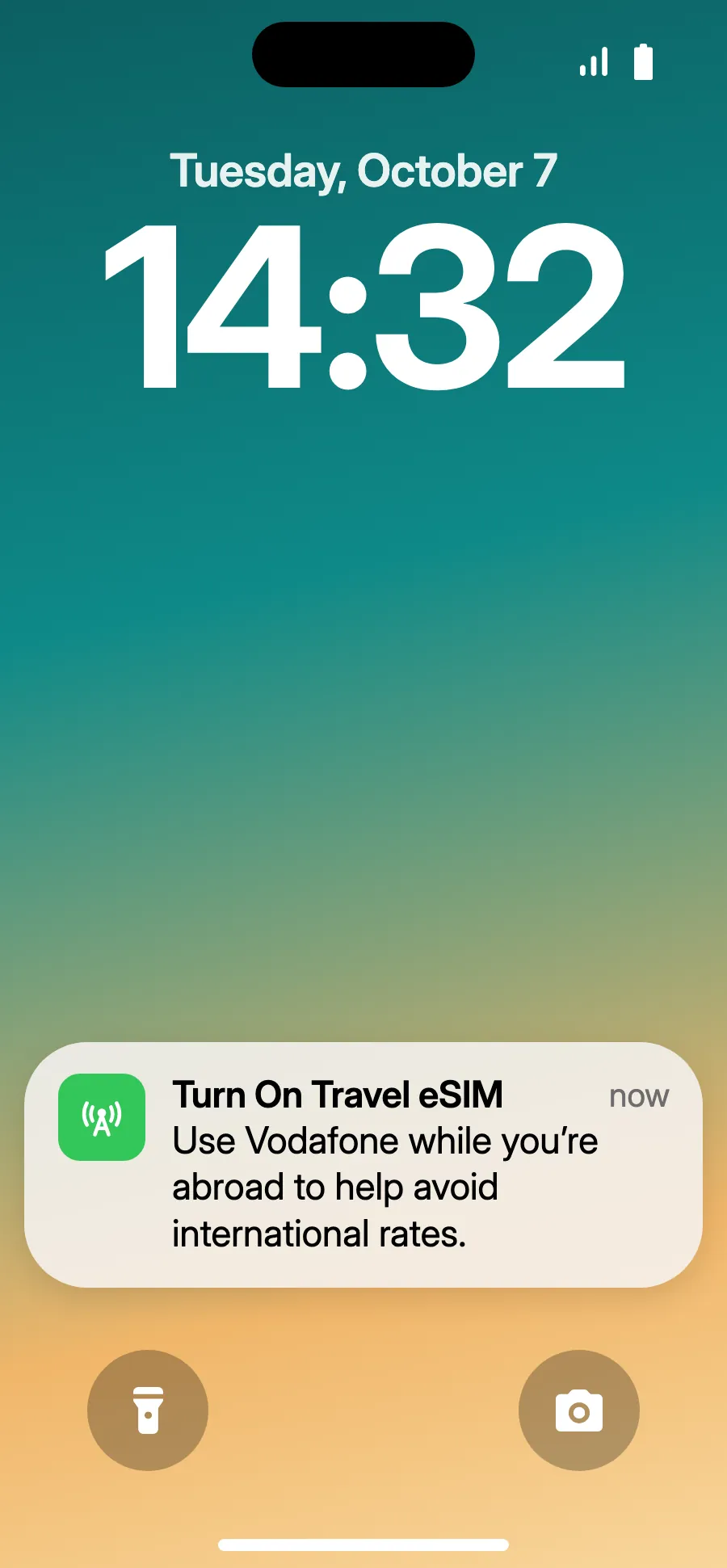
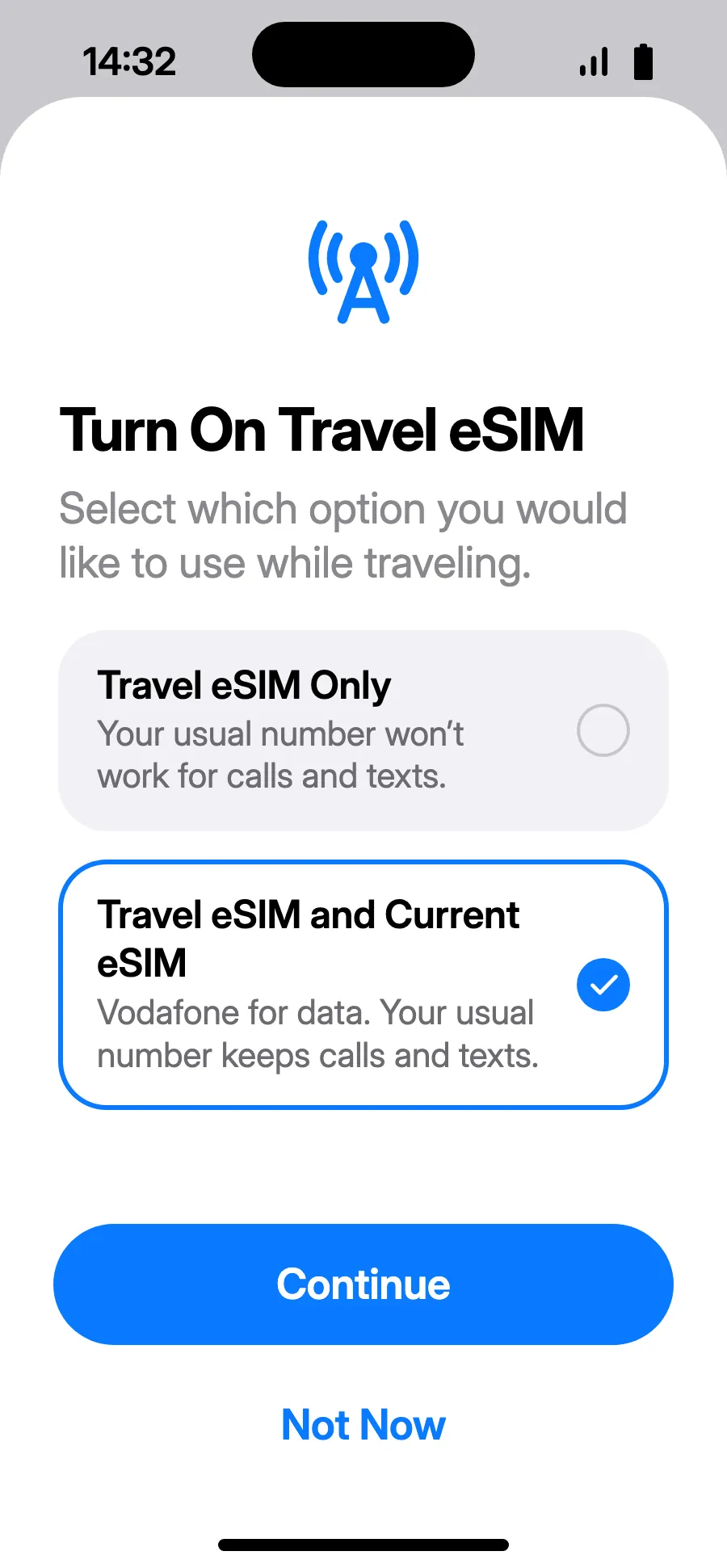
- When you land, your iPhone may show “Turn On Travel eSIM”: tap the notification.
- Choose “Travel eSIM and Current eSIM”, then Continue. You keep your number for calls and texts (bank codes included); your carrier may charge for calls you receive.
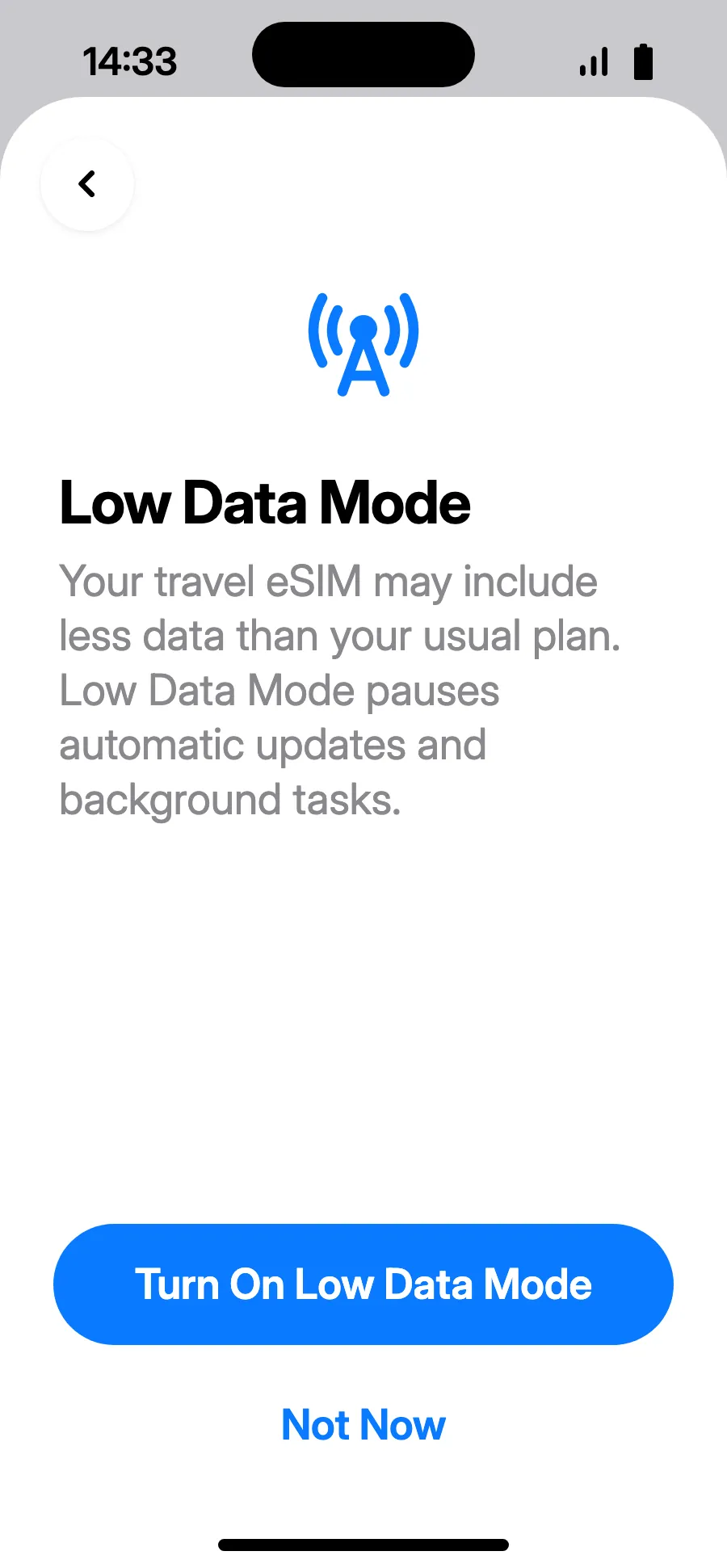
- Low Data Mode saves your plan: tap “Turn On Low Data Mode”, or “Not Now”.
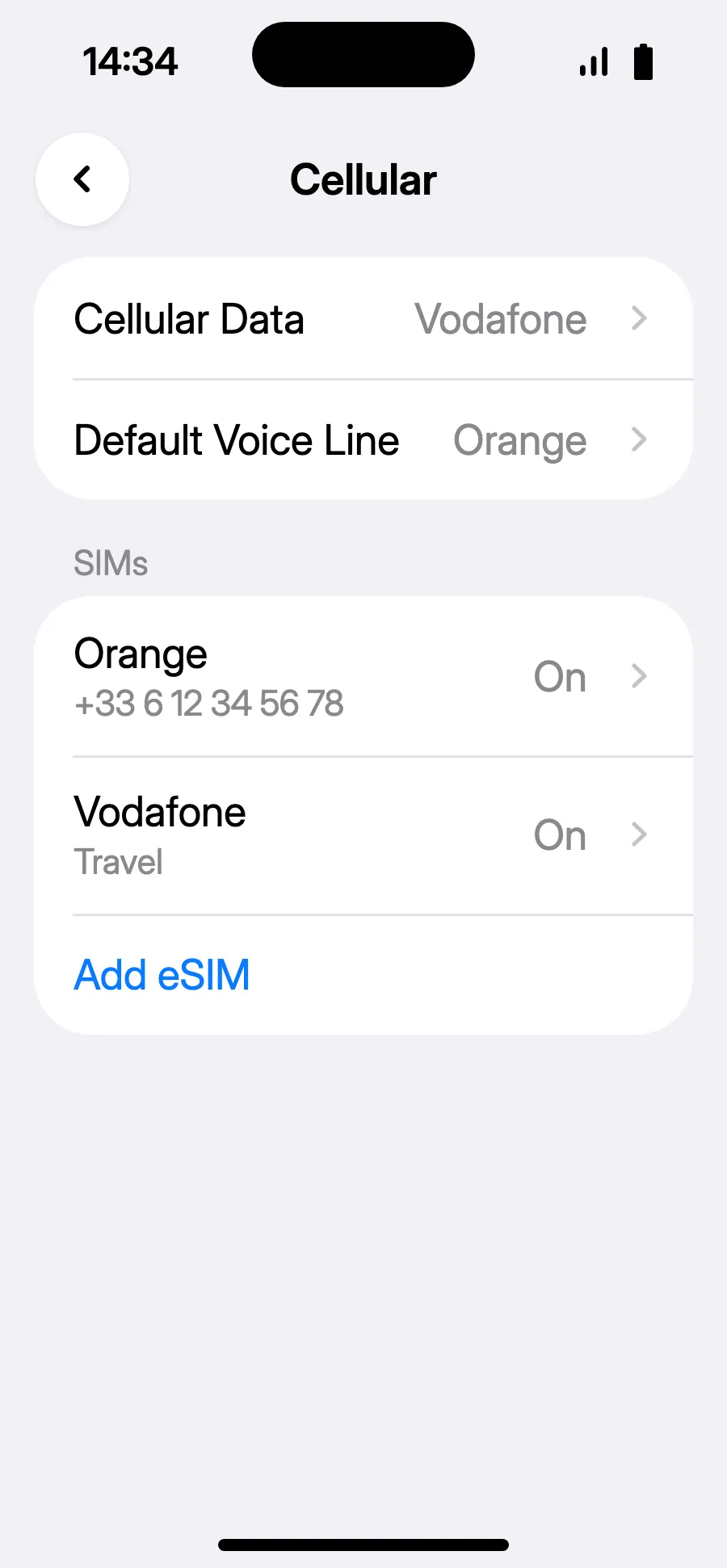
- You're set: Cellular Data shows the new eSIM.
After you buy, your QR code arrives by email and in your account. Show it on another screen, then follow these steps on your phone.
When you land: turn on your eSIMStep 6 of 8
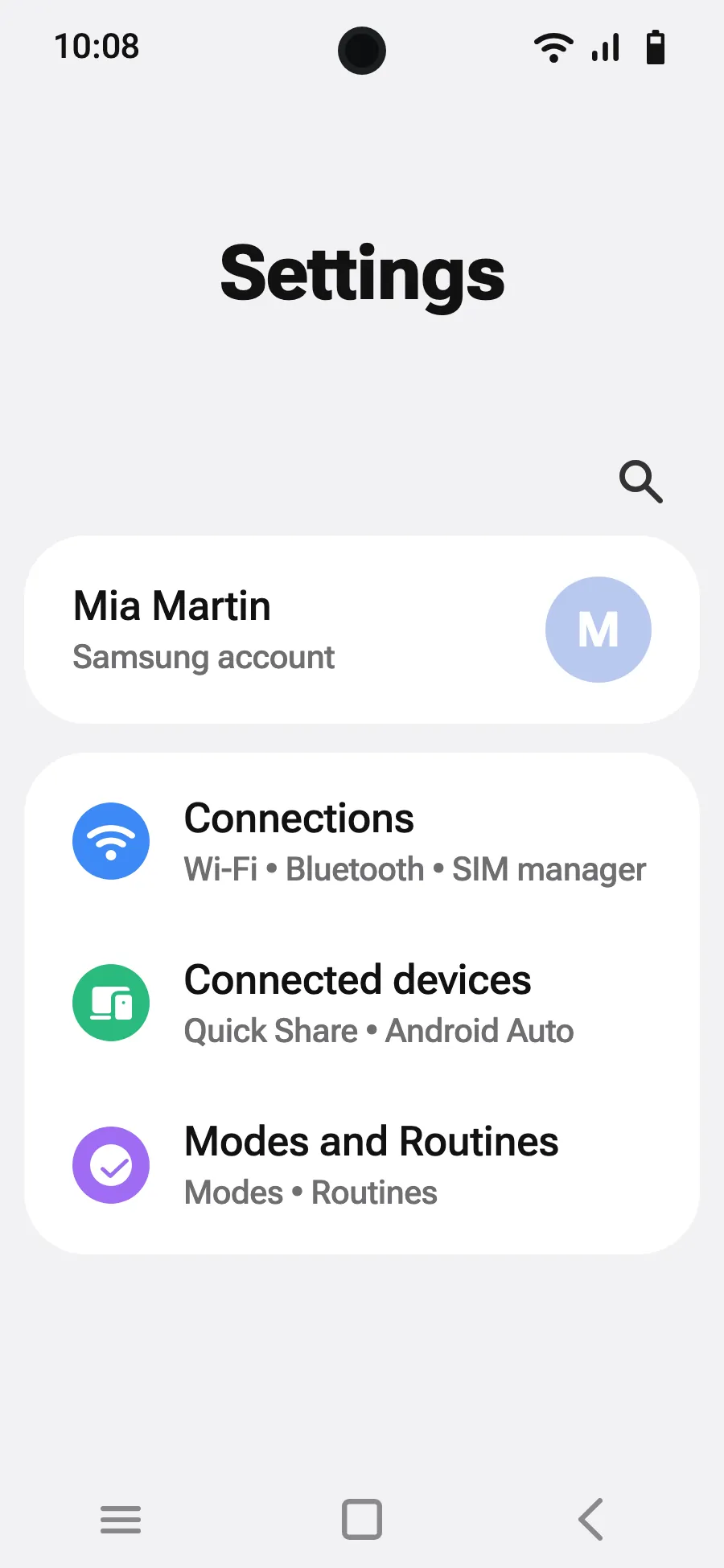
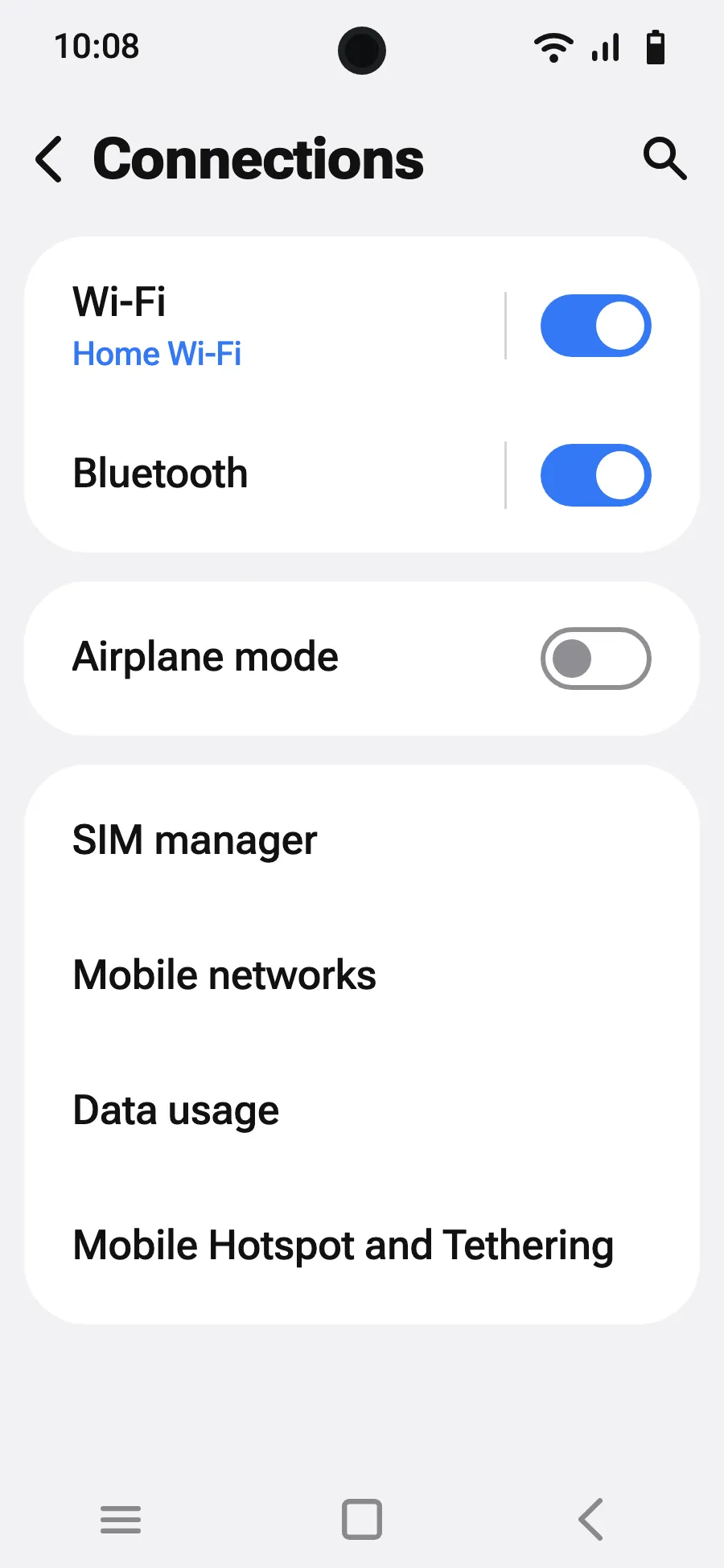
- Open Settings, then Connections.
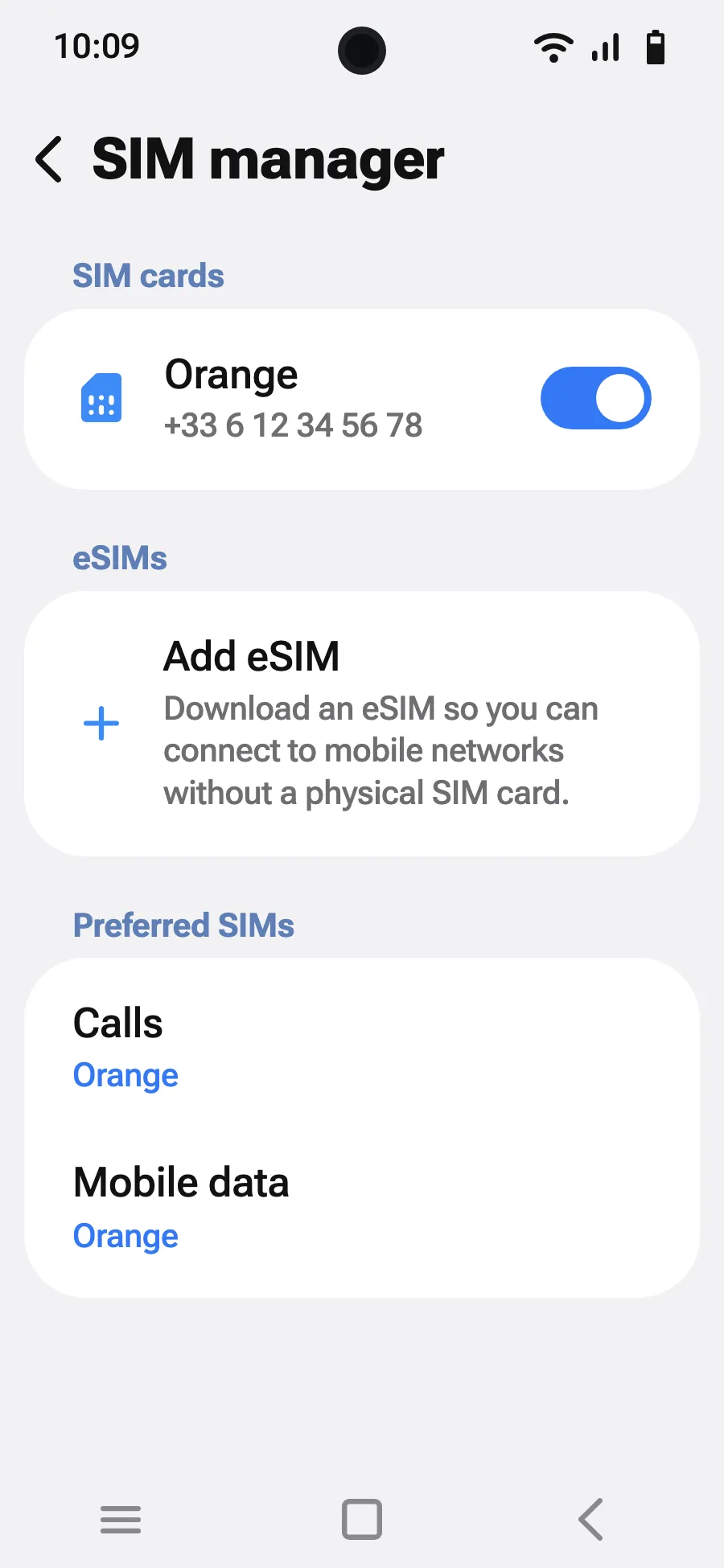
- Tap “SIM manager”.
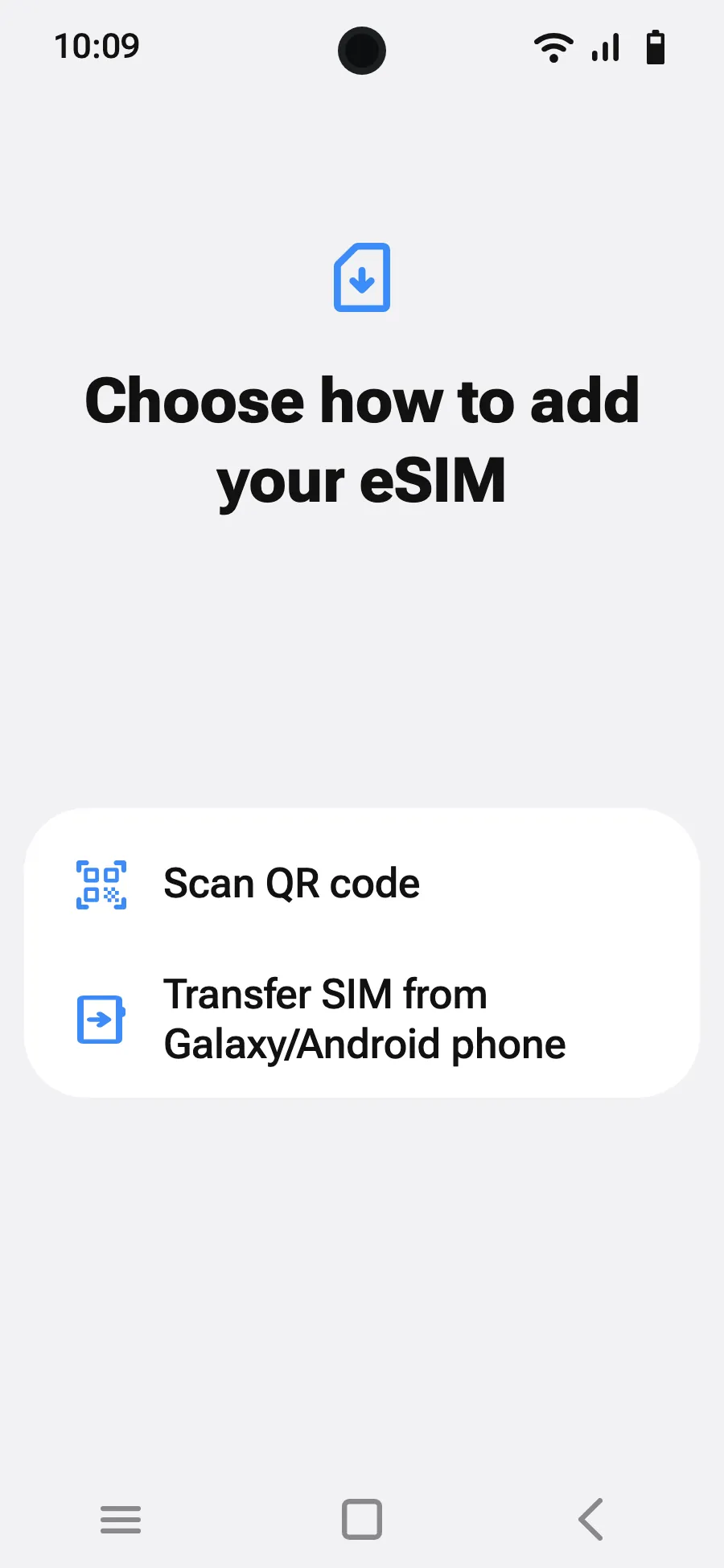
- Tap “Add eSIM”.
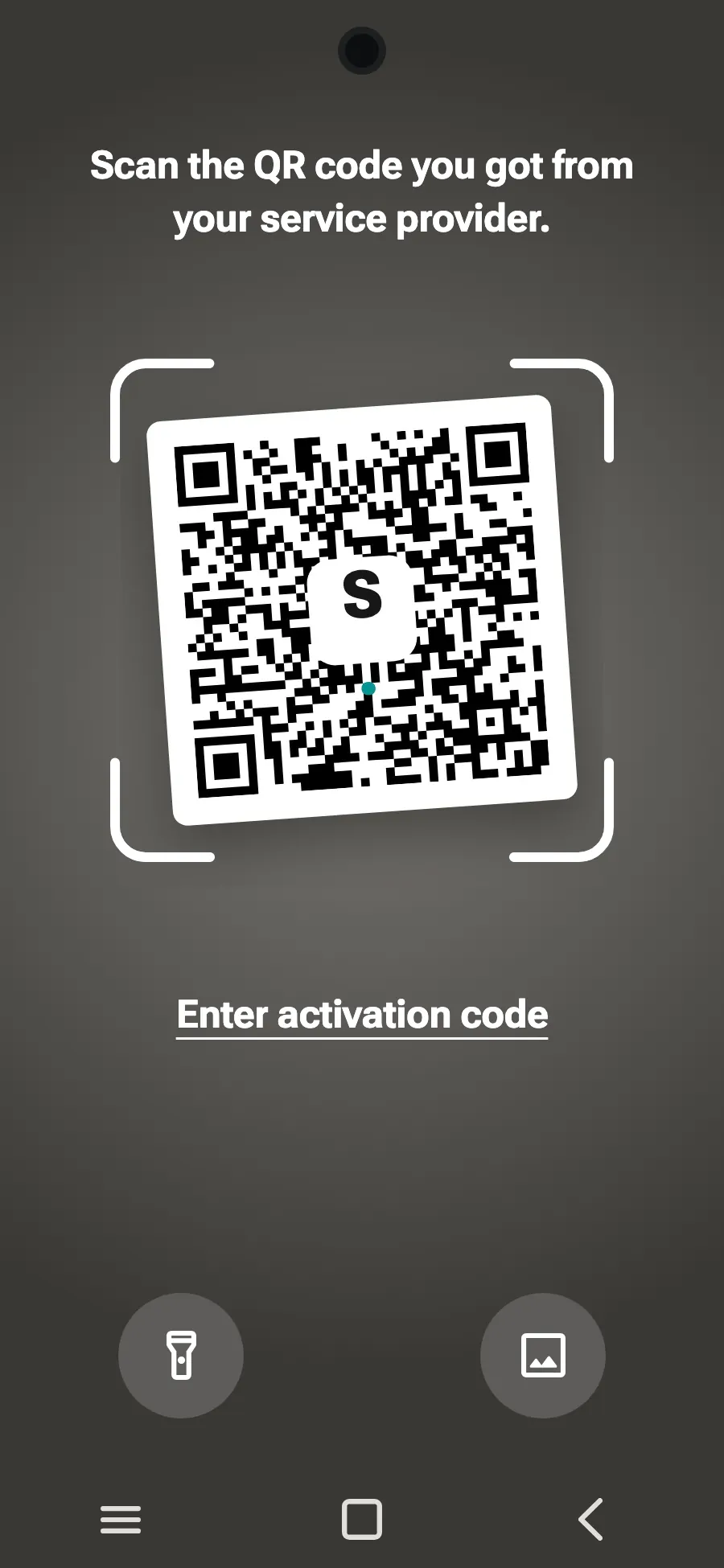
- Choose “Scan QR code”.
- Scan the QR code we email you after purchase (it's also in your account), then tap Add.
- When you land, turn on your new eSIM in SIM manager. It shows the name of a local or partner carrier.
- Choose the new eSIM for mobile data.
- In Connections, Mobile networks, turn on data roaming.
After you buy, your QR code arrives by email and in your account. Show it on another screen, then follow these steps on your phone.
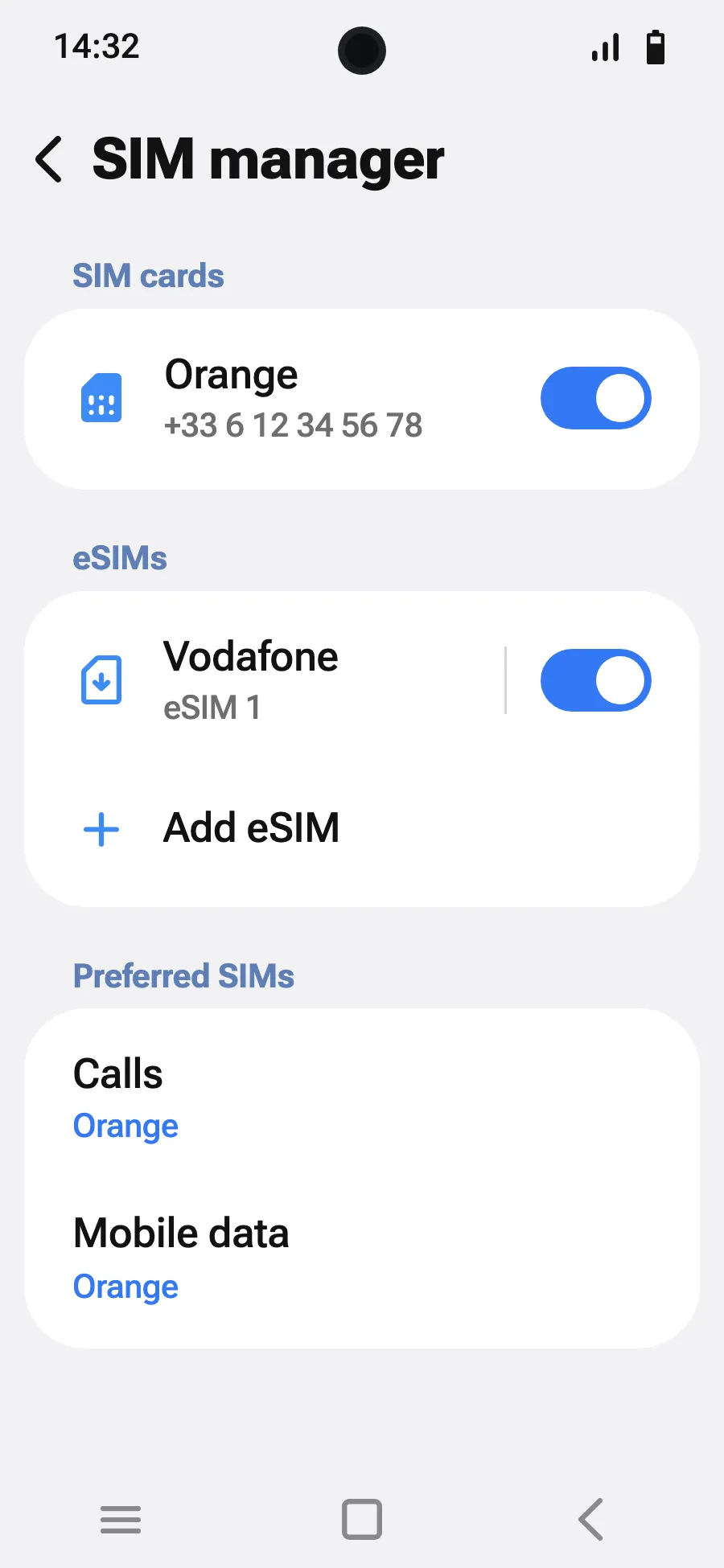
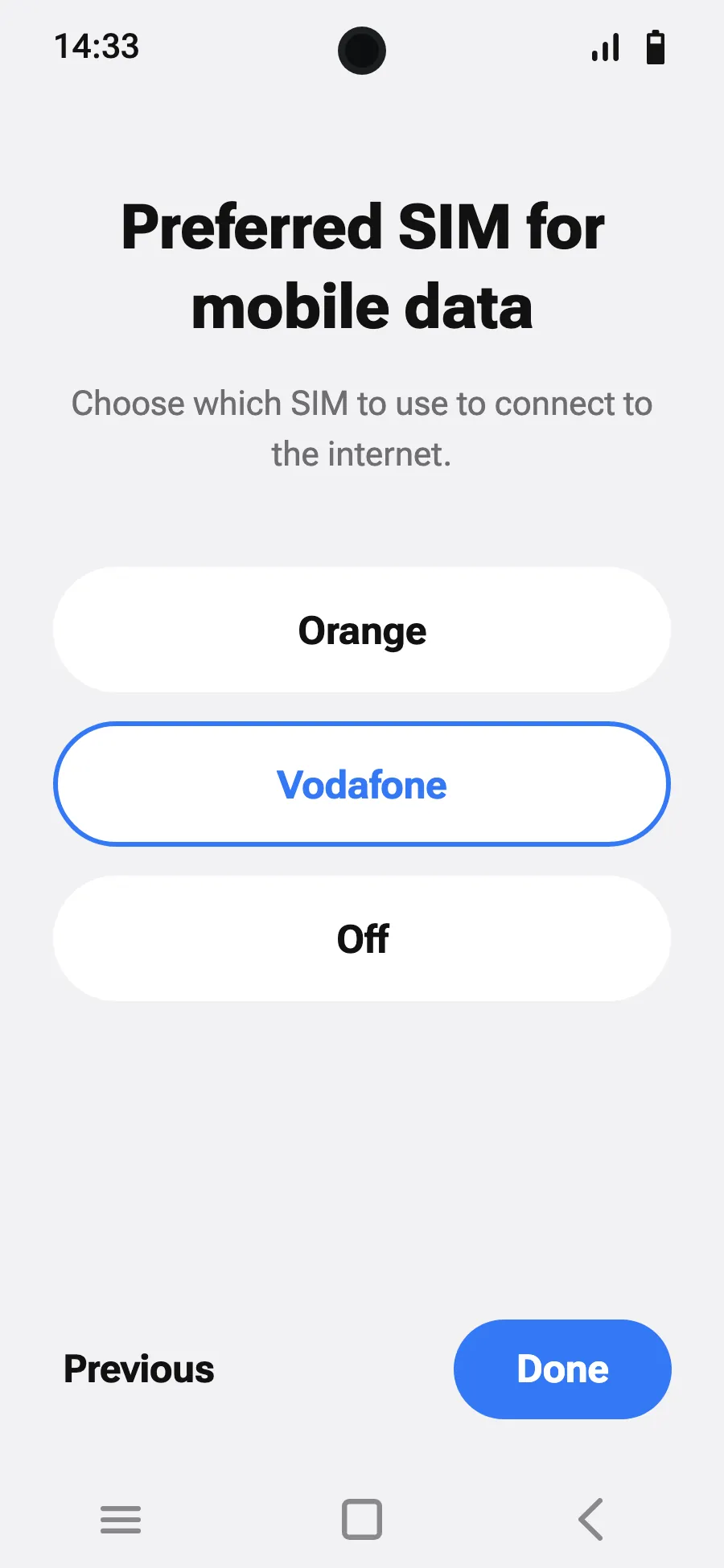
When you land: turn on your eSIMStep 5 of 7
- Open Settings, then Network & internet.
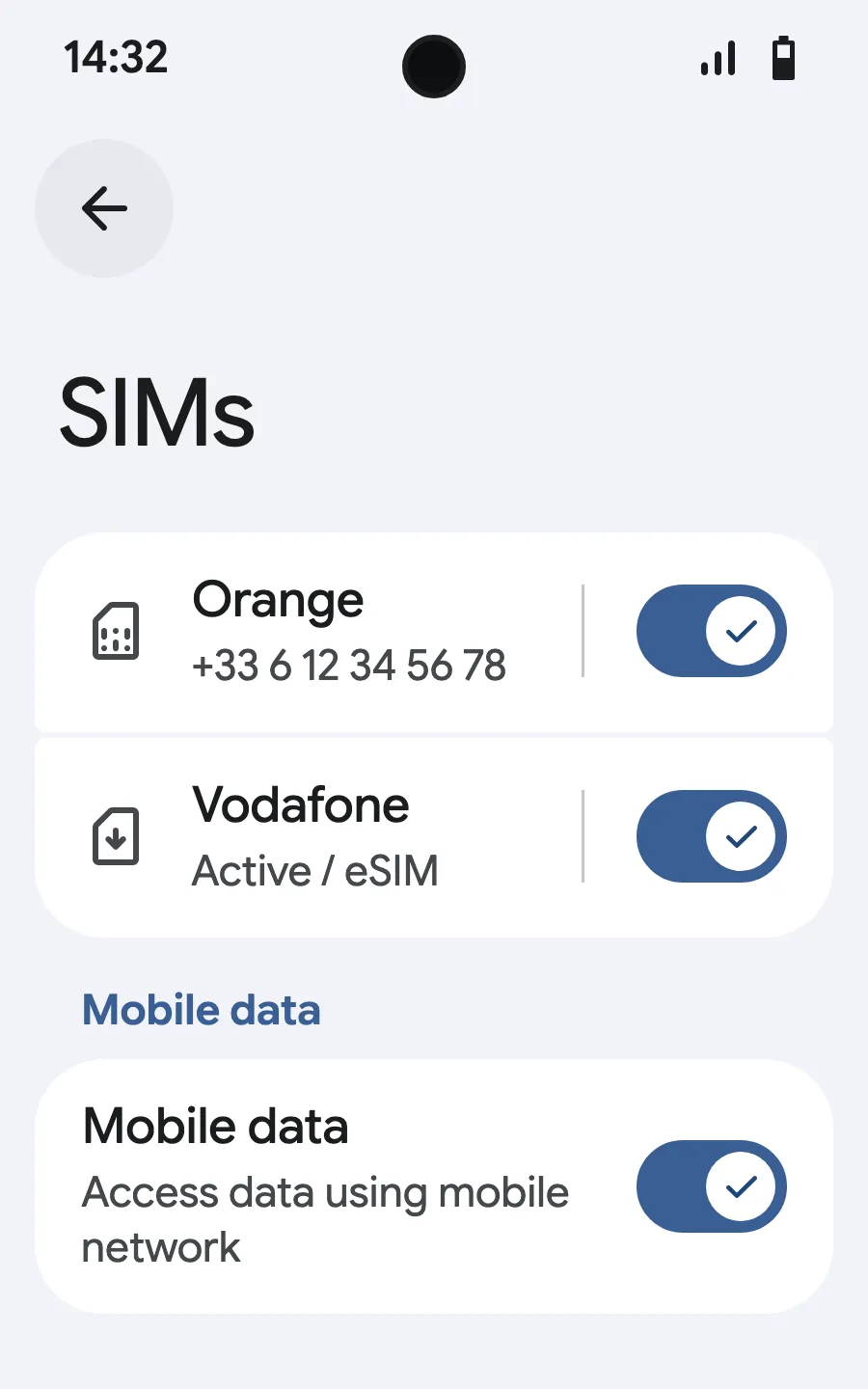
- Tap “SIMs” (Add a network).
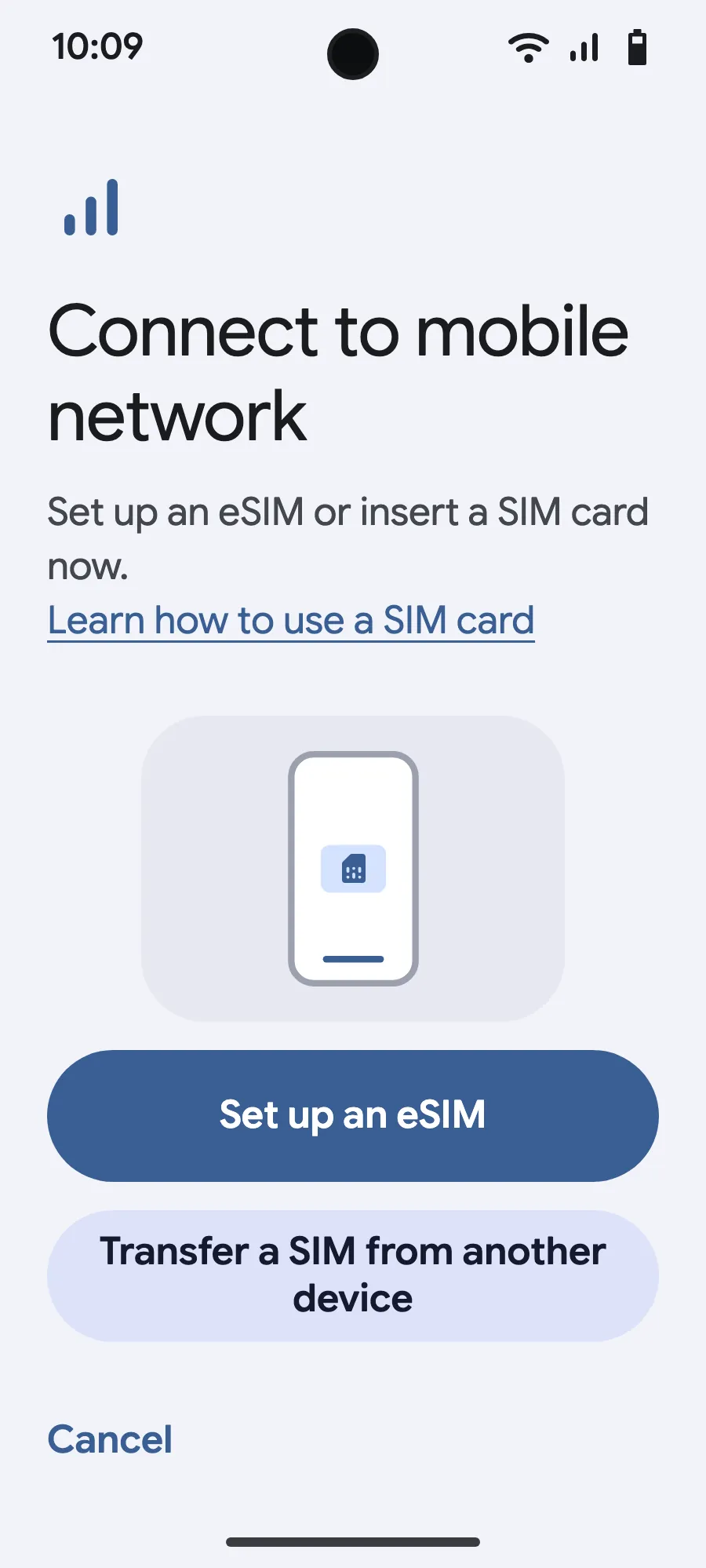
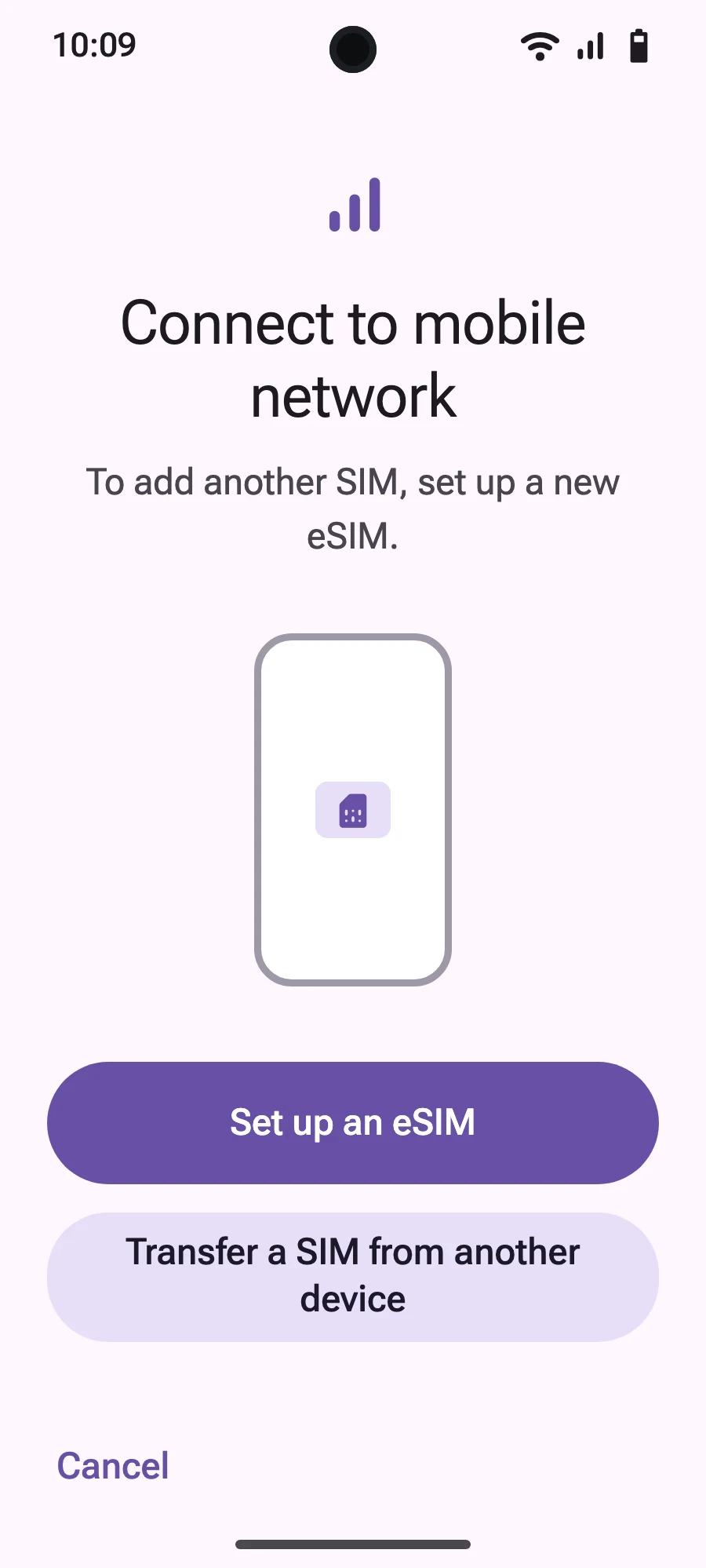
- Tap “Set up an eSIM”.
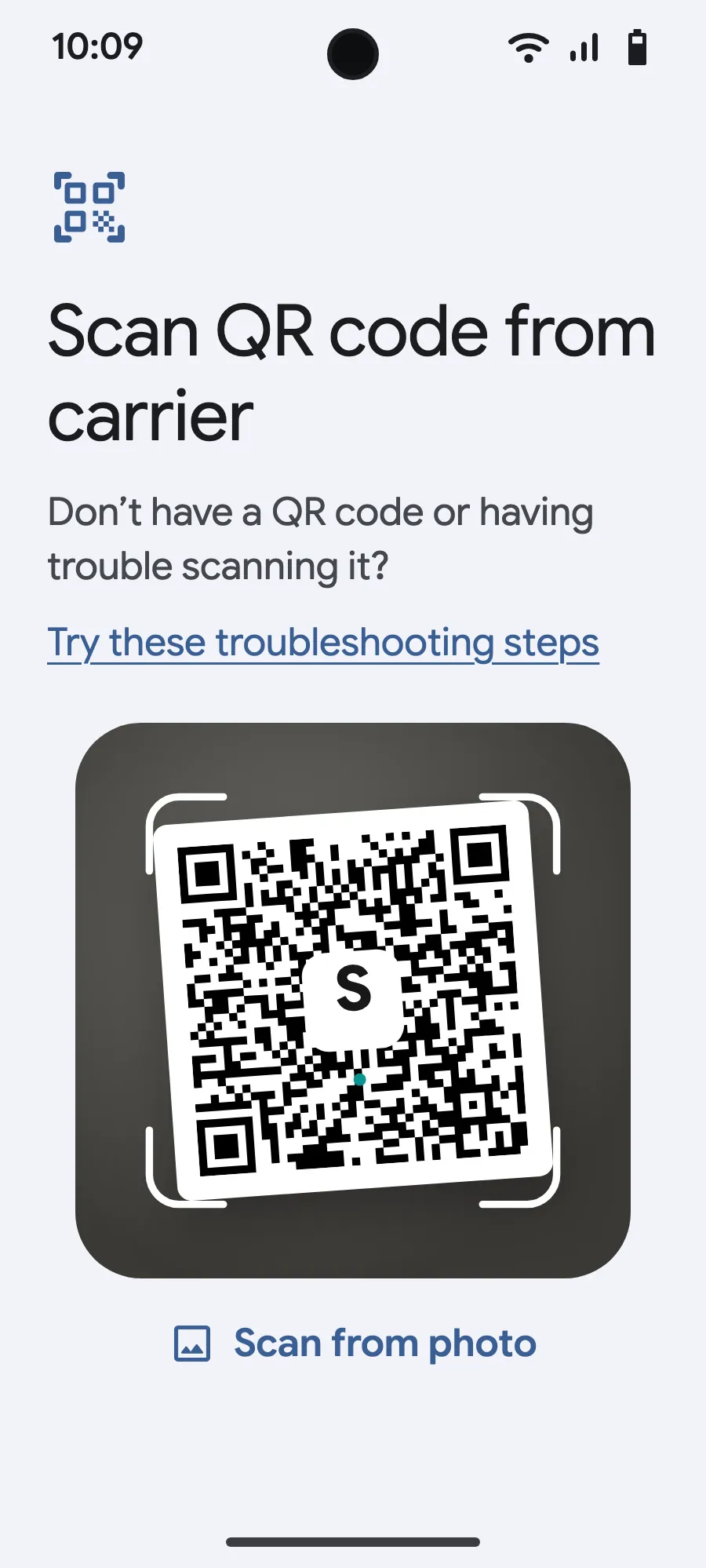
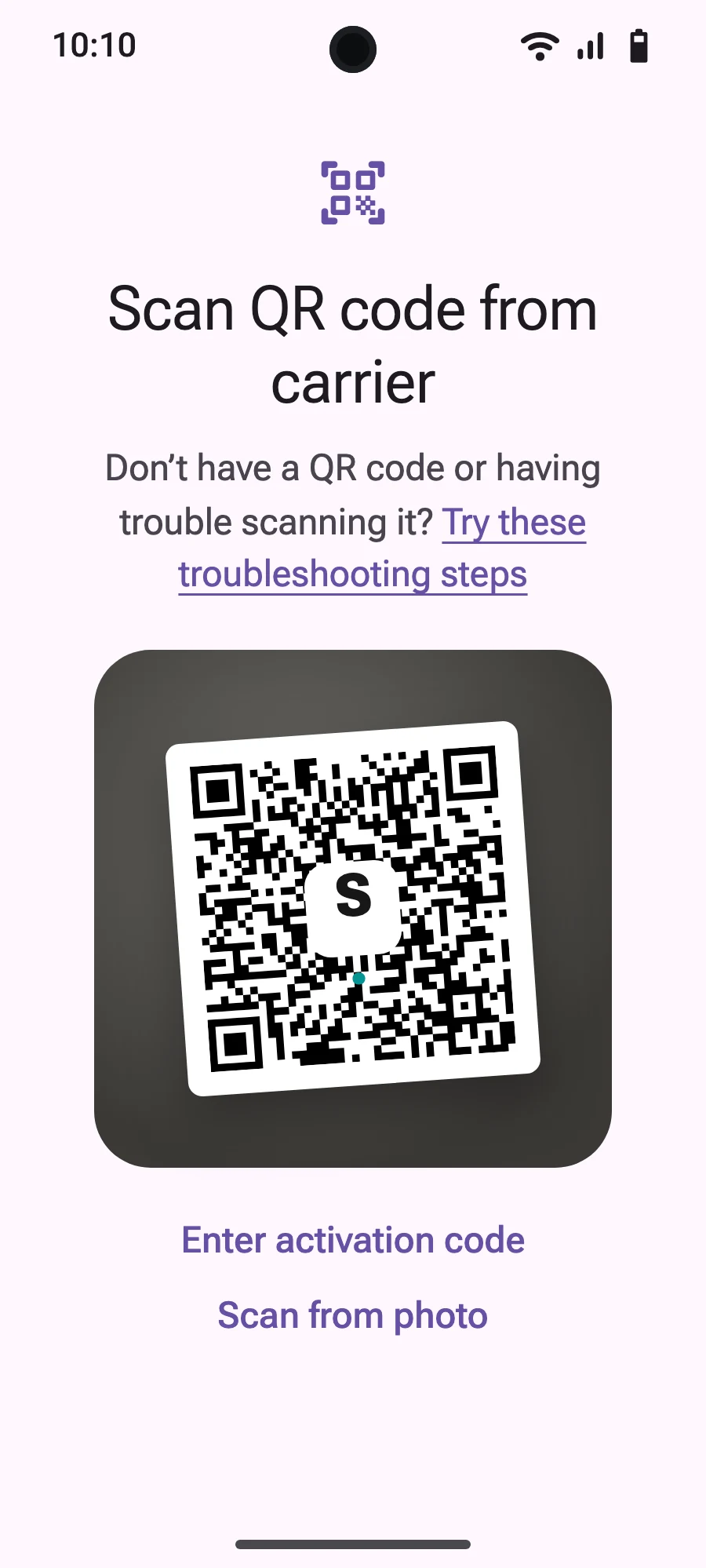
- Scan the QR code we email you after purchase (it's also in your account), then confirm.
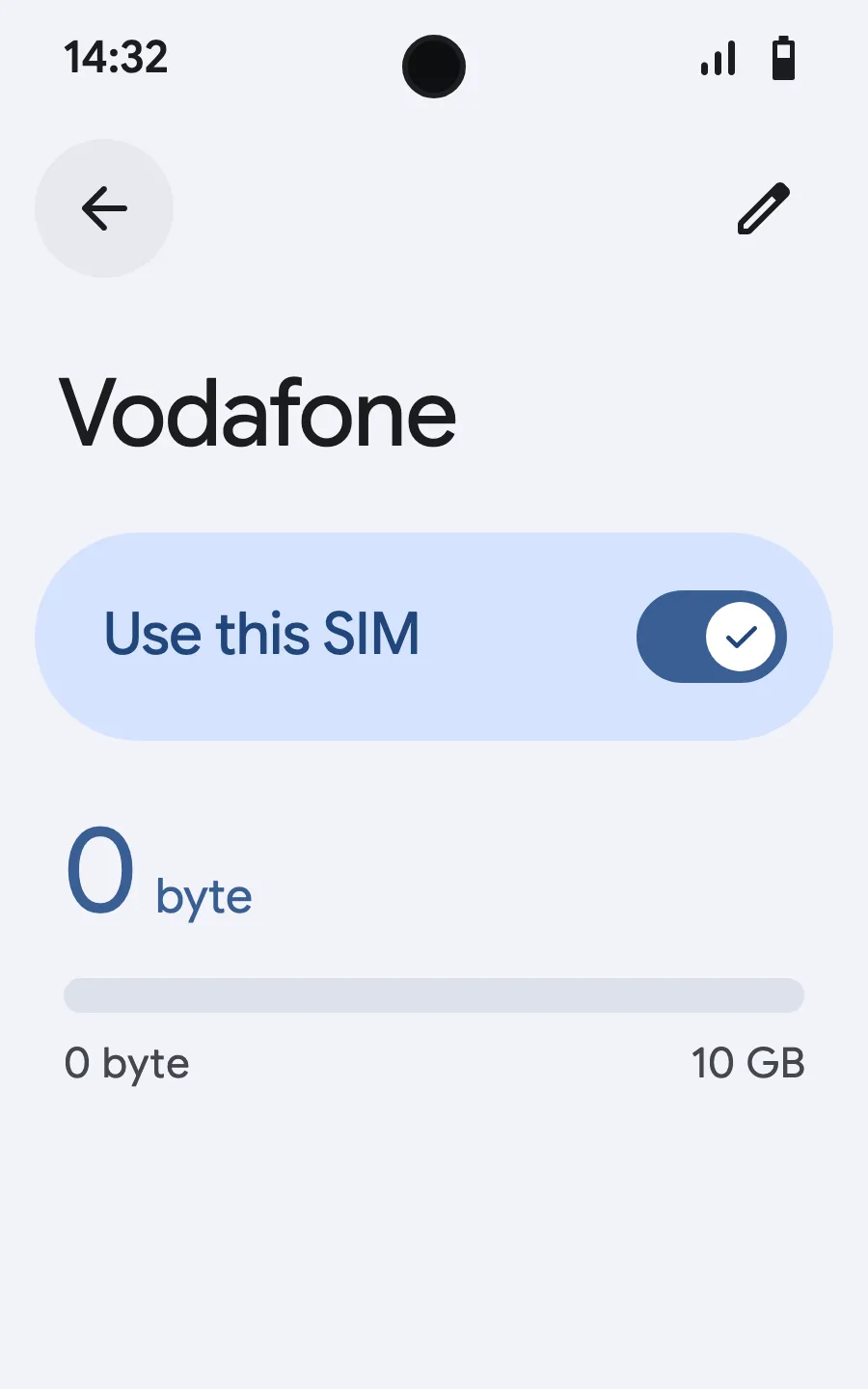
- When you land, open your new eSIM (it shows the name of a local or partner carrier) and turn on “Use this SIM”.
- Turn on mobile data for the new eSIM.
- Turn on roaming. If nothing loads, turn off automatic network selection and pick the network manually.
After you buy, your QR code arrives by email and in your account. Show it on another screen, then follow these steps on your phone.
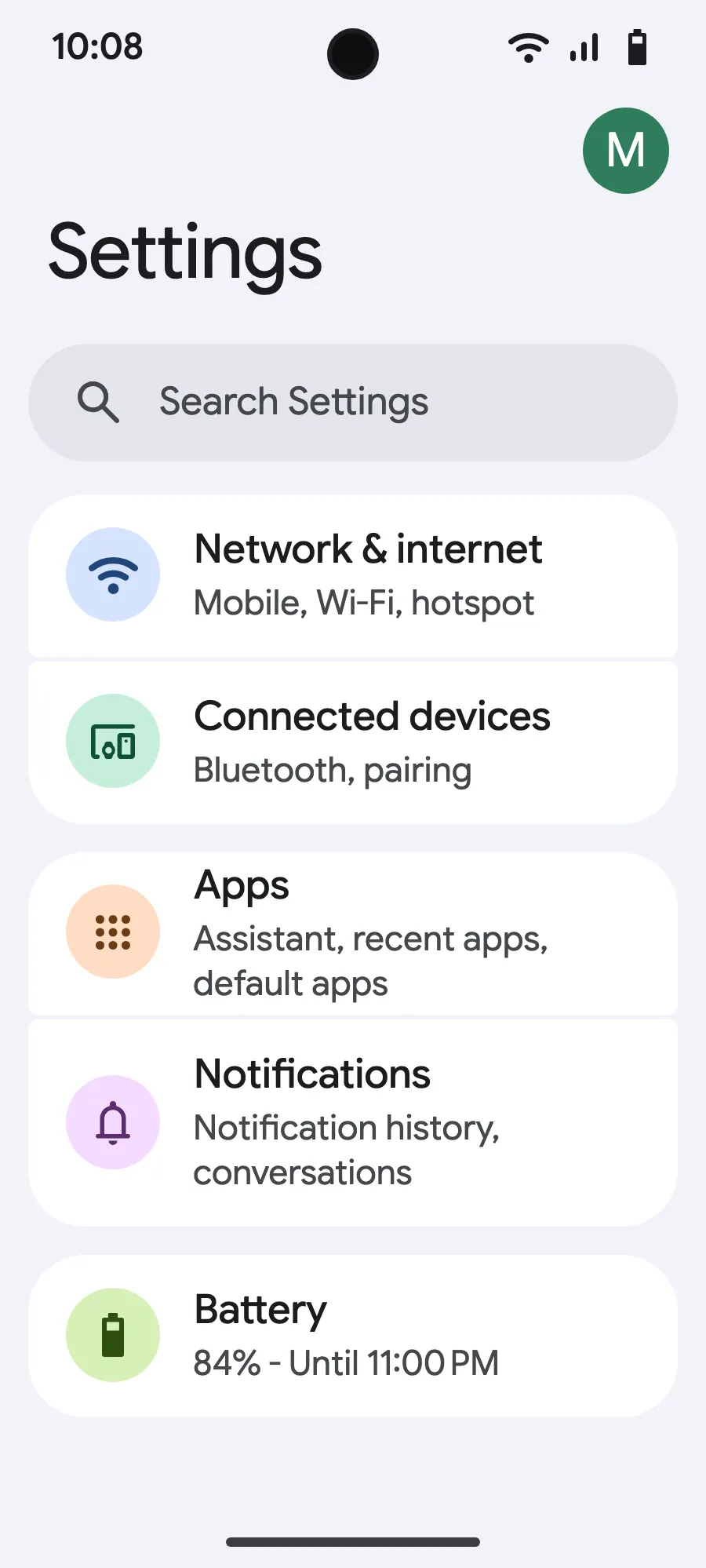
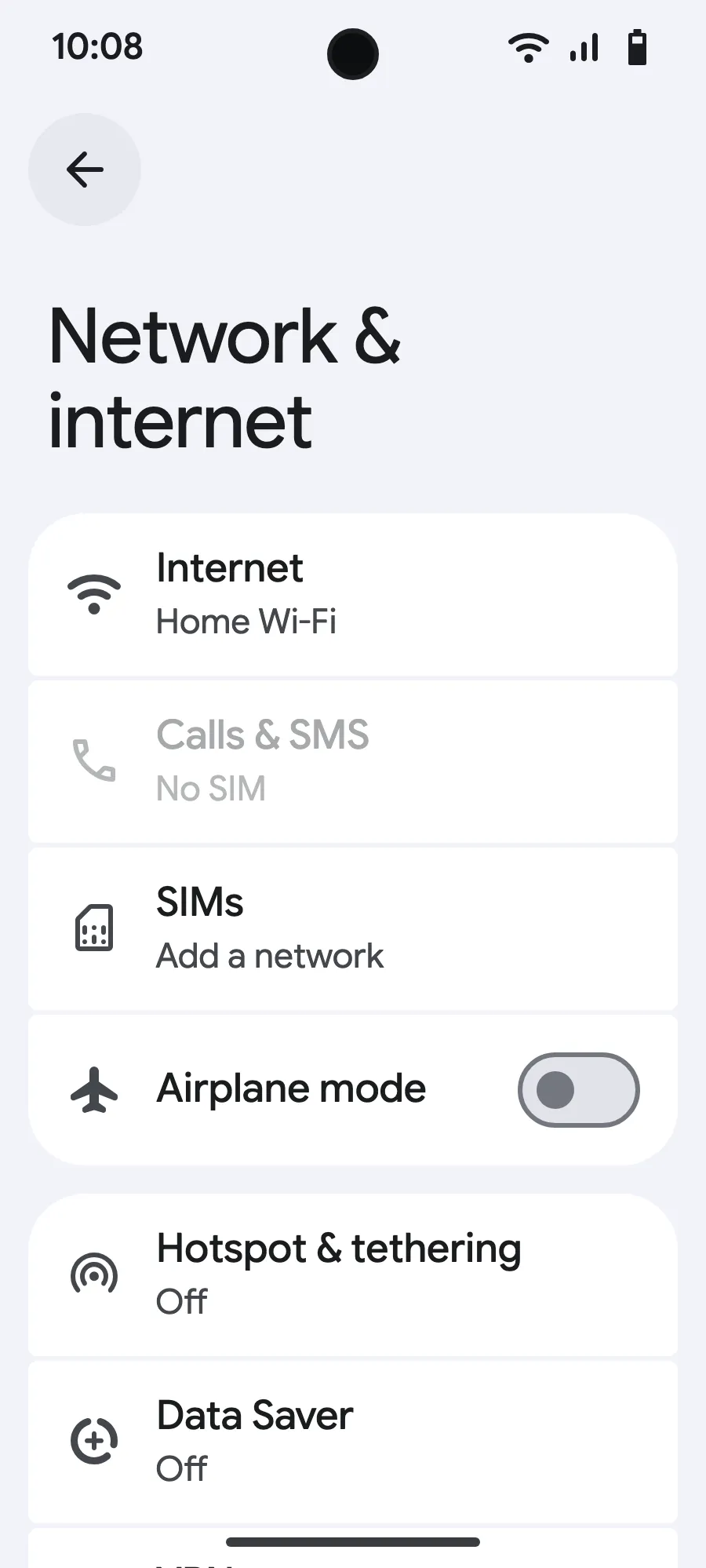
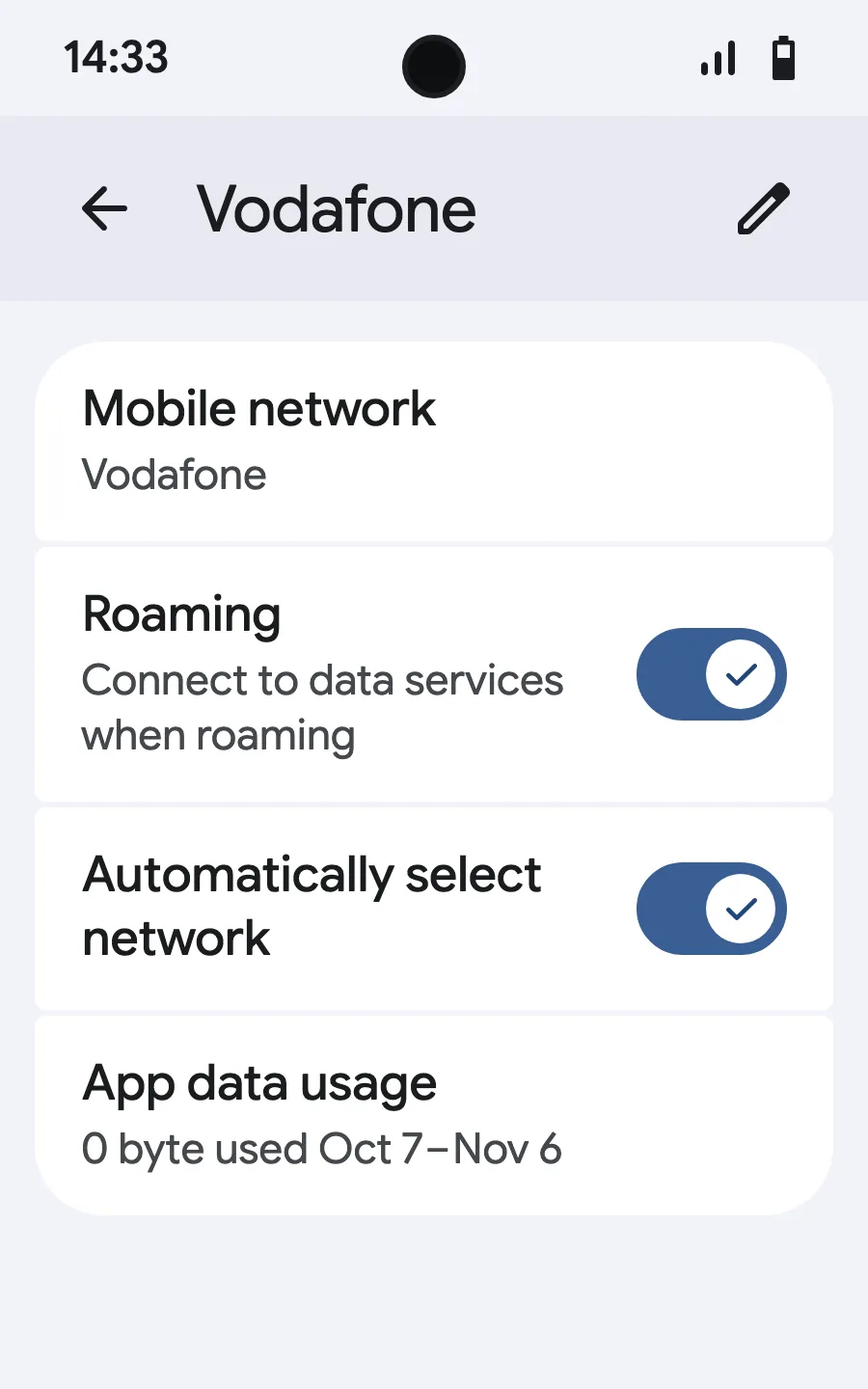
When you land: turn on your eSIMStep 6 of 8
- Open Settings, then Mobile networks or Network & internet.
- Tap “Mobile network”.
- Tap “Add SIM”.
- Tap “Set up an eSIM”.
- Scan the QR code we email you after purchase (it's also in your account), then confirm.
- When you land, open your new eSIM (it shows the name of a local or partner carrier) and turn on “Use SIM”.
- Turn on mobile data for the new eSIM.
- Turn on roaming. If nothing loads, turn off automatic network selection and pick the network manually.
After you buy, your QR code arrives by email and in your account. Show it on another screen, then follow these steps on your phone. On Xiaomi, Oppo or OnePlus the menus have other names: search for “eSIM” in Settings.
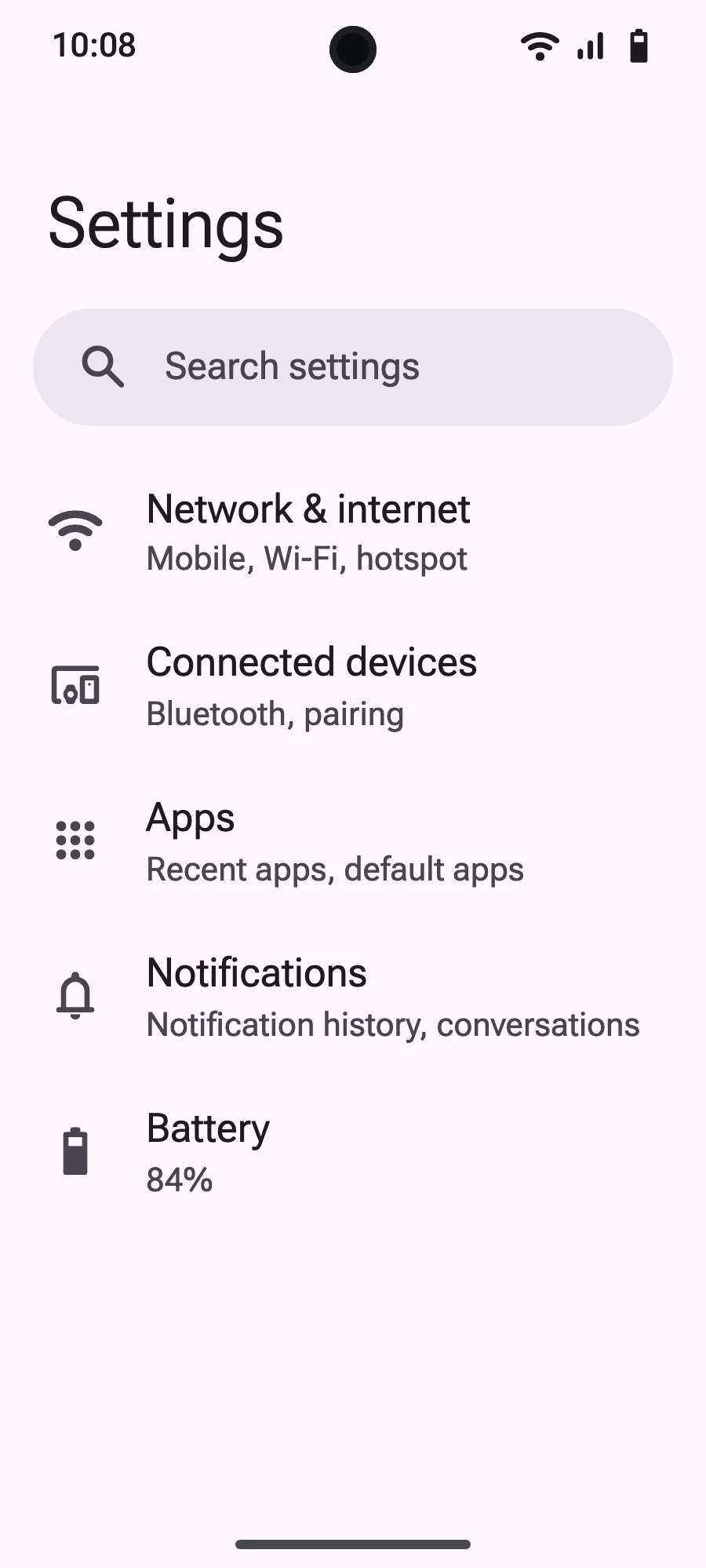
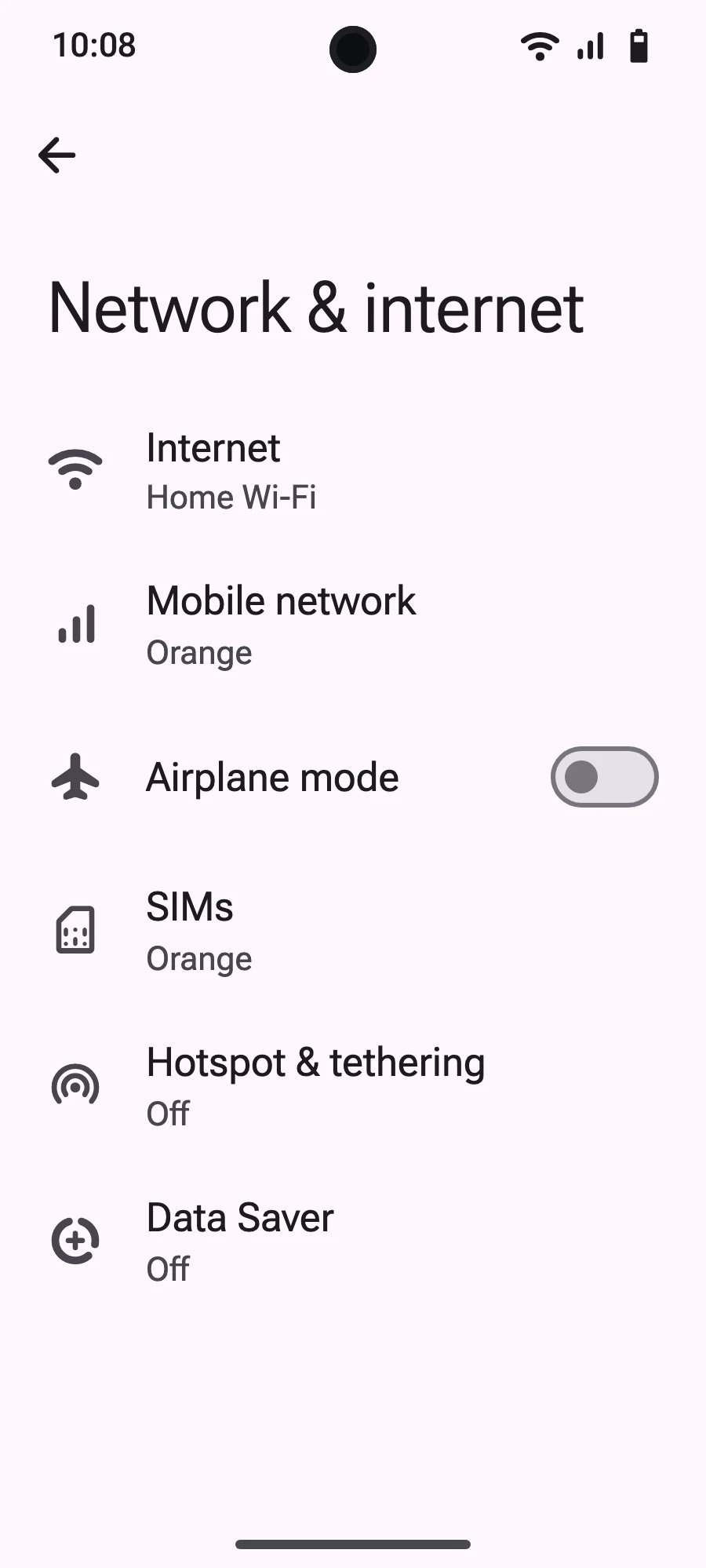
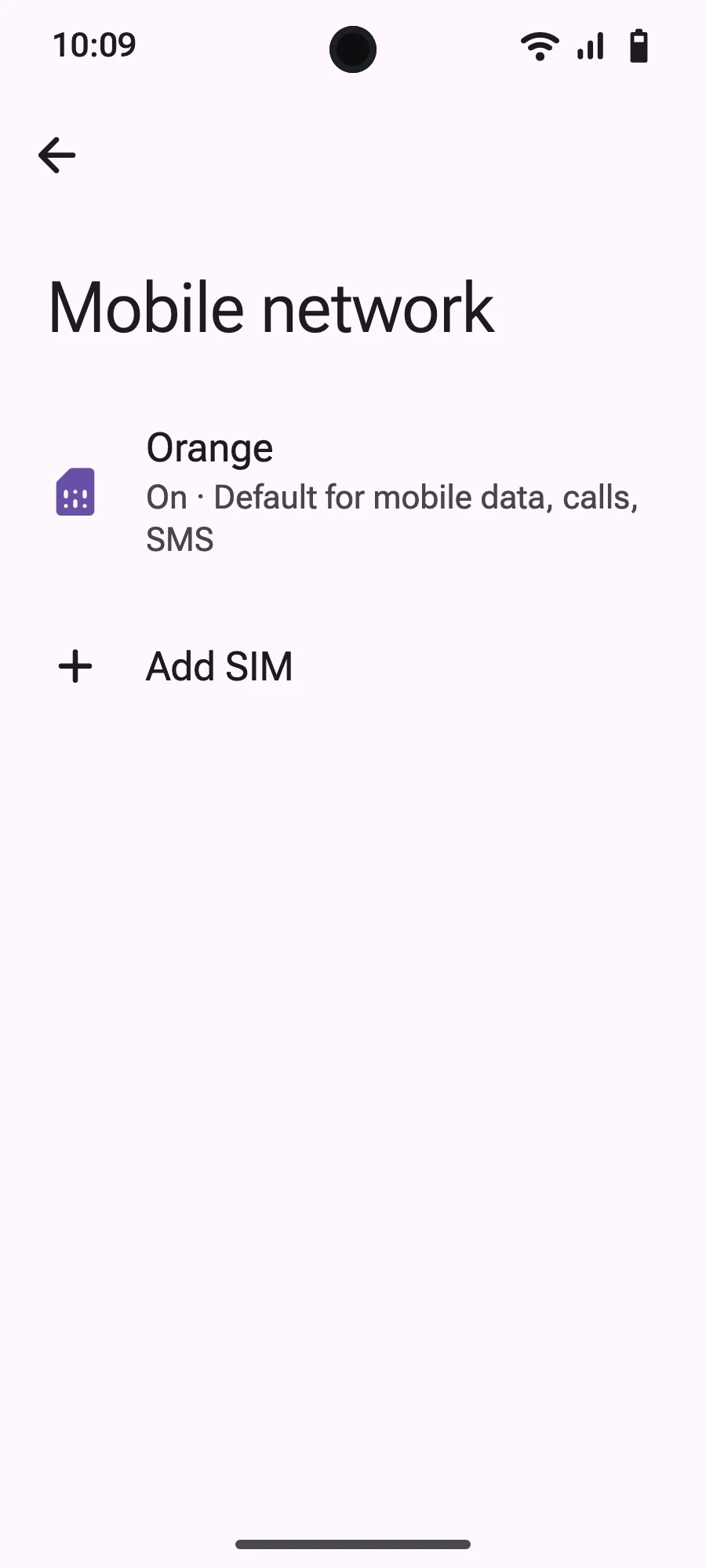
No data connection
If your eSIM is installed but you cannot connect to the internet, work through these steps in order.
Step 1: Check the basics
Step 2: Toggle airplane mode
Step 3: Restart your device
A full restart resolves most temporary connection issues:
Step 4: Network selection
Try manually selecting a network:
Select one of the supported networks shown on your plan page. Then switch back to Automatic.
Step 5: Check APN settings
Most eSIMs configure APN (Access Point Name) automatically. If not:
Check your confirmation email for the correct APN settings if needed.
Still no connection?
If none of the above works, contact our support team with:
Still have questions?
Our team answers by chat or email, in your language.