Enable data roaming
How to enable data roaming on your device — required for eSIM to work abroad.
How to install your Simsima eSIM
When you land: turn on your eSIMStep 8 of 11
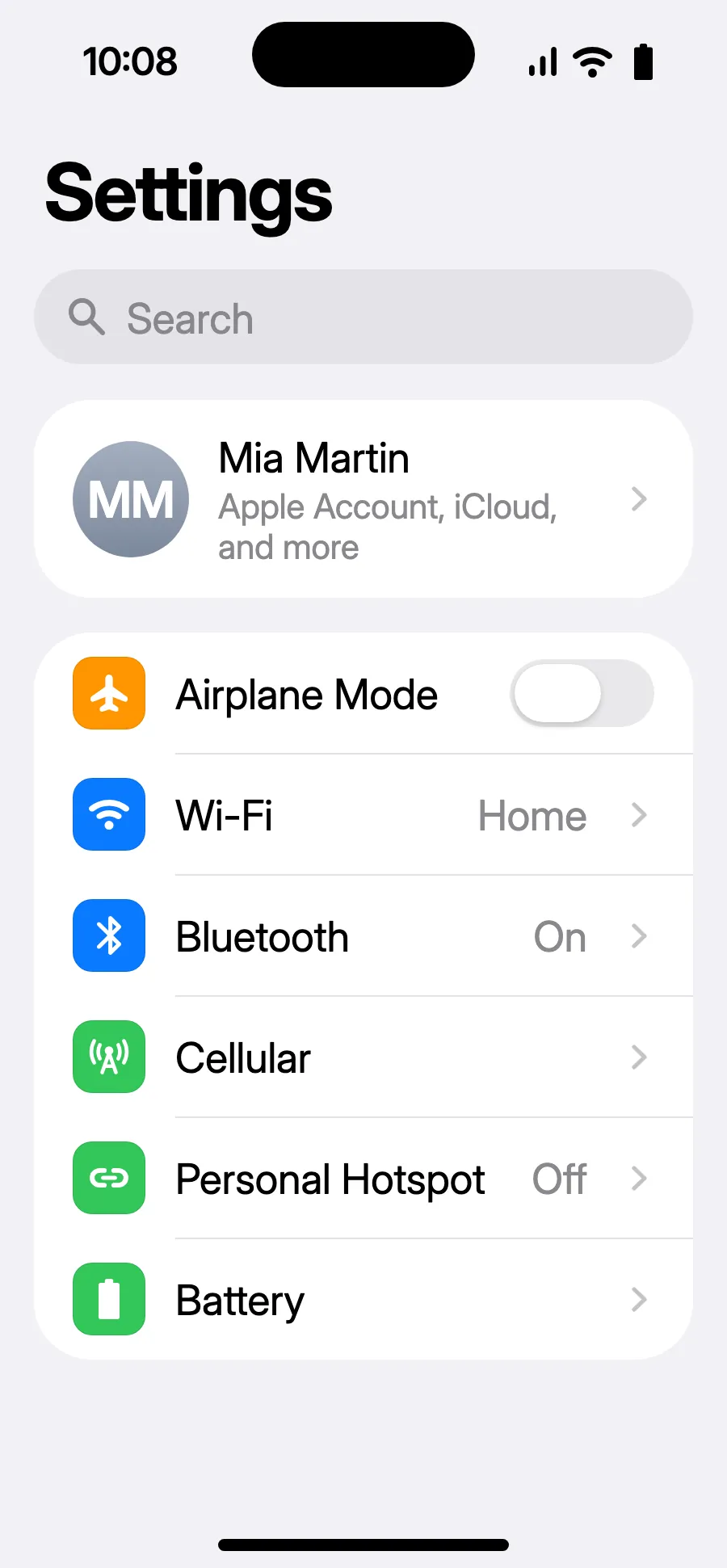
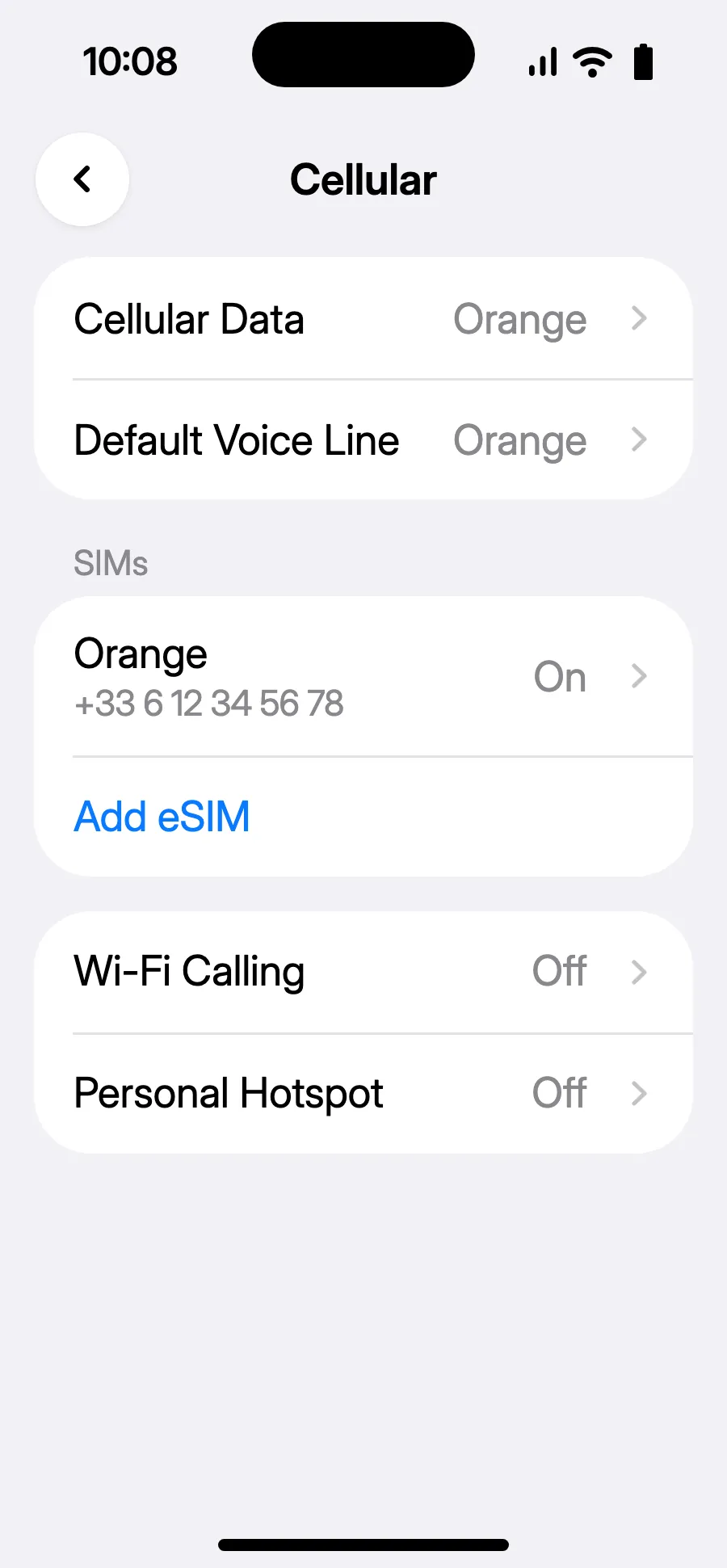
- Open Settings, then Cellular.
- Tap “Add eSIM”.
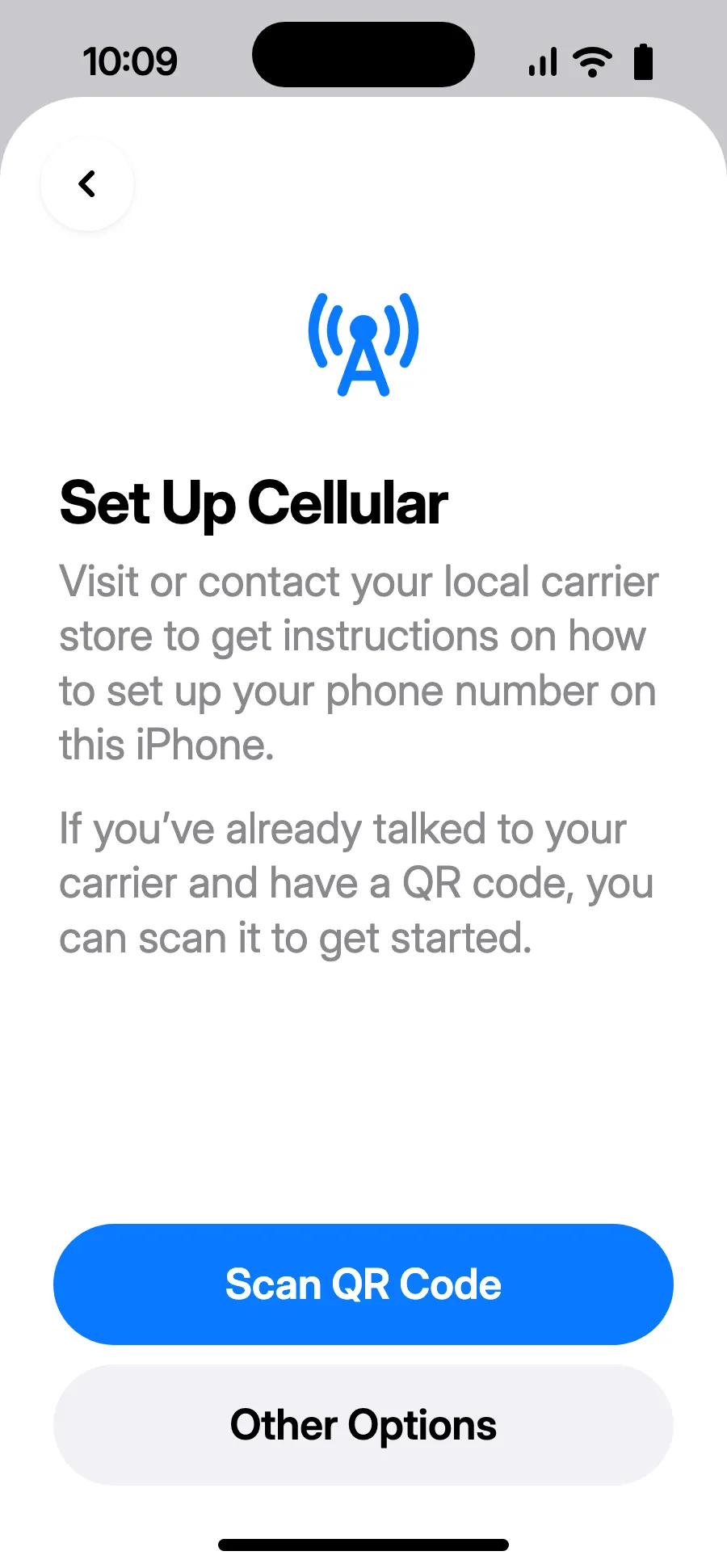
- Tap “Scan QR Code” and scan the QR code we email you after purchase (it's also in your account).
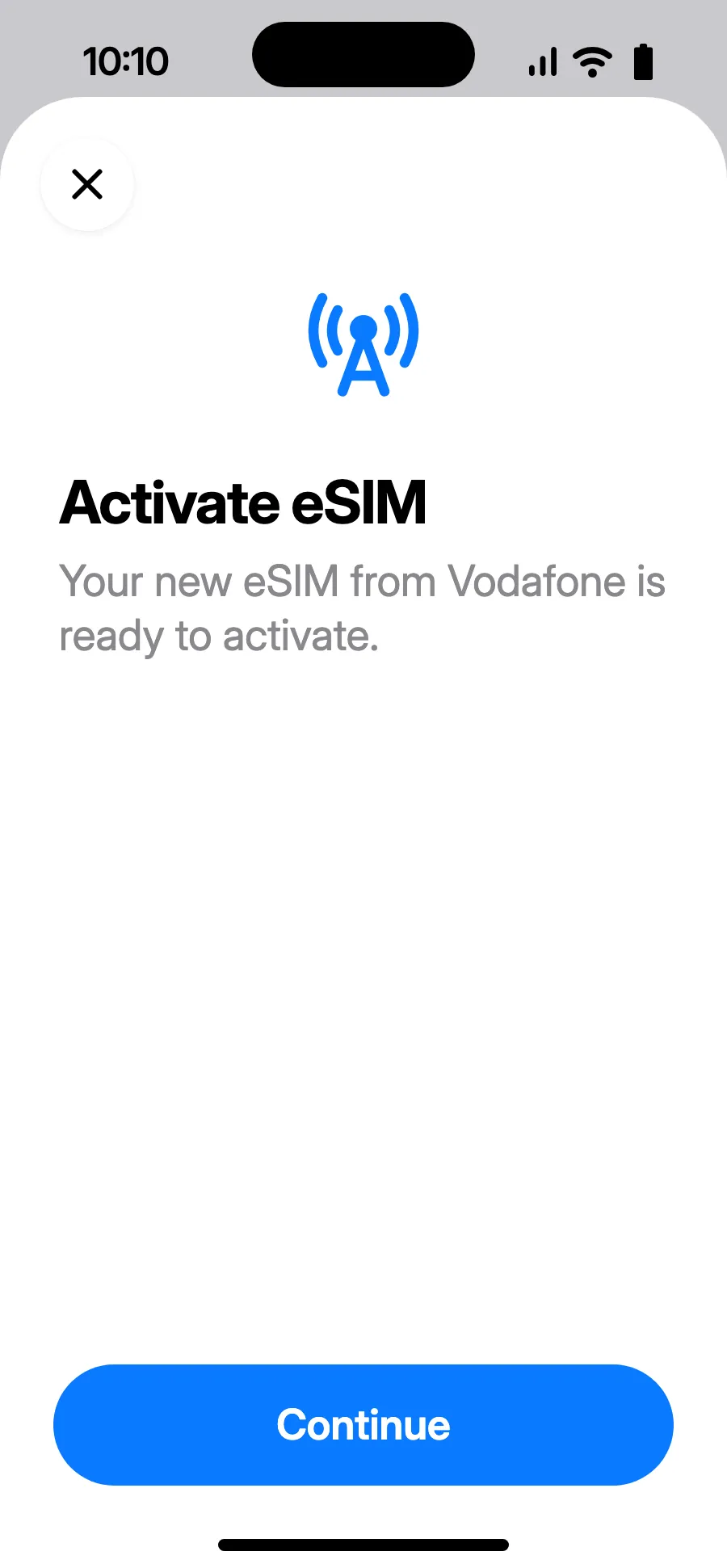
- “Activate eSIM” opens: tap Continue.
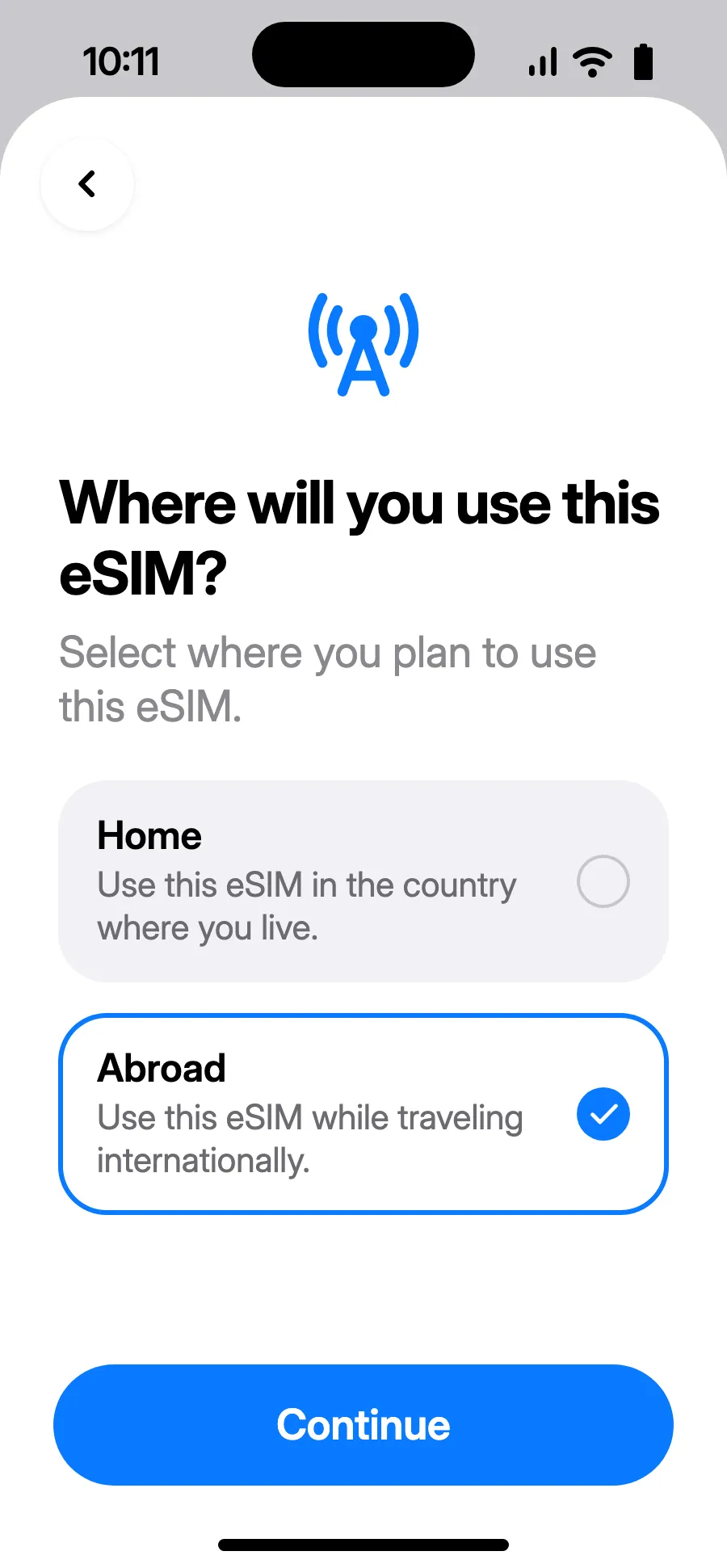
- Choose Abroad, then tap Continue.
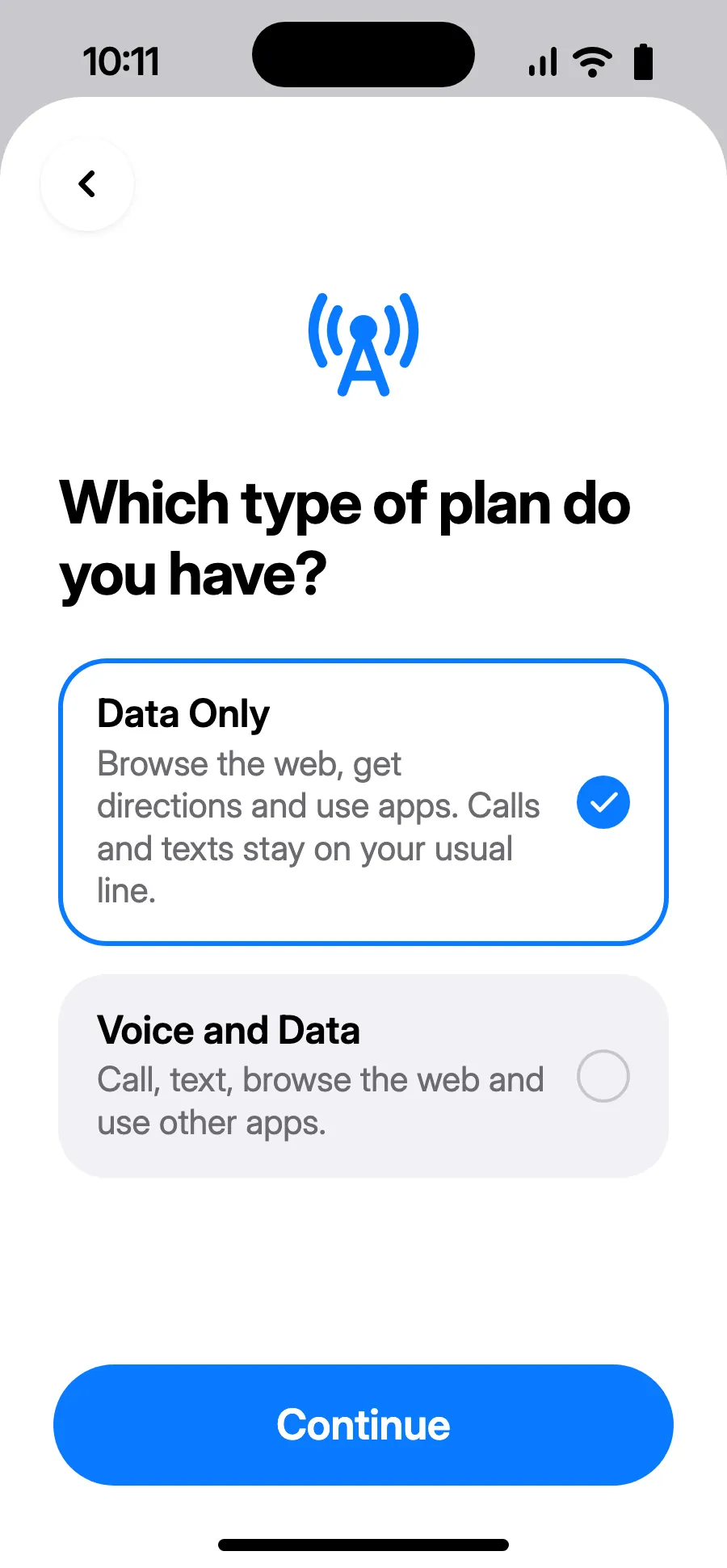
- Choose Data Only, then tap Continue. The eSIM is for data; your usual number keeps calls and texts.
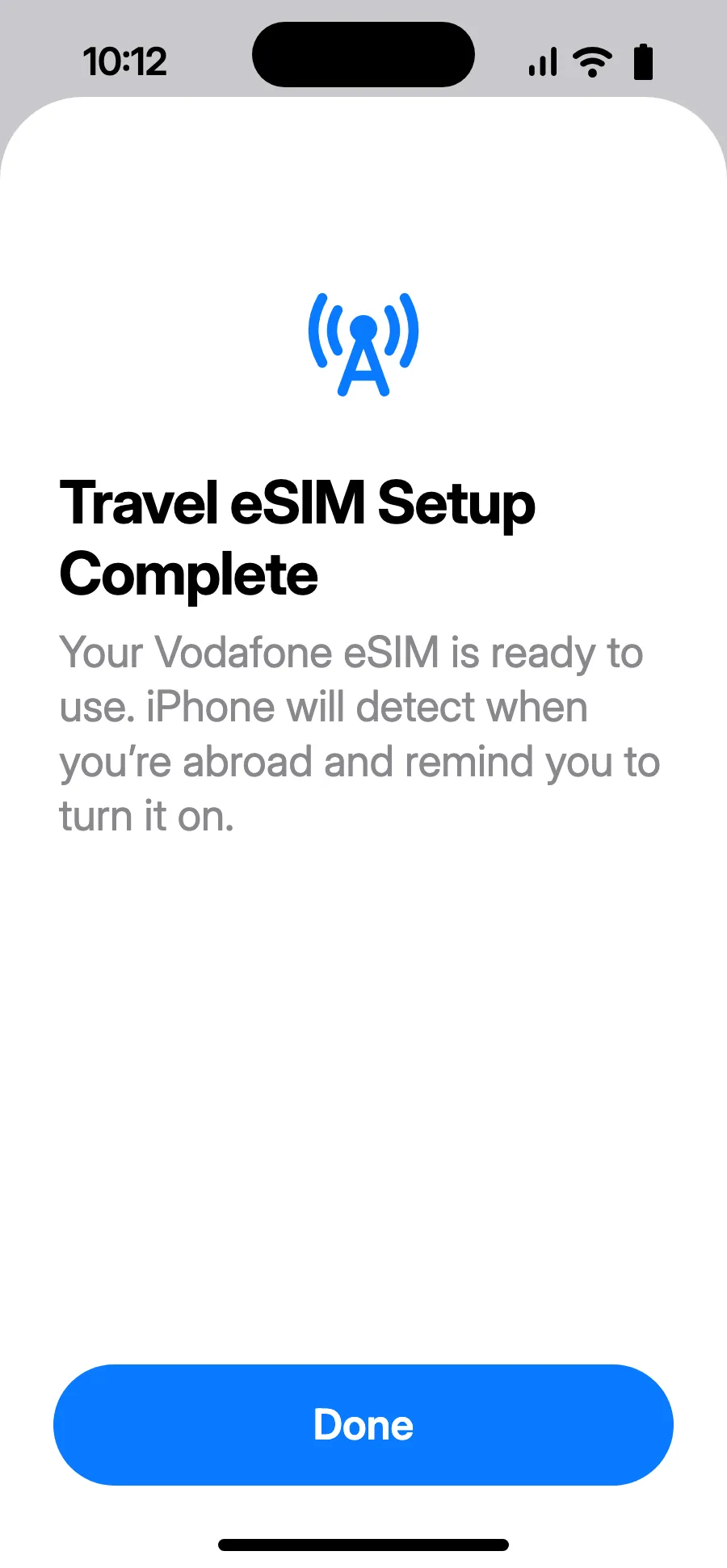
- Tap Done. Your iPhone will remind you to turn on the eSIM once you're abroad.
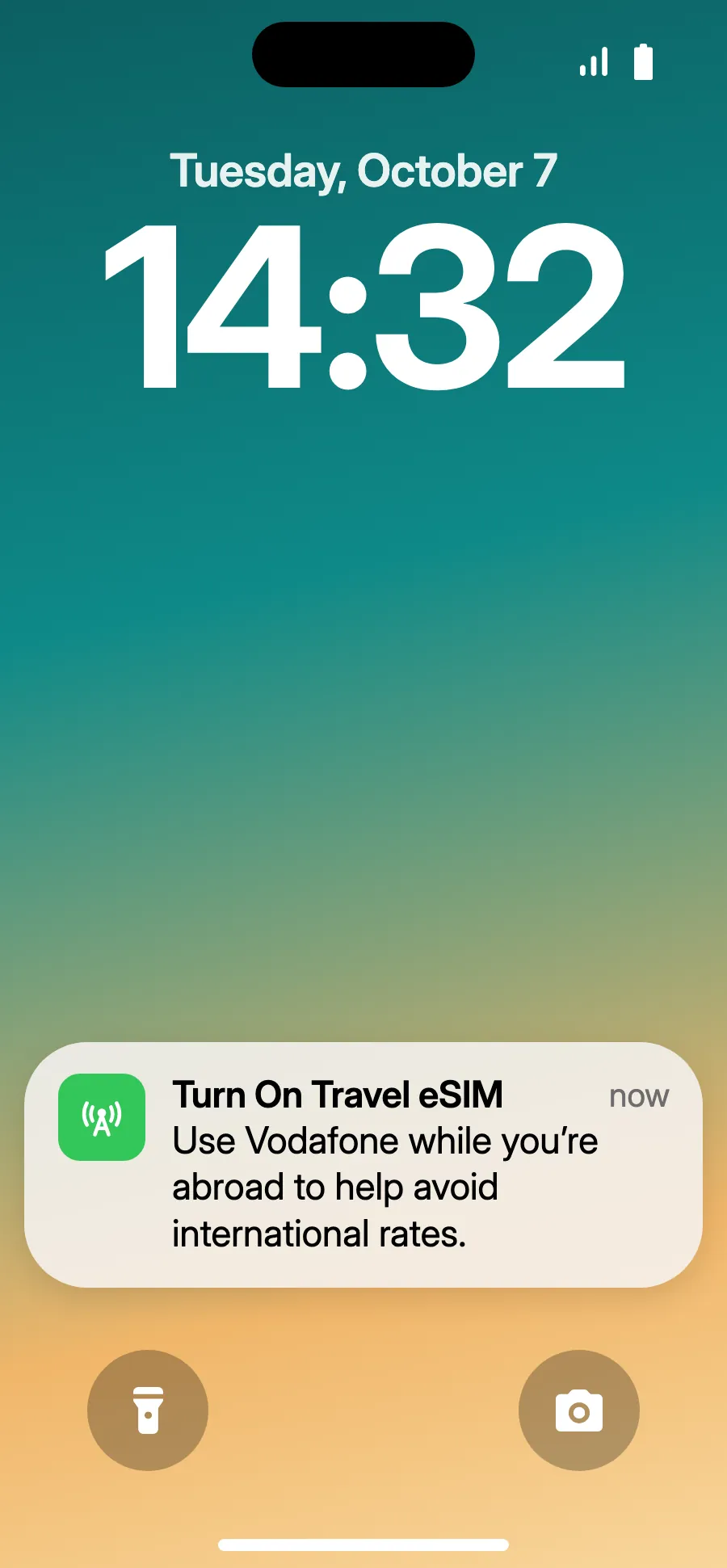
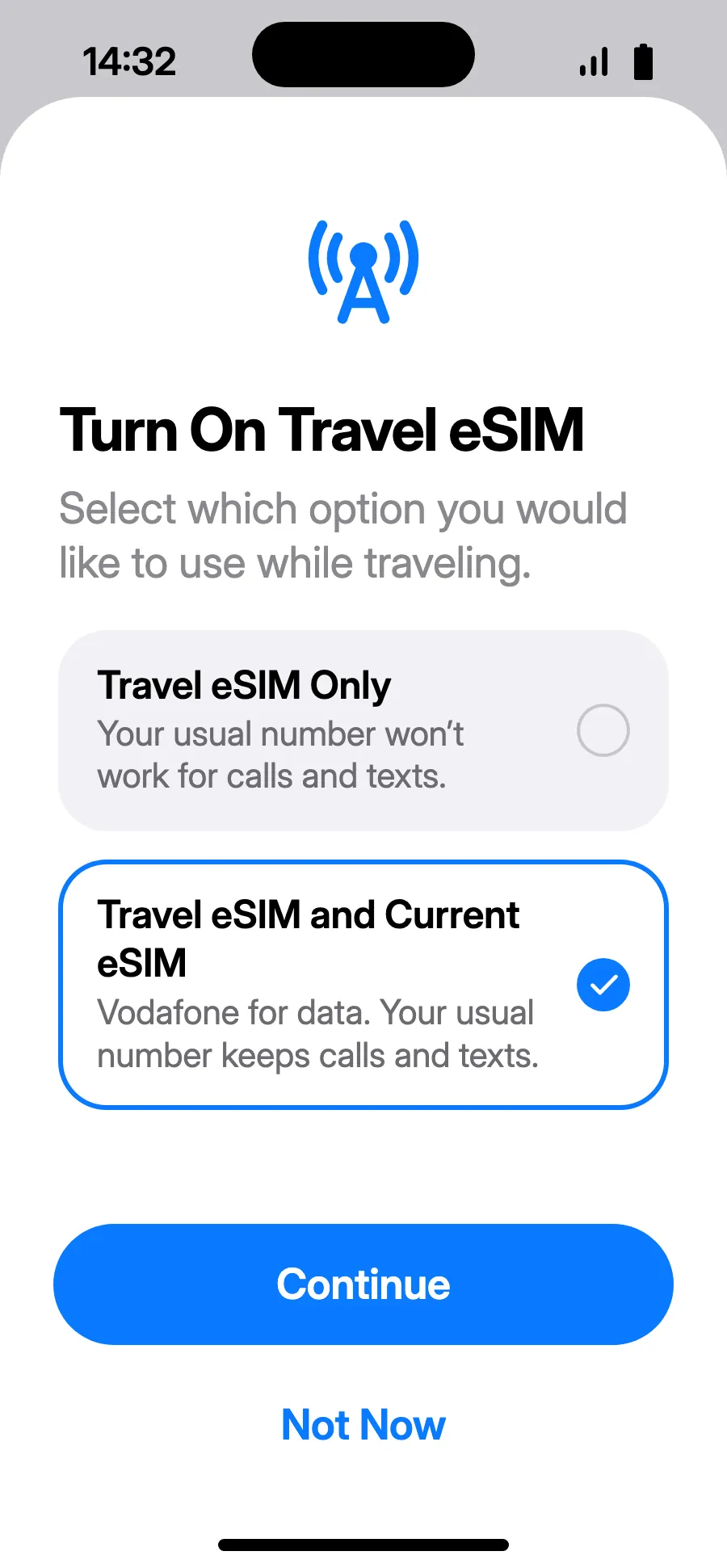
- When you land, your iPhone may show “Turn On Travel eSIM”: tap the notification.
- Choose “Travel eSIM and Current eSIM”, then Continue. You keep your number for calls and texts (bank codes included); your carrier may charge for calls you receive.
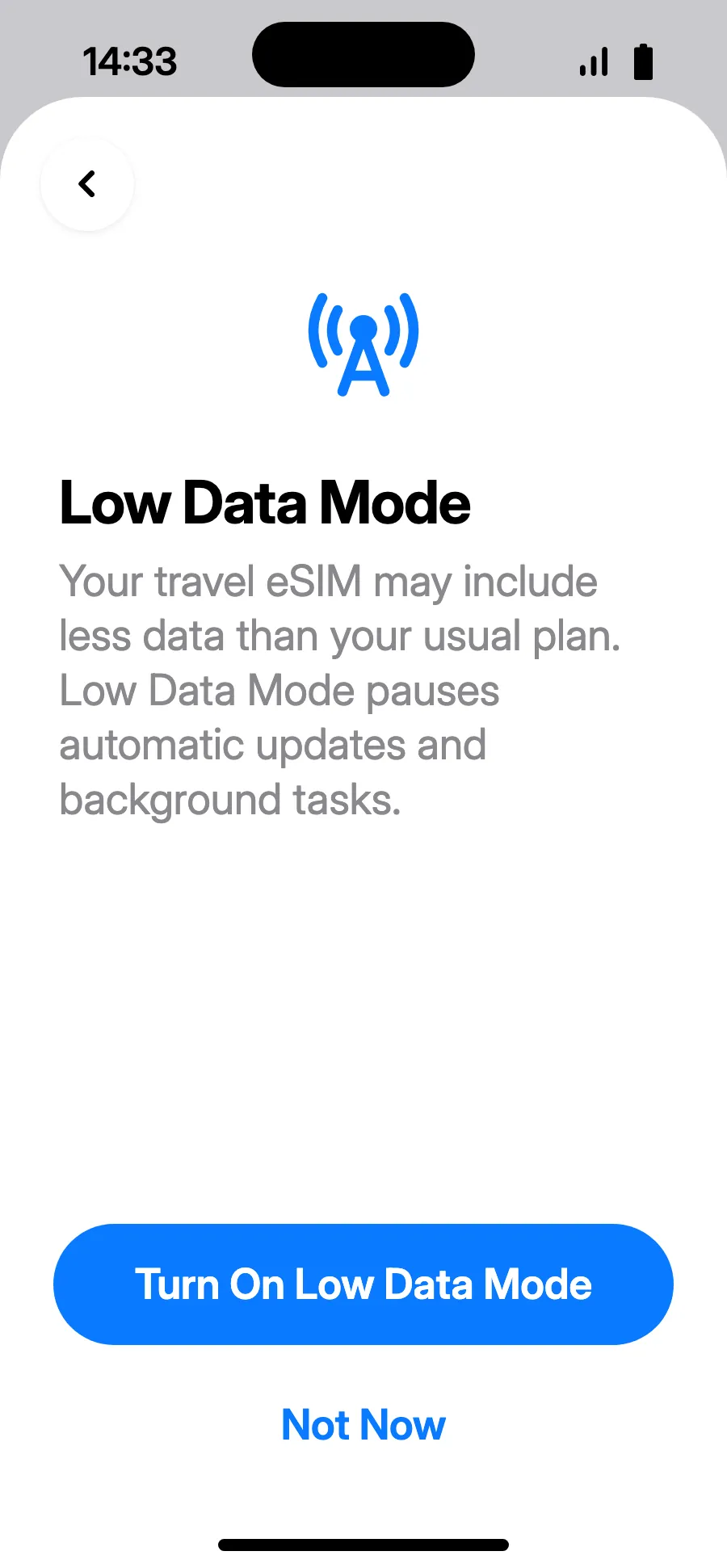
- Low Data Mode saves your plan: tap “Turn On Low Data Mode”, or “Not Now”.
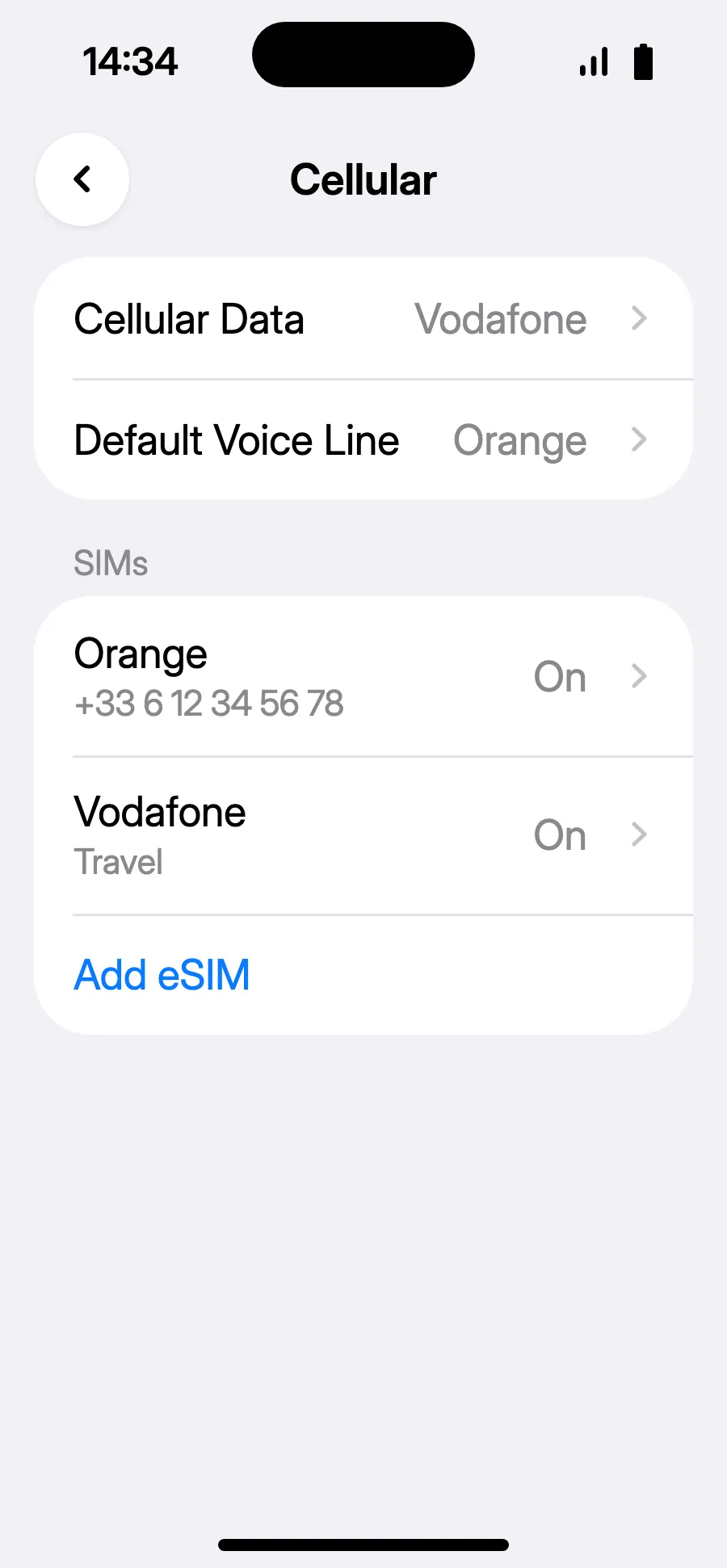
- You're set: Cellular Data shows the new eSIM.
After you buy, your QR code arrives by email and in your account. Show it on another screen, then follow these steps on your phone.
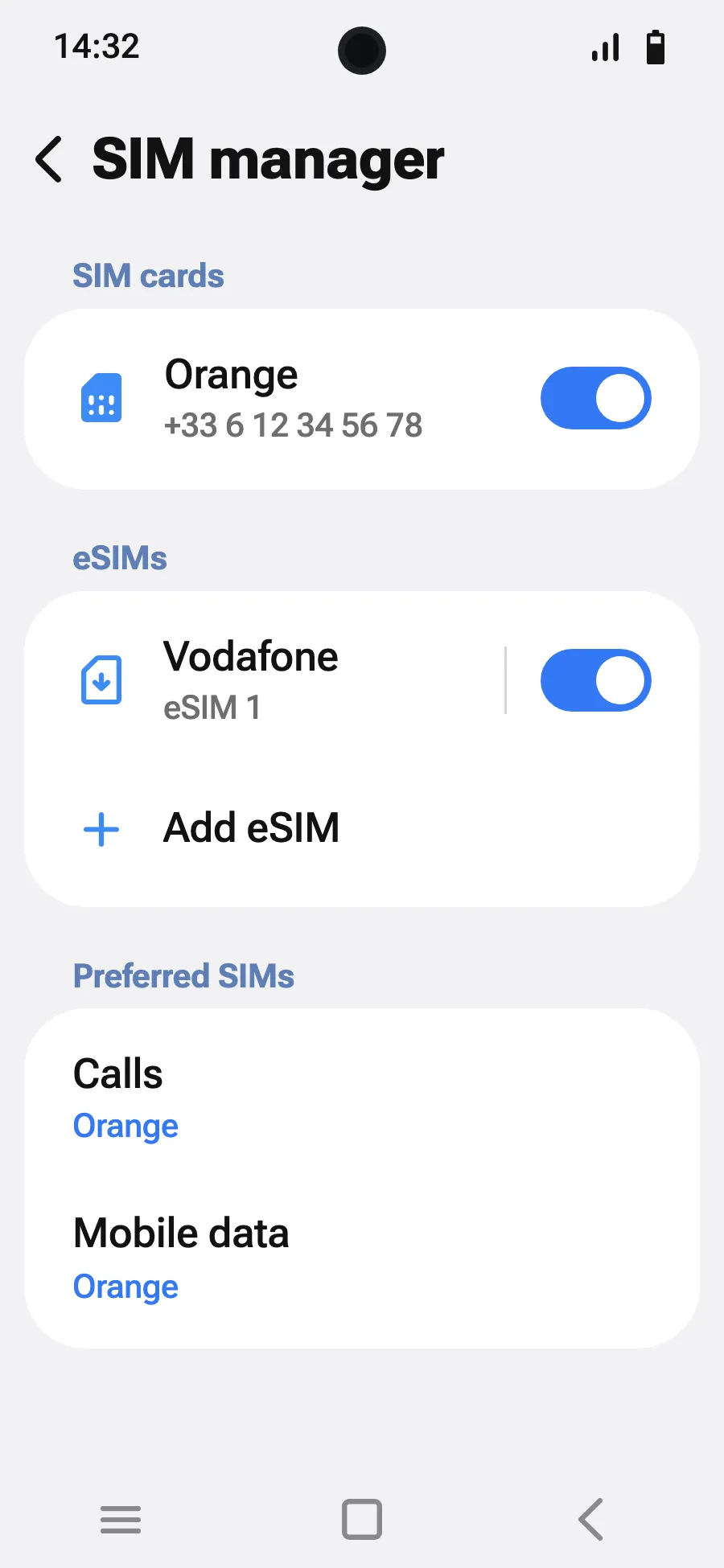
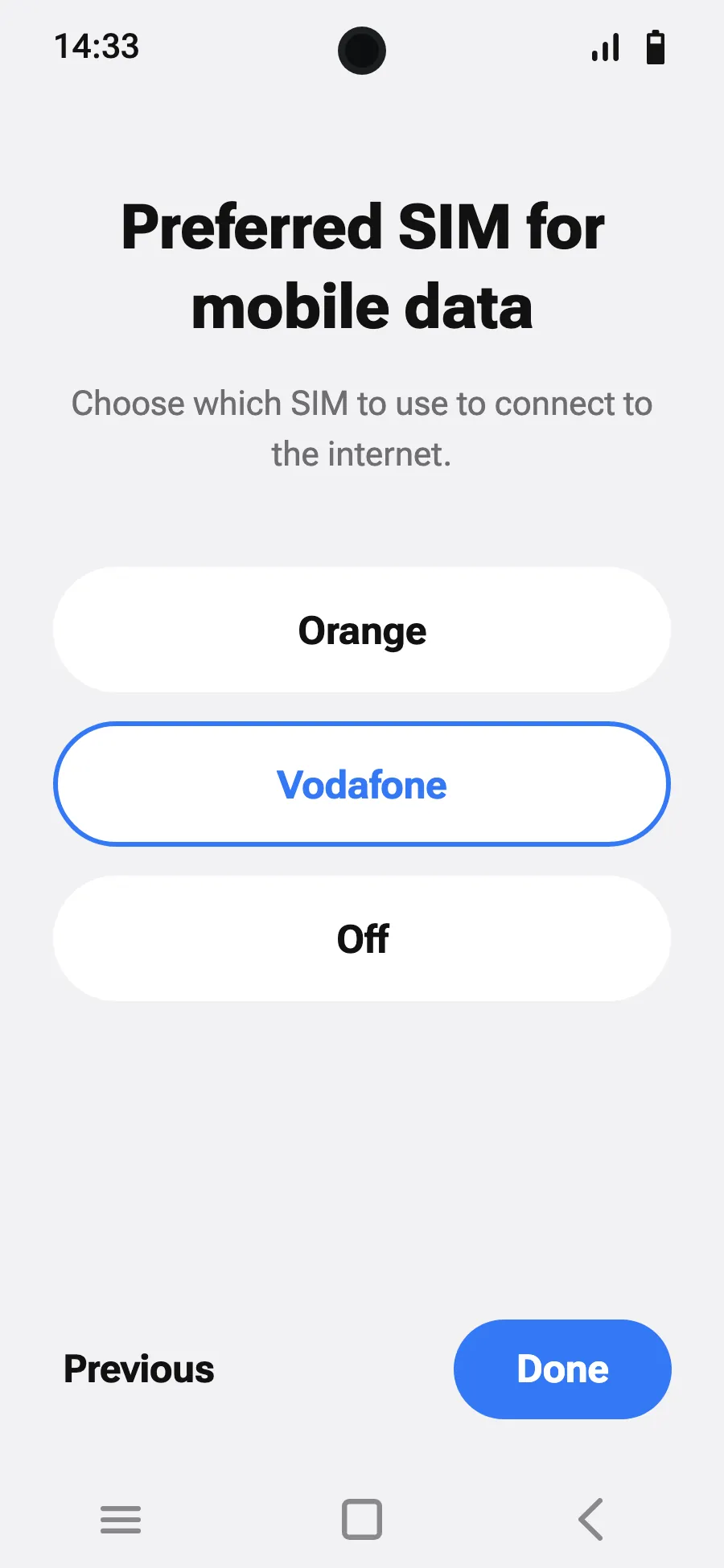
When you land: turn on your eSIMStep 6 of 8
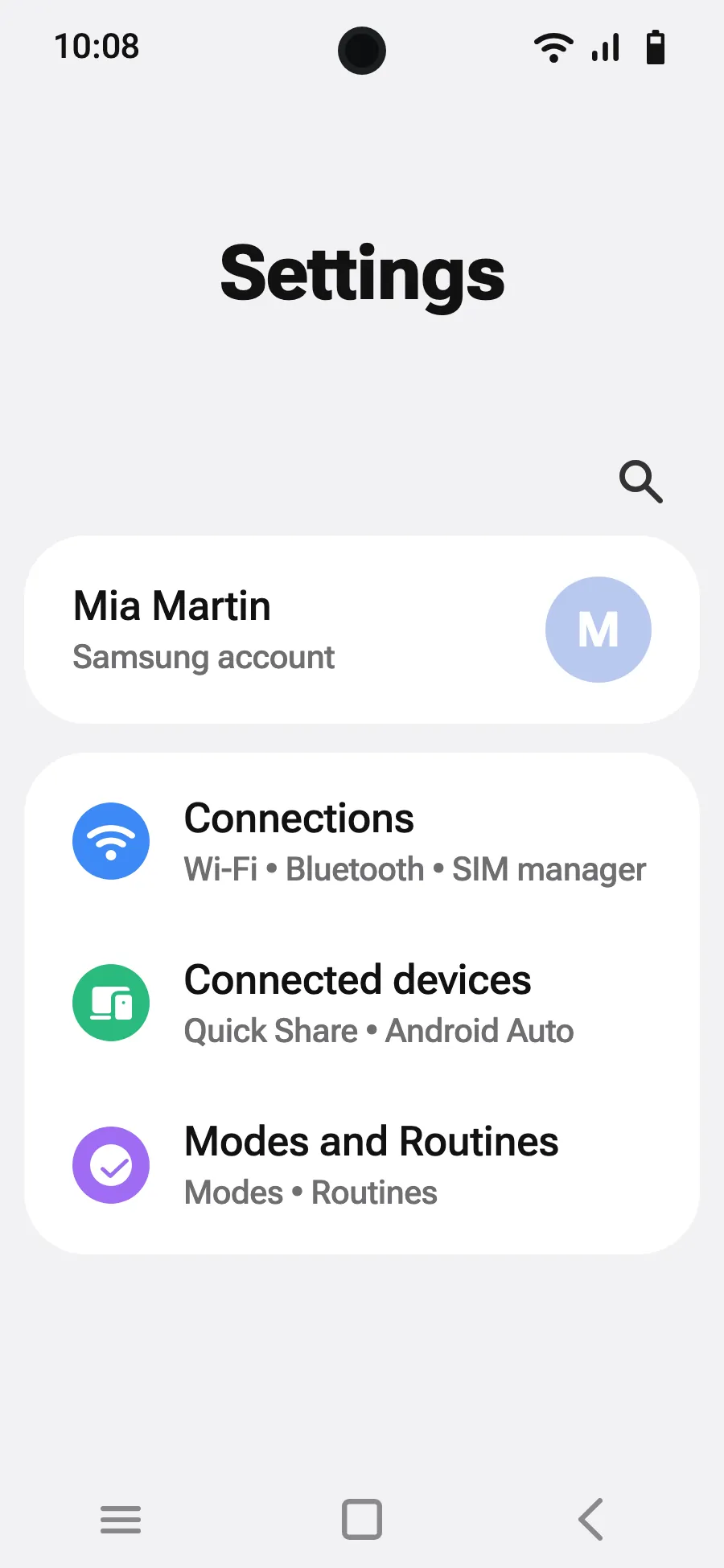
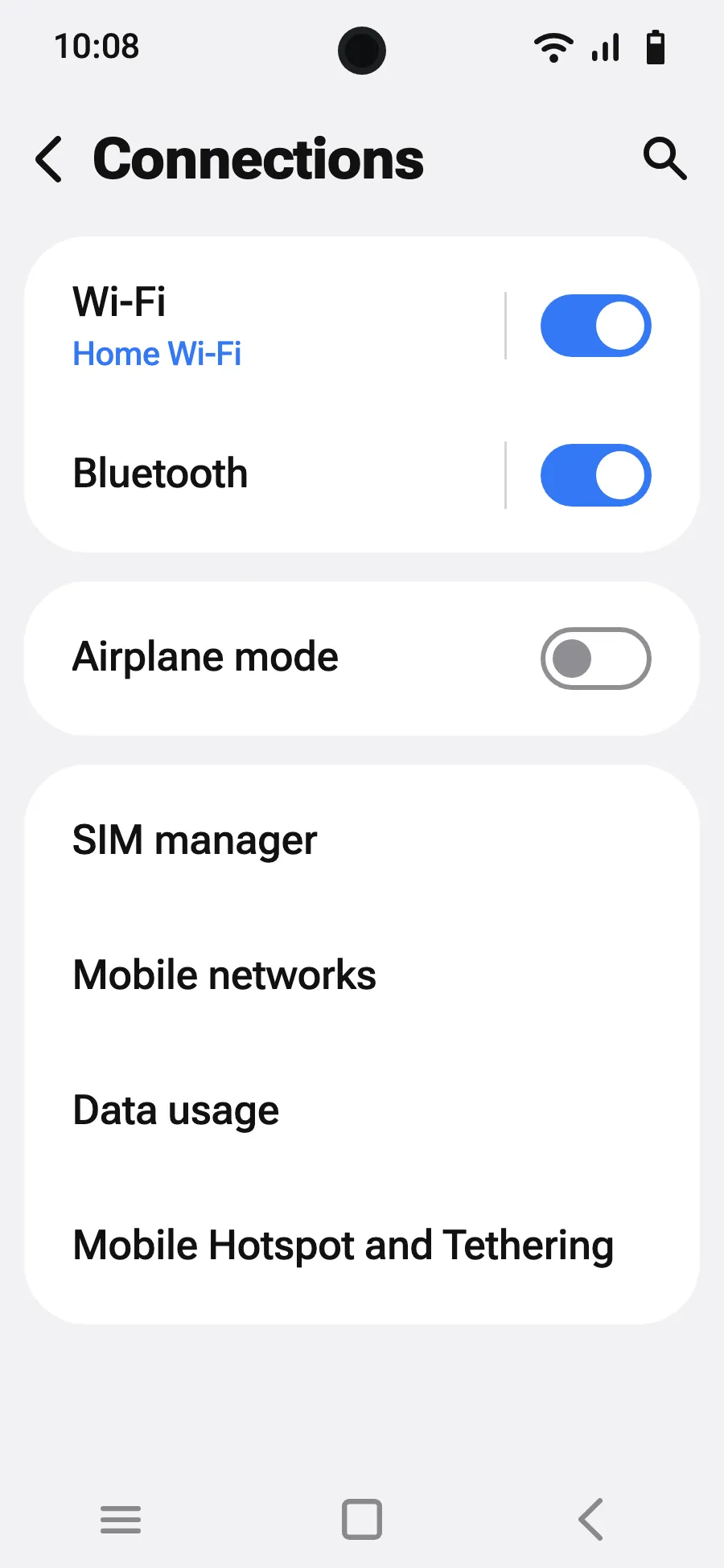
- Open Settings, then Connections.
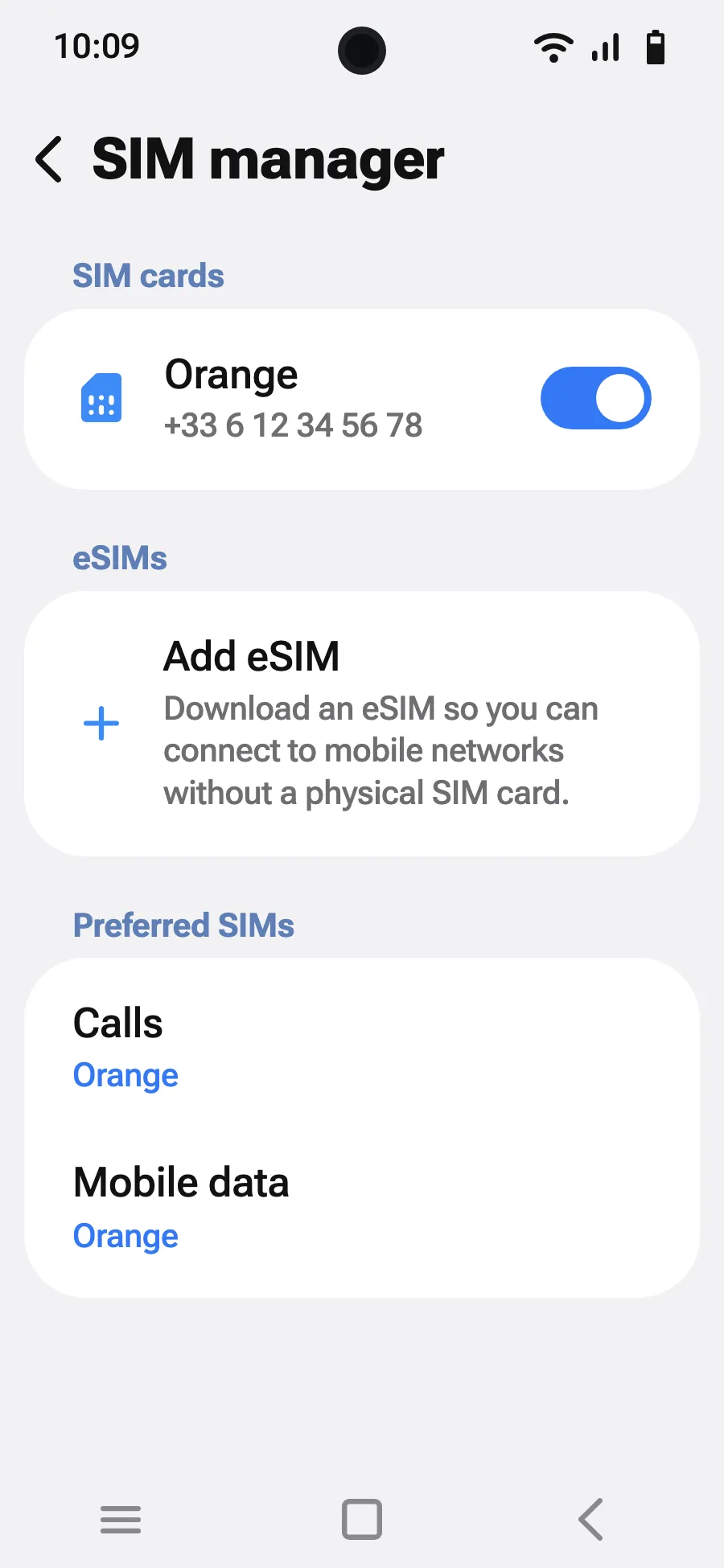
- Tap “SIM manager”.
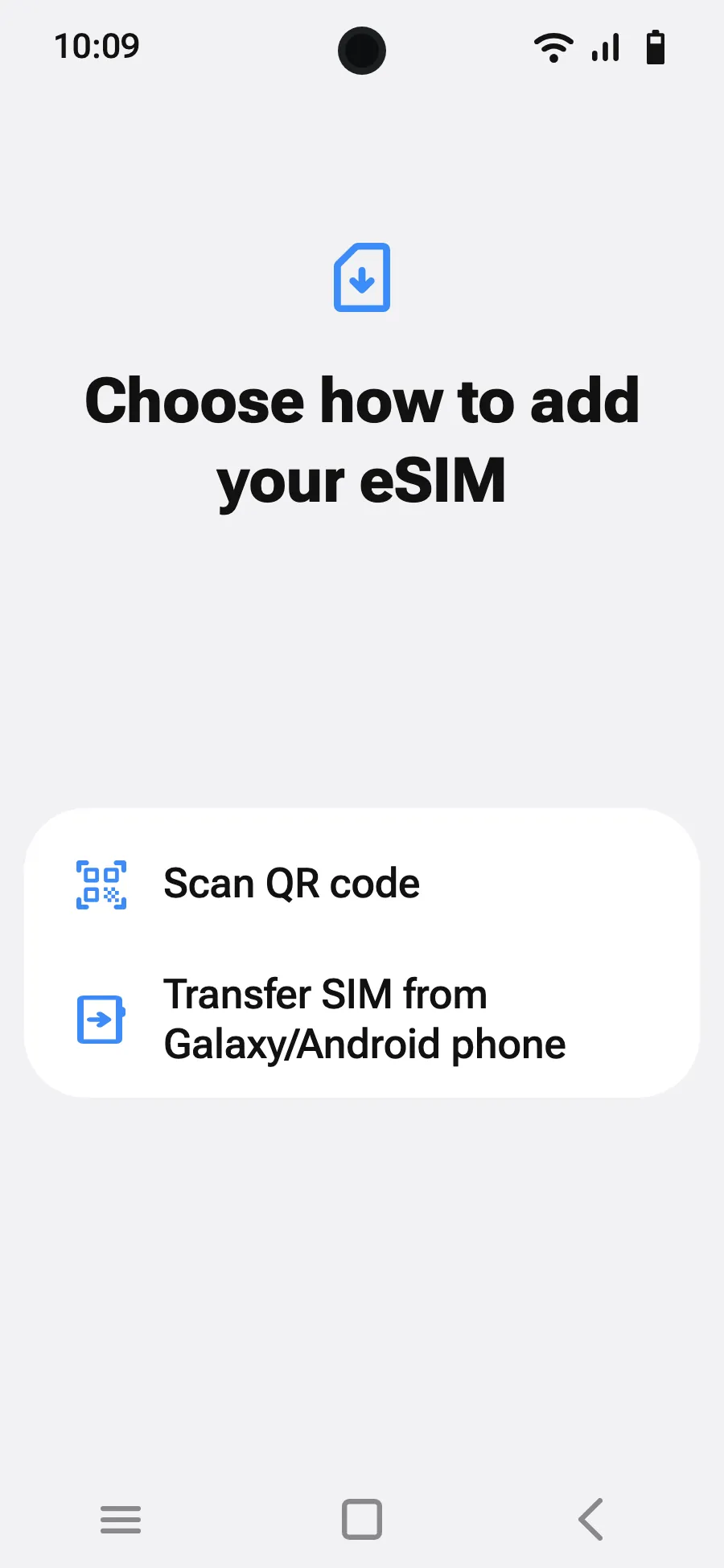
- Tap “Add eSIM”.
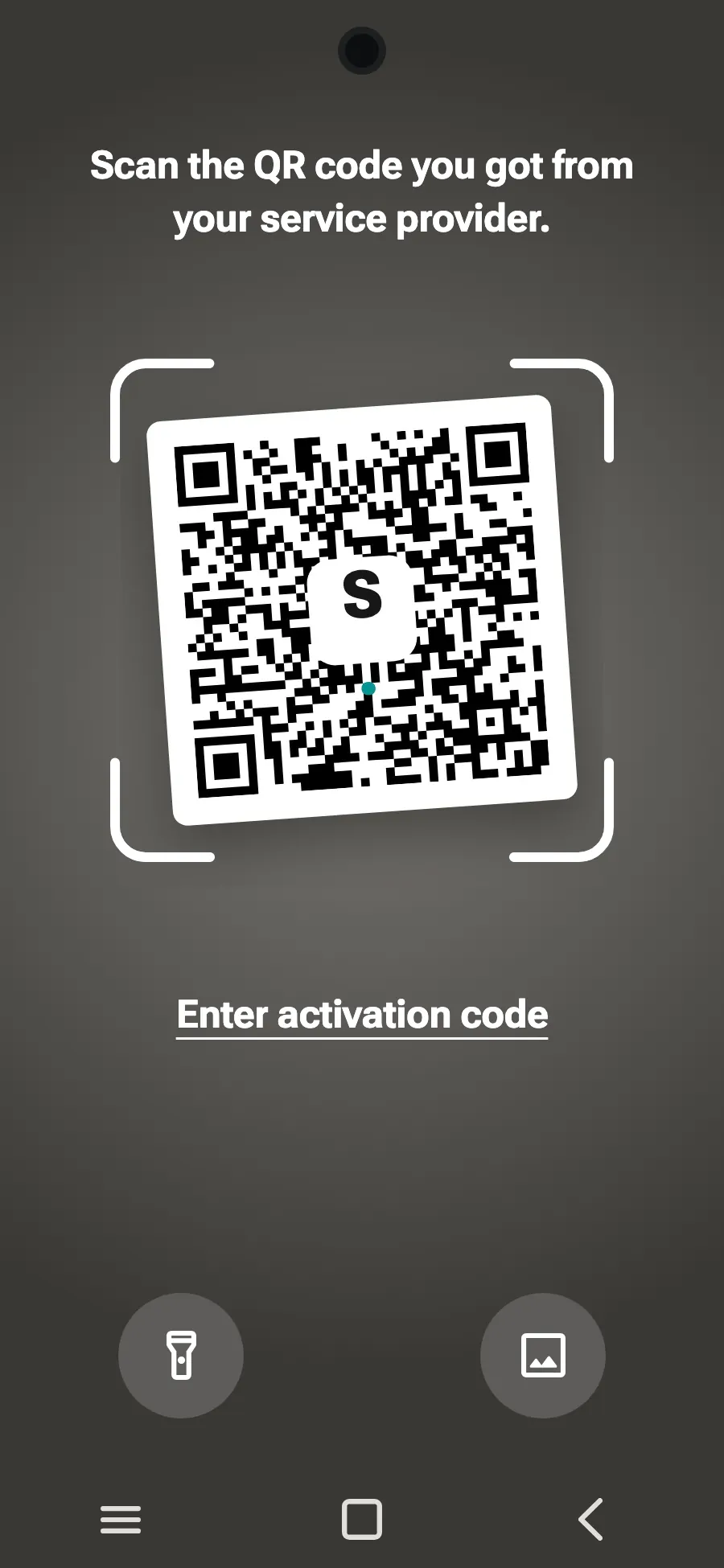
- Choose “Scan QR code”.
- Scan the QR code we email you after purchase (it's also in your account), then tap Add.
- When you land, turn on your new eSIM in SIM manager. It shows the name of a local or partner carrier.
- Choose the new eSIM for mobile data.
- In Connections, Mobile networks, turn on data roaming.
After you buy, your QR code arrives by email and in your account. Show it on another screen, then follow these steps on your phone.
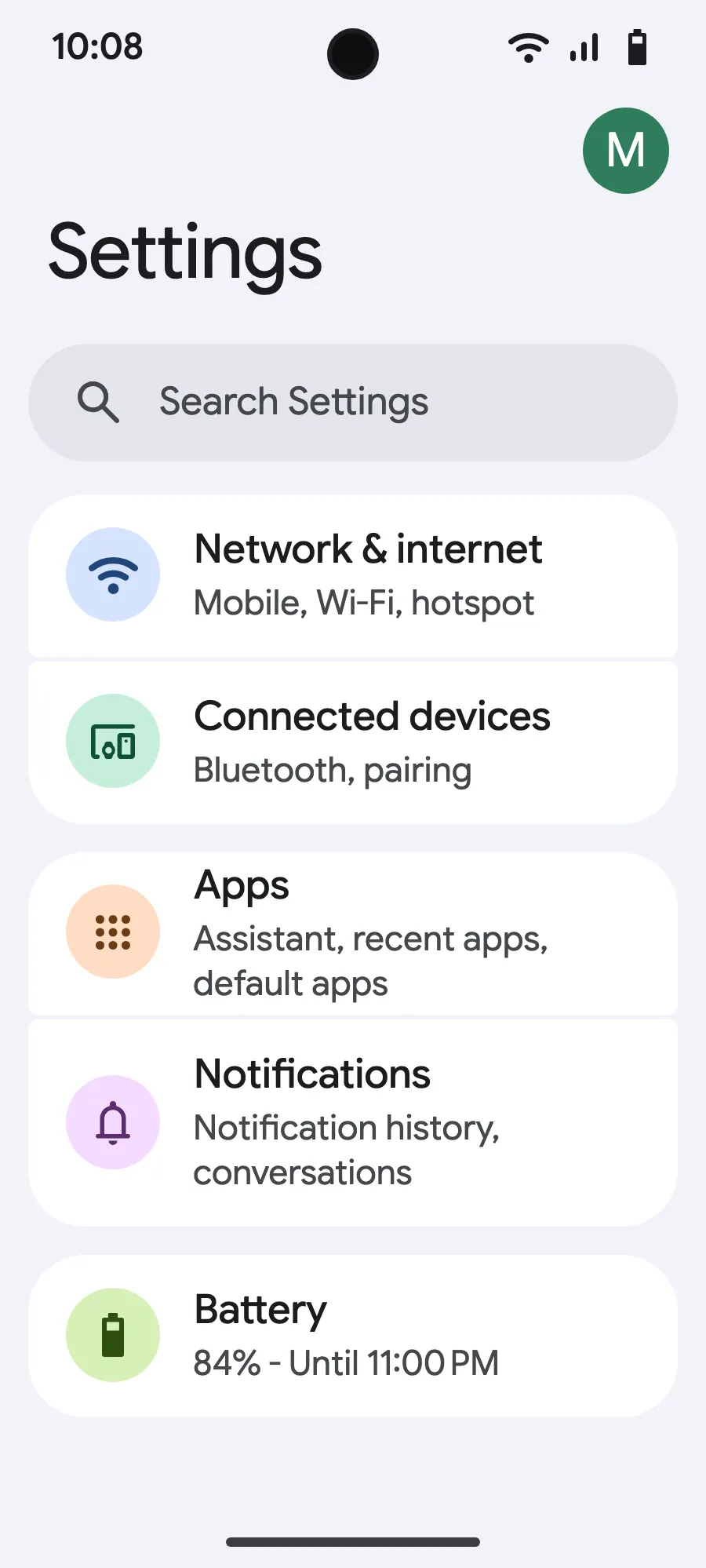
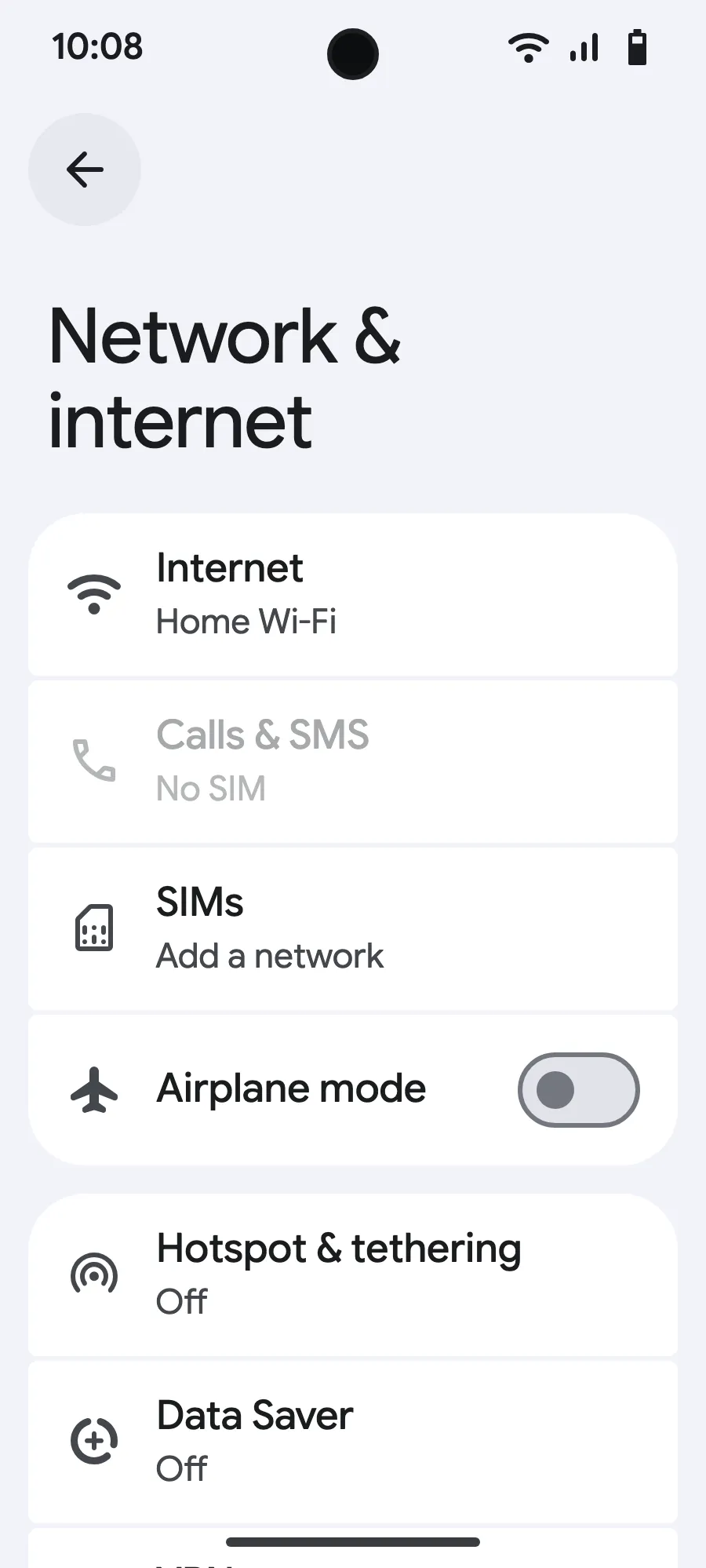
When you land: turn on your eSIMStep 5 of 7
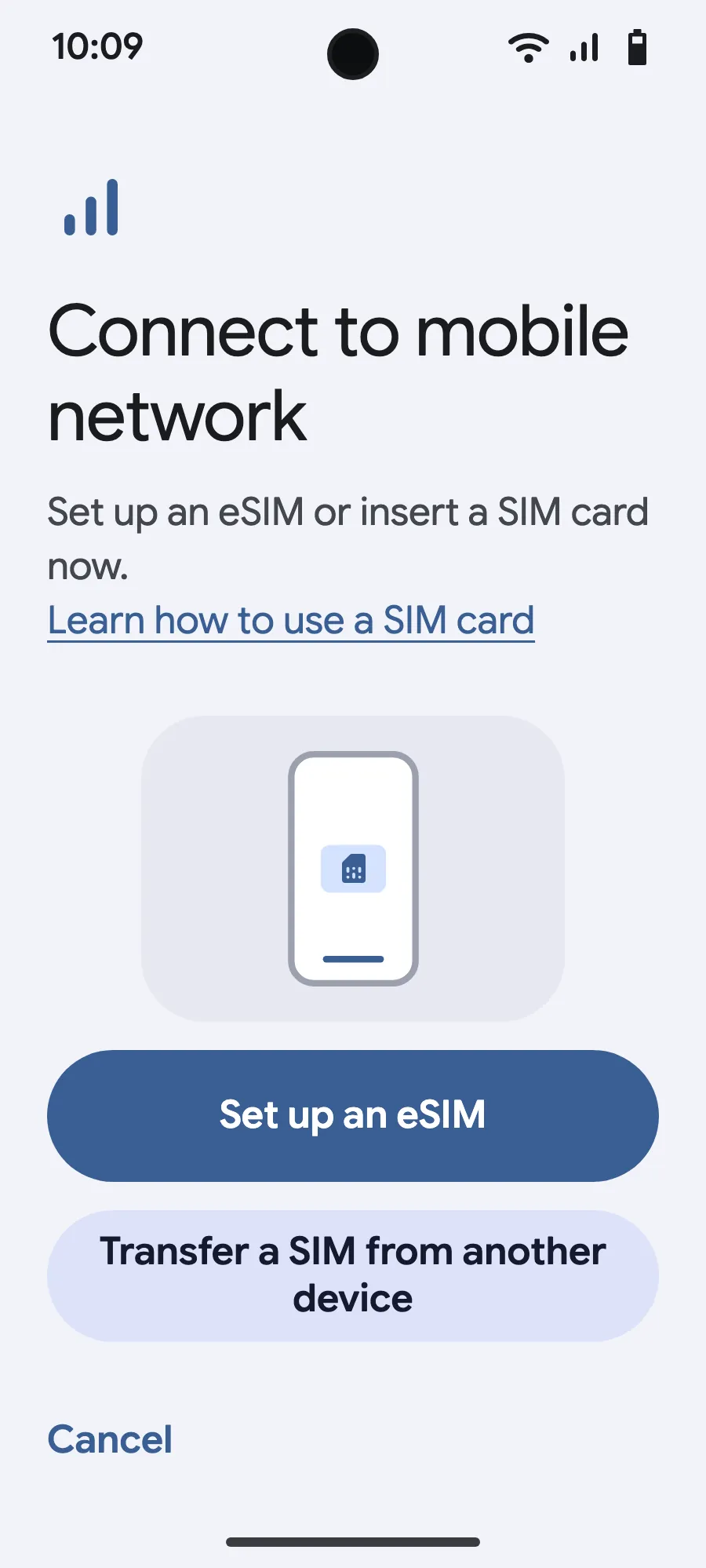
- Open Settings, then Network & internet.
- Tap “SIMs” (Add a network).
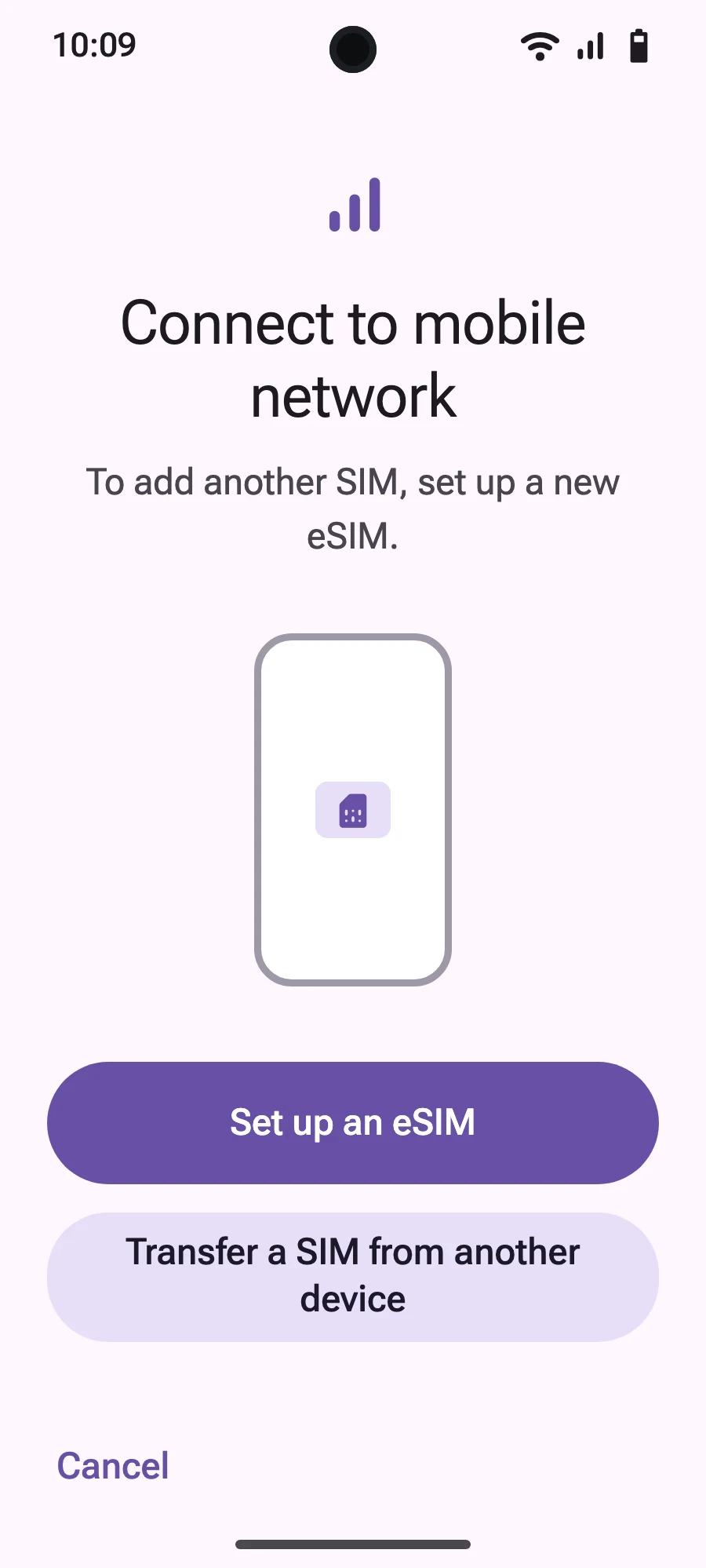
- Tap “Set up an eSIM”.
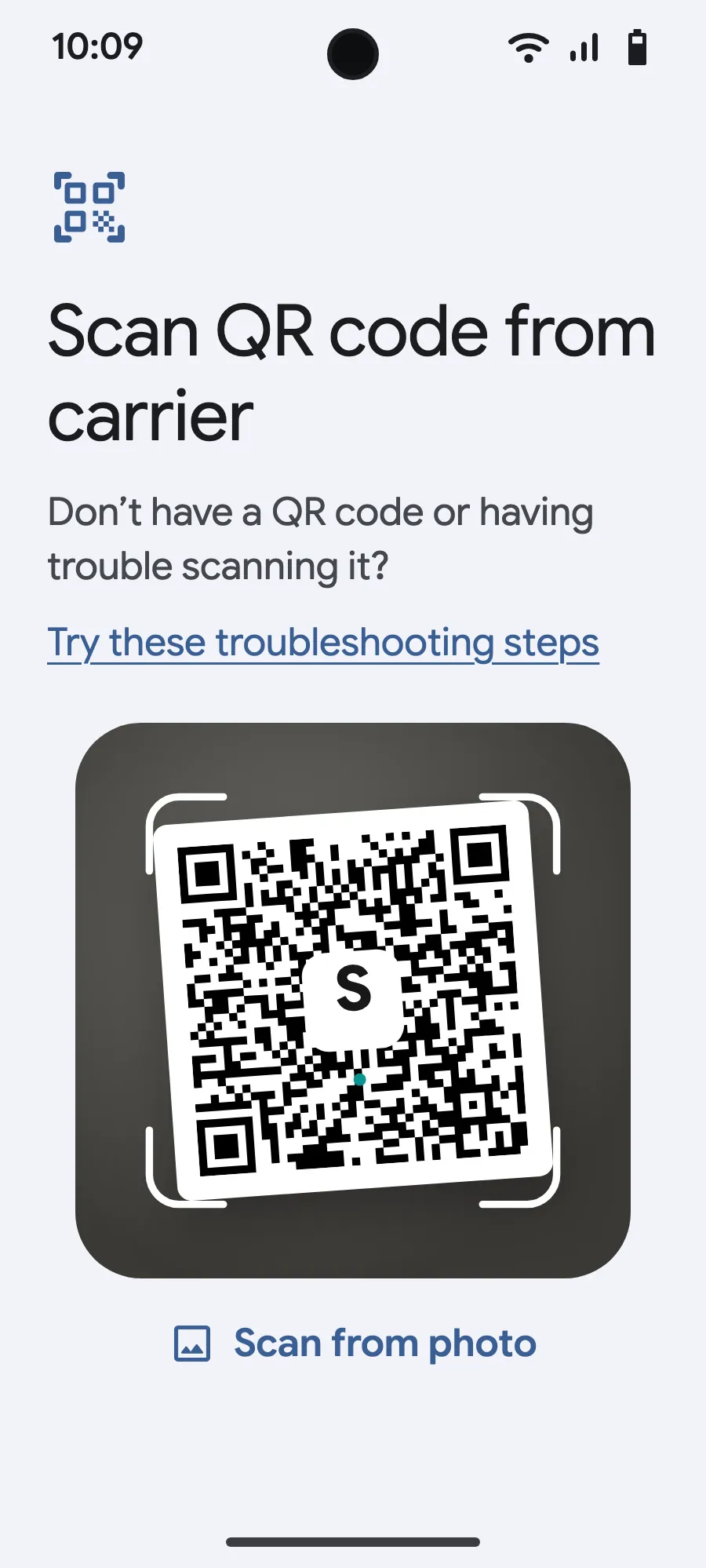
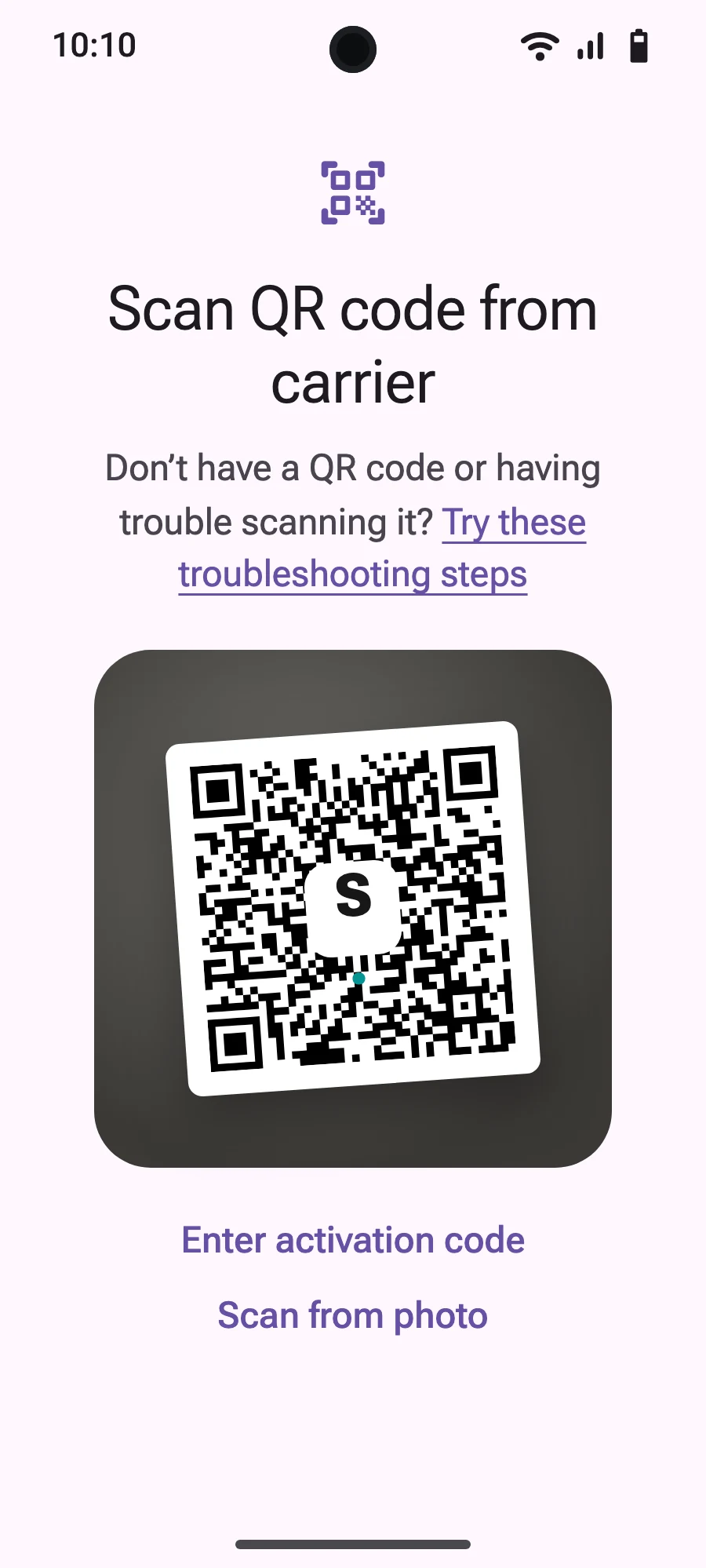
- Scan the QR code we email you after purchase (it's also in your account), then confirm.
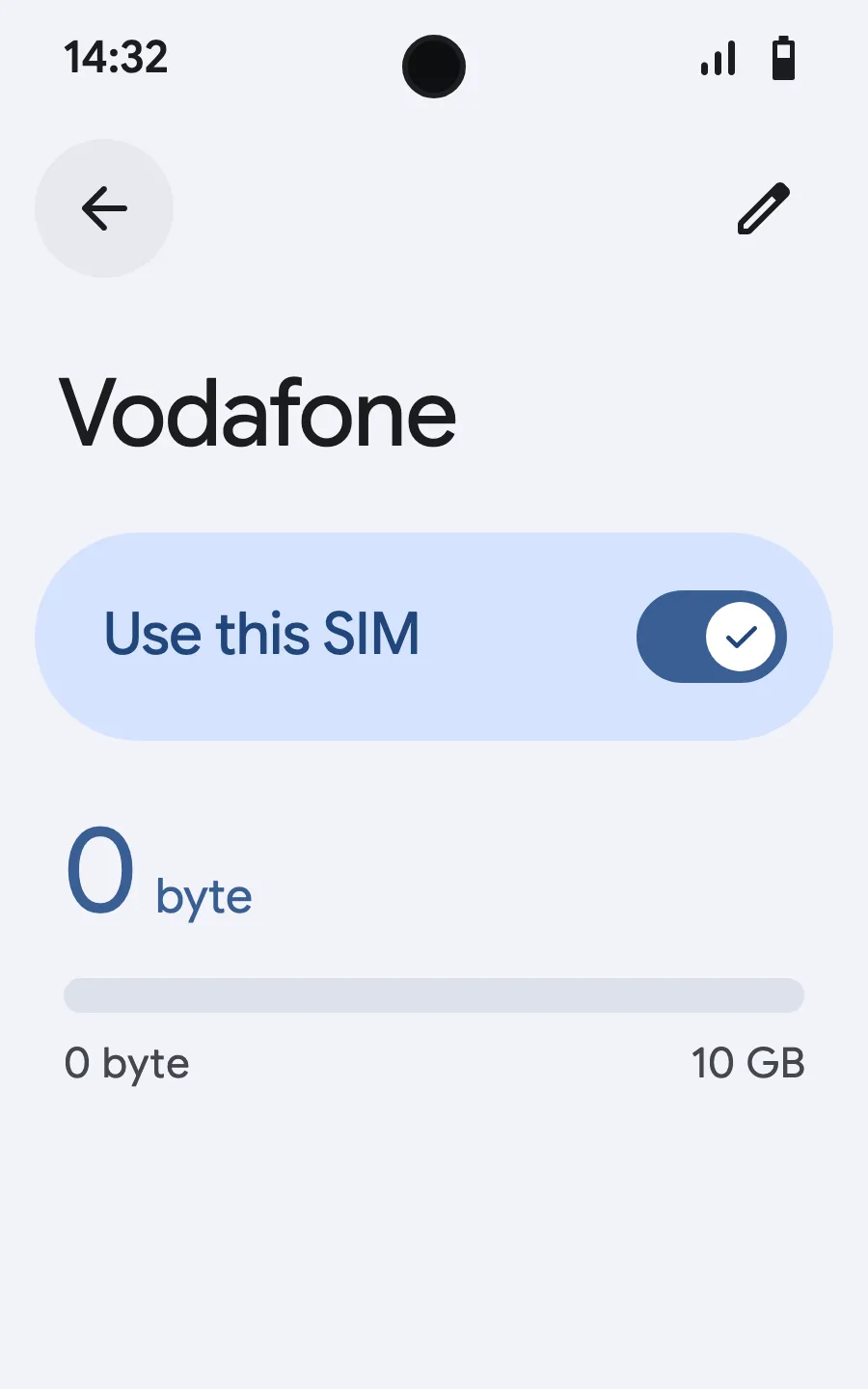
- When you land, open your new eSIM (it shows the name of a local or partner carrier) and turn on “Use this SIM”.
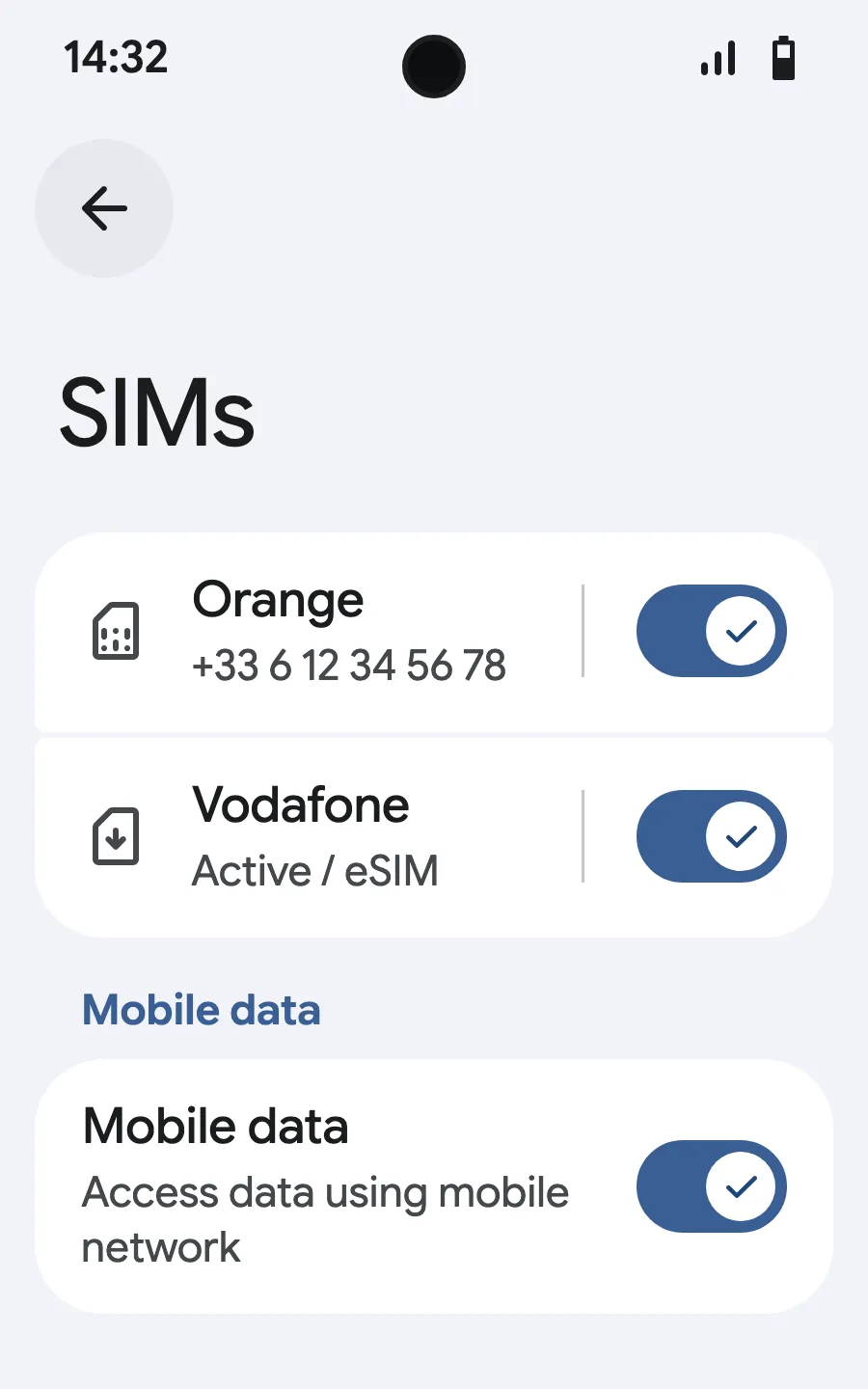
- Turn on mobile data for the new eSIM.
- Turn on roaming. If nothing loads, turn off automatic network selection and pick the network manually.
After you buy, your QR code arrives by email and in your account. Show it on another screen, then follow these steps on your phone.
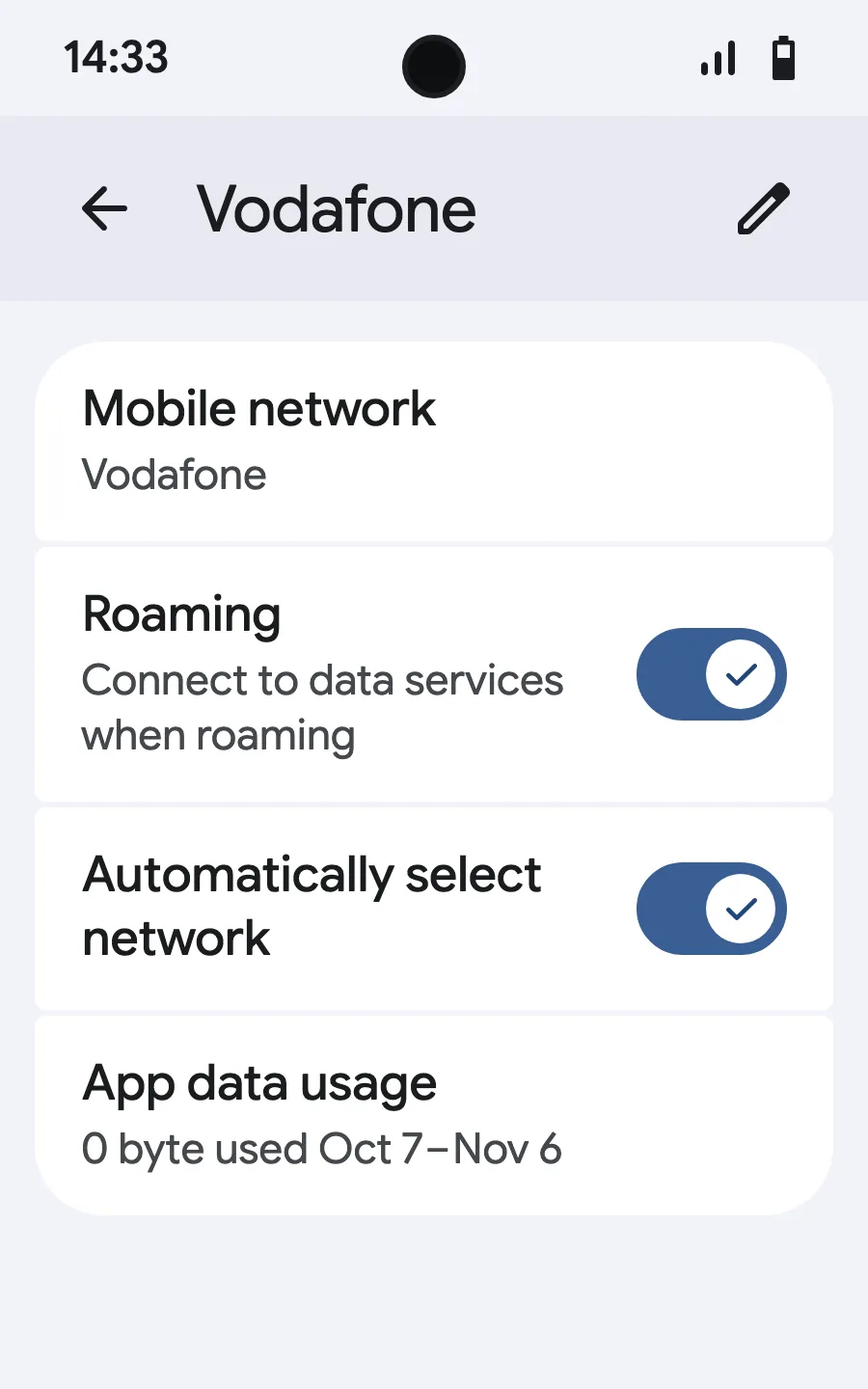
When you land: turn on your eSIMStep 6 of 8
- Open Settings, then Mobile networks or Network & internet.
- Tap “Mobile network”.
- Tap “Add SIM”.
- Tap “Set up an eSIM”.
- Scan the QR code we email you after purchase (it's also in your account), then confirm.
- When you land, open your new eSIM (it shows the name of a local or partner carrier) and turn on “Use SIM”.
- Turn on mobile data for the new eSIM.
- Turn on roaming. If nothing loads, turn off automatic network selection and pick the network manually.
After you buy, your QR code arrives by email and in your account. Show it on another screen, then follow these steps on your phone. On Xiaomi, Oppo or OnePlus the menus have other names: search for “eSIM” in Settings.
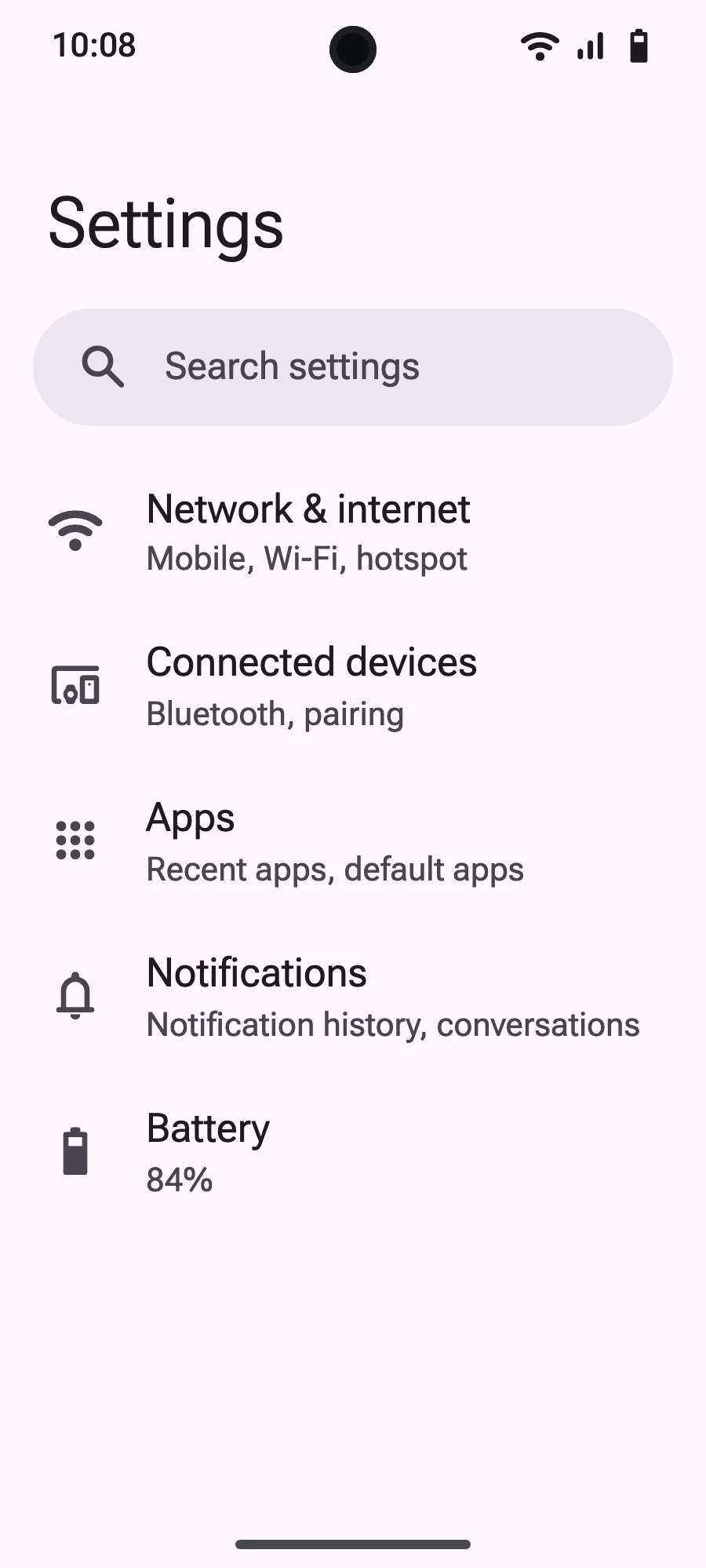
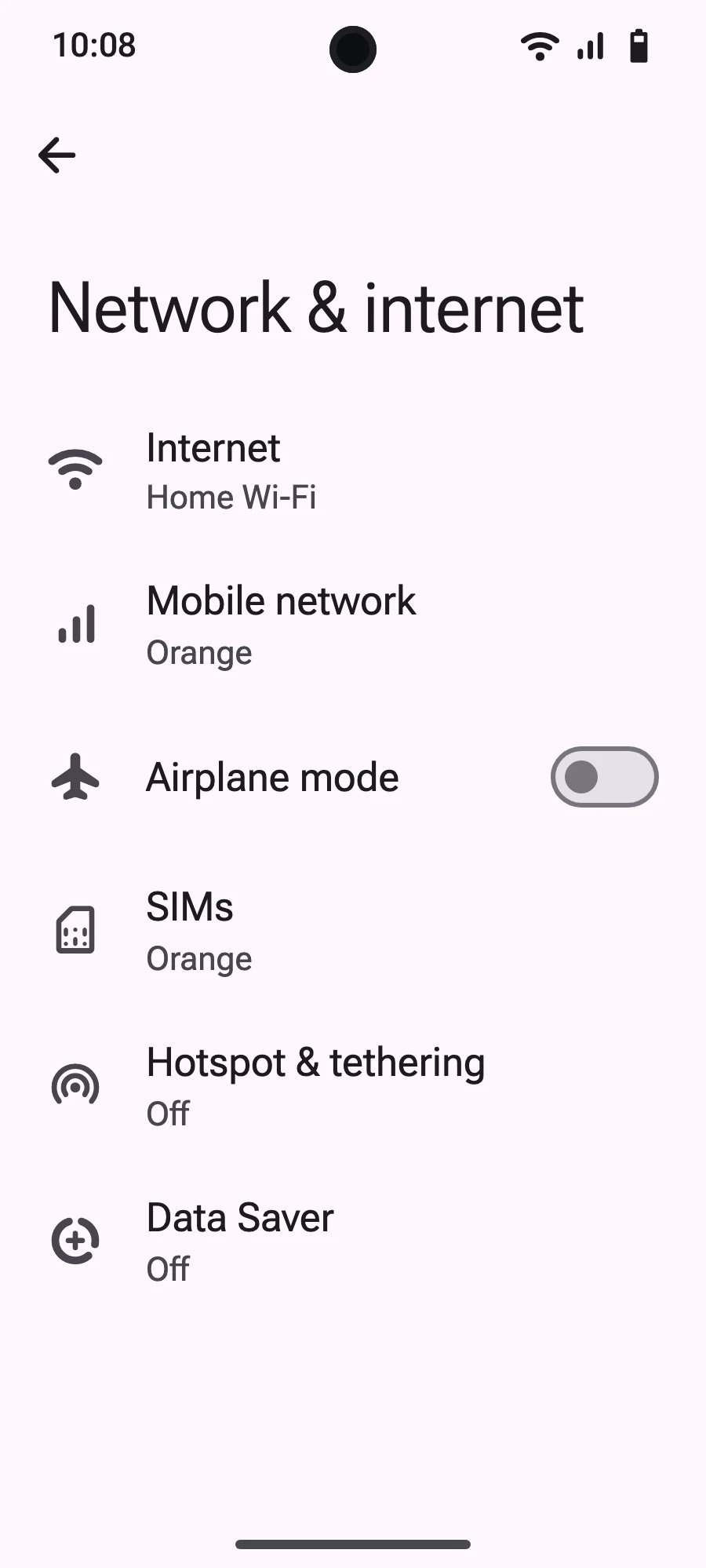
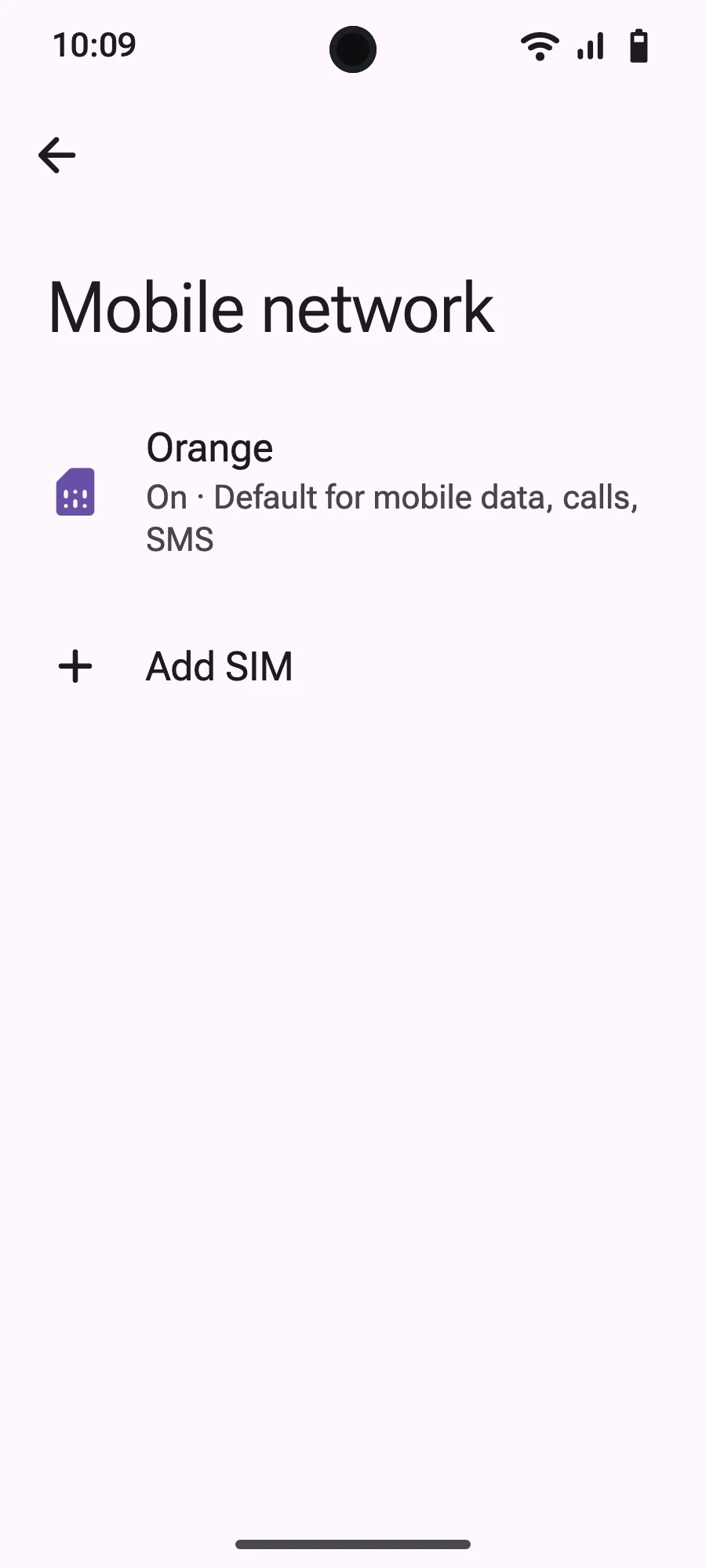
Enable data roaming
Data roaming must be enabled for your Simsima eSIM to work. Since your Simsima eSIM connects to local networks abroad, your device treats the connection as roaming. Do not worry — you will not incur any extra charges. Your Simsima plan already covers the data.
Why is data roaming required?
When you use a Simsima eSIM abroad, your device connects to a local network. Your phone classifies this as "roaming" because the network is different from the eSIM's home network. Without data roaming enabled, your device blocks the connection.
Important: Enabling data roaming for your Simsima eSIM will NOT cause charges on your primary SIM, as long as you set Simsima as your mobile data source.
iPhone instructions
Android instructions
Stock Android / Google Pixel:
Samsung (One UI):
Protect your primary SIM
To avoid roaming charges on your home carrier SIM while abroad:
Still have questions?
Our team answers by chat or email, in your language.