-5% on your 1st eSIM
WELCOME5
Loading...
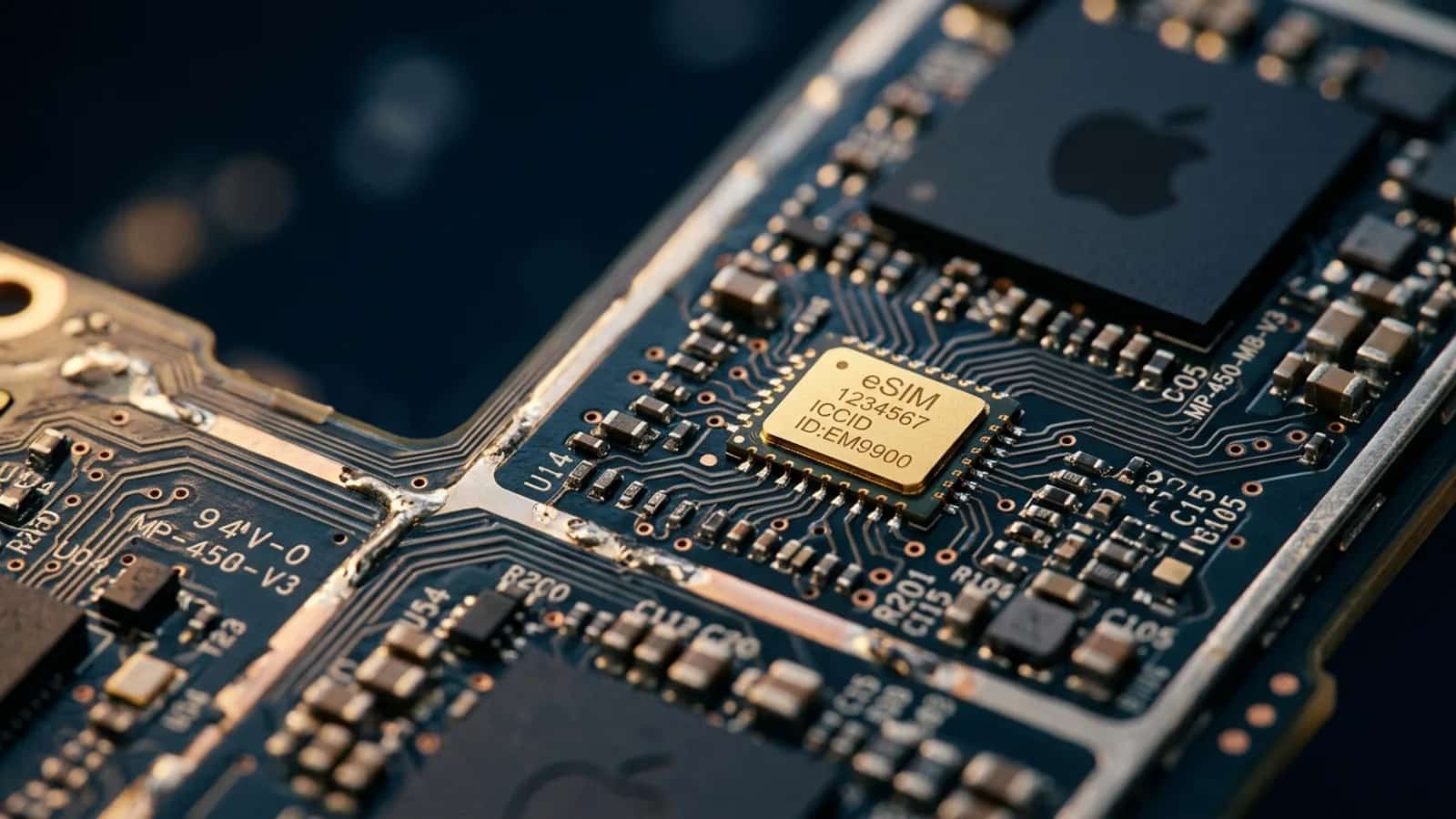
Wondering what a virtual SIM card actually is? In nearly every case, it is just another name for an eSIM — the embedded chip in your phone that holds carrier profiles digitally. Here is what that means in plain English, what it is not, and how to know if your device supports it.
 Dimitri Morvan
If you have been searching for "what is a virtual SIM," here is the short answer: a virtual SIM is almost always just another name for an eSIM — the digital version of a SIM card that lives on a small chip already embedded in your phone. There is no separate technology called "virtual SIM." It is the same thing, described with everyday words instead of an industry acronym. The rest of this guide explains what that actually means, why so many different names exist, what a virtual SIM is not, and how to tell if your phone can use one.
When a technology spreads to the general public faster than its technical name, people invent their own labels. That is what happened with the eSIM. The official name comes from "embedded SIM" — a small chip soldered into your phone that does the job of the plastic card you used to slide into a tray. Because the chip is built in and the carrier profile is downloaded over the internet, people started calling it a virtual SIM, a digital SIM, or an electronic SIM. All of these terms describe the same hardware and the same process.
The phrase "virtual SIM" caught on for a simple reason: from the user's perspective, there is no physical card to handle. You buy a plan online, an email arrives with a link or QR code, you tap it, and your phone is connected. Compared to the old routine of unwrapping a SIM card, popping out a tray with a paper clip, and praying you do not lose the tiny chip, that experience feels virtual — even though the chip behind it is very real.
Technically speaking, a virtual SIM is a carrier profile stored on a chip called an eUICC (embedded Universal Integrated Circuit Card). The eUICC is permanently part of your phone's motherboard. It can hold one or several profiles at once, and each profile contains the credentials your phone needs to authenticate with a mobile network: a subscriber identity, encryption keys, and the network's identifier.
When you buy a virtual SIM plan from a provider like Simsima, you are buying one of those profiles. The provider sends it to your phone over the internet, your phone writes it into the eUICC, and from that moment on you can connect to the carrier's network exactly as you would with a plastic SIM. The signal, the data speed, the call quality — everything happens through the same antennas. The only thing that changed is how the credentials got onto the chip.
A physical SIM is a removable plastic card. To use it, you eject your phone's SIM tray, drop the card in, and restart. If you want to switch carriers, you take out the old card, insert a new one, and start again. The chip on the card holds the carrier credentials, and the card itself can be moved from one phone to another.
A virtual SIM removes the card and the tray. The chip is already there, and the credentials travel over the air. You can store multiple profiles side by side and switch between them in your phone's settings — no tools, no swap, no risk of losing a fingernail-sized piece of plastic. For travelers, this is the biggest practical difference: you can install a new plan the night before a trip and be online the moment your plane lands.
eSIM vs SIM card — A side-by-side comparison of the embedded virtual SIM and the traditional plastic SIM card
If you have come across one of these terms and wondered whether it was something different, here is the quick translation guide. All of them refer to the same underlying technology.
Because the words "virtual" and "digital" get attached to a lot of telecom products, it is easy to confuse a virtual SIM with services that are not actually SIMs at all. Here are the three most common mix-ups.
Apps like Hushed, TextNow, or Google Voice give you a second phone number that works over the internet. The number is virtual — it does not correspond to a SIM at all. These services are useful for getting a disposable number or a free line over Wi-Fi, but they are not virtual SIMs. They do not connect your phone to a mobile network; they layer a number on top of your existing internet connection. If you lose Wi-Fi or cellular data, the number stops working.
You may see references to "software SIMs" or apps claiming to replace your SIM card entirely. In reality, the credentials that authenticate you to a mobile network always need to live on a secure chip — either the plastic SIM card or the embedded eUICC. No app can connect you to a 4G or 5G network without one of those. If an app says otherwise, it is almost certainly providing a voice-over-IP number, not cellular service.
Some travel hotspot brands market their products as "cloud SIM" devices that pick the best local network in each country. Behind the scenes, those gadgets contain one or several physical eSIMs that the company manages remotely. It is a clever business model, but the underlying technology is the same embedded SIM you already have on your phone. "Cloud SIM" is a marketing layer, not a separate kind of SIM.
Browse Simsima eSIM plans — instant activation, local Tier-1 networks, no contract.
A virtual SIM only works if your device has the embedded chip to hold it. The good news is that most phones released since around 2020 do. Here is a quick reference for the major brands.
Your phone also needs to be carrier-unlocked to install a virtual SIM from a third-party provider. Devices bought directly from the manufacturer (Apple Store, Samsung.com, Google Store) are almost always unlocked. Phones tied to a carrier contract sometimes need an unlock request first.
phones that support eSIM — A more complete list of devices that can run a virtual SIM profile
From the user's side, activating a virtual SIM is just a few taps. You pick a plan, pay, and the provider sends you the profile. There are two common installation methods.
Once the profile is installed, you can choose when to activate it. Most travel virtual SIMs start their data validity period the first time you connect to a local network, which means you can install the profile days in advance without losing any of your data allowance.
Three use cases drive most virtual SIM adoption today, and they all share the same theme: flexibility without a trip to a store.
The first is international travel. Instead of paying roaming fees or hunting for a kiosk at the airport, you install a local data plan before you leave. When you land, you switch the virtual SIM on and you are connected at local prices. Many travelers run their home SIM and a travel virtual SIM at the same time — the home line stays available for calls and bank codes, the virtual SIM handles data.
The second is splitting work and personal lines. If you do not want to carry two phones, a virtual SIM lets you keep a separate work number on the same device. Calls, texts, and data can be routed to whichever line you choose, and you can disable the work line outside of working hours.
The third is connected devices. Smartwatches, tablets, and an increasing number of laptops use virtual SIMs to get their own data plans without forcing the user to install a physical card. The same eUICC technology is also the standard for industrial and automotive connectivity, where physical card swaps would be impractical.
Simsima's eSIM catalog — Browse virtual SIM data plans for 200+ destinations and pick one before your next trip
Telecom industry vocabulary is full of acronyms — SIM, eSIM, eUICC, IMSI, ICCID. None of them describe what the user actually experiences. "Virtual SIM" does. It tells you in two familiar words that there is no card to handle, that everything happens on the device, and that it works like a regular SIM once it is set up. That is why the phrase took off in search engines and travel blogs, even though the official name remains eSIM.
The takeaway: if you see a product advertised as a "virtual SIM card" for travel, in nearly every case it is an eSIM. You can use it on the same phones, install it the same way, and expect the same network performance. The two terms are interchangeable in everyday use.
Yes. A virtual SIM is a real SIM in every functional sense — it authenticates your phone to a mobile network using the same credentials and protocols as a plastic SIM. The only difference is that the SIM lives on a chip already embedded in your phone instead of on a removable card.
Yes, when the plan includes voice and SMS. Most travel virtual SIMs are data-only because that is what travelers usually need, but the technology fully supports calls and texts. If voice is important, check the plan description before buying.
You need a phone that has the embedded eUICC chip. Most iPhones from the XS onward, Google Pixels from the Pixel 3 onward, and recent Samsung Galaxy flagships support it. Older phones and many budget devices do not.
No. A virtual SIM connects your phone to a mobile network, just like a plastic SIM. A virtual phone number (from apps like Hushed or Google Voice) is a number that works over the internet without a SIM behind it. They solve different problems.
Yes, on most modern phones. The two work side by side. Many travelers keep their home plan on the physical SIM and add a virtual SIM with a local data plan for the country they are visiting.
The profile is tied to the device it was installed on. To use it on a new phone, you usually need to reinstall it, which most providers allow for free. Simsima, for example, lets you reinstall your eSIM as many times as you need at no extra cost.
You need an internet connection to install the virtual SIM the first time — usually Wi-Fi. Once the profile is installed, it works entirely on the mobile network, with no Wi-Fi required.
Yes, and in some ways safer than physical SIMs. Because the chip cannot be physically removed, SIM-swap fraud is harder to pull off. If your phone is lost or stolen, you can deactivate the profile remotely instead of worrying about the card being moved to another device.
A virtual SIM is an eSIM. It is the embedded chip inside your modern phone that holds carrier profiles, and it does the same job as the plastic SIM card you used to swap in and out. The names "virtual SIM," "digital SIM," and "electronic SIM" all describe the same technology — they just sound friendlier than the official acronym. If your phone is recent enough to support it, a virtual SIM is the easiest way to add a data plan, especially when you travel.

Founder of Simsima. A passionate traveler based in Barcelona, he helps travelers stay connected without breaking the bank on roaming fees.
LinkedIn