


 Verified coverage
Caribbean network
Access to top-tier carriers for a stable and fast connection
Need help choosing?
Not sure which plan to pick? Try our data calculator.
Is your device eSIM-ready?
A quick check to see if your phone supports eSIM.
100% secure payment
Multiple payment methods accepted







 Caribbean eSIM — travel data plan
Caribbean: a digital SIM card with fast mobile data, active from the moment you land.
Caribbean eSIM plans and prices
4% in SimCoins- Mobile network
- 4G
- Hotspot / tethering
- Yes
- Top-up
- Yes
- Validity
- 30 days
Unlimited Caribbean eSIM plans: high-speed data every day
- 14-day refund if not activated
- Support within 24 h
- Install before you leave
- Countries
- 26
- Data
- 1 to 10 GB
- Validity
- 7 to 30 days
- From
- $7.35
Need help choosing?
Not sure which plan to pick? Try our data calculator.
100% secure payment
Multiple payment methods accepted
26 countries, one Caribbean eSIM
26 Caribbean destinations on one eSIM, from Barbados and Saint Lucia to Jamaica, Puerto Rico, and the Bahamas. The Dominican Republic, the US and British Virgin Islands, and Martinique aren't covered.









One eSIM for the whole trip
Fly into Bridgetown, board your ship, and work up the island chain one port a day: Saint Lucia, Antigua, Saint Kitts, then Sint Maarten. In each port, your phone joins the island's network by itself: same eSIM, same data, nothing to reinstall. Between ports, out at sea, the eSIM has no network.
 Barbados
 4G networkBorder
 Saint Lucia4G networkBorder
- Antigua and Barbuda4G networkBorder
 Saint Kitts and Nevis4G networkBorder
 Sint Maarten4G network
Example route. Each logo is one of the networks your eSIM can use in that country; your phone connects to it automatically.
One Caribbean plan or one plan per country?
Pick 3 to 5 countries on your route and the data you need for the whole trip. We add up the country plans at today's prices.
Checking prices
- Barbados
- Saint Lucia
- Antigua and Barbuda
Each country plan holds at least 3.4 GB and is valid at least 7 days, so you get the same data in total.
Caribbean eSIM, local SIM cards or roaming?
Four ways to stay online across 26 countries, and what changes for you.

Across 26 countries, one eSIM is the simplest
Installed at home, it moves to a local network at each border and your number stays active. No SIM to buy at every stop.
| Travel eSIM | Local SIM card | Pocket WiFi | Your carrier's roaming | |
|---|---|---|---|---|
| Where to get it | Online, before you fly | In each country, at a counter or store | Rental: a device to pick up, then return | Already in your usual plan |
| At each border | Nothing to do: it switches network by itself | A new SIM and a new number in each country | Often one country per device: check the rental terms | Often billed by the day once you leave your home country |
| When you're online | As soon as you land, installed at home | After buying one in each country | After picking up the device | As soon as you land |
| Your number | Stays active on your usual line | Replaced by a local number, your SIM comes out | Stays on your phone | Stays active |
| Devices | Your phone, hotspot allowed | One unlocked phone | Several devices, battery to charge | Your phone |
| Price | From $7.35 for 26 countries | One SIM to pay for in each country | Daily rental | Depends on your carrier |
How to install your Caribbean eSIM
Install it before you leave: it takes two minutes. These are the real screens of your phone, step by step.
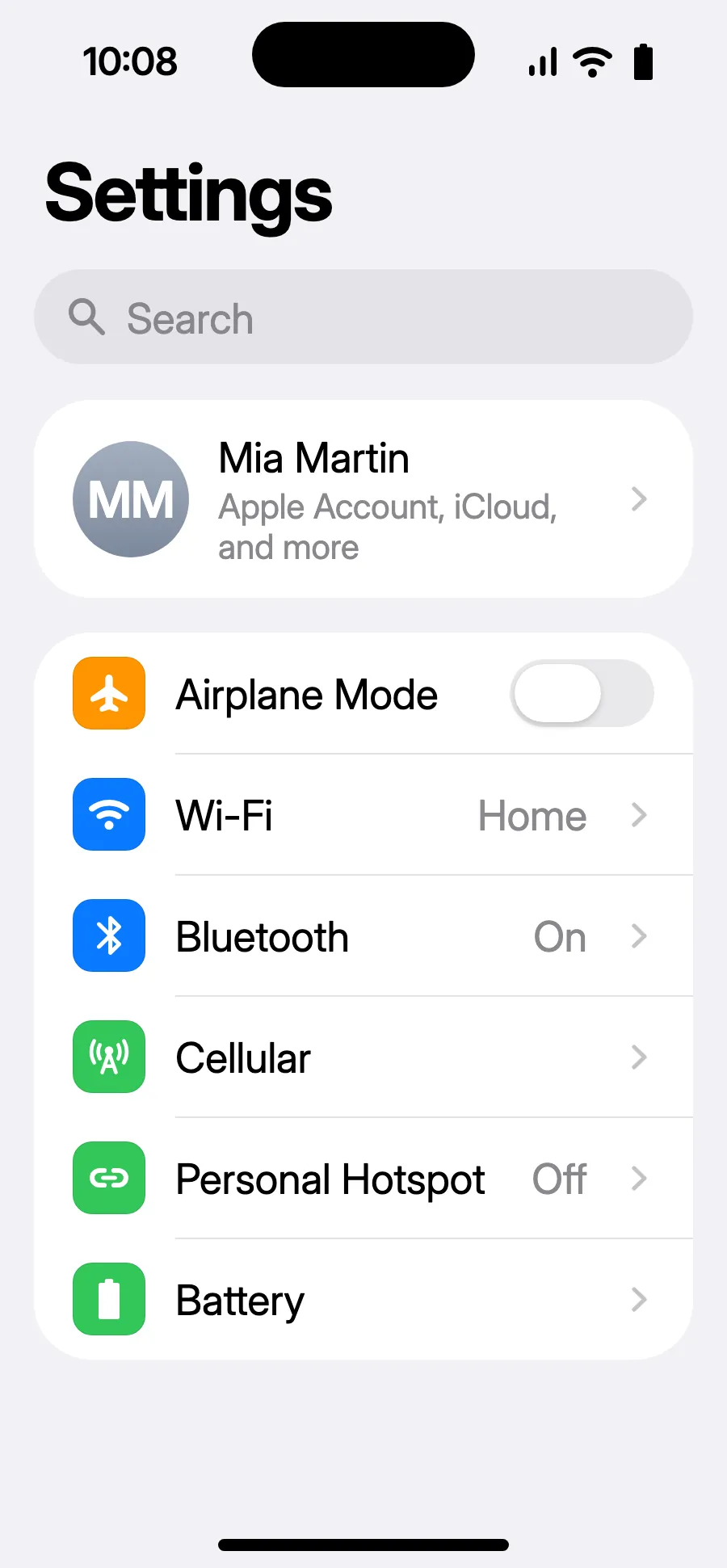
Before you leave: install your eSIMStep 1 of 11
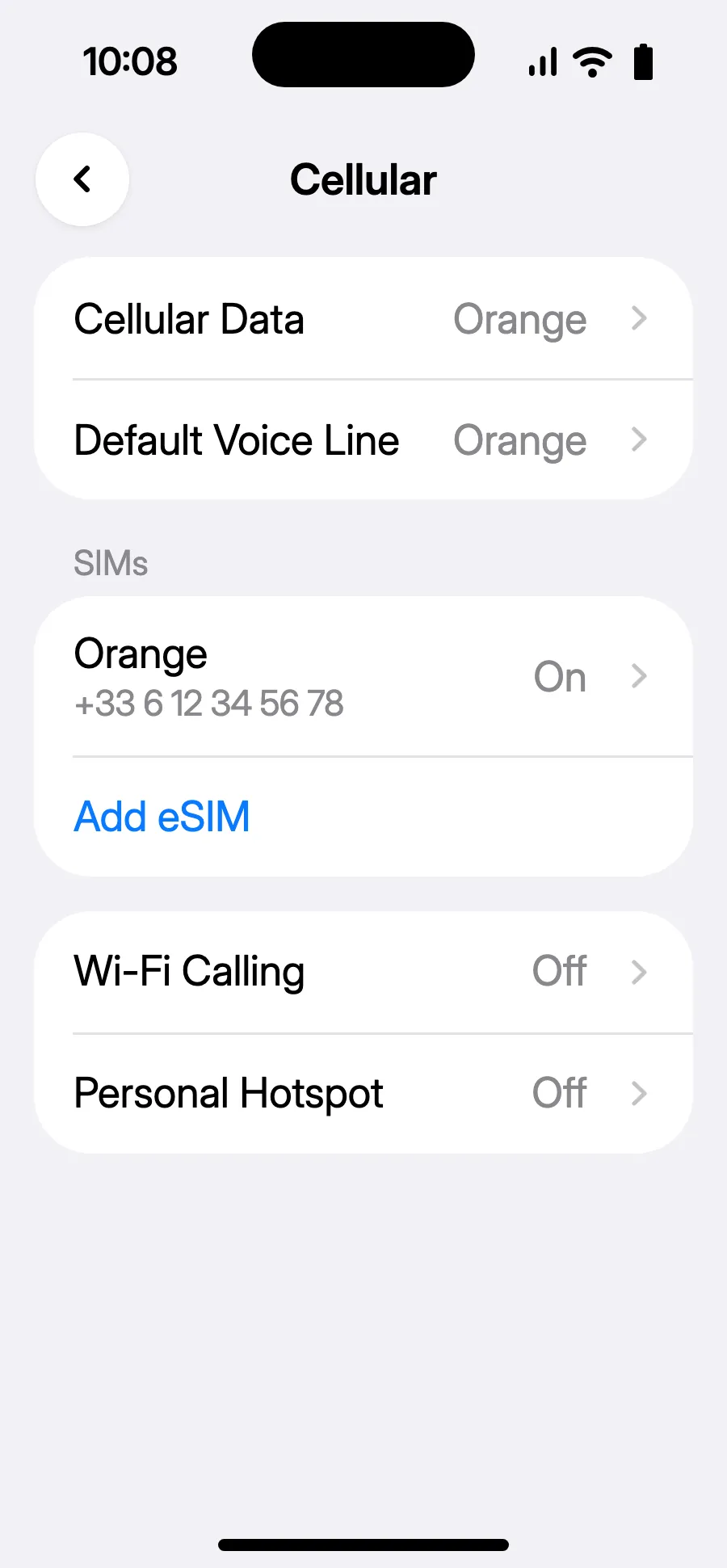
- Open Settings, then Cellular.
- Tap “Add eSIM”.
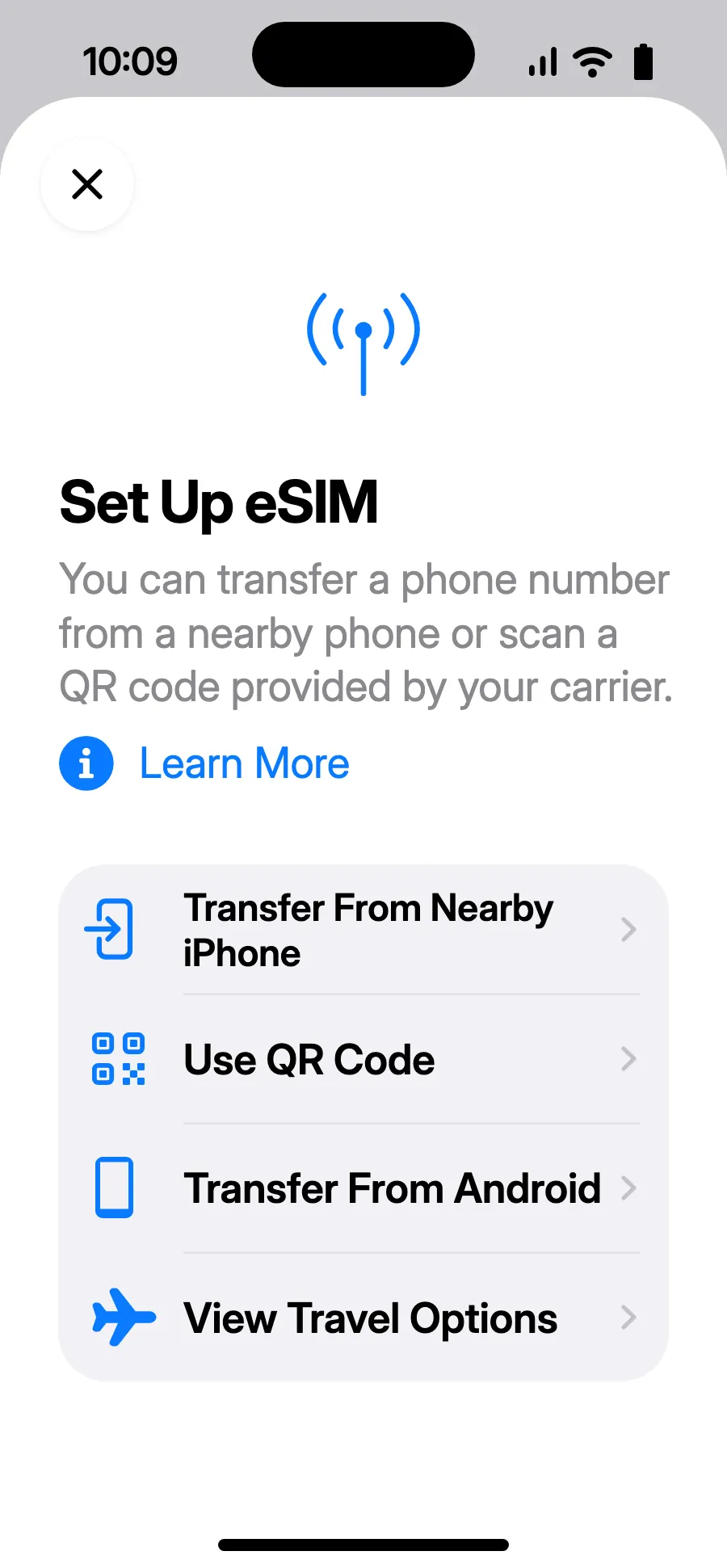
- Tap “Use QR Code” and scan the QR code we email you after purchase (it's also in your account).
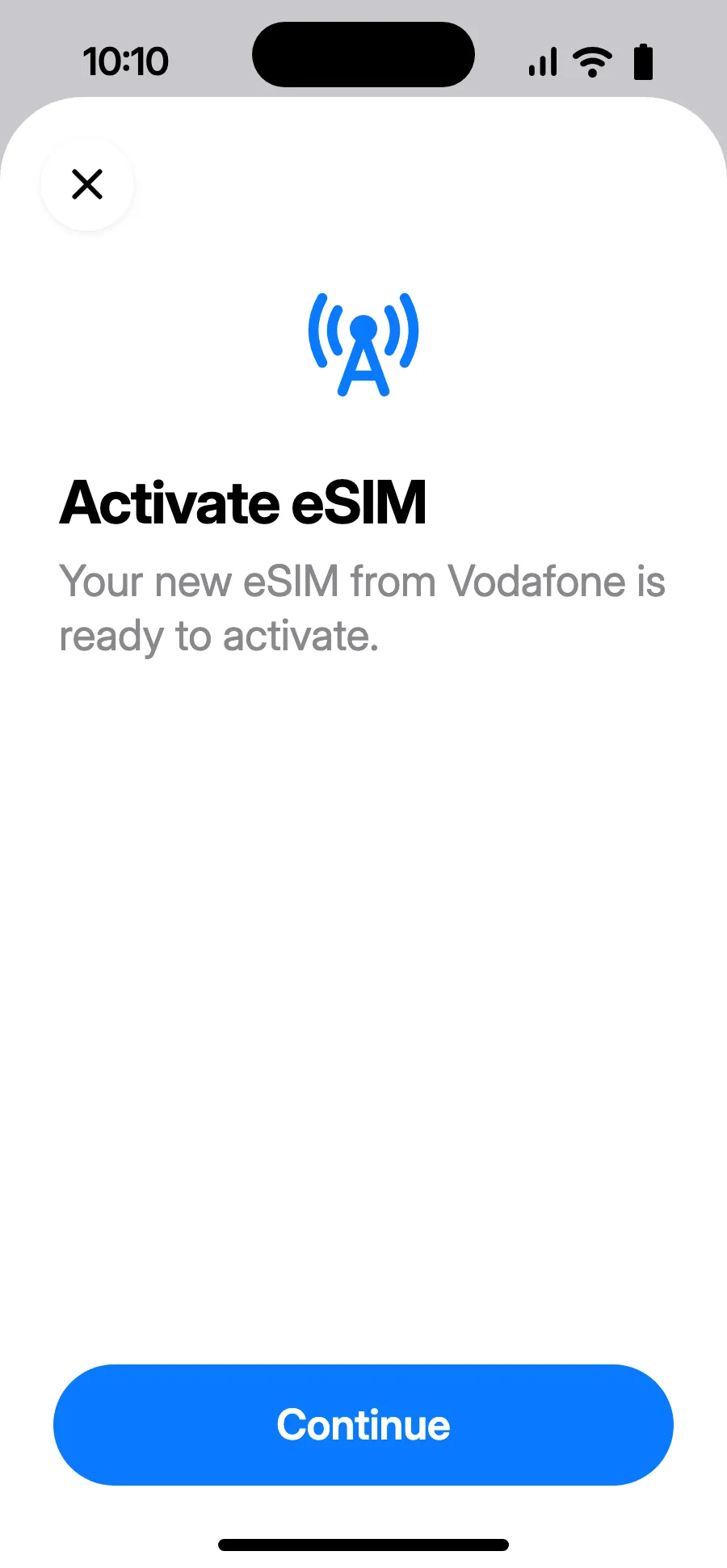
- “Activate eSIM” opens: tap Continue.
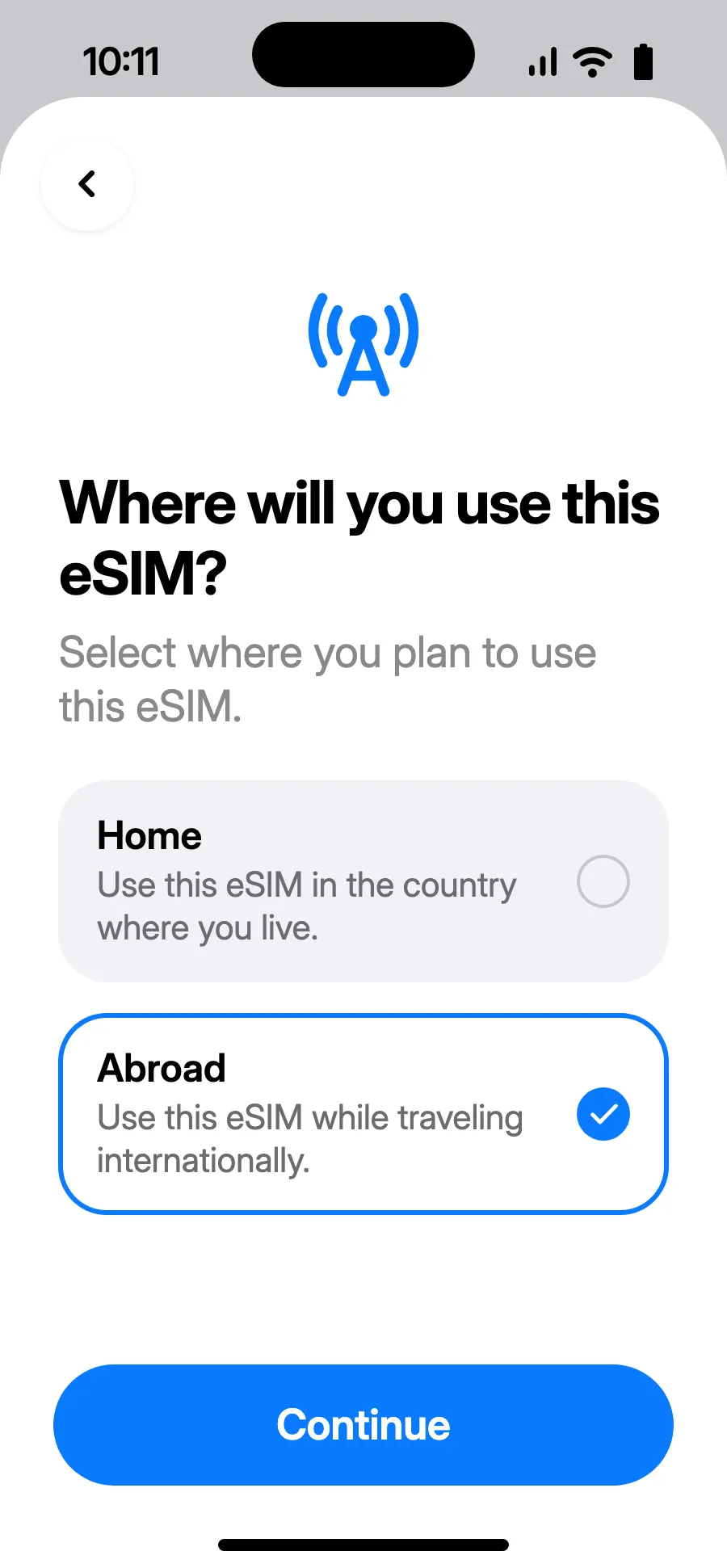
- Choose Abroad, then tap Continue.
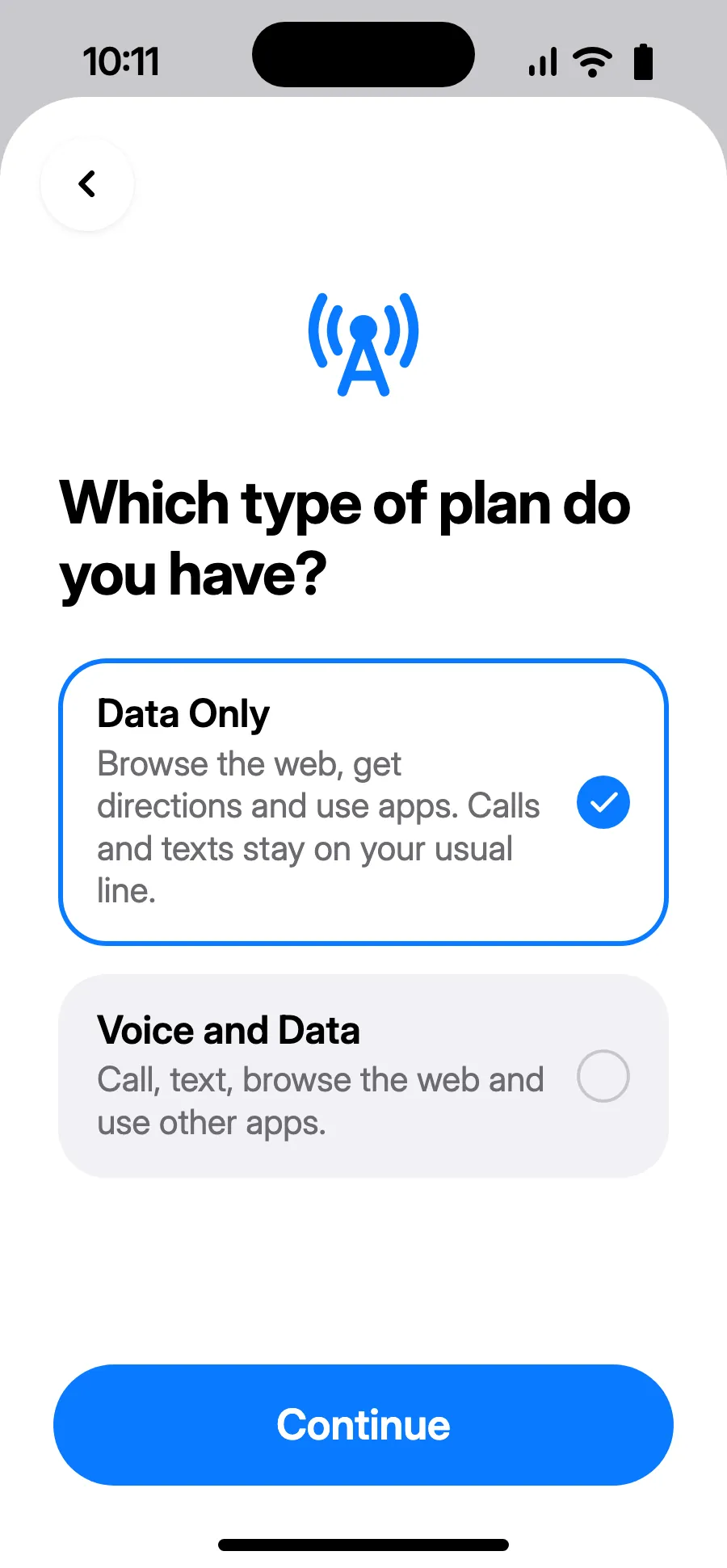
- Choose Data Only, then tap Continue. The eSIM is for data; your usual number keeps calls and texts.
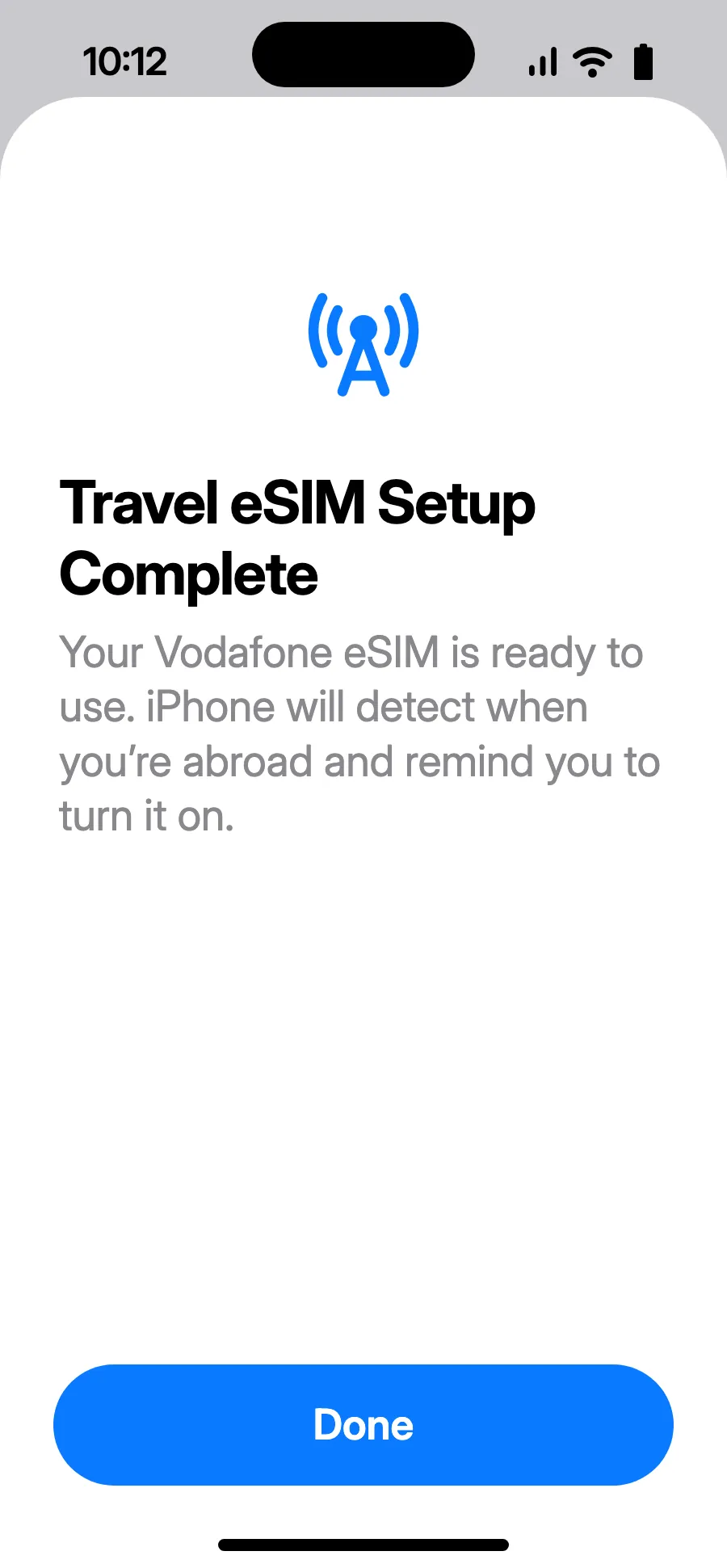
- Tap Done. Your iPhone will remind you to turn on the eSIM once you're abroad.
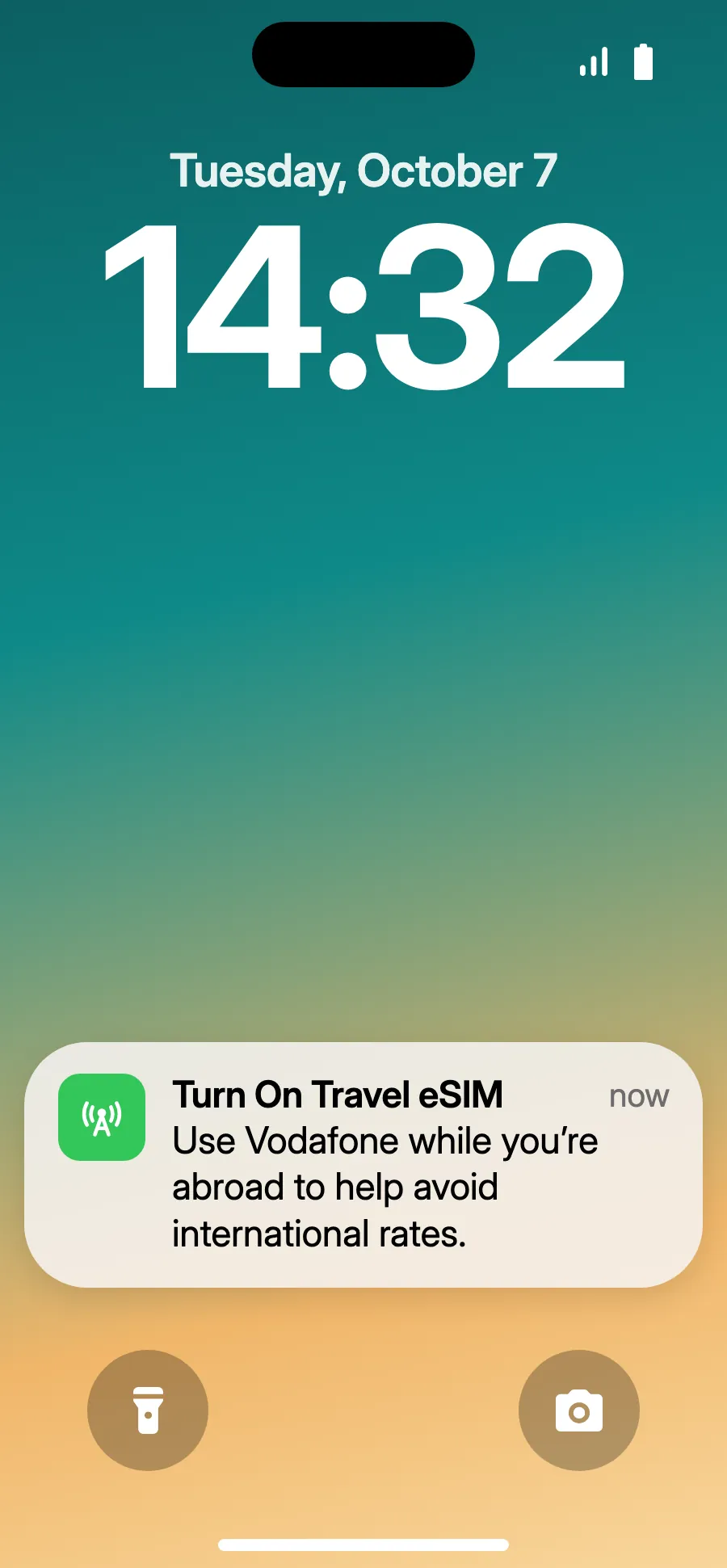
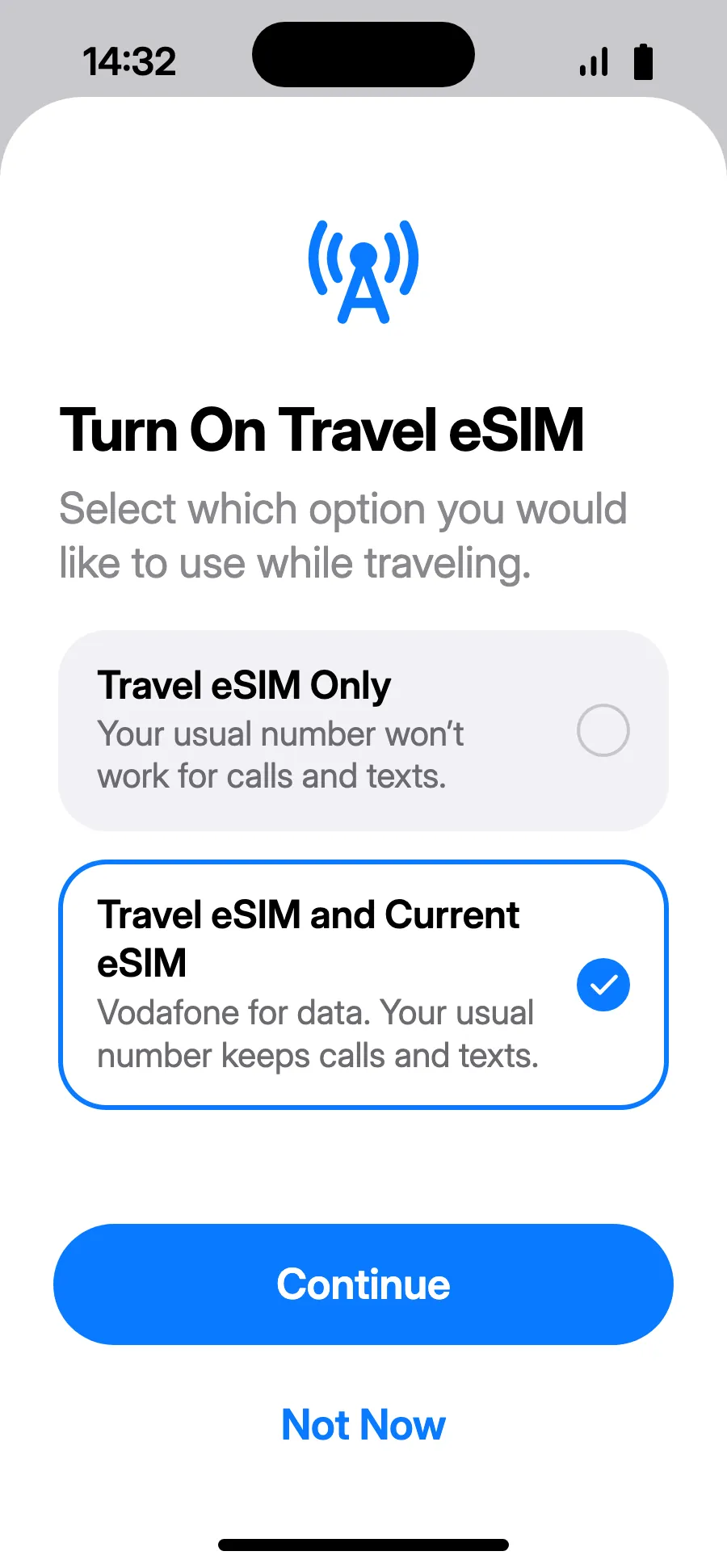
- When you land, your iPhone may show “Turn On Travel eSIM”: tap the notification.
- Choose “Travel eSIM and Current eSIM”, then Continue. You keep your number for calls and texts (bank codes included); your carrier may charge for calls you receive.
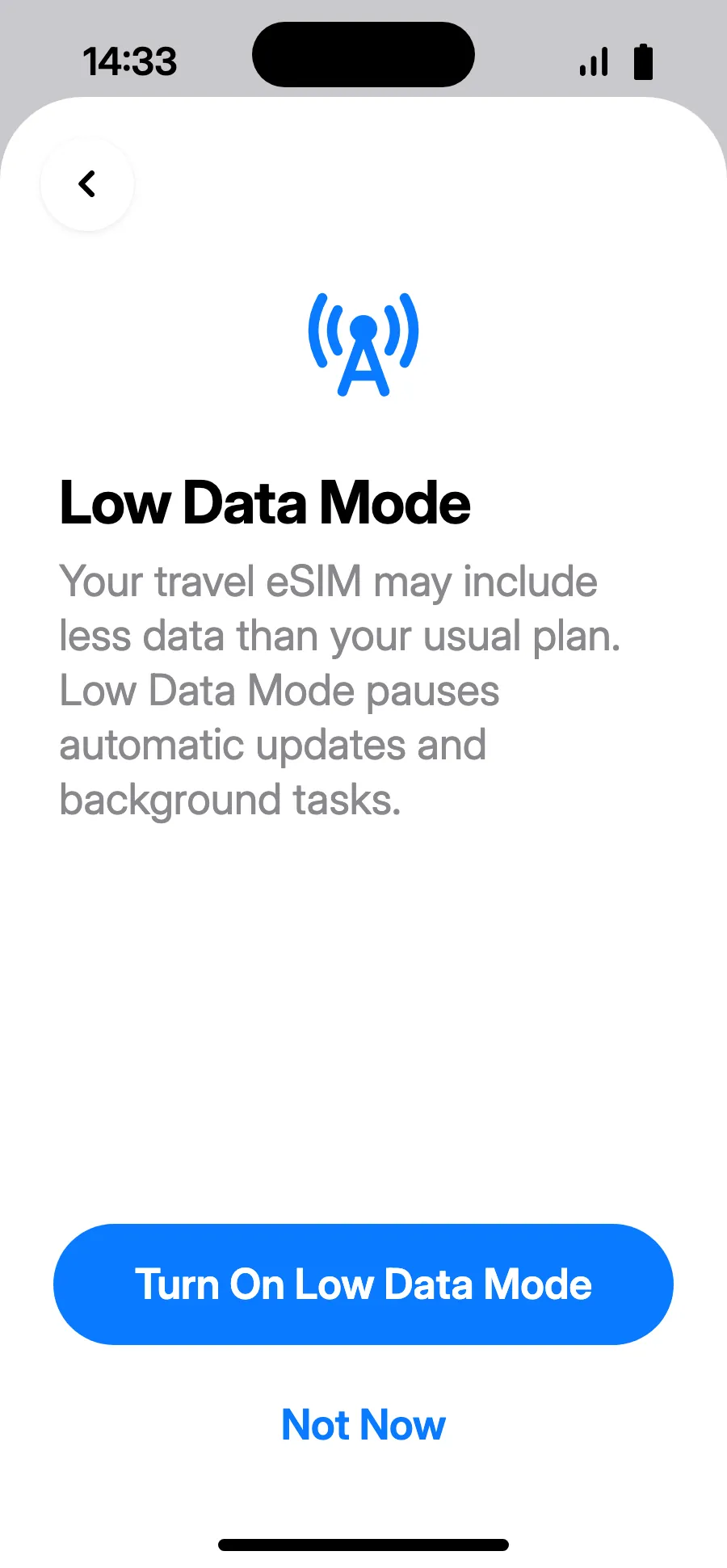
- Low Data Mode saves your plan: tap “Turn On Low Data Mode”, or “Not Now”.
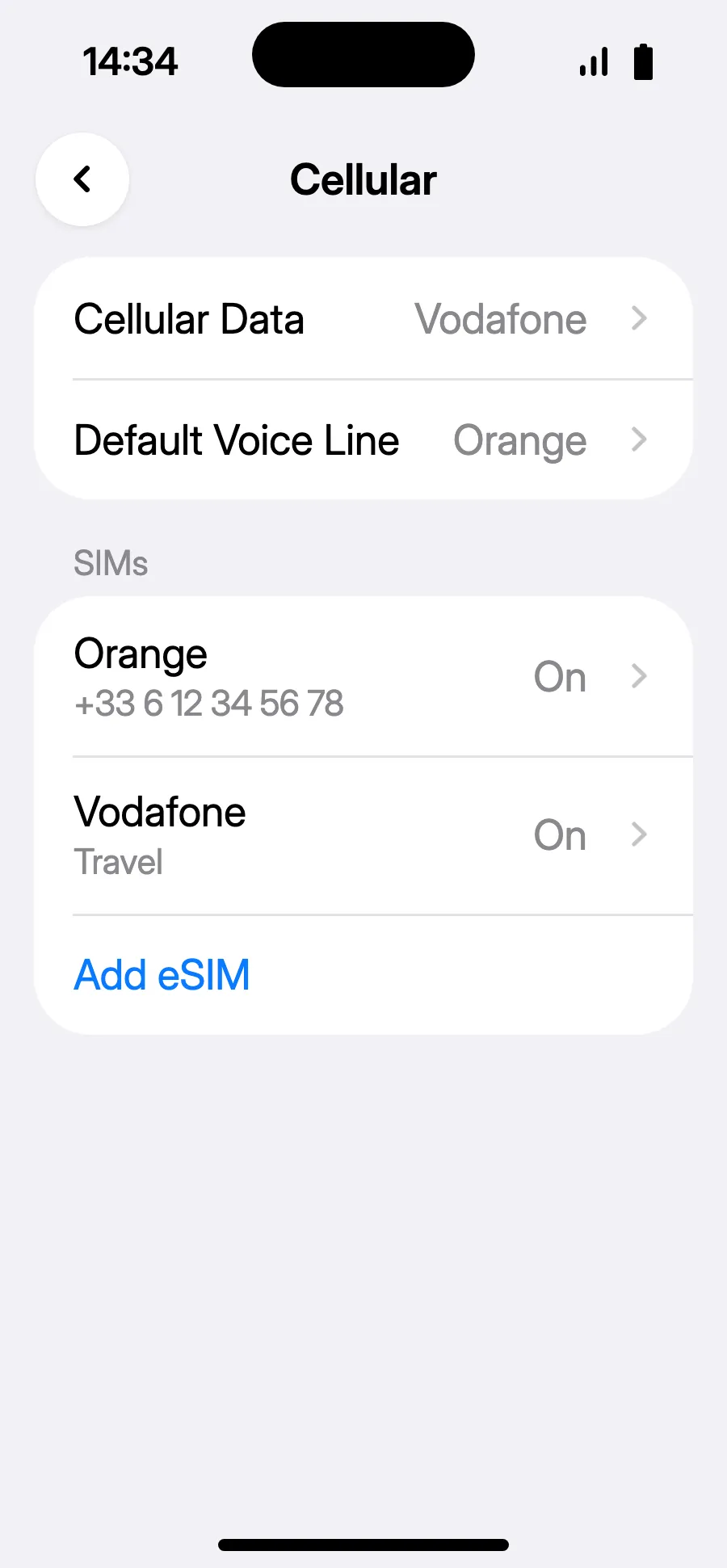
- You're set: Cellular Data shows the new eSIM.
After you buy, your QR code arrives by email and in your account. Show it on another screen, then follow these steps on your phone.
Stay on Wi-Fi and keep your phone unlocked until the installation is done. On iOS 17 or 18, if asked, keep your usual line as the default line and for cellular data.
No notification?
No notification?Step 1 of 4
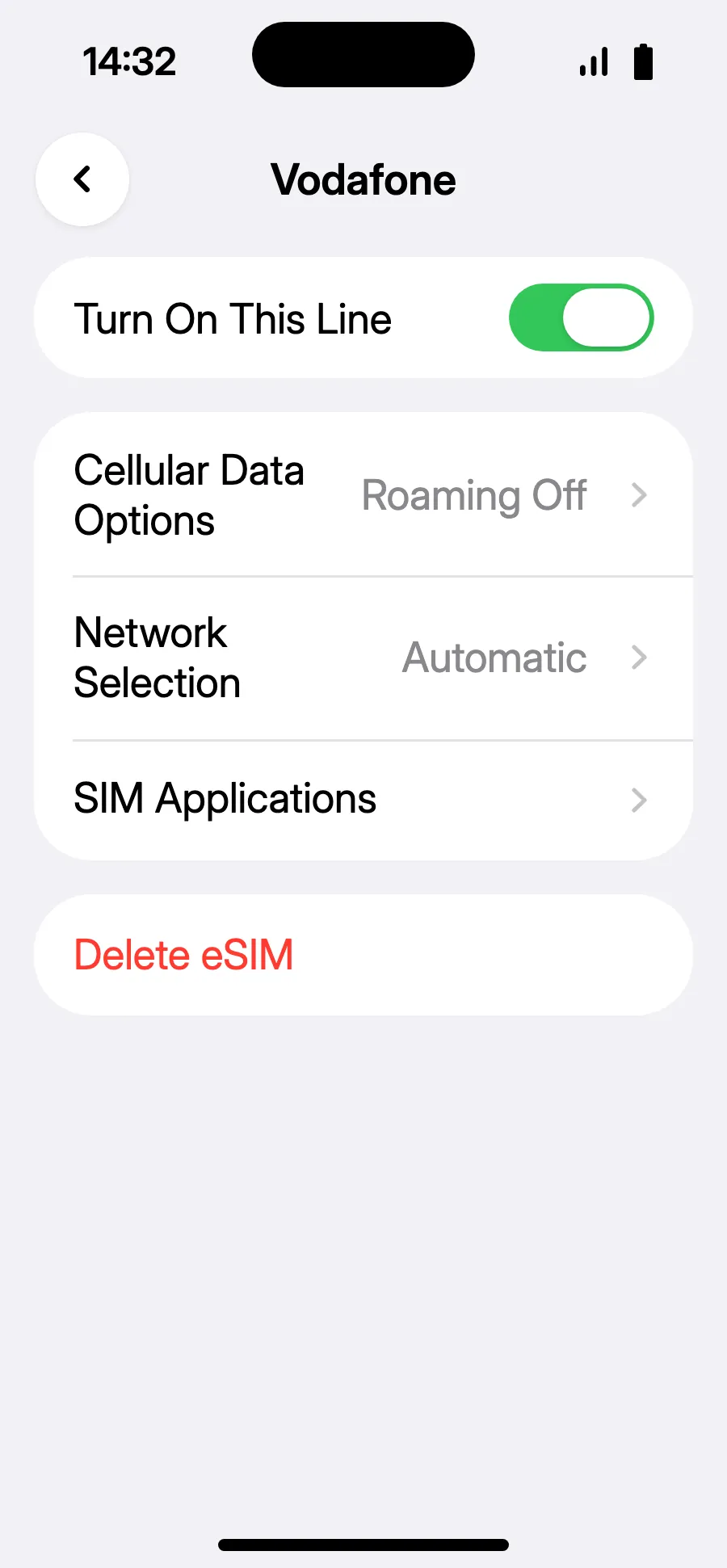
- No notification, or iOS 18 and earlier: open Settings, Cellular, tap your travel eSIM's line and turn on “Turn On This Line”.
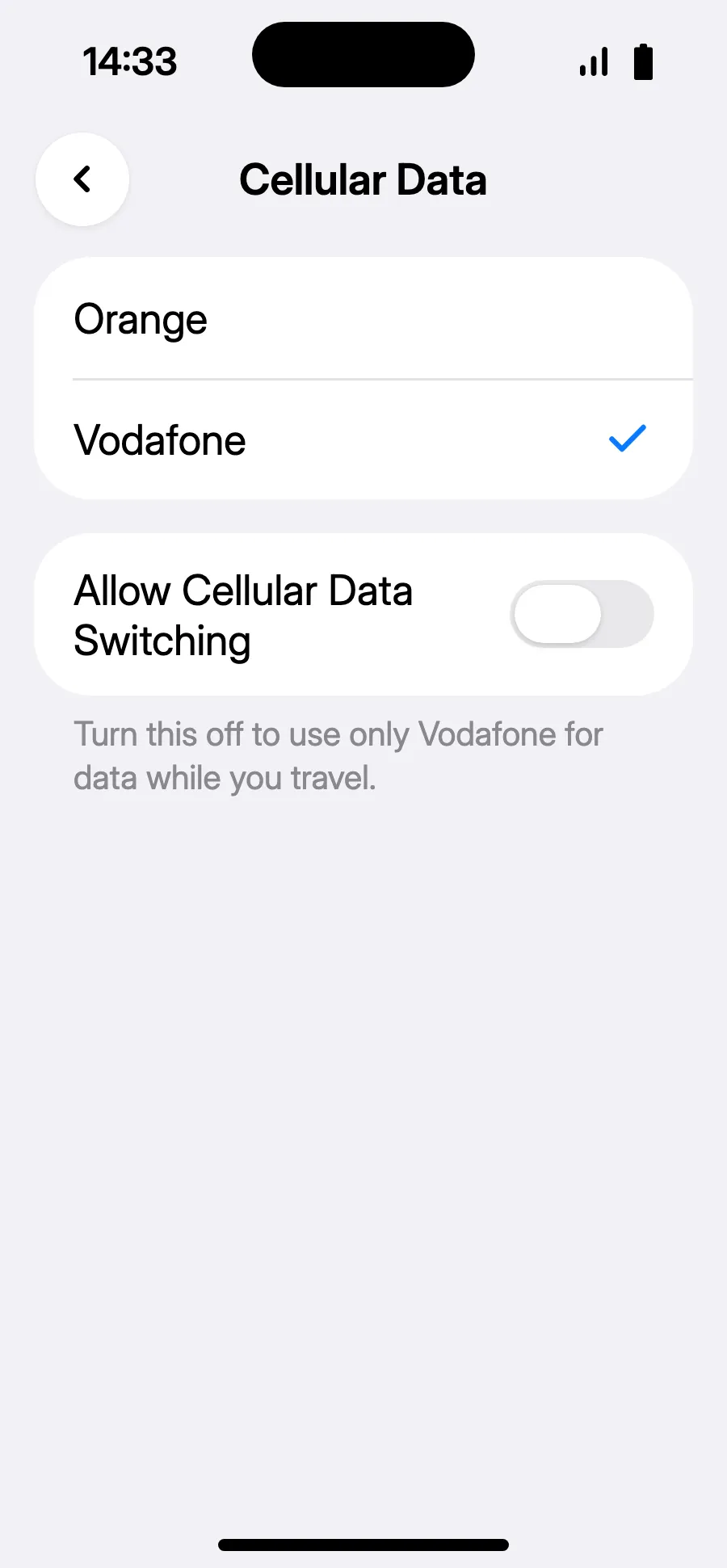
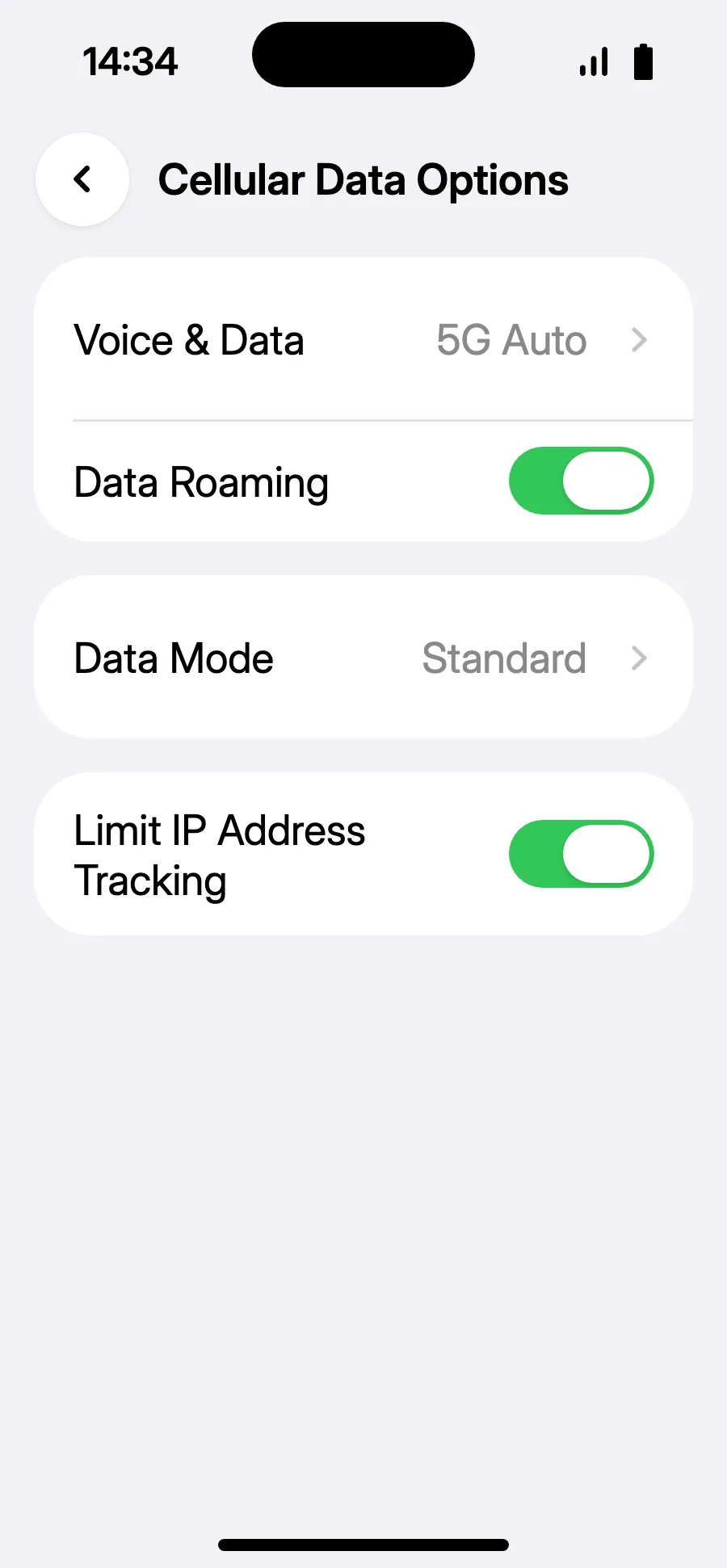
- Go back to Cellular, tap “Cellular Data”, choose the travel line and leave “Allow Cellular Data Switching” off.
- In the travel line, open “Cellular Data Options” and turn on “Data Roaming”.
- Turn on “Data Roaming”. It costs nothing extra: your eSIM uses partner networks. If nothing loads, go back and pick the network manually in “Network Selection”.
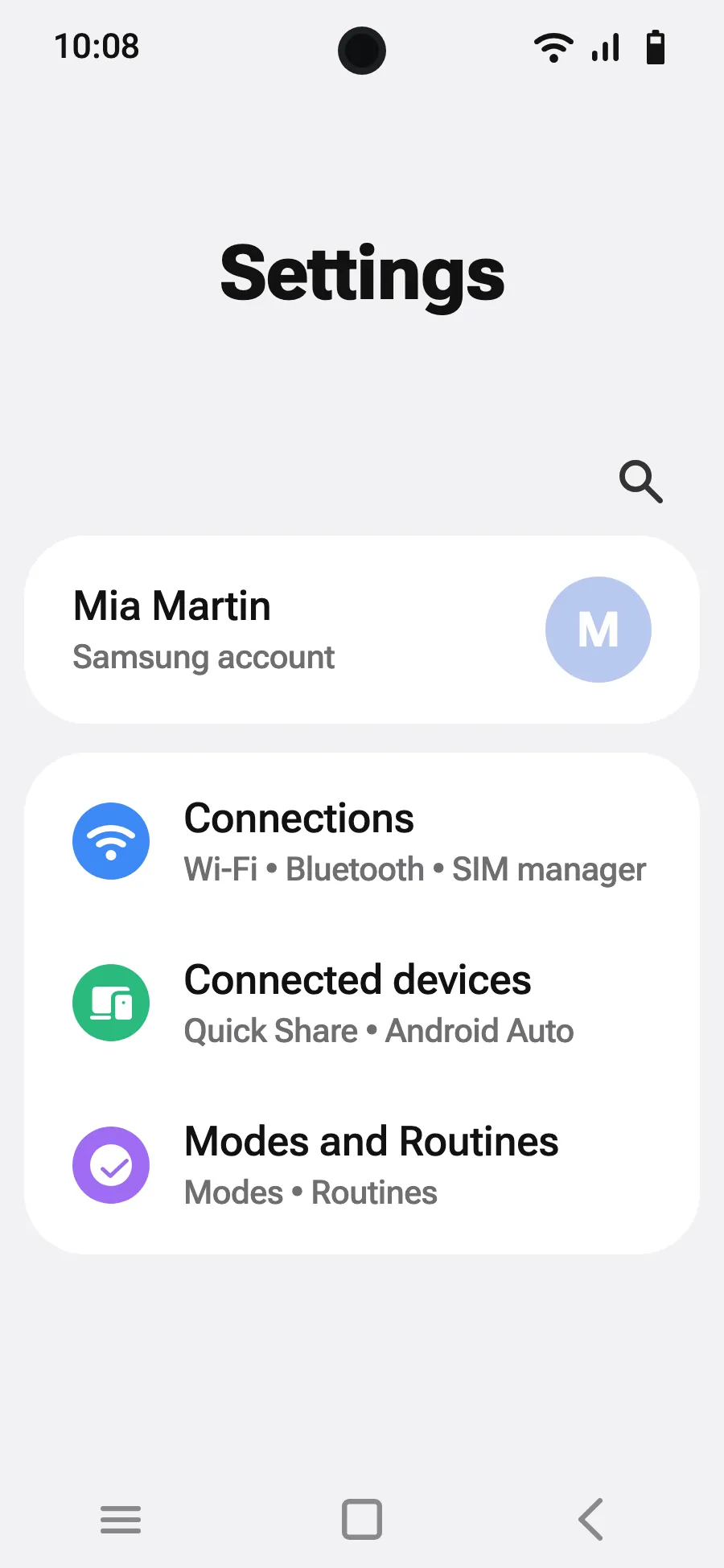
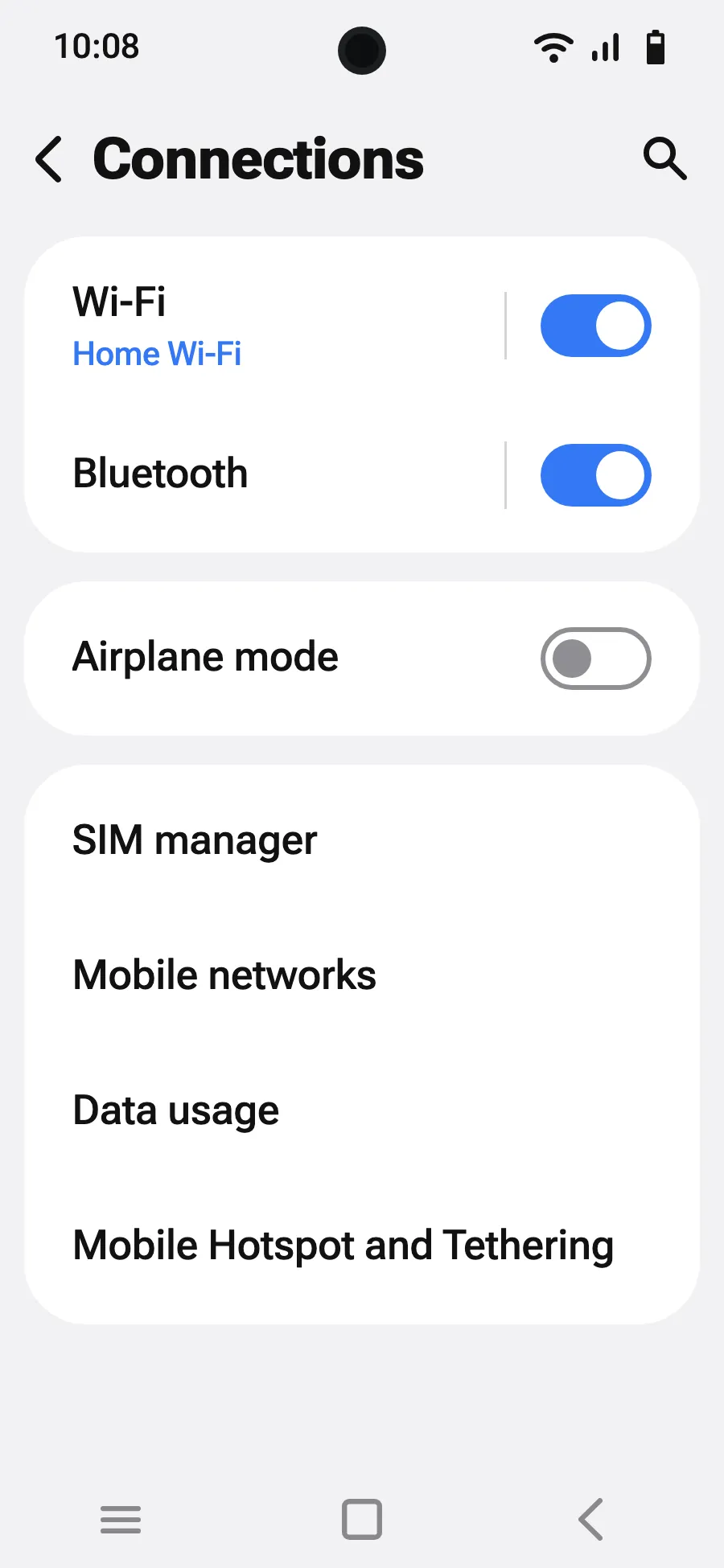
Before you leave: install your eSIMStep 1 of 9
- Open Settings, then Connections.
- Tap “SIM manager”.
- Tap “Add eSIM”.
- Choose “Scan QR code”.
- Scan the QR code we email you after purchase (it's also in your account), then tap Add.
- When you land, turn on your new eSIM in SIM manager. It shows the name of a local or partner carrier.
- Choose the new eSIM for mobile data. In SIM manager, leave “Data switching” off.
- Open Settings, Connections, then “Mobile networks”.
- Turn on “Data roaming”. It costs nothing extra: your eSIM uses partner networks.
After you buy, your QR code arrives by email and in your account. Show it on another screen, then follow these steps on your phone.
Stay on Wi-Fi and keep your phone unlocked until the installation is done.
Does your plan also cover the country you live in? Turn the eSIM off in SIM manager until you leave, so it doesn't start before your trip.
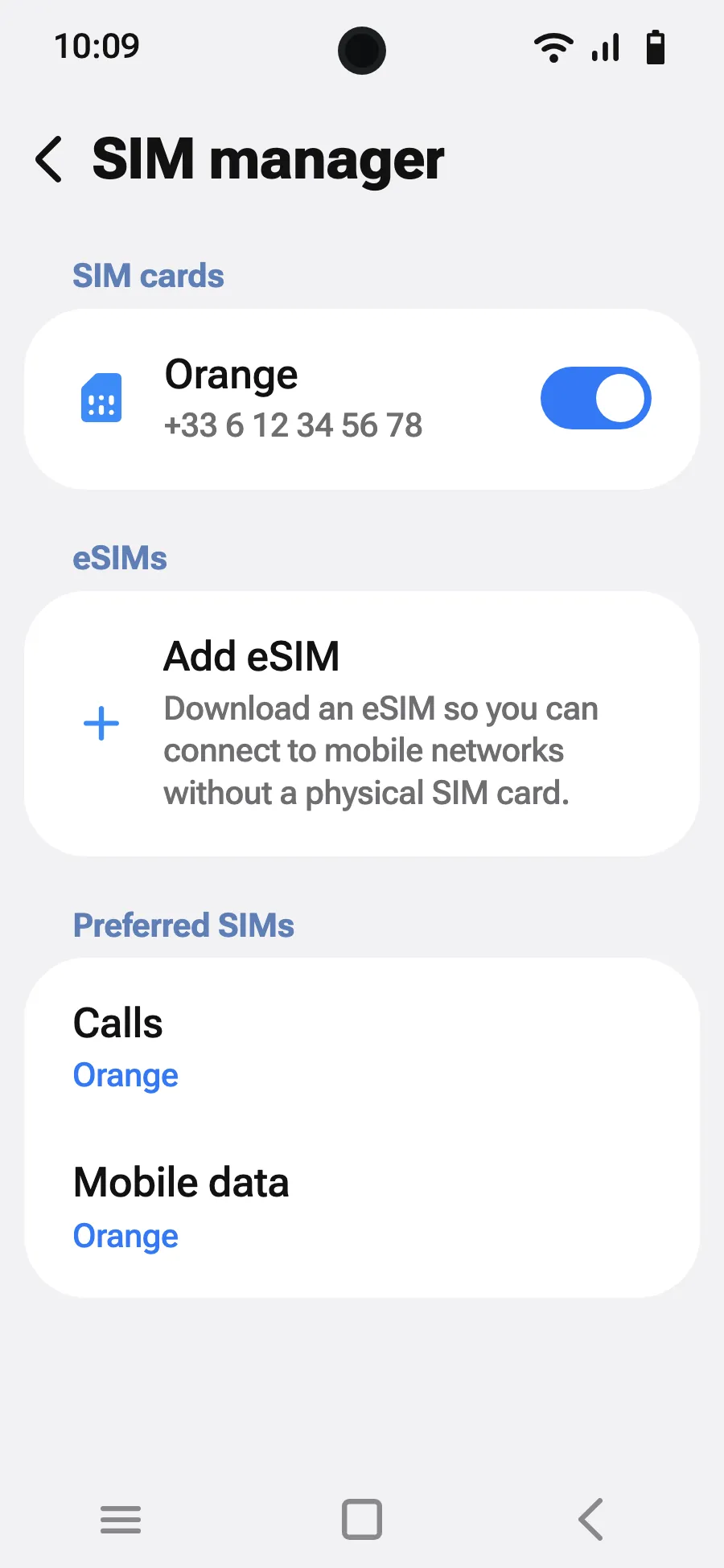
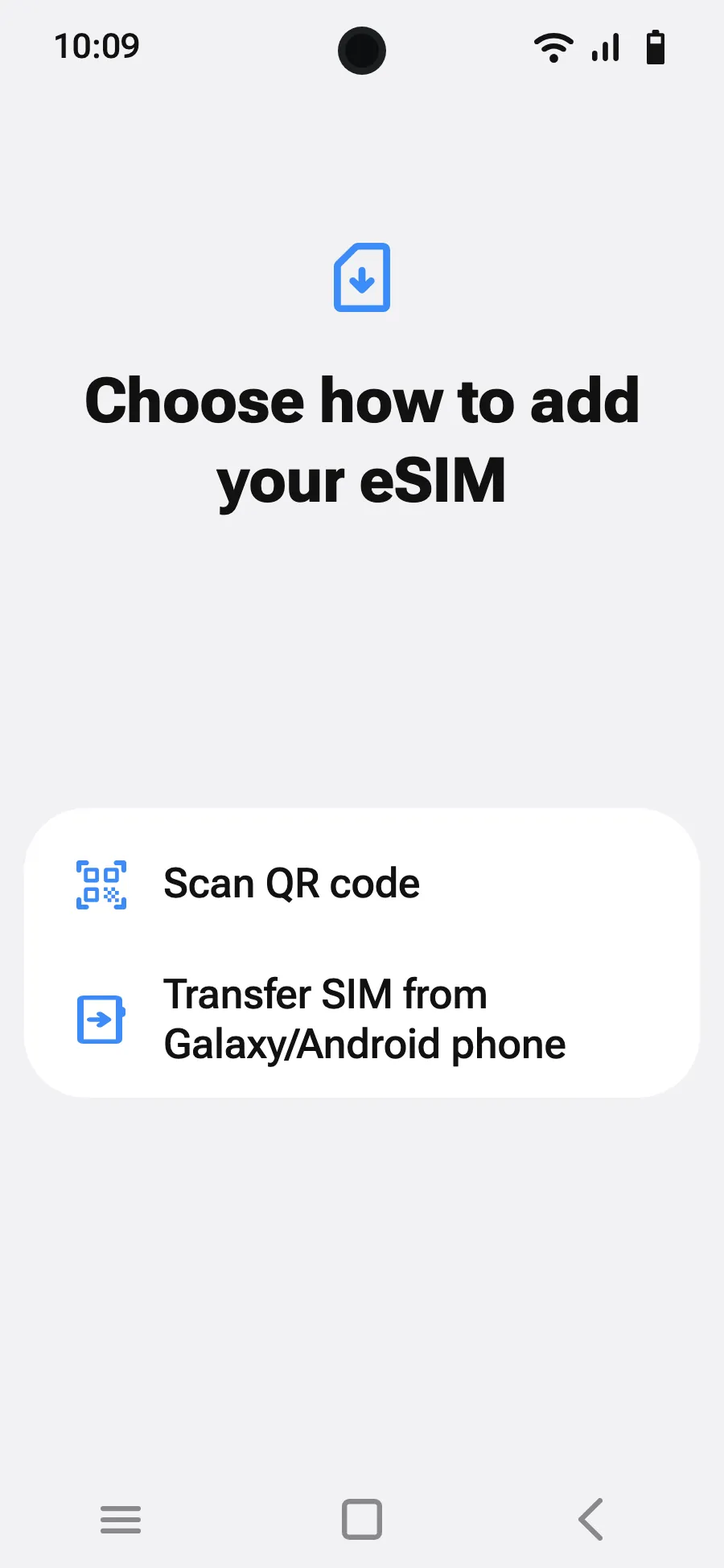
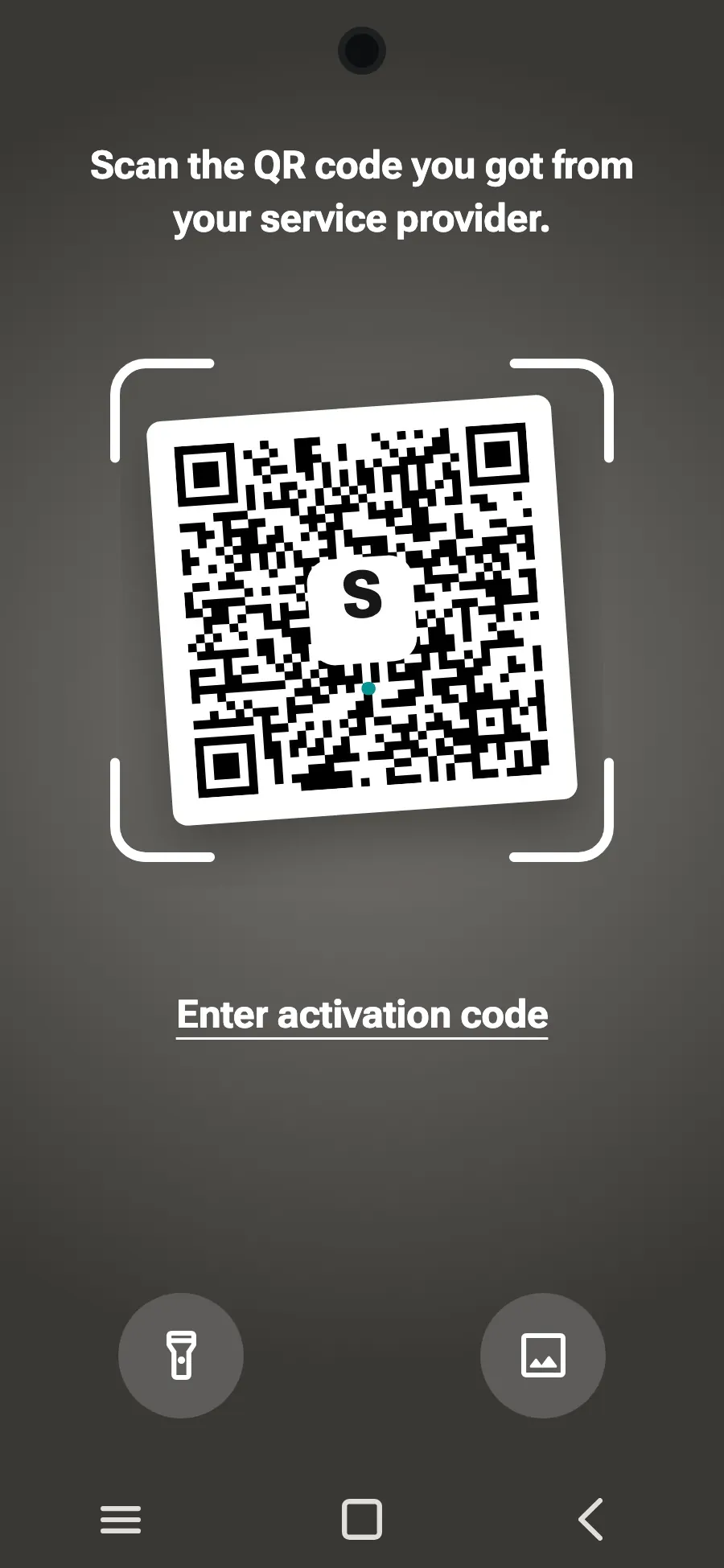
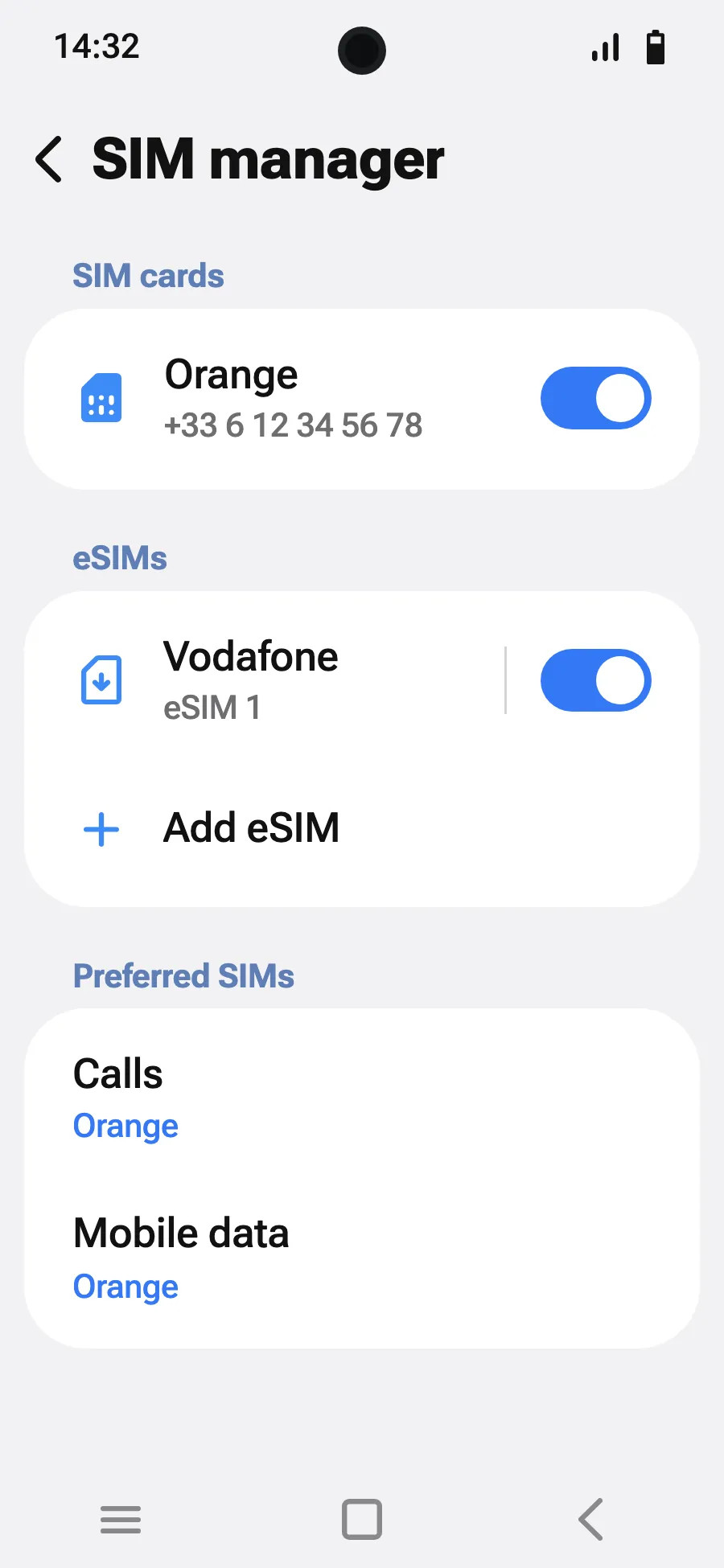
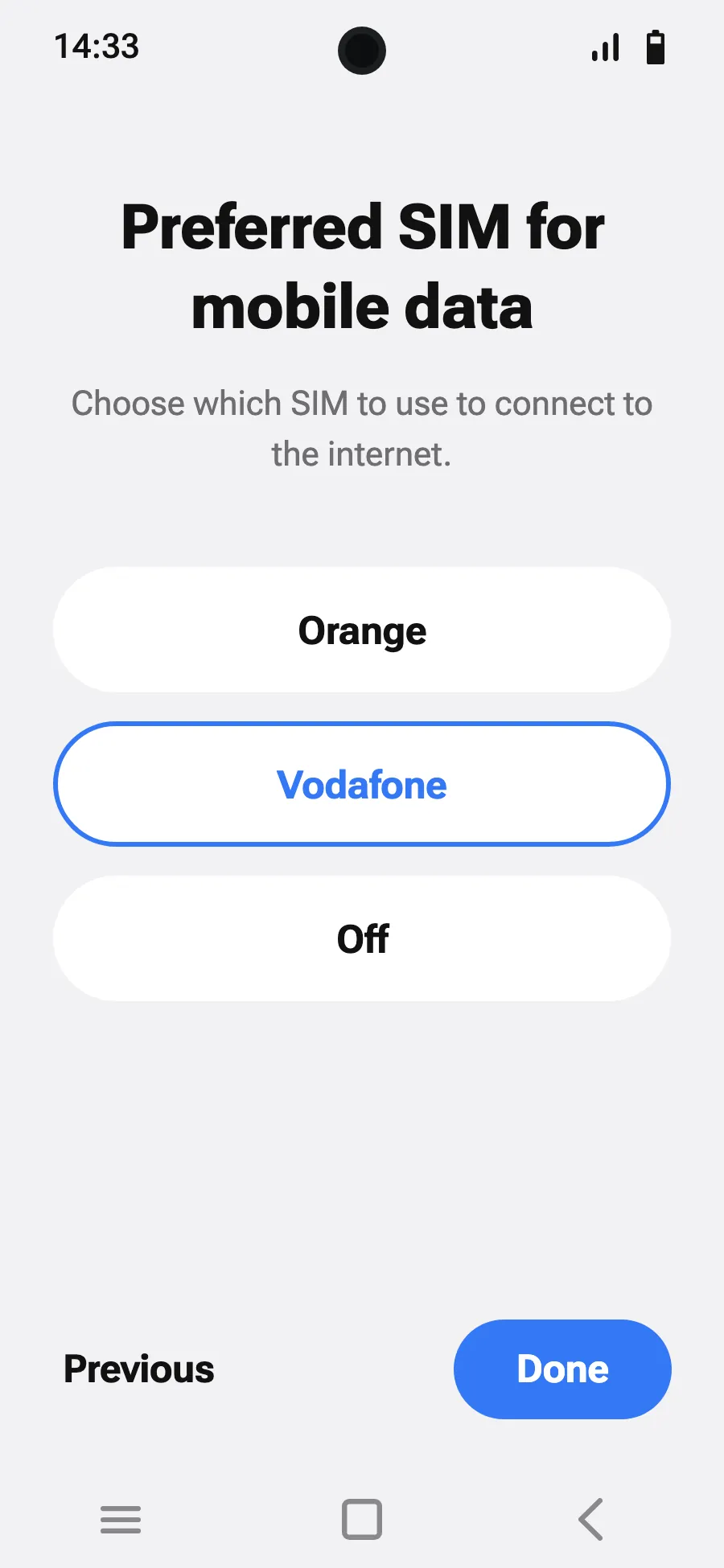
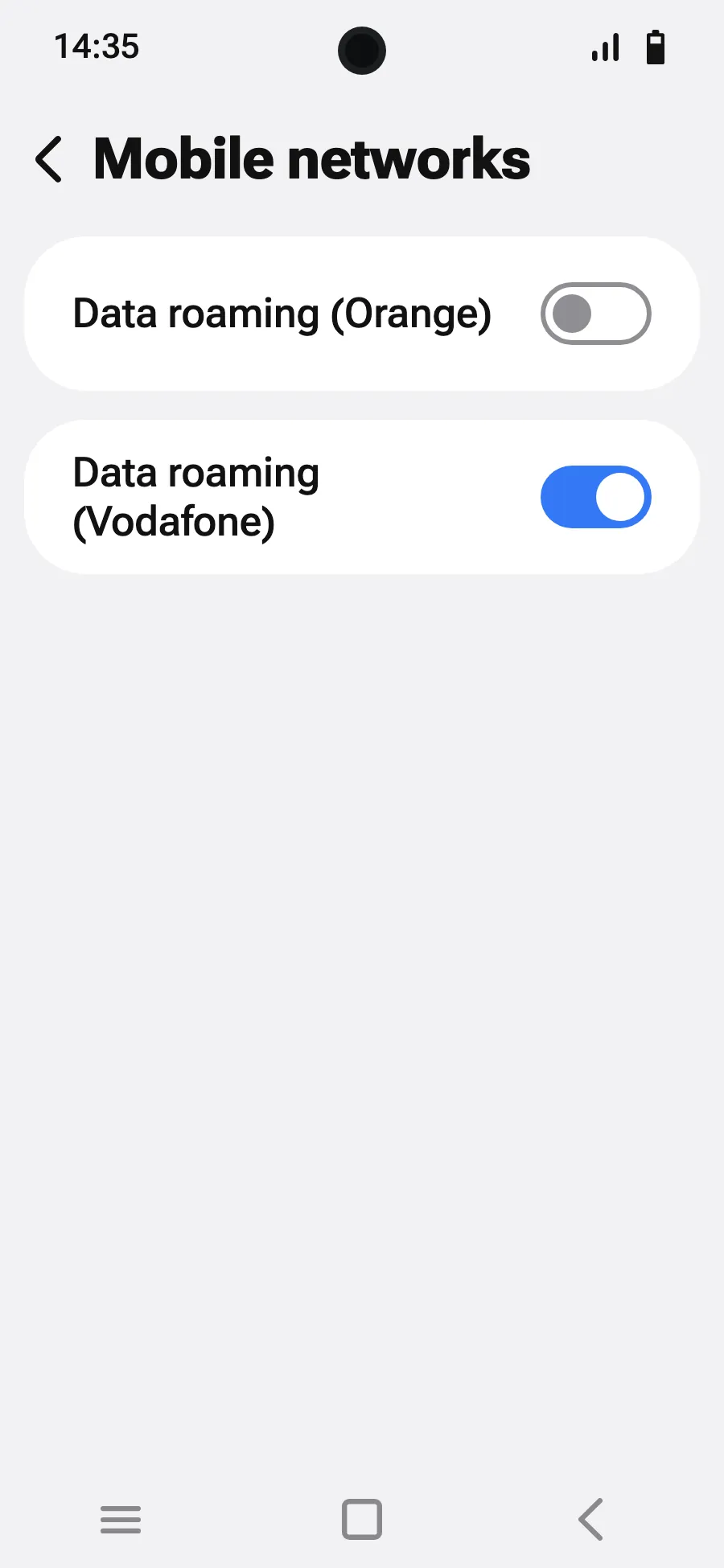
Before you leave: install your eSIMStep 1 of 8
- Open Settings, then Network & internet.
- Tap “SIMs” (Add a network).
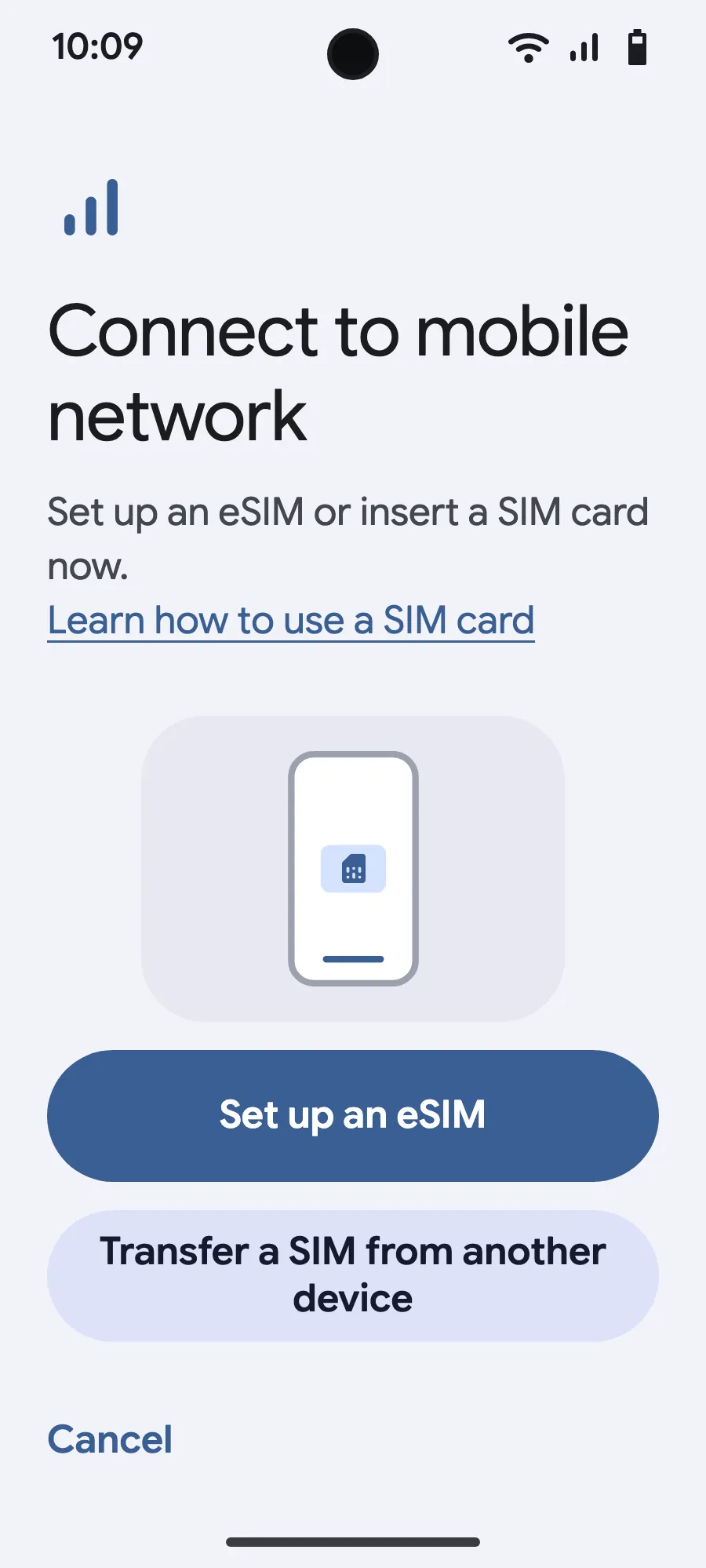
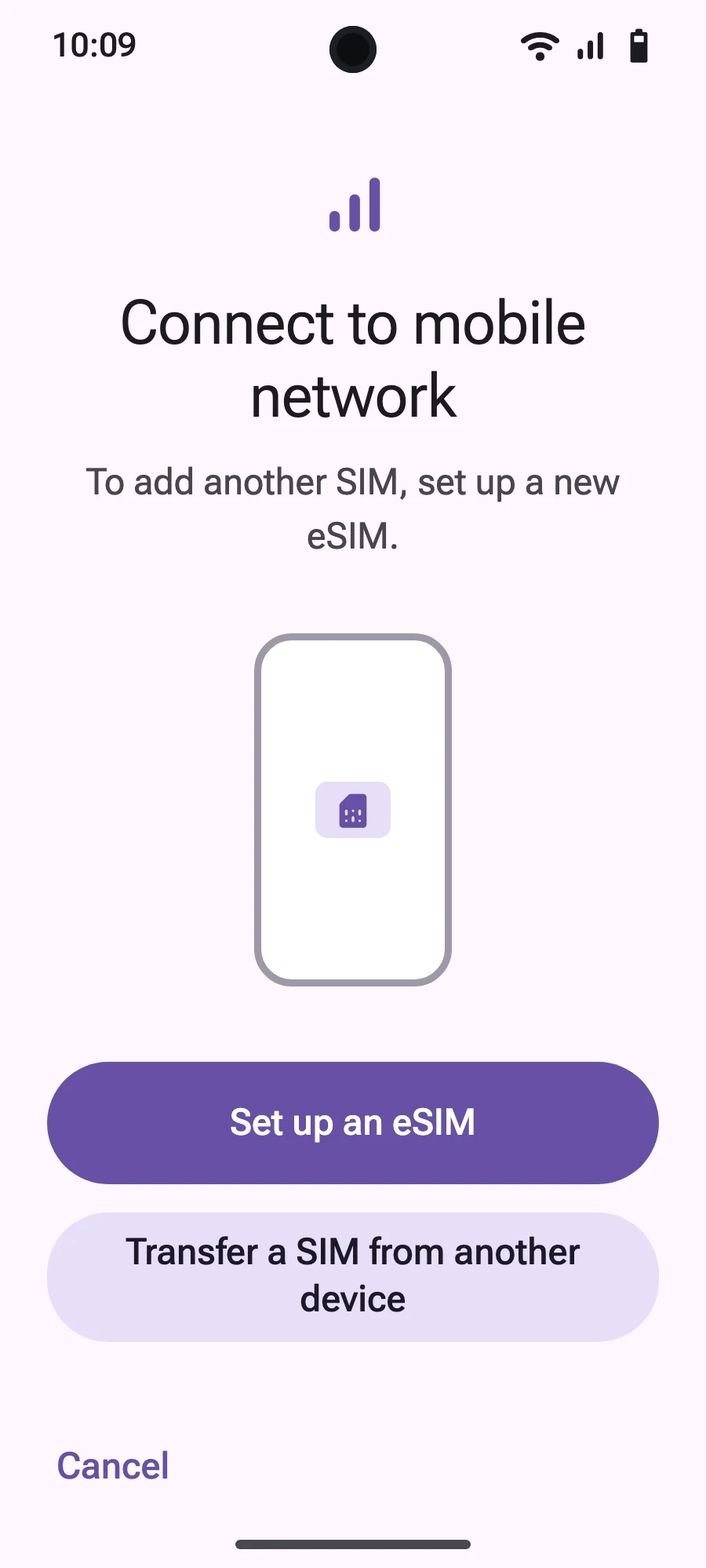
- Tap “Set up an eSIM”.
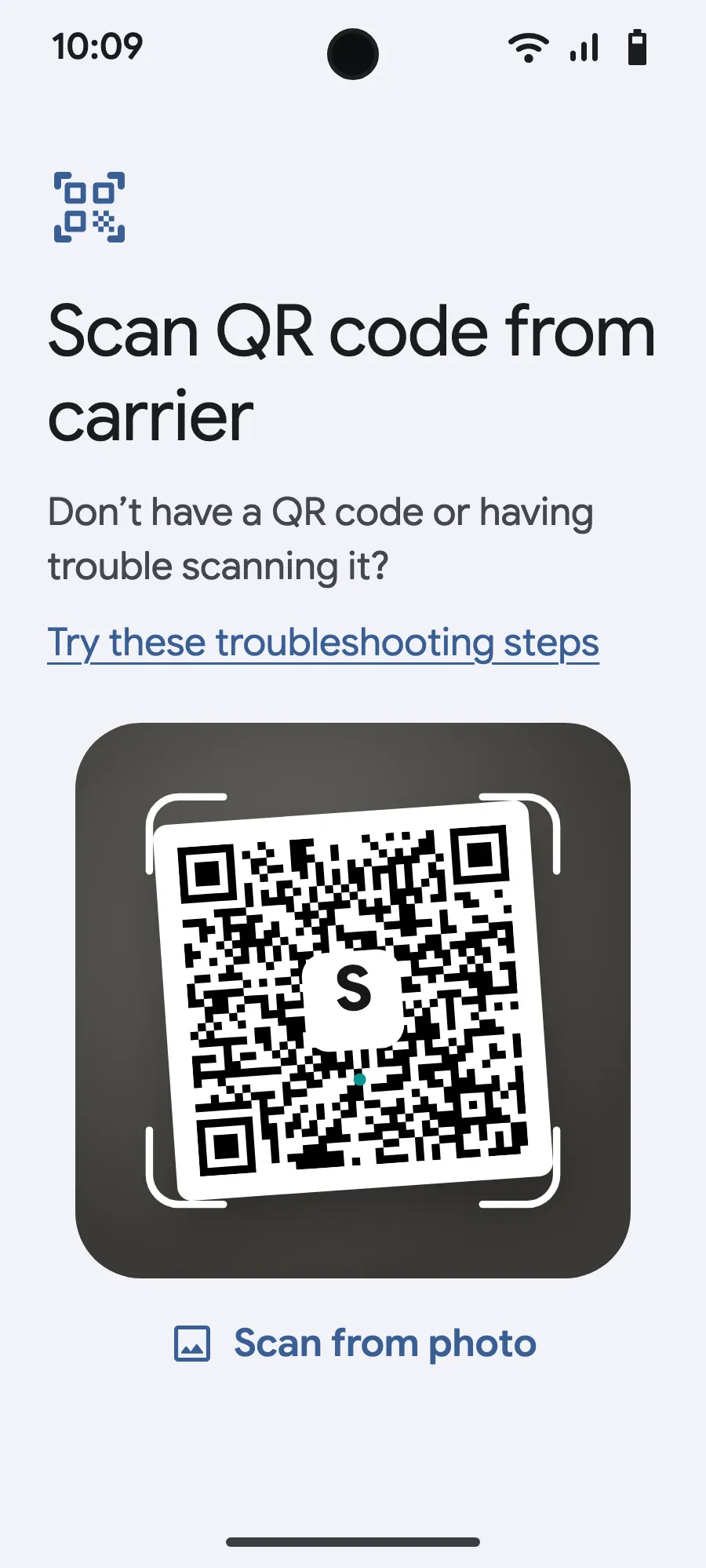
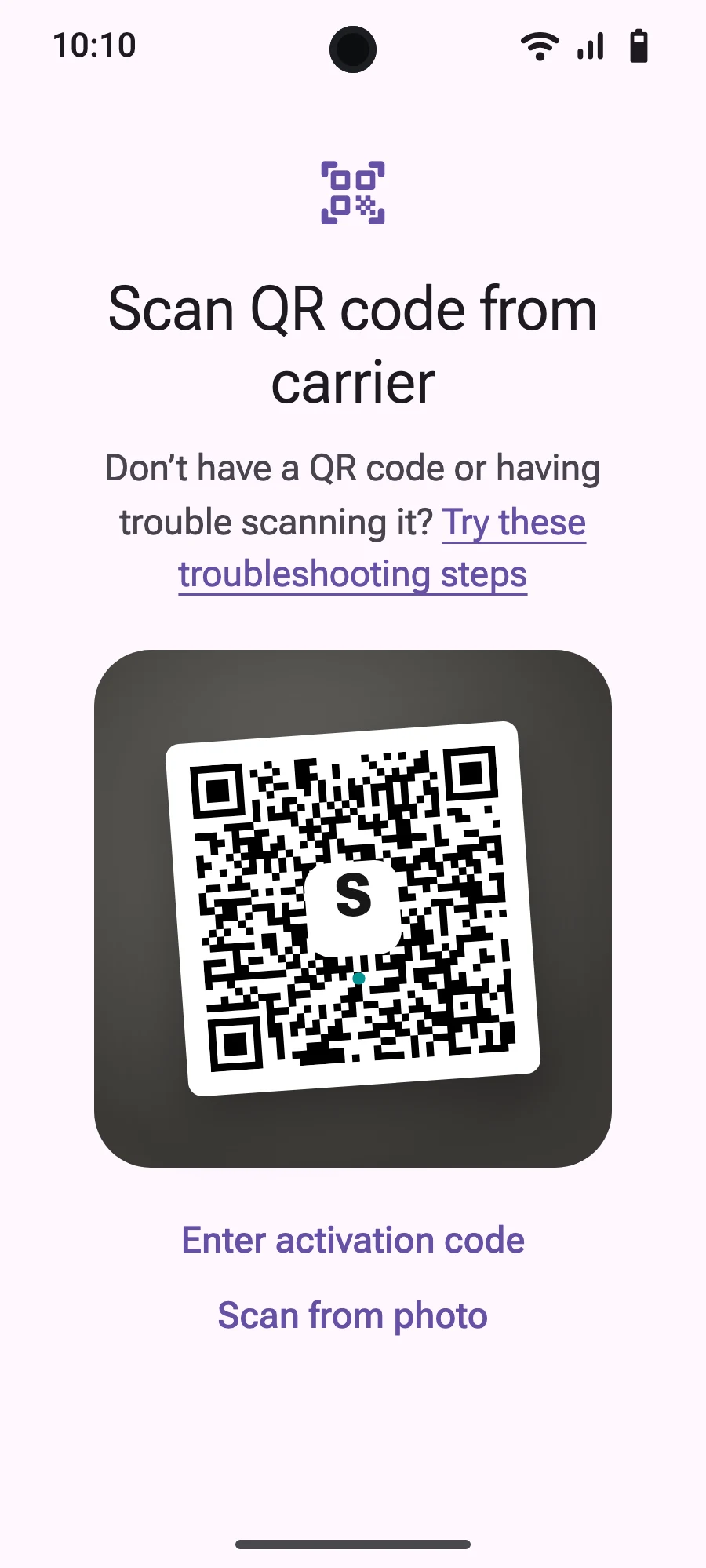
- Scan the QR code we email you after purchase (it's also in your account), then confirm.
- If “Set your SIM preferences” appears, tap “Get started” and keep your usual SIM for calls, texts and mobile data. Data moves to the eSIM when you land.
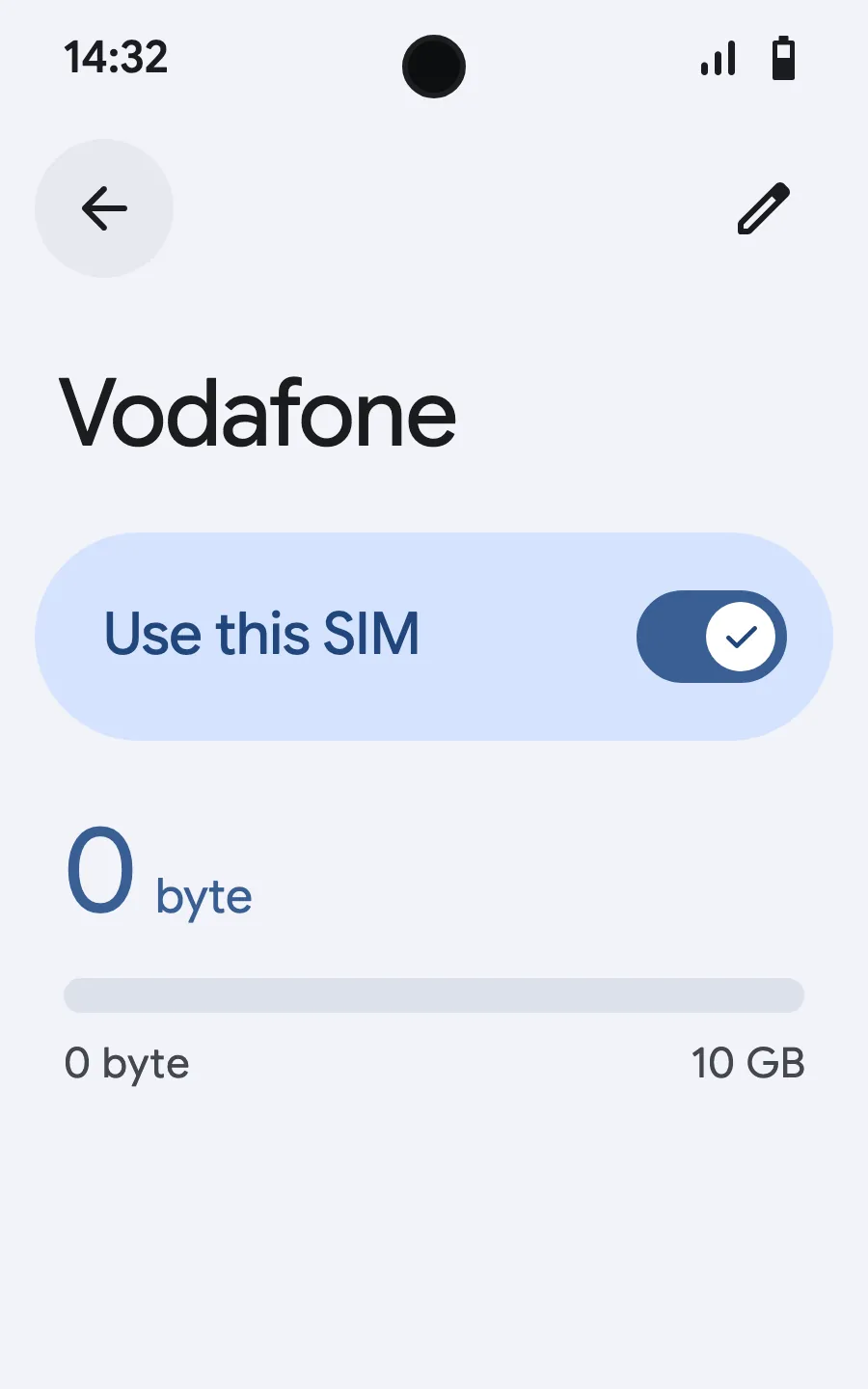
- When you land, open your new eSIM (it shows the name of a local or partner carrier) and turn on “Use this SIM”.
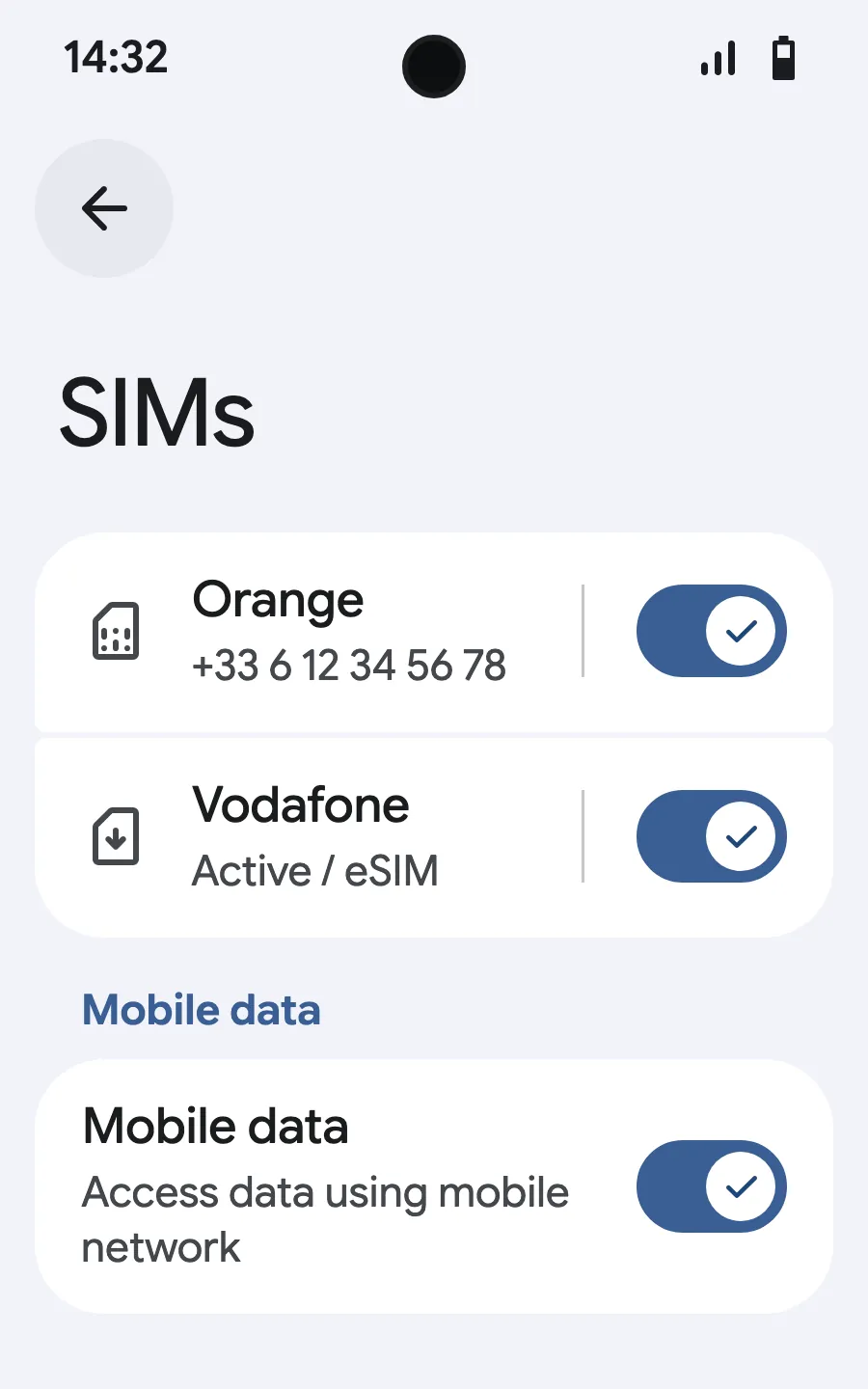
- Turn on mobile data for the new eSIM. On your usual SIM, leave “Switch mobile data automatically” off.
- Turn on roaming. If nothing loads, turn off automatic network selection and pick the network manually.
After you buy, your QR code arrives by email and in your account. Show it on another screen, then follow these steps on your phone.
Stay on Wi-Fi and keep your phone unlocked until the installation is done.
Does your plan also cover the country you live in? Turn the eSIM off in Settings, SIMs until you leave, so it doesn't start before your trip.
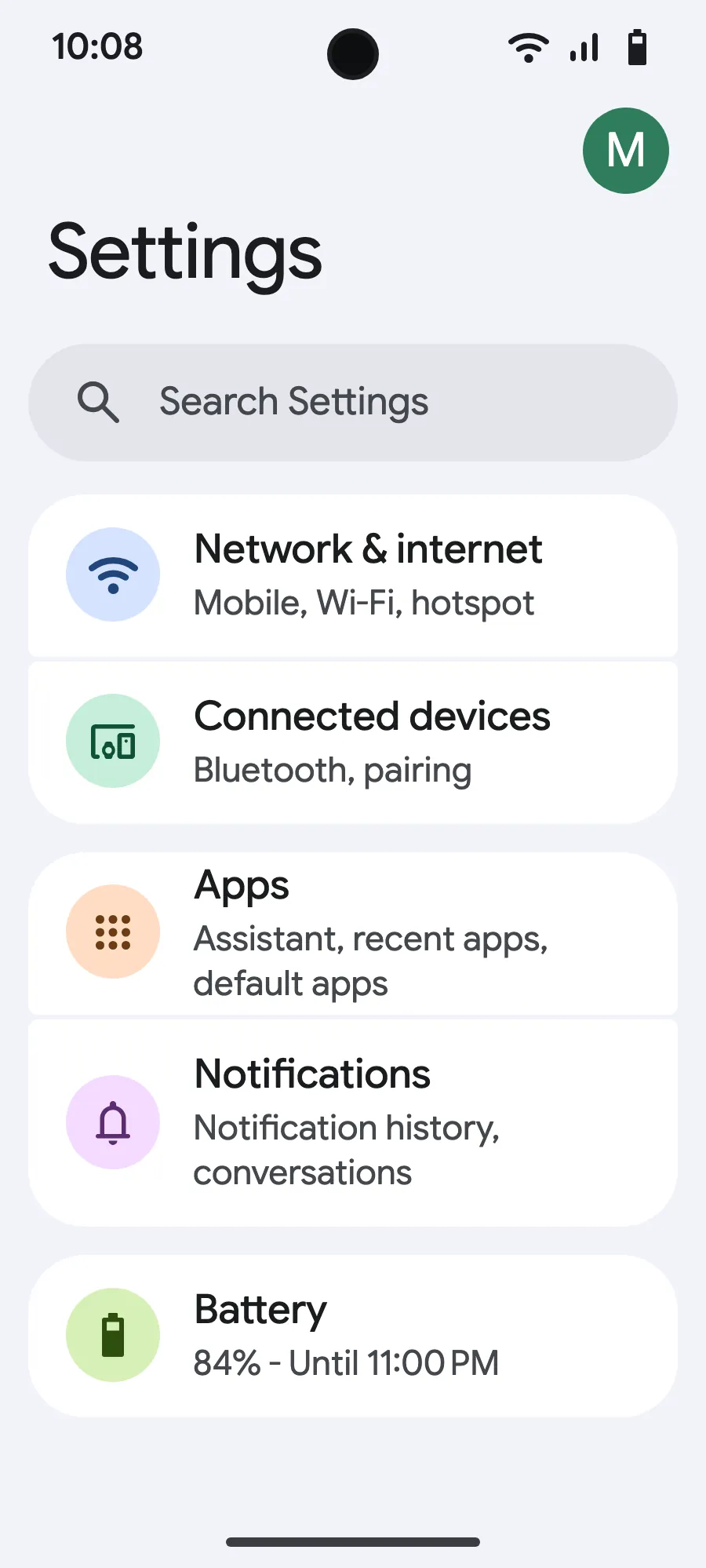
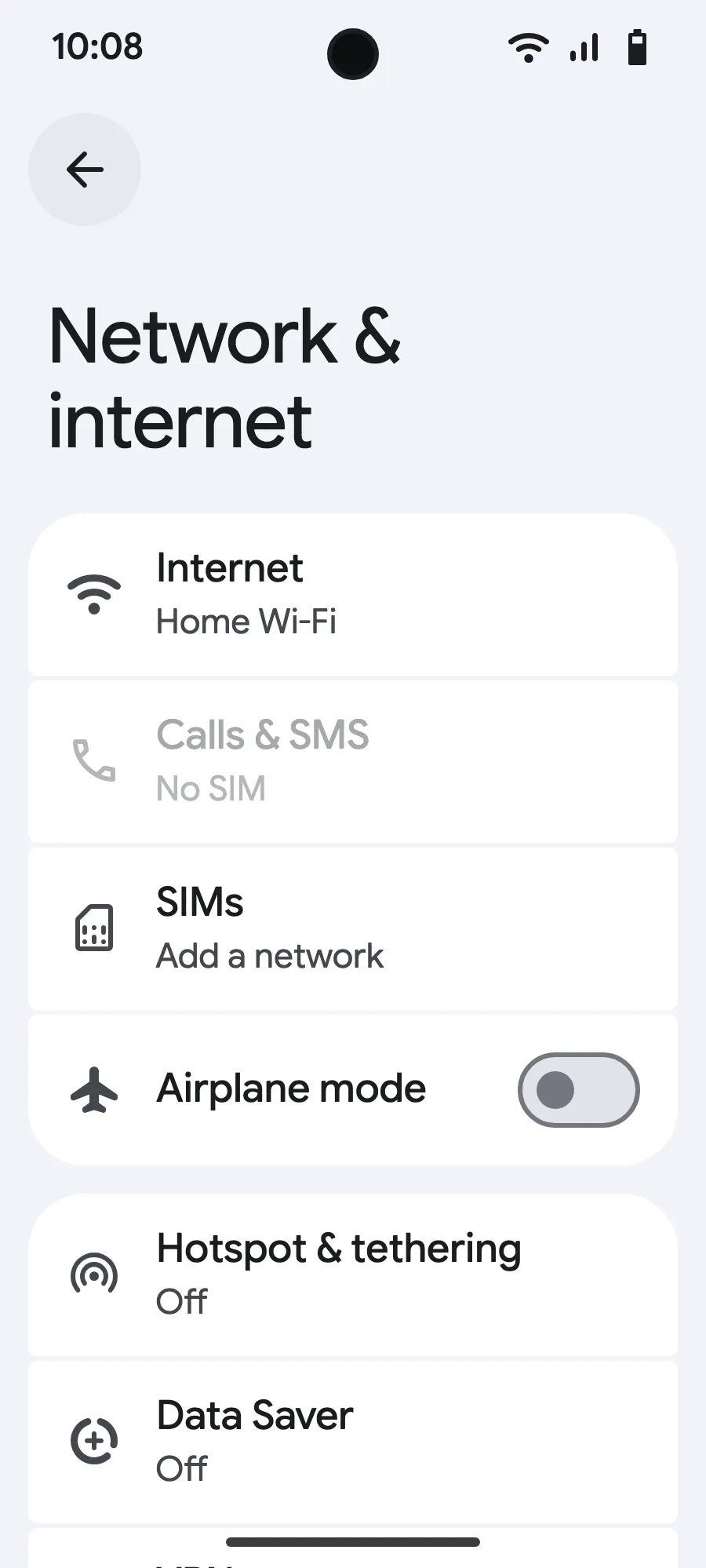
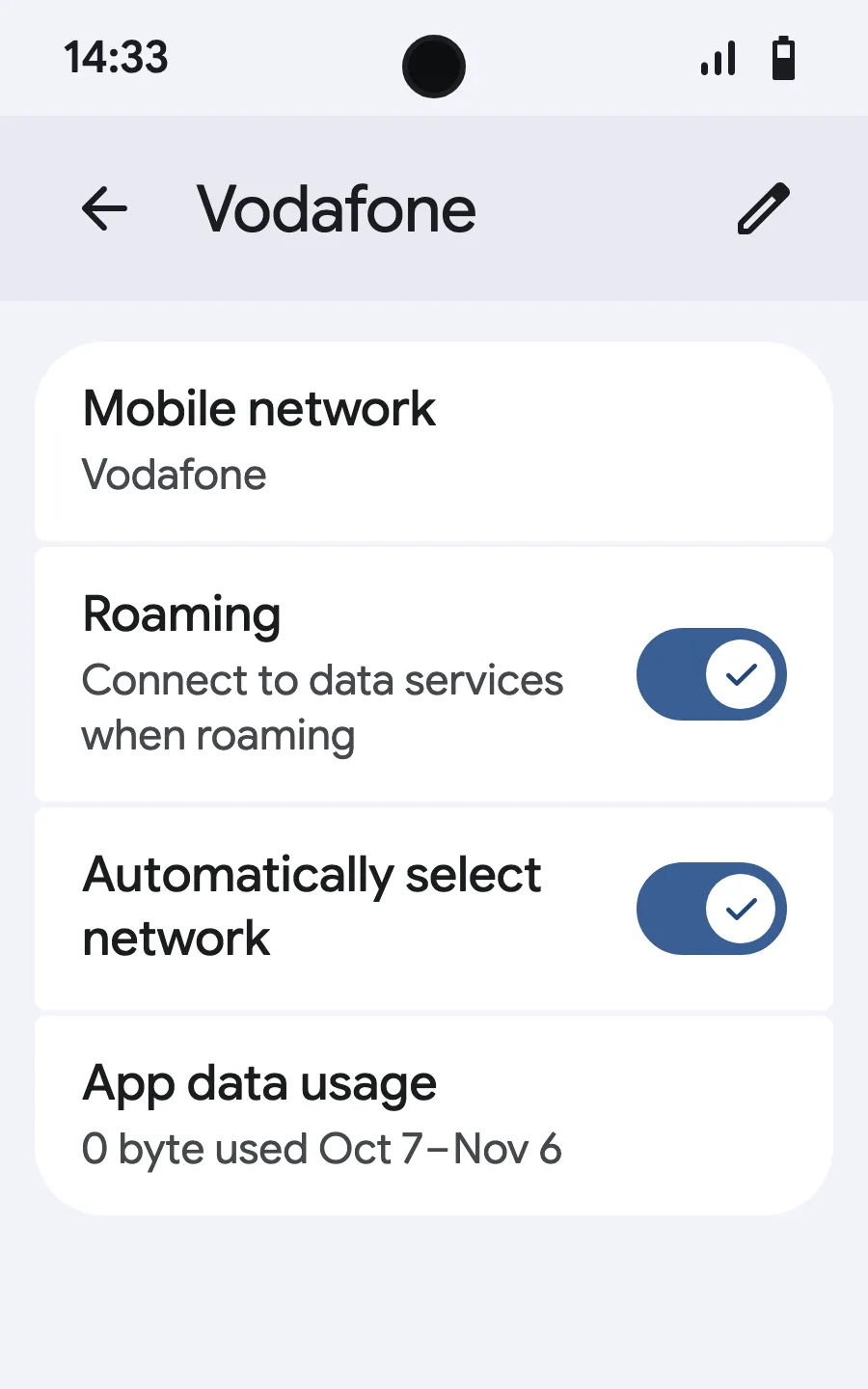
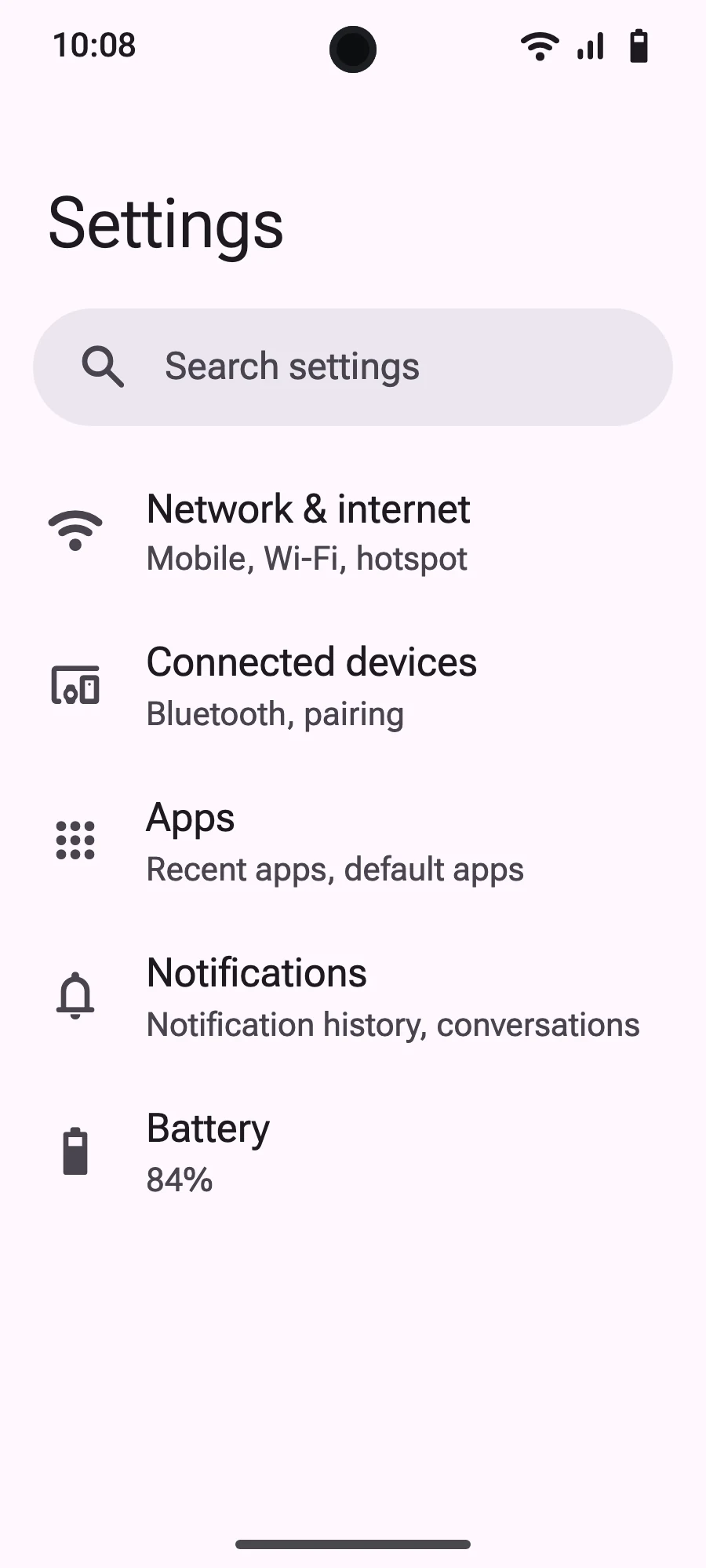
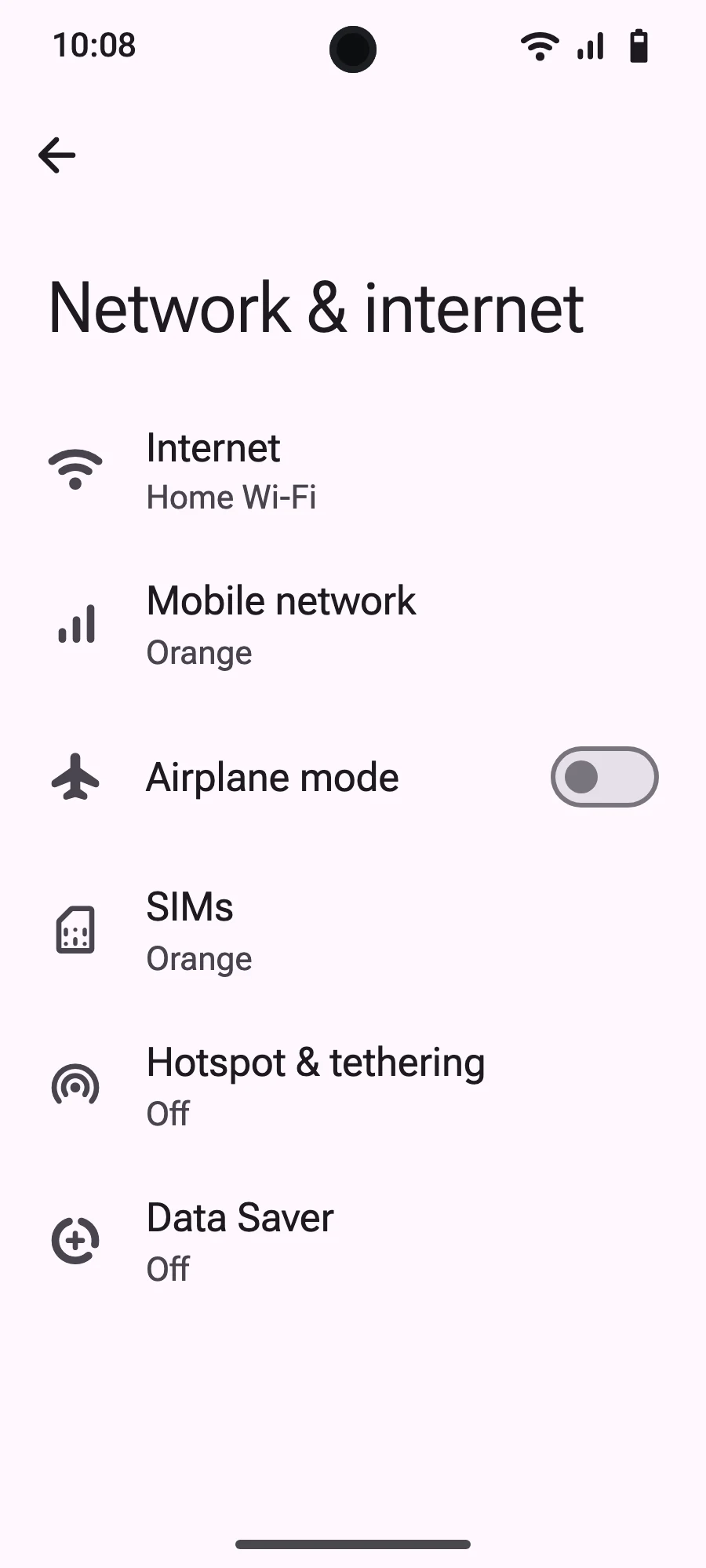
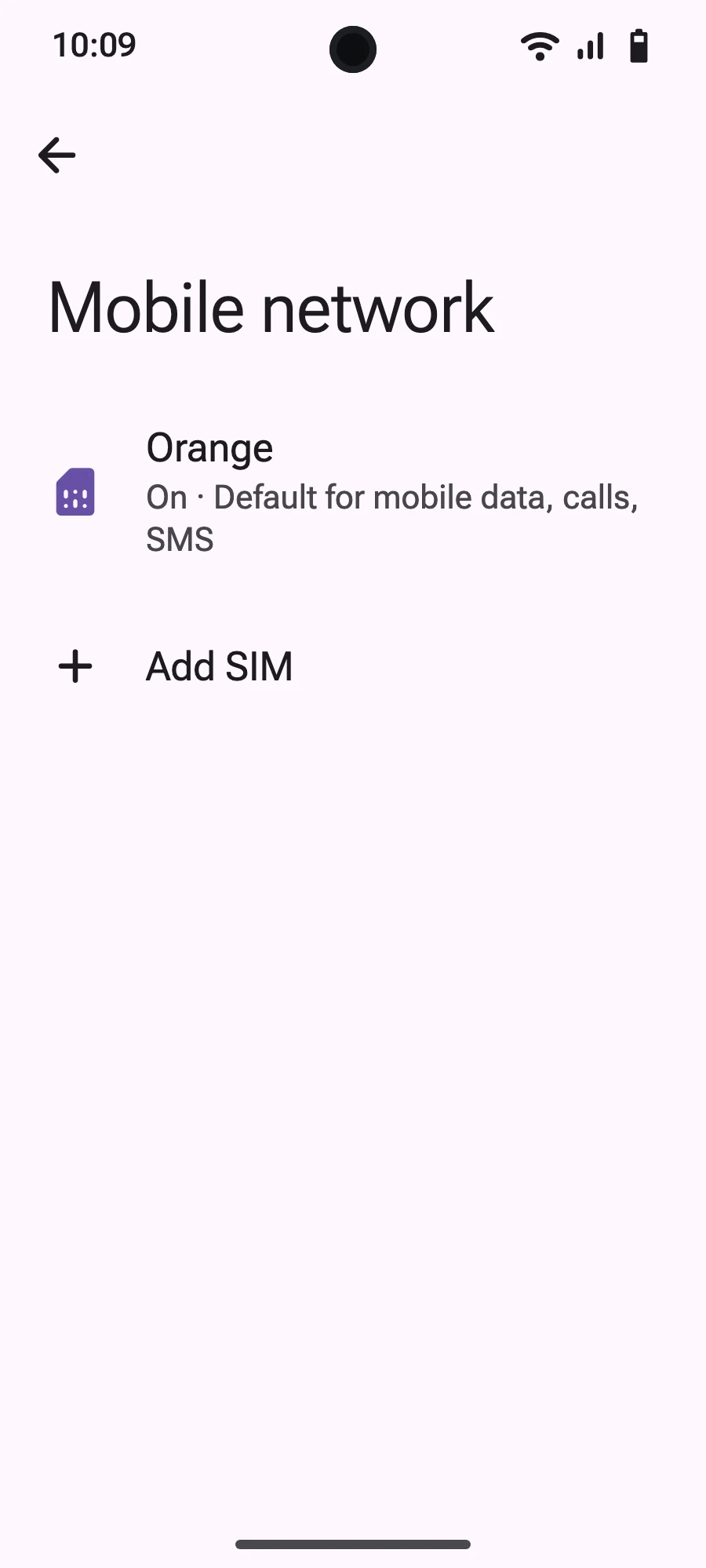
Before you leave: install your eSIMStep 1 of 9
- Open Settings, then Mobile networks or Network & internet.
- Tap “Mobile network”.
- Tap “Add SIM”.
- Tap “Set up an eSIM”.
- Scan the QR code we email you after purchase (it's also in your account), then confirm.
- If “Set your SIM preferences” appears, tap “Get started” and keep your usual SIM for calls, texts and mobile data. Data moves to the eSIM when you land.
- When you land, open your new eSIM (it shows the name of a local or partner carrier) and turn on “Use SIM”.
- Turn on mobile data for the new eSIM.
- Turn on roaming. If nothing loads, turn off automatic network selection and pick the network manually.
After you buy, your QR code arrives by email and in your account. Show it on another screen, then follow these steps on your phone. On Xiaomi, Oppo or OnePlus the menus have other names: search for “eSIM” in Settings.
Stay on Wi-Fi and keep your phone unlocked until the installation is done.
Does your plan also cover the country you live in? Turn the eSIM off in Settings, SIMs until you leave, so it doesn't start before your trip.
Frequently asked questions
Essential information about using a Simsima eSIM in the Caribbean.
Travel guides
 Guides
 Guides
eSIM for iPhone: Compatible Models, Travel Benefits and Setup (2026)

 Comparisons
Best Phone Plan for International Travel: Carriers, SIM Cards, Wi-Fi and eSIMs Compared